Free Lessons
Courses
Seminars
TechHelp
Fast Tips
Templates
Topic Index
Forum
ABCD
 
Home   Courses   TechHelp   Forums   Help   Contact   Merch   Join   Order   Logon  
 
Back to Access Forum    Comments List
Upload Images   @Reply   Bookmark    Link   Email   Next Unseen 
Enter Parameter Value Error Makes No Sense!
Monica Jones 
       
2 days ago
I love using the SourceControl for tabbed subforms that Richard has taught. I recently added a new one and it's giving me an "Enter Parameter Value" error. But the subform works just fine. I only see the error when I close the form. I'll explain more as I add pics below.
Monica Jones OP  @Reply  
       
2 days ago

Monica Jones OP  @Reply  
       
2 days ago
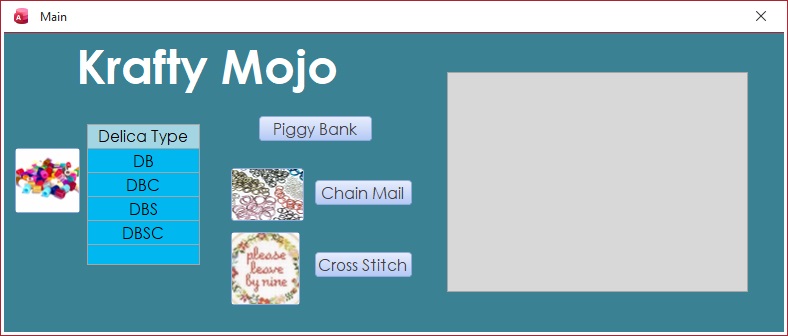
Monica Main form, opens with database, straight forward. I double click on "DB" under Delica Type and I get this:
Monica Jones OP  @Reply  
       
2 days ago

Monica Jones OP  @Reply  
       
2 days ago
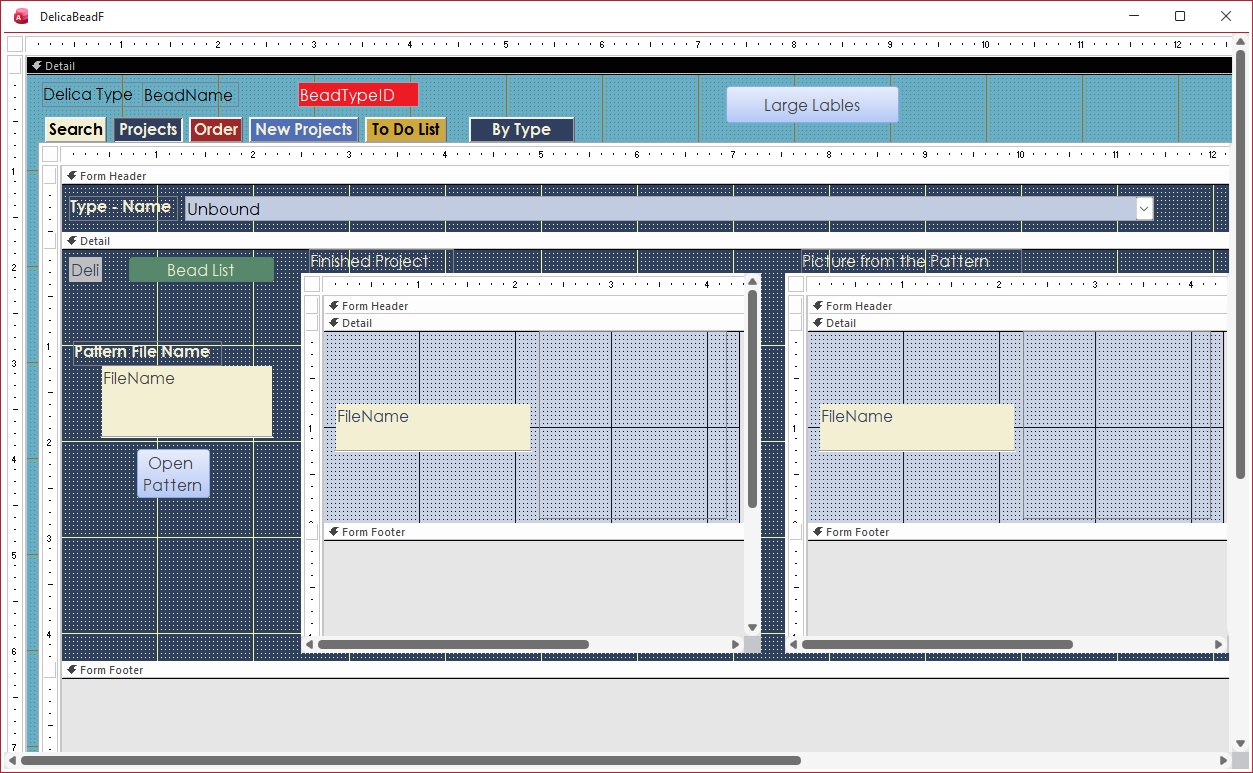
The "BeadTypeID" is hidden but pulls from which ever type was selected on the main form. The five tabs on the left are original. Last one on the right is the new/problem child.
Monica Jones OP  @Reply  
       
2 days ago

Monica Jones OP  @Reply  
       
2 days ago
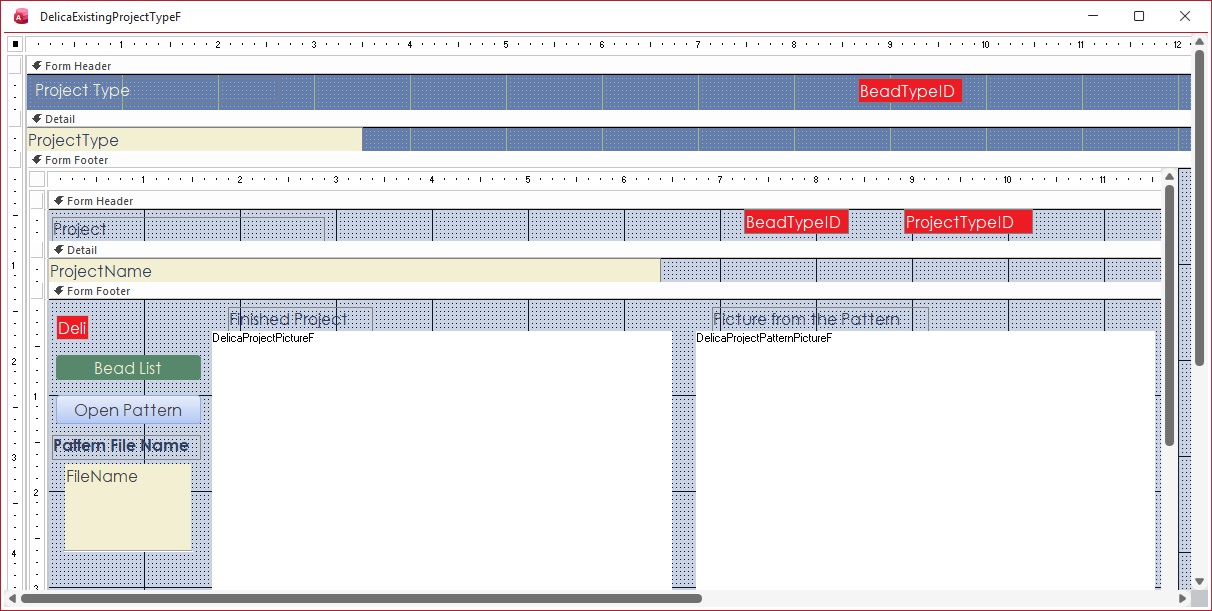
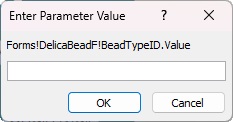
Notice, "BeadTypeID" is on the form. It is in the query that feeds it, and I've double checked that it is the same as the original Project tab, pulls the ID in the same way, even copied/pasted the name over to the new form's query to verify no spelling differences. The subform itself performs just fine, I slide it out of the way no error messages. If I close the window from this form, I get the below error message. If I click to a different subform before closing, no error message. If I go to the new form and slide the window around, no error message underneath. Only when I close from the new subform. I'm out of ideas of where I should be looking.
Monica Jones OP  @Reply  
       
2 days ago

Richard Rost  @Reply  
          
2 days ago
Got any code in those forms?

Check your queries for misspelled field names?
John Davy  @Reply  
         
2 days ago
Hi Monica Search for Forms!DelicaBeadF!BeadTypeID.value and show us where the code is.  John
Monica Jones OP  @Reply  
       
2 days ago
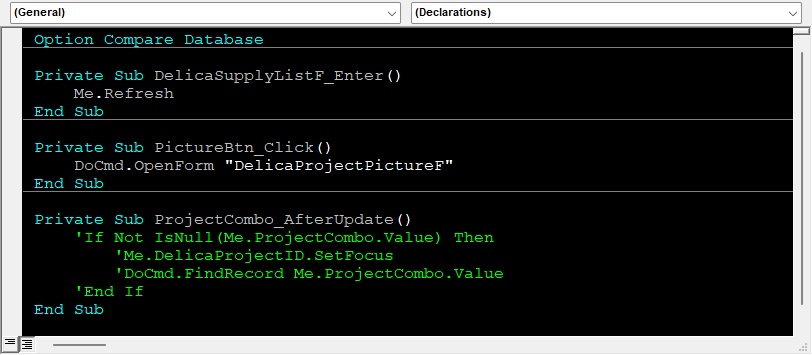
My code for that form is below. I searched the whole project and the only time that's referenced is on one of the other tabs (that doesn't give that error).
Monica Jones OP  @Reply  
       
2 days ago

Richard Rost  @Reply  
          
2 days ago
This could be because Access is trying to resolve that reference to Forms!DelicaBeadF!BeadTypeID right as the form is closing, and at that point the form is already unloading, so the reference no longer exists. That's why everything works fine while you're using the form, but you only see the error when you close it while that tab is active. When you switch to another tab first, that subform isn't being evaluated anymore, so no error.

This almost always comes from something in that subform still pointing directly to Forms!DelicaBeadF!BeadTypeID, either in the RecordSource, a control's ControlSource, RowSource, or a filter. Even if it looks identical to your other tabs, one small difference is enough to trigger it.

The best fix is to stop reaching up into the parent form like that and pass the value properly. If you can, use Link Master Fields and Link Child Fields with BeadTypeID so Access handles it automatically. Otherwise, inside the subform switch that reference to Me.Parent!BeadTypeID instead of using Forms!DelicaBeadF. That keeps everything within the form hierarchy and avoids this exact issue during close.

Bottom line: nothing is actually broken with your data or logic. It's just Access trying to evaluate a form reference that no longer exists at the moment the form is closing.

Monica Jones OP  @Reply  
       
12 hours ago
Found it!!!!!!! I finally got to a point where I made a copy and just started deleting things until I didn't get the error anymore. If you look at the last form picture I posted, there's a subform in the subform's footer. I was using the same query for the Record Source as one of the other tabs.

That initial query used the BeadTypeID.Value. I didn't need that in the sub-subform as it is linked on a different field. So, I just made a copy of that query, removed the BeadTypeID from it, saved, and changed the Record Source on the problem subform. Whew.

Taking stuff out until the problem went away really helped narrow my focus. I'll have to remember that tactic for the future. :)
Add a Reply Upload an Image
Next Unseen

 
New Feature: Comment Live View


The following is a paid advertisement
Computer Learning Zone is not responsible for any content shown or offers made by these ads.
 

Learn
 
Access - index
Excel - index
Word - index
Windows - index
PowerPoint - index
Photoshop - index
Visual Basic - index
ASP - index
Seminars
More...
Customers
 
Login
My Account
My Courses
Lost Password
Memberships
Student Databases
Change Email
Info
 
Latest News
New Releases
User Forums
Topic Glossary
Tips & Tricks
Search The Site
Code Vault
Collapse Menus
Help
 
Customer Support
Web Site Tour
FAQs
TechHelp
Consulting Services
About
 
Background
Testimonials
Jobs
Affiliate Program
Richard Rost
Free Lessons
Mailing List
PCResale.NET
Order
 
Video Tutorials
Handbooks
Memberships
Learning Connection
Idiot's Guide to Excel
Volume Discounts
Payment Info
Shipping
Terms of Sale
Contact
 
Contact Info
Support Policy
Mailing Address
Phone Number
Fax Number
Course Survey
Email Richard
[email protected]
Blog RSS Feed    YouTube Channel

LinkedIn
Copyright 2026 by Computer Learning Zone, Amicron, and Richard Rost. All Rights Reserved. Current Time: 4/29/2026 11:23:53 PM. PLT: 1s