I am going through all the lessons again. In Beginner lesson 6 address info we are building two queries. I am following along with your video step by step.
I don't know if you can re-create this error or not. When I run the querie it does not work correctly. I am using Access 2021 installed on my windows 10 computer. the only record that it does not show is the one with no address.
Carl ByerleyOP
@Reply 3 months ago
Carl ByerleyOP
@Reply 3 months ago
Carl ByerleyOP
@Reply 3 months ago
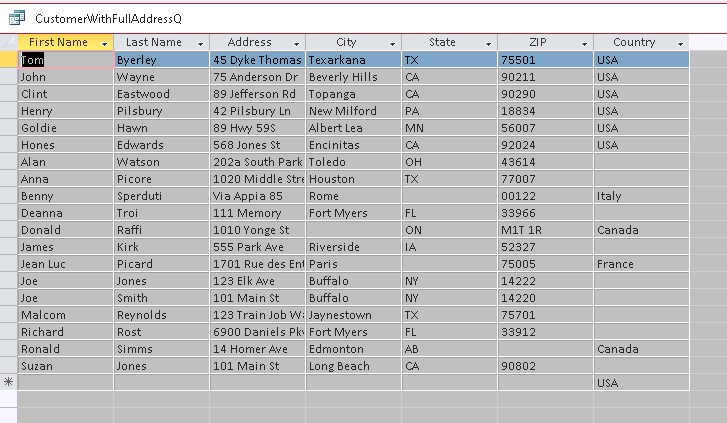
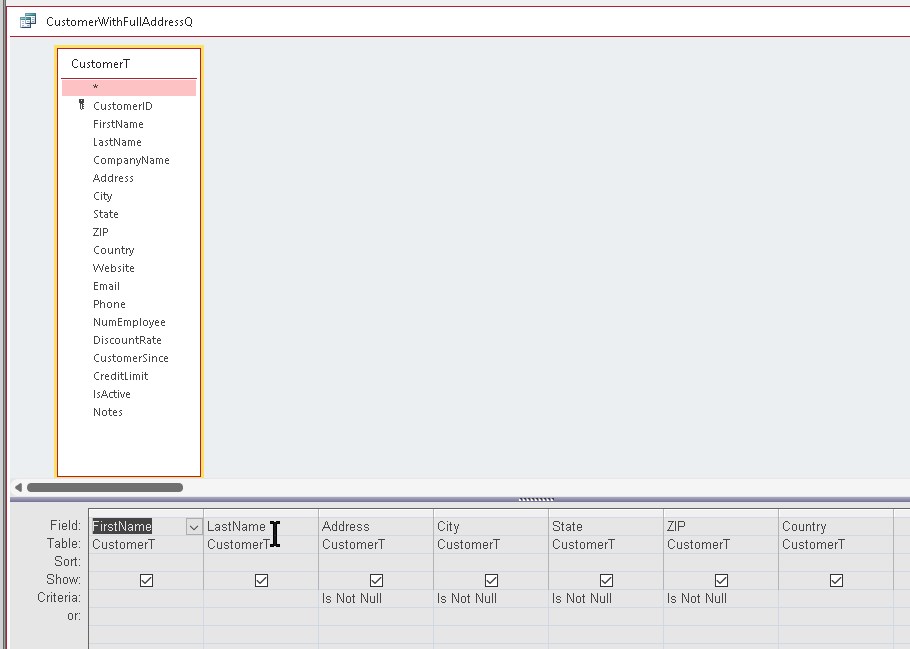
Here is a screenshot of the Query and the Run of the Query
It looks like your Query is working correctly.
You are telling Access that you don't want to see records with no Address AND no City AND no State AND no ZIP.
That is what your result set is showing.
Carl ByerleyOP
@Reply 3 months ago
that is what Rick did in the lesson. The way I see it is it should be an OR not an ANS Query. but I tried it that way with the same results
Carl ByerleyOP
@Reply 3 months ago
Carl ByerleyOP
@Reply 3 months ago
Carl ByerleyOP
@Reply 3 months ago
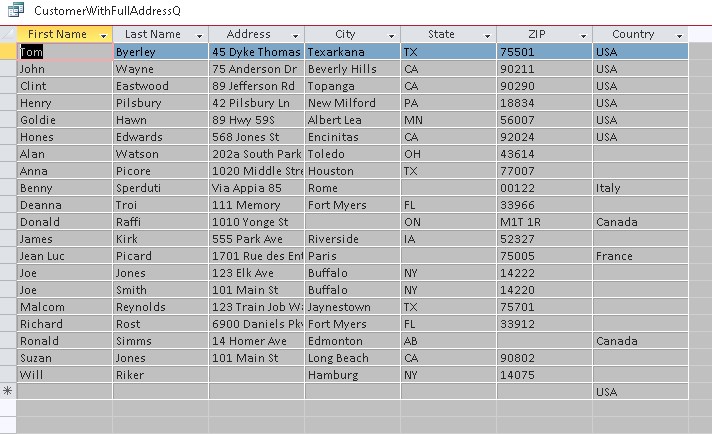
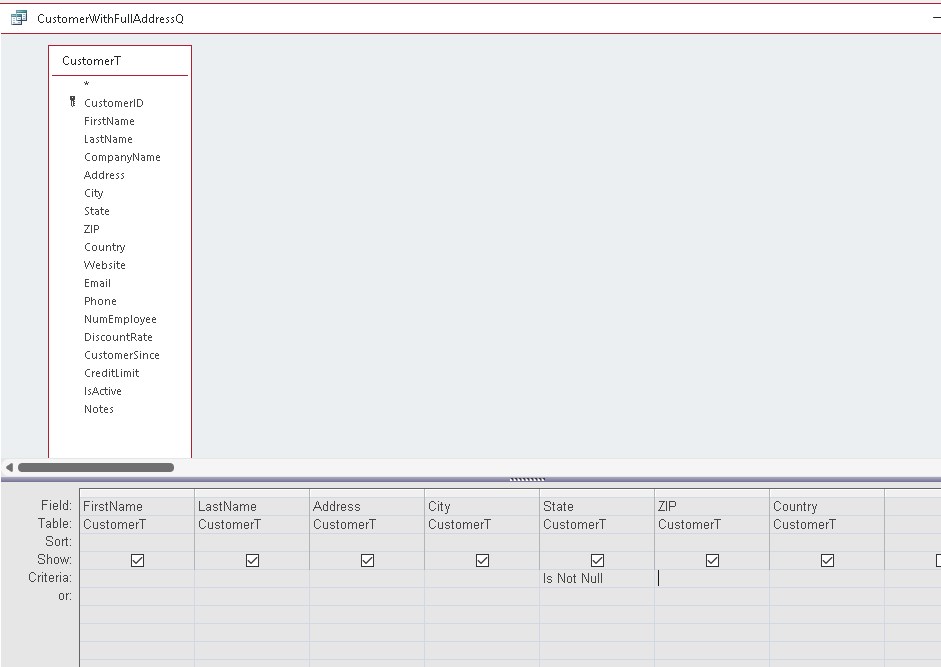
The Is Not Null is not working for the State field as you see in this example. Is it an issue with Access?
It is confusing, but the Video Alex is referring to describes what you're seeing.
When a field is first created, there is no value in the field.
This is different from adding text and then removing text. If there was a text value in the field, then you remove the text, it's stored in the database as text variable type with no text in it, which is not the same as NULL.
If you keep watching, Rick will cover this in more detail.
-Raymond
Carl ByerleyOP
@Reply 3 months ago
FYI- I figured out the issue with this query. This is the second time I have gone through these lessons and I took a shortcut during the construction of the database, I imported the customer list rather than typing each on in separately. When I reentered the data manually the query works fine.
So! apparently if you import the database info you have issues with queries.
Sorry, only students may add comments.
Click here for more
information on how you can set up an account.
If you are a Visitor, go ahead and post your reply as a
new comment, and we'll move it here for you
once it's approved. Be sure to use the same name and email address.
This thread is now CLOSED. If you wish to comment, start a NEW discussion in
Access Beginner 6.