Free Lessons
Courses
Seminars
TechHelp
Fast Tips
Templates
Topic Index
Forum
ABCD
 
Home   Courses   TechHelp   Forums   Help   Contact   Merch   Join   Order   Logon  
 
Back to Access Forum    Comments List
Upload Images   @Reply   Bookmark    Link   Email   Next Unseen 
Trademark Casing
Liem Khen 
    
13 days ago
Several customers want different trademark casing  from default casing
How to display in form (and report)
Alex Hedley  @Reply  
           
13 days ago
Liem Khen OP  @Reply  
    
13 days ago
Sorry ALEX...I manufacture bedsheets and I wrap them with a trademark case
Some customers need a different name of casing
I want to display this specific trademark wraps of bedsheet in my form
Thank you for the attention
John Davy  @Reply  
         
13 days ago
Hi Liem, Is this simply an image that you are trying to display? John
Alex Hedley  @Reply  
           
13 days ago
What's a trademark case or a trademark wrap?

I, like probably many, haven't worked in the manufacture of bedsheets so you'll need to explain with an example that relates to either something Rich has already done or some more detail.
Liem Khen OP  @Reply  
    
13 days ago
Ya I am sorry.....Display here I meant to show up the casing name og a field in orderdetail form
I am very sorry
Liem Khen OP  @Reply  
    
13 days ago

Liem Khen OP  @Reply  
    
13 days ago
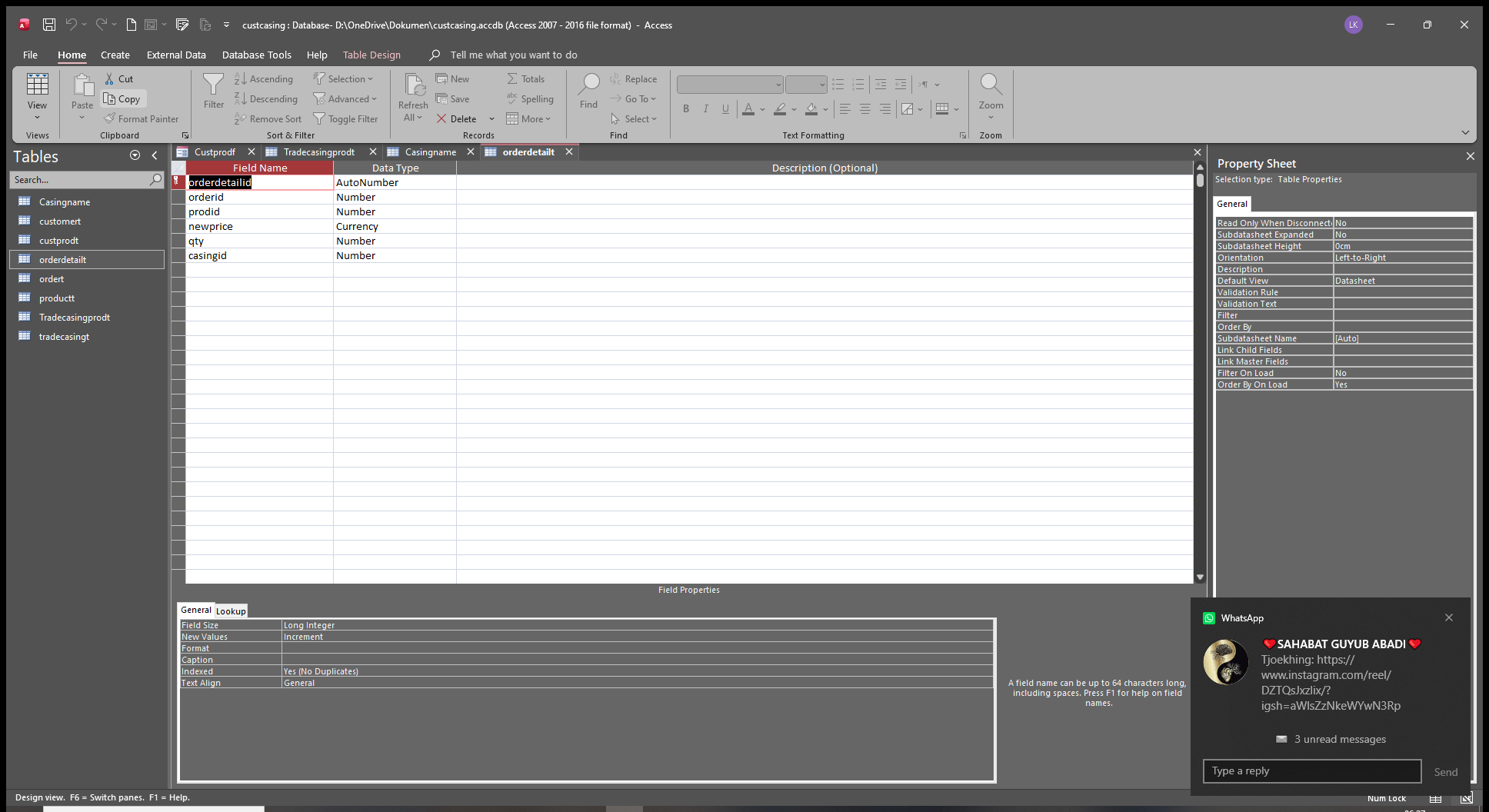
I want to show up the casing field in the orderdetailf like new price
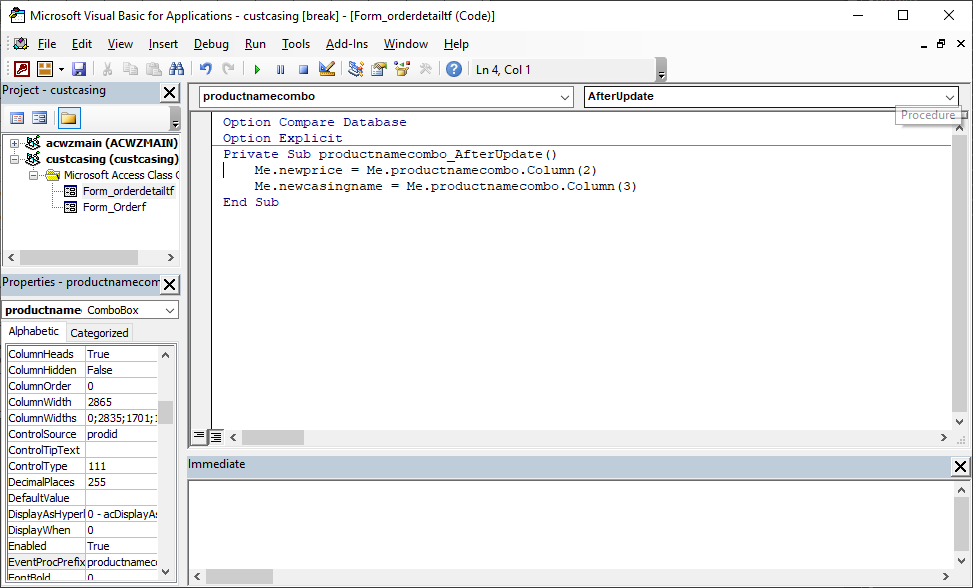
using this me.newprice=me.productnamecombo.coloumn(2)
Liem Khen OP  @Reply  
    
13 days ago

John Davy  @Reply  
         
13 days ago
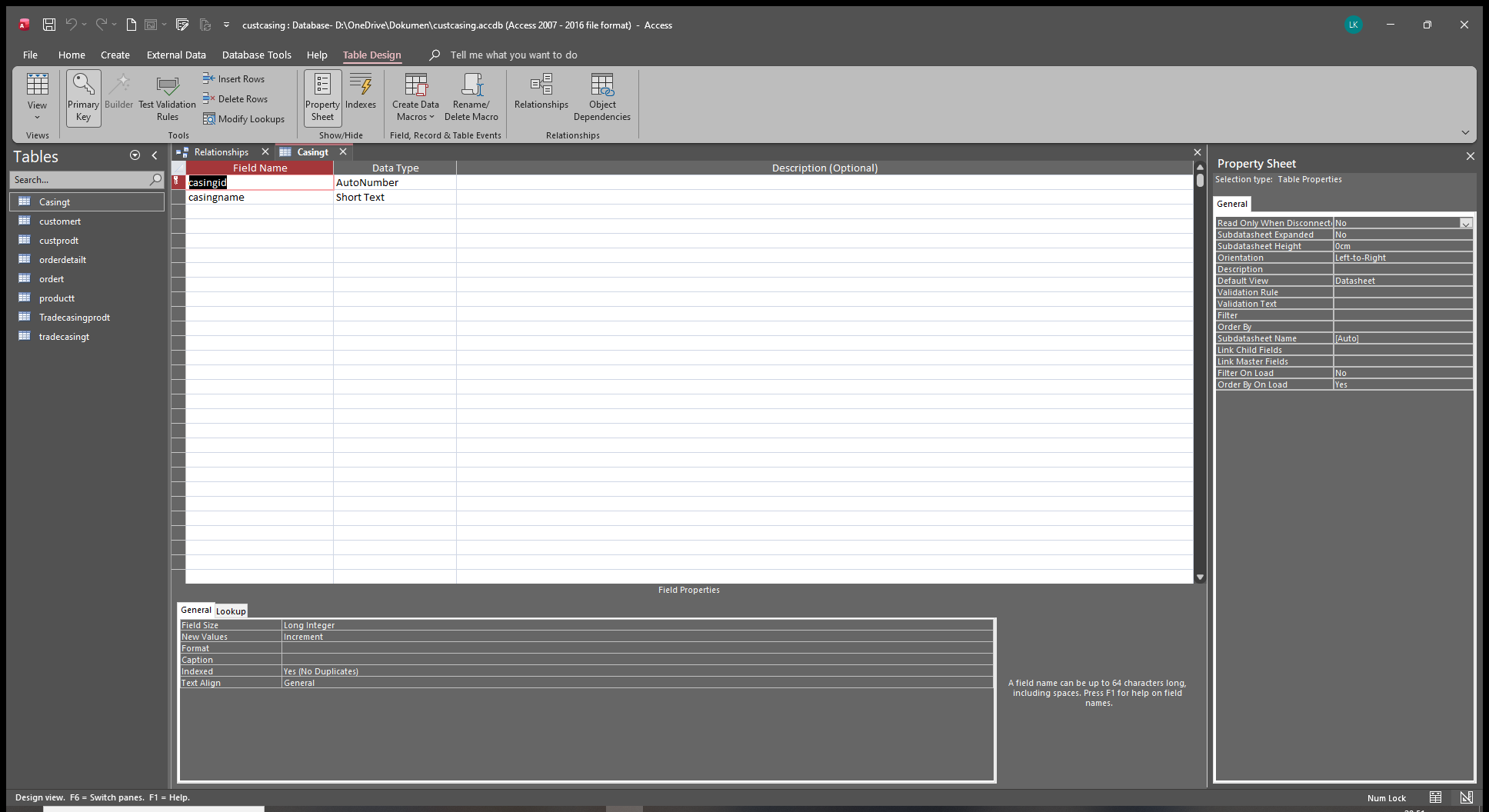
Hi Liem, Do you have a table such as CasingT, with CasingID, CasingName, Etc ? If so, you could use a combobox on the OrderDetailF to choose the Casing that you want. This will enter the CasingID in the OrderDetailT for you. If I misunderstood, let me know and I will try again.  John
Liem Khen OP  @Reply  
    
12 days ago
What I am confused is that a specific customer with a specific price (it works with RICHARDS' customer pricing),"not all of them" want a differrent trademarkcasing also several other customers need their own trademark (differrent from default trademark)
can we make this casingname automaticly shownup after clicking the productname field as the price with vba
thank you very much
Donald Blackwell  @Reply  
       
12 days ago
Hi Liem, Sorry I'm not digging deeper, nursing a stress/heat headache from the factory today, however, I got to thinking that maybe a simpler solution for you might be one that you've already solved:  Instead of adding something extra, you could simply add trademarkcasing as an additional product, or if you need a little more specific, multiple products such as pillowcase trademark casing, bed sheet trademark casing. Then when you add a pillowcase, you could just add the pillowcase trademark casing as a line item in the order.

I know you are only on the Beginner classes so far, but if you want to see the best ways to work with grouping items, you'll learn that in Access Developer 25
Liem Khen OP  @Reply  
    
12 days ago
I also have pillow case-bolster case include or separated but they also default trademark.
What confusing me is
1.if I put the trademarkname in customerprice table, not all this specificprice customer want to change it but certain products have different trademark nsmes
K1bedsheetkingsize eg. Inora but changing the packaging (casing) to cheaper one then the price gets cheaper .... I have to give another new trademark
In this case one product has two different trademarkname
2. A customer wants his own trademark name
3.the specific price customer needs different name from difault
That are the problems
Thanks sir DON
Donald Blackwell  @Reply  
       
12 days ago
Yeah, I would list each as a separate product and then apply the customer pricing to each product just like in your previous post.

Example, I work in a factory that makes things out of rubber, silicone, or plastic. We have several products that we make and package for a customer and that customer gets the price they negotiated. The same exact product (often created in the same run) but with different packaging for a different customer is listed as a different product number. Partly because that is the easiest way to track what we've made for which customer, and also because each part gets a different UPC code when sent to retailers. Sometimes even, the same exact part, for the same exact customer has different part (product) numbers just because the packaging may very depending on if it's going to WalMart, or Amazon, or if it's being sold in the United States, or if it's sold in Germany. Sometimes the part is used as a seal on the bottom of a garage door, and sometimes it's used as a spoiler on a car.
Liem Khen OP  @Reply  
    
12 days ago
Sir DON...
Because one product has differrent names, after packaging I want to know the exact number of this product .
Example:the fabric cutter made product A=50 , after packaging I need to know the number of product A should be the same as the cutter made.
Even product A had 2 differrent names
Thanks sir FON
Donald Blackwell  @Reply  
       
11 days ago
OK, well, then if you want the casing to be like customer pricing, then just set up your tables and queries the same way you did for the pricing then add the trademark casing field to your sub form. Once you've done that, you should be able to a line below what you added for customer pricing to requery the trademark casing field, just changing the field name.
Liem Khen OP  @Reply  
    
11 days ago
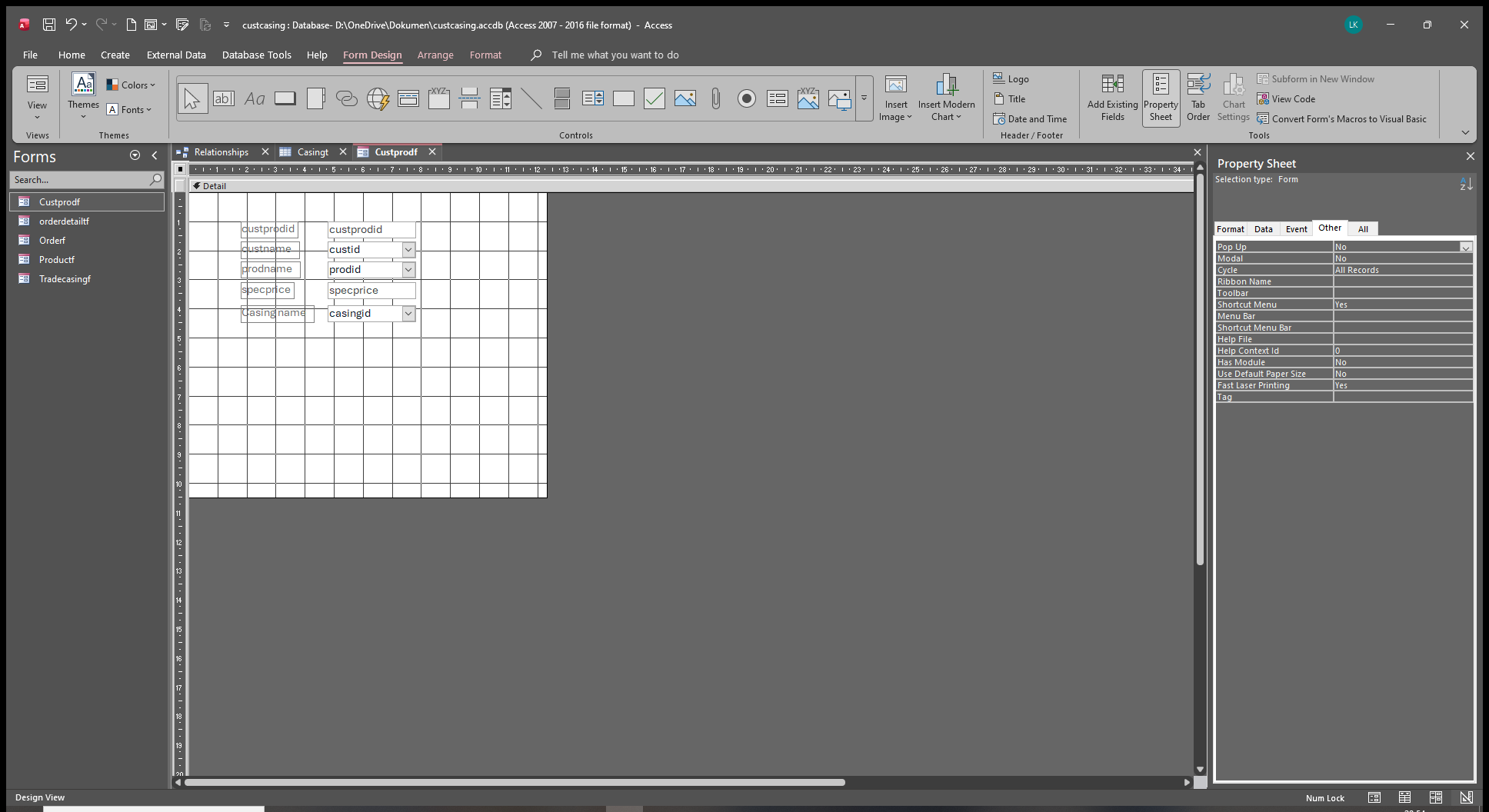
Subform of the specificcustomerform
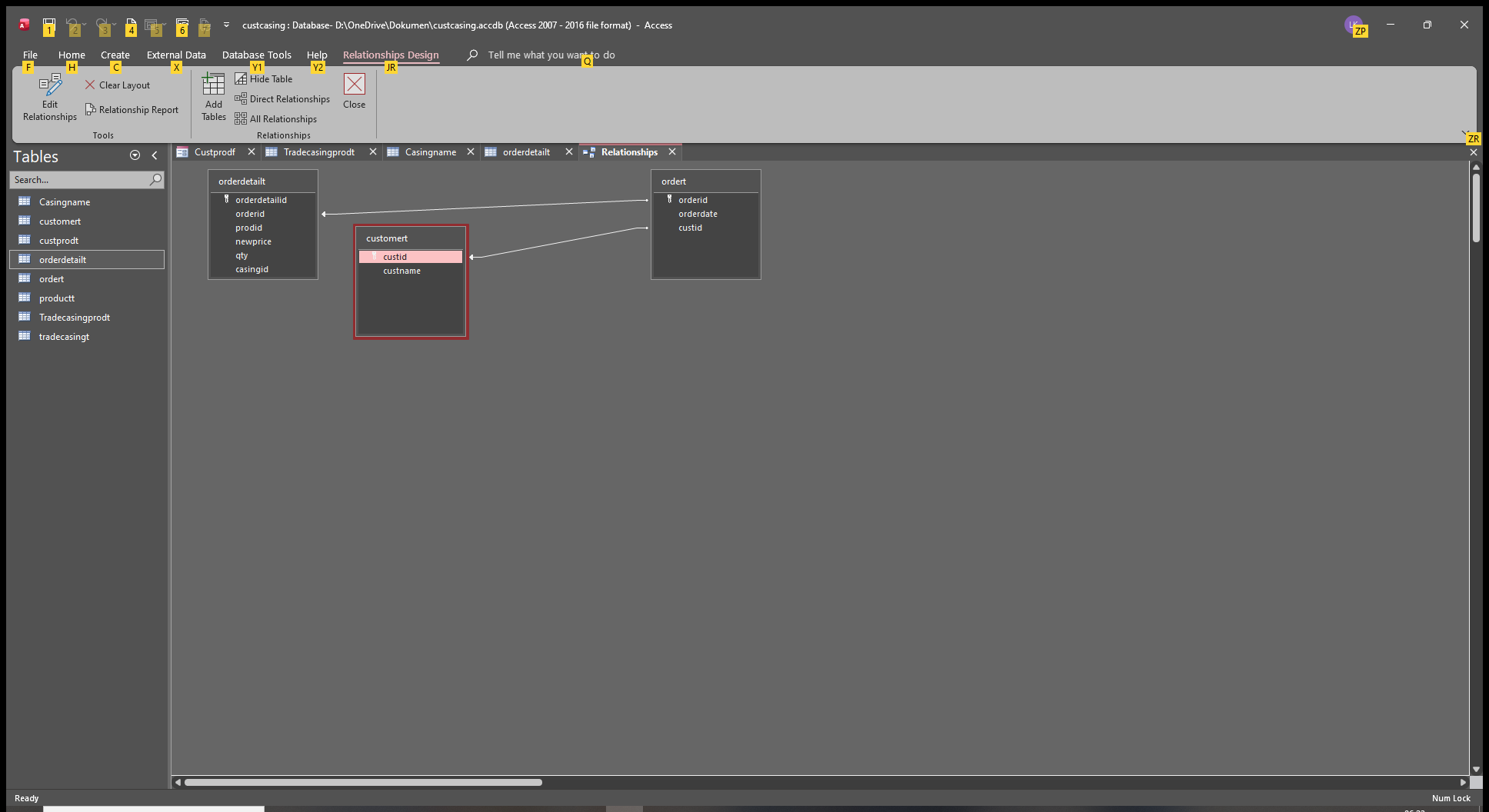
Custprodid
Custid
Prodid
Price
So that the relationship should be custprodid (one) to casingnameid (many)
Liem Khen OP  @Reply  
    
11 days ago
Oooo... I did it add to the orderdetailform you meant
Liem Khen OP  @Reply  
    
11 days ago
And I add a relationslcombo of casingnameid to the custprodt
It did not work
Did you mean that
Liem Khen OP  @Reply  
    
11 days ago

Liem Khen OP  @Reply  
    
11 days ago

Liem Khen OP  @Reply  
    
11 days ago
were those what you meant sir DON
I will try again the query
Liem Khen OP  @Reply  
    
11 days ago
if there is something wrong ,please help me
Liem Khen OP  @Reply  
    
11 days ago

Liem Khen OP  @Reply  
    
11 days ago

Liem Khen OP  @Reply  
    
11 days ago

Liem Khen OP  @Reply  
    
11 days ago

Liem Khen OP  @Reply  
    
11 days ago
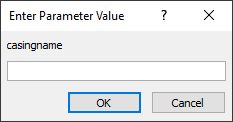
if I run the query it searches the parameter casingname,why...
thank you sir DON in advance
Liem Khen OP  @Reply  
    
11 days ago
Ooo. The query of casing should take casingnamecombo from custprodt
Liem Khen OP  @Reply  
    
11 days ago
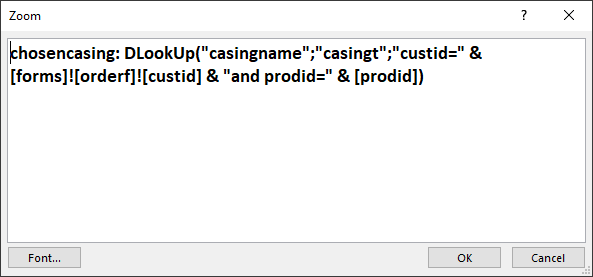
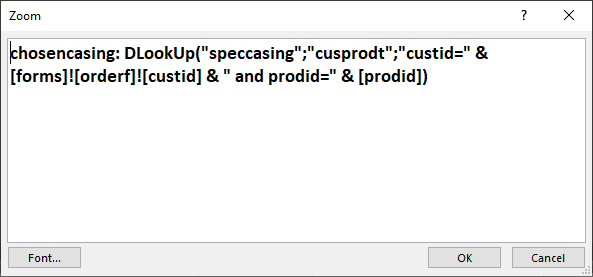
I meant chosencasing: dlookup("casingnamecombo";"cusprodt";"custid="......etc
Donald Blackwell  @Reply  
       
11 days ago
For your DLookup, the first parameter should be the name of the field you are looking up (in "CusProdT" in your example), the second parameter is the name of the table you are looking in, and the third parameter is the field to match.

DLookup looks up data in tables not forms.

So if you are trying to find the CasingID stored for the customer in the CustProdT, it might look something like:

DLookup("CasingID";"CustProdT";"CustID=" & CustID)

Beyond that, it's just a matter of matching the field and table names to your db.
Liem Khen OP  @Reply  
    
11 days ago
ya I was wrong...hehehe thanks
now the vba in orderf (custid) and the requery for orderdetailf ,is there any changes or add any procedure?
thank you sir DON

Liem Khen OP  @Reply  
    
11 days ago

Liem Khen OP  @Reply  
    
11 days ago
I changed the casing name
Liem Khen OP  @Reply  
    
11 days ago

Liem Khen OP  @Reply  
    
11 days ago
like this ya ...sir DON
Liem Khen OP  @Reply  
    
11 days ago
Sorry,I used the same query as for currentprice
Liem Khen OP  @Reply  
    
11 days ago

Liem Khen OP  @Reply  
    
11 days ago
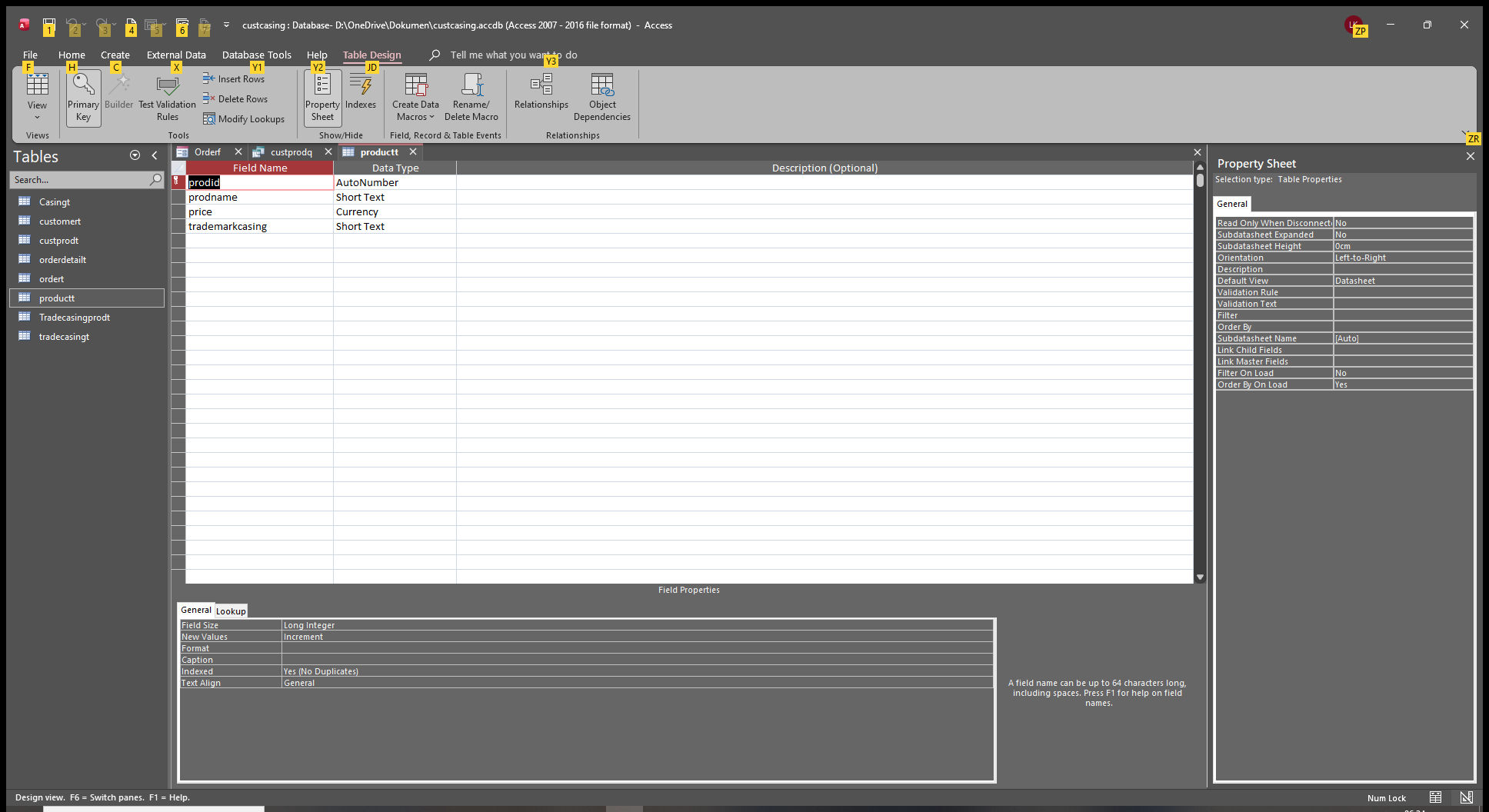
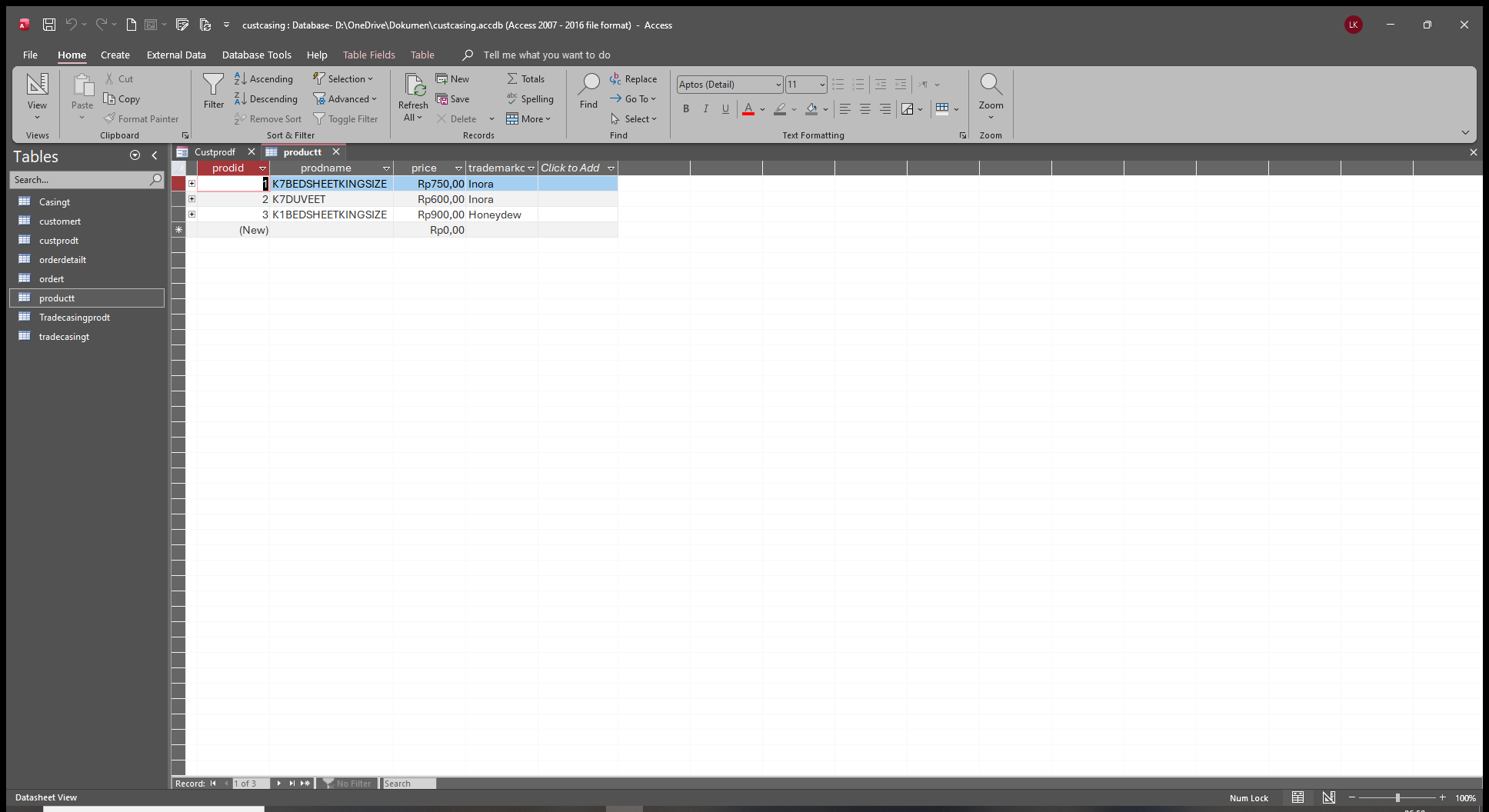
oow..shoul we put the default casing name in productt as well
Liem Khen OP  @Reply  
    
11 days ago

Liem Khen OP  @Reply  
    
11 days ago

Liem Khen OP  @Reply  
    
11 days ago
changing the query
Donald Blackwell  @Reply  
       
11 days ago
I would keep it relational and use the casing ID in product T and have the default casing name in Casing T.

That way, when you're building your combo box, you don't have to look in two different tables
Liem Khen OP  @Reply  
    
11 days ago

Liem Khen OP  @Reply  
    
11 days ago

Liem Khen OP  @Reply  
    
11 days ago
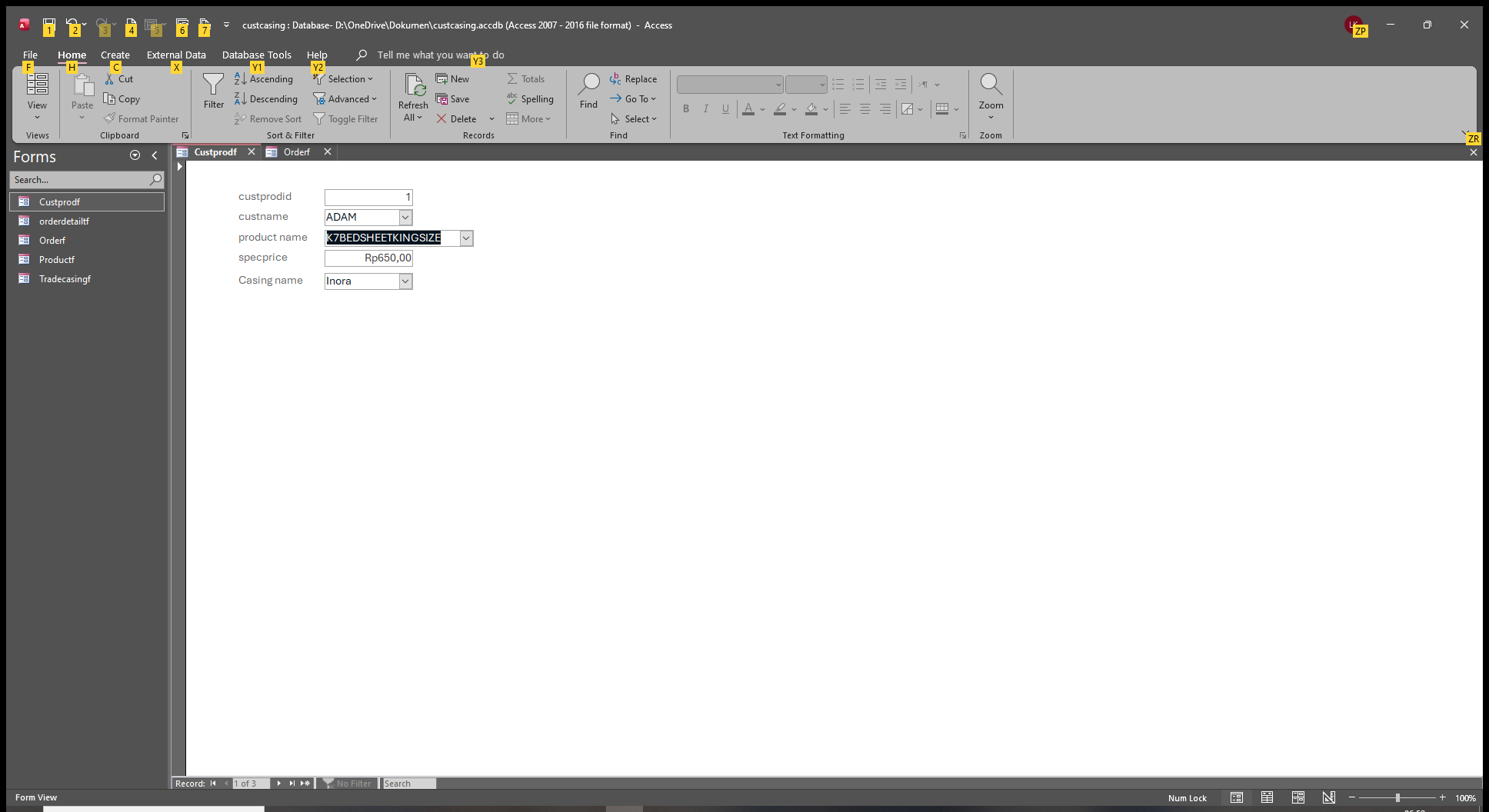
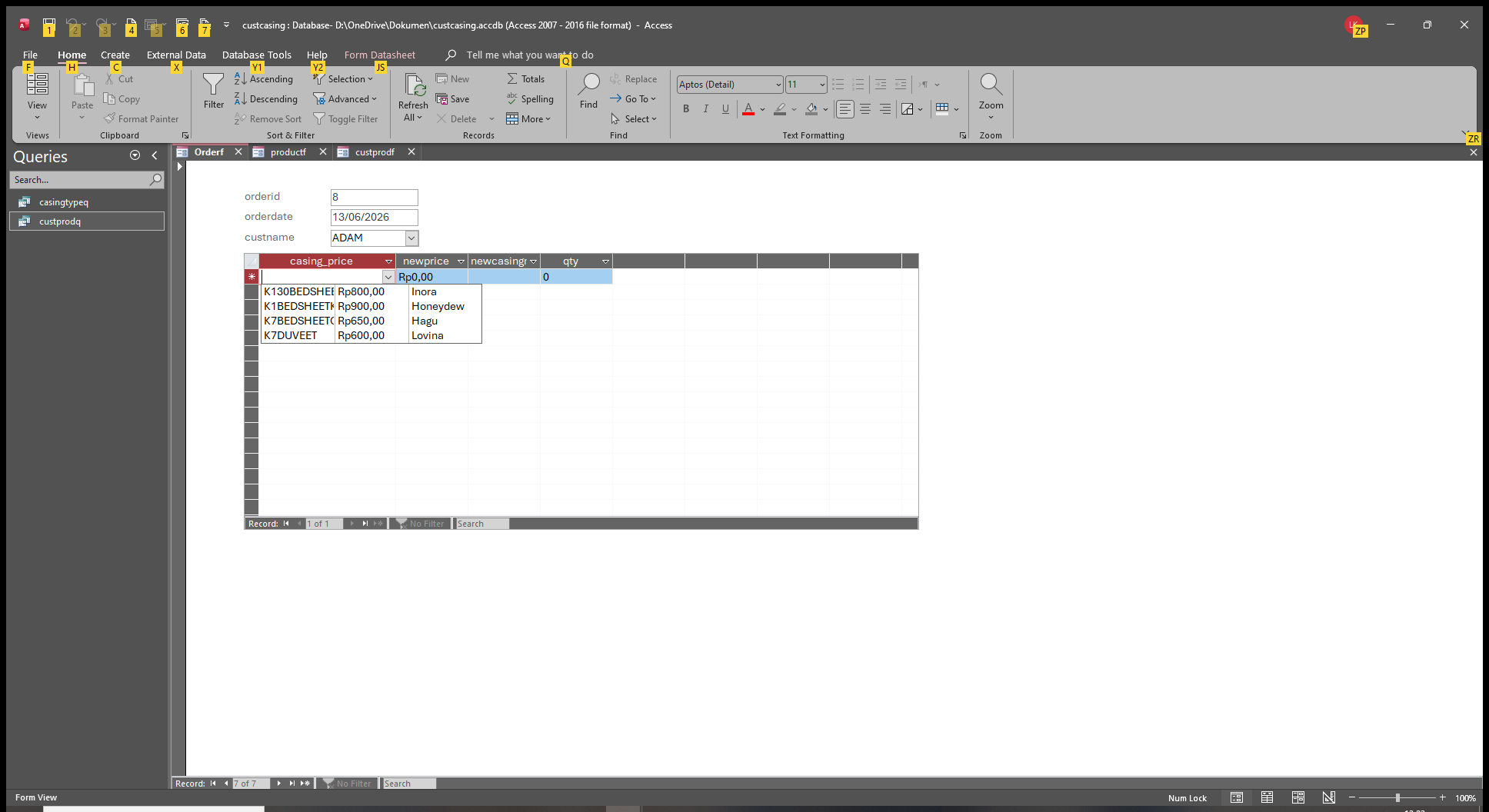
Adam with special price but default casing name
Liem Khen OP  @Reply  
    
11 days ago

Liem Khen OP  @Reply  
    
11 days ago
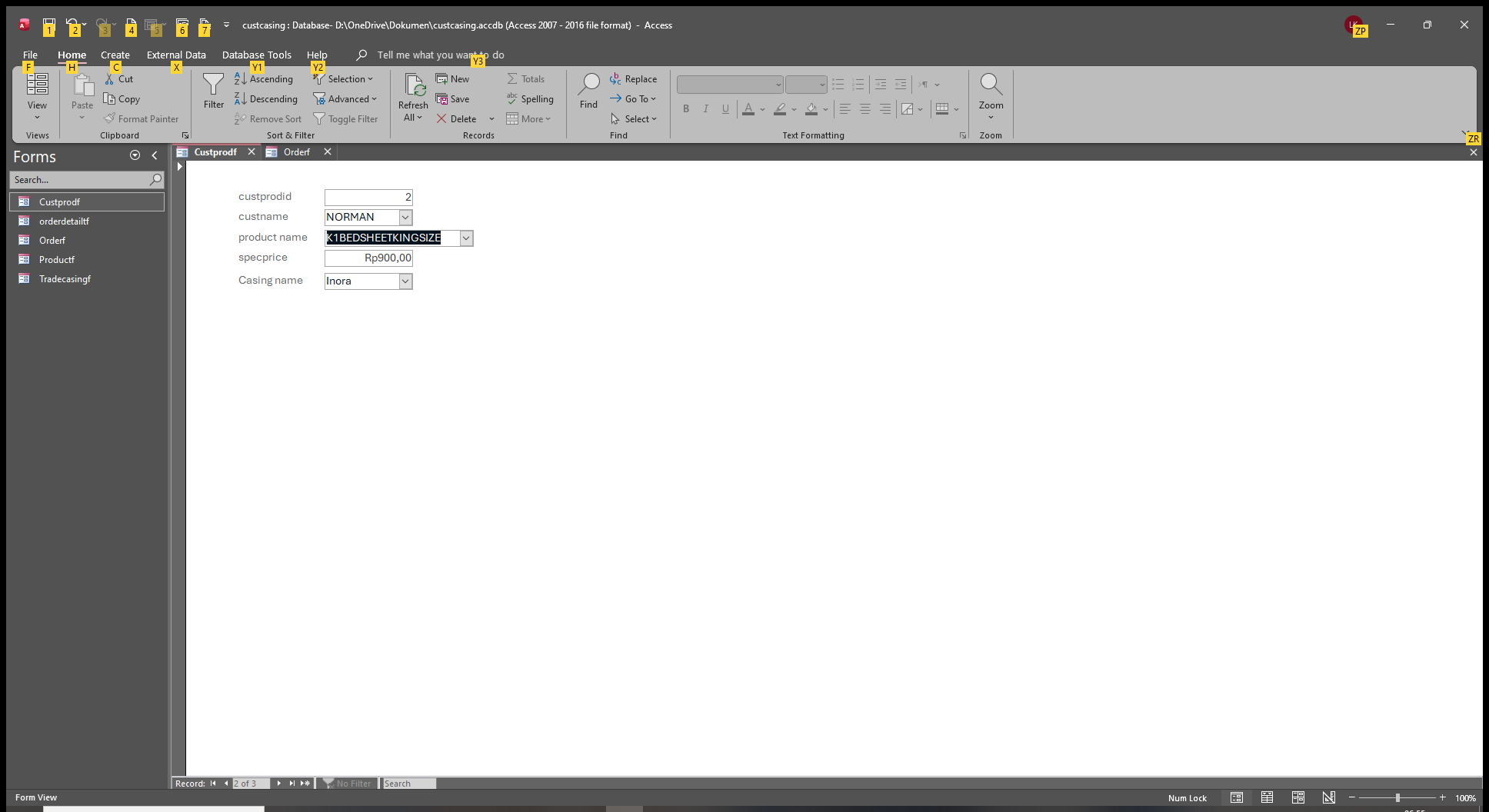
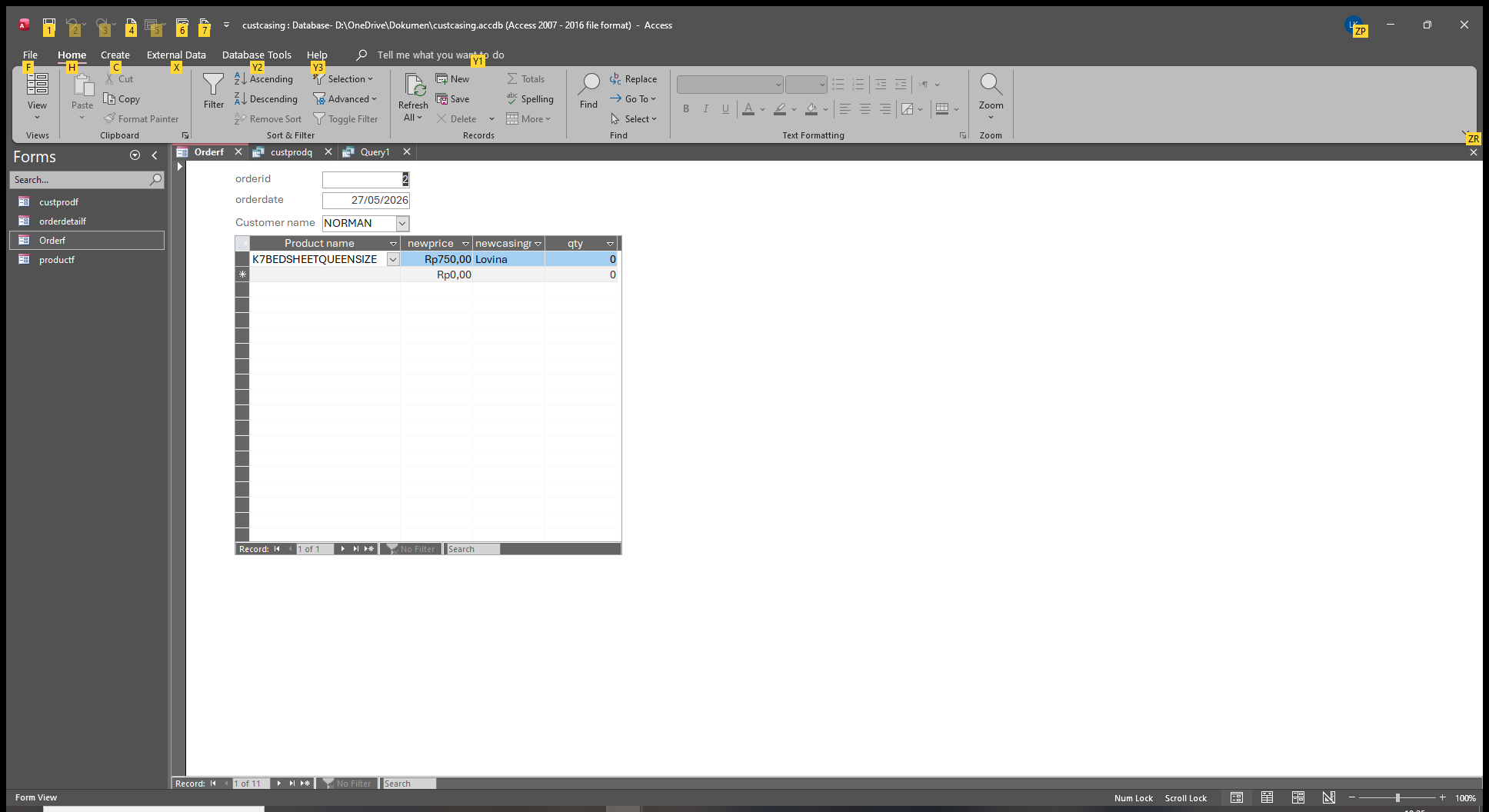
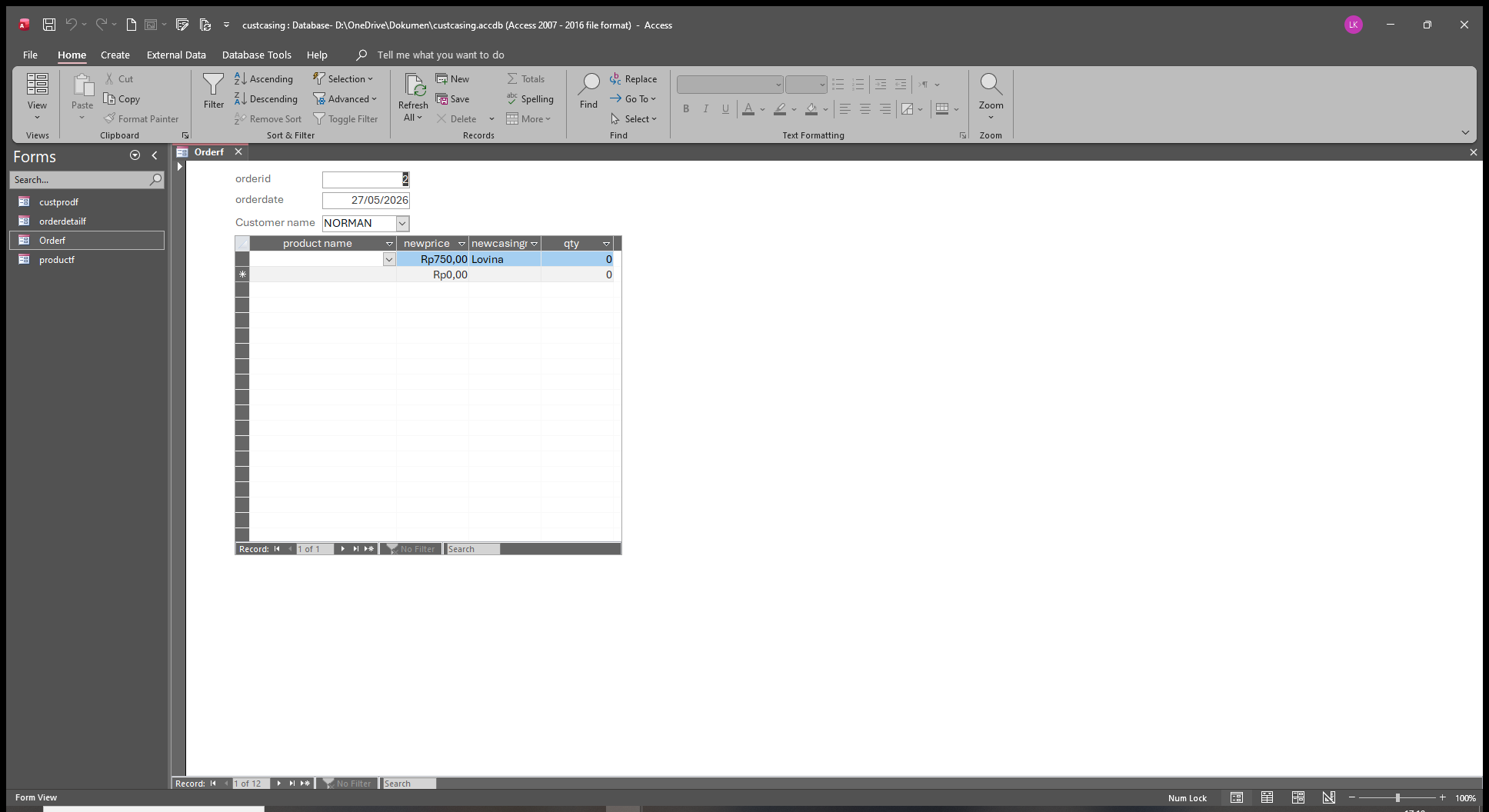
Norman,default price but special casing name
Liem Khen OP  @Reply  
    
11 days ago

Liem Khen OP  @Reply  
    
11 days ago
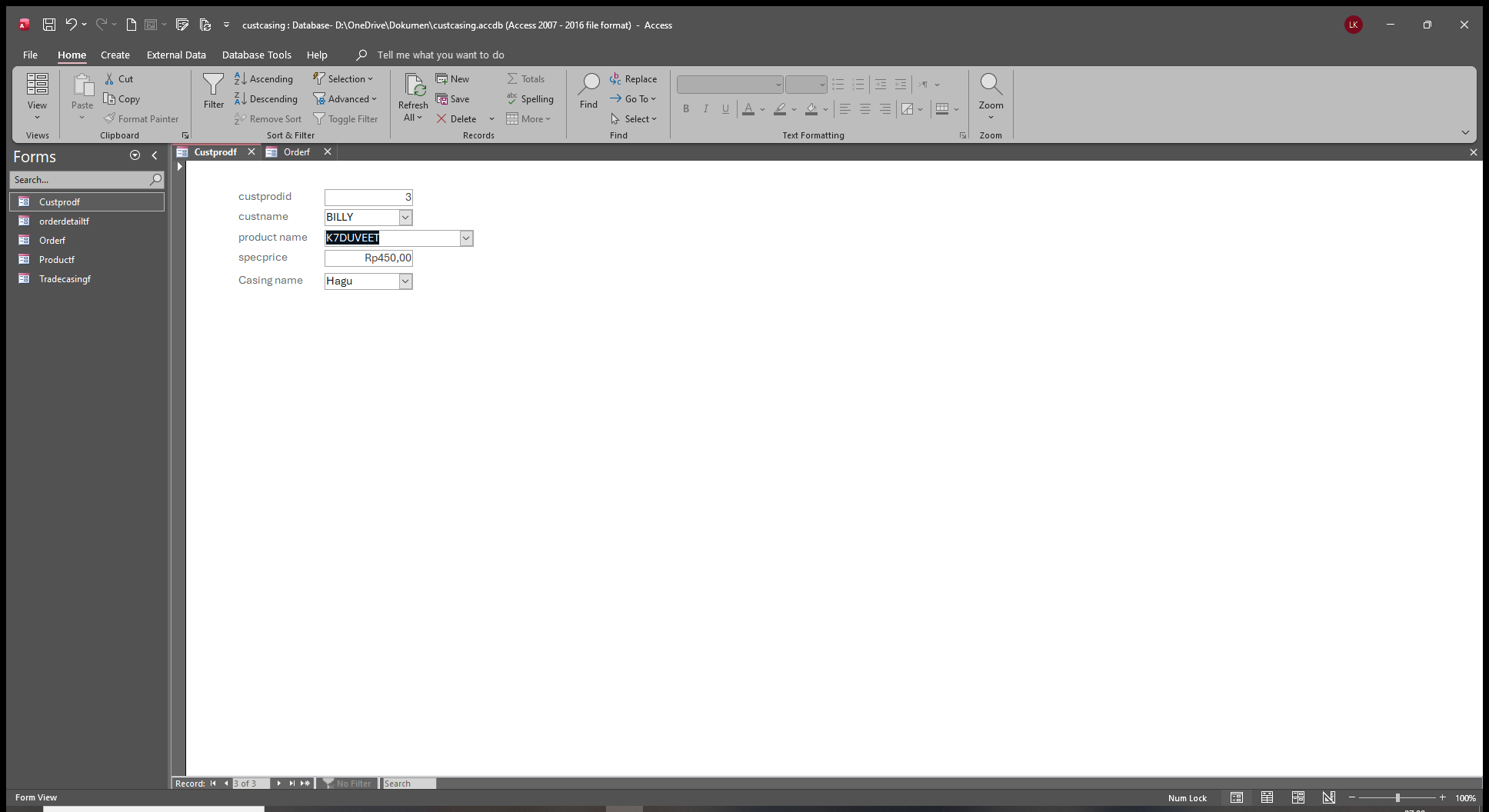
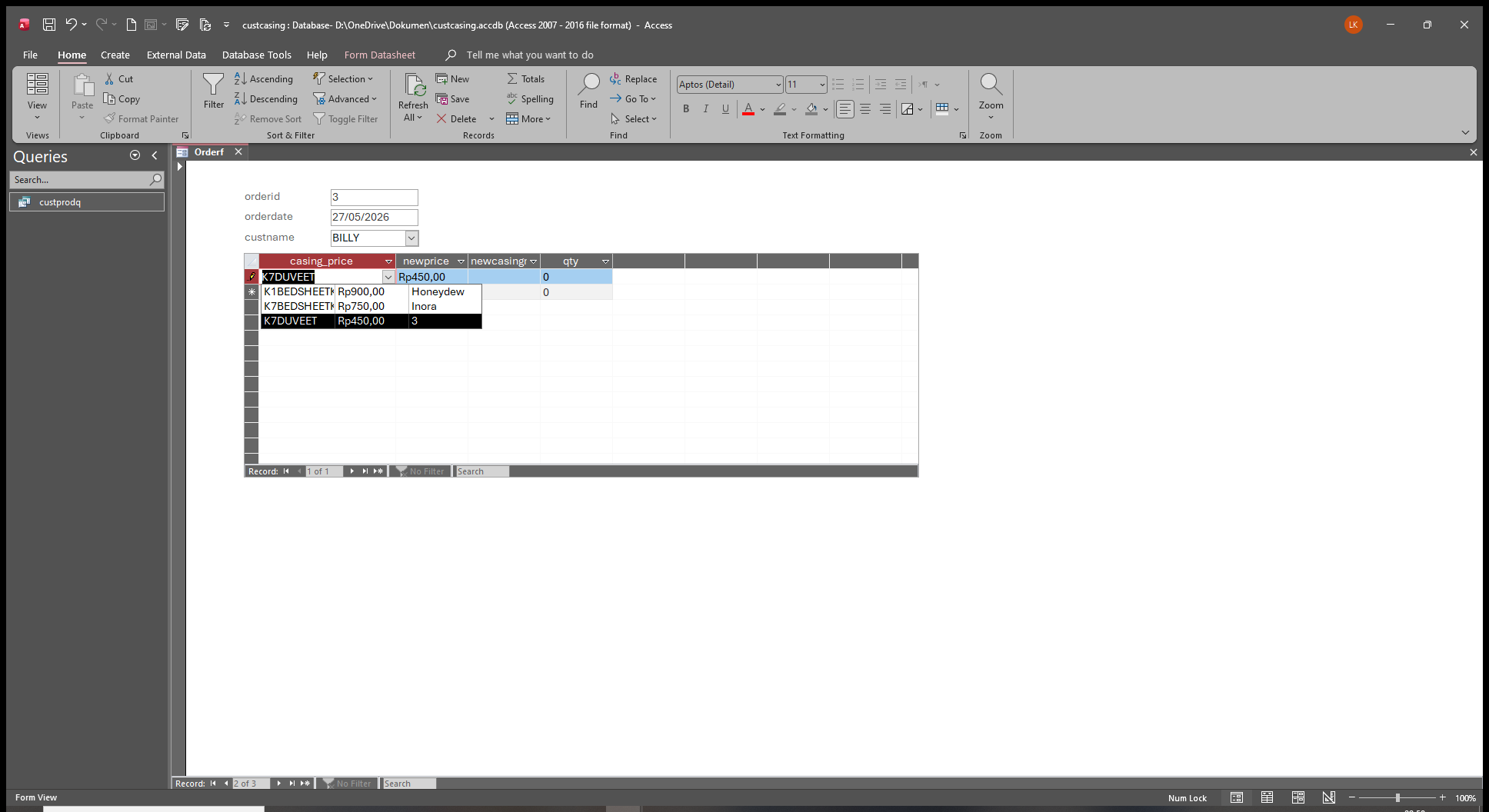
Billy,secial price and his own casing name
Liem Khen OP  @Reply  
    
11 days ago
K1 and K7 stands for names of fabrics
Liem Khen OP  @Reply  
    
11 days ago

Liem Khen OP  @Reply  
    
11 days ago
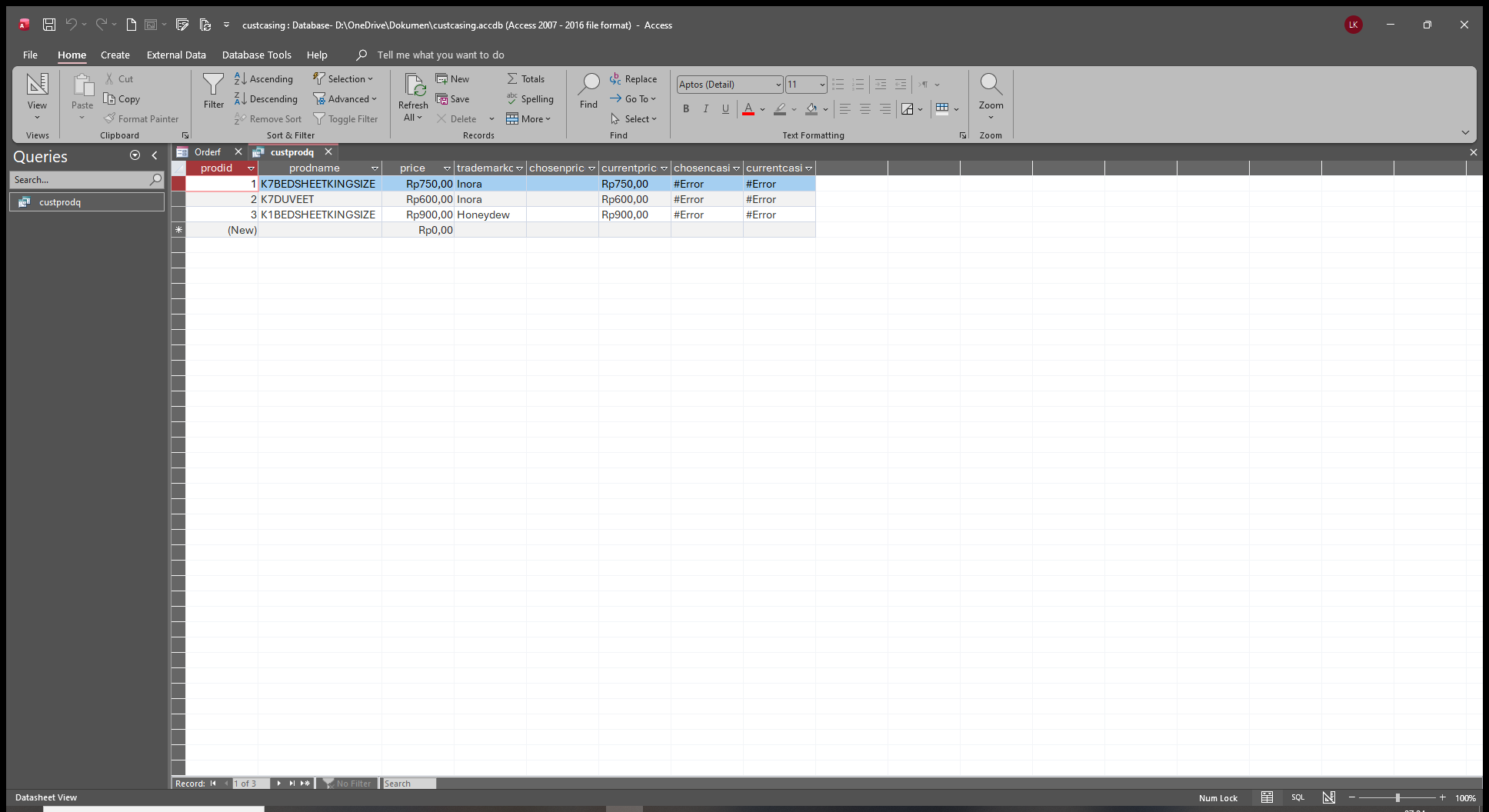
the query did not work
Donald Blackwell  @Reply  
       
11 days ago
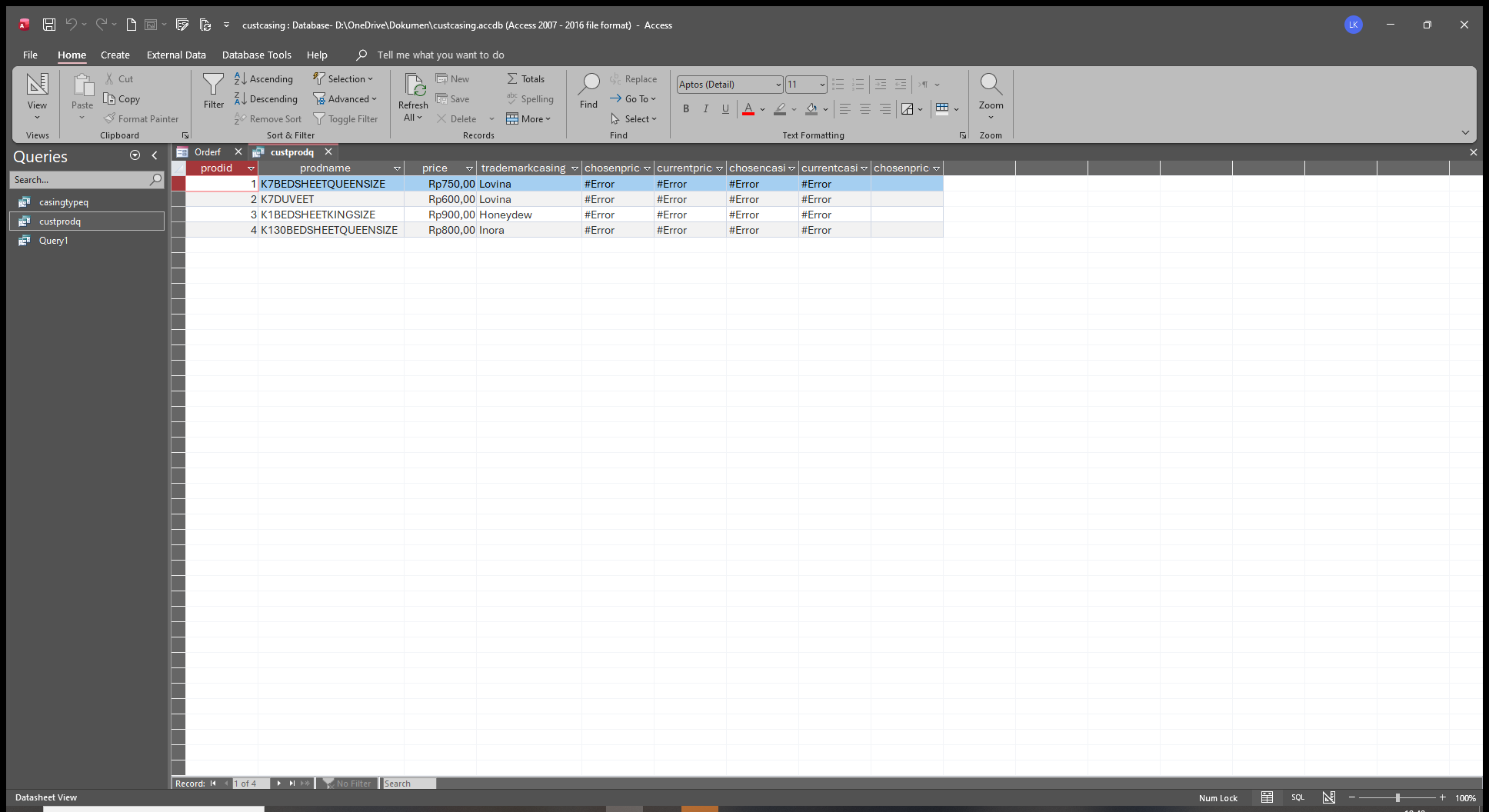
Without seeing the full query in design  view it is difficult to say. I would likely look at the fields showing error and verify that all the table and / or form field names match exactly
Liem Khen OP  @Reply  
    
11 days ago

Liem Khen OP  @Reply  
    
11 days ago

Liem Khen OP  @Reply  
    
11 days ago
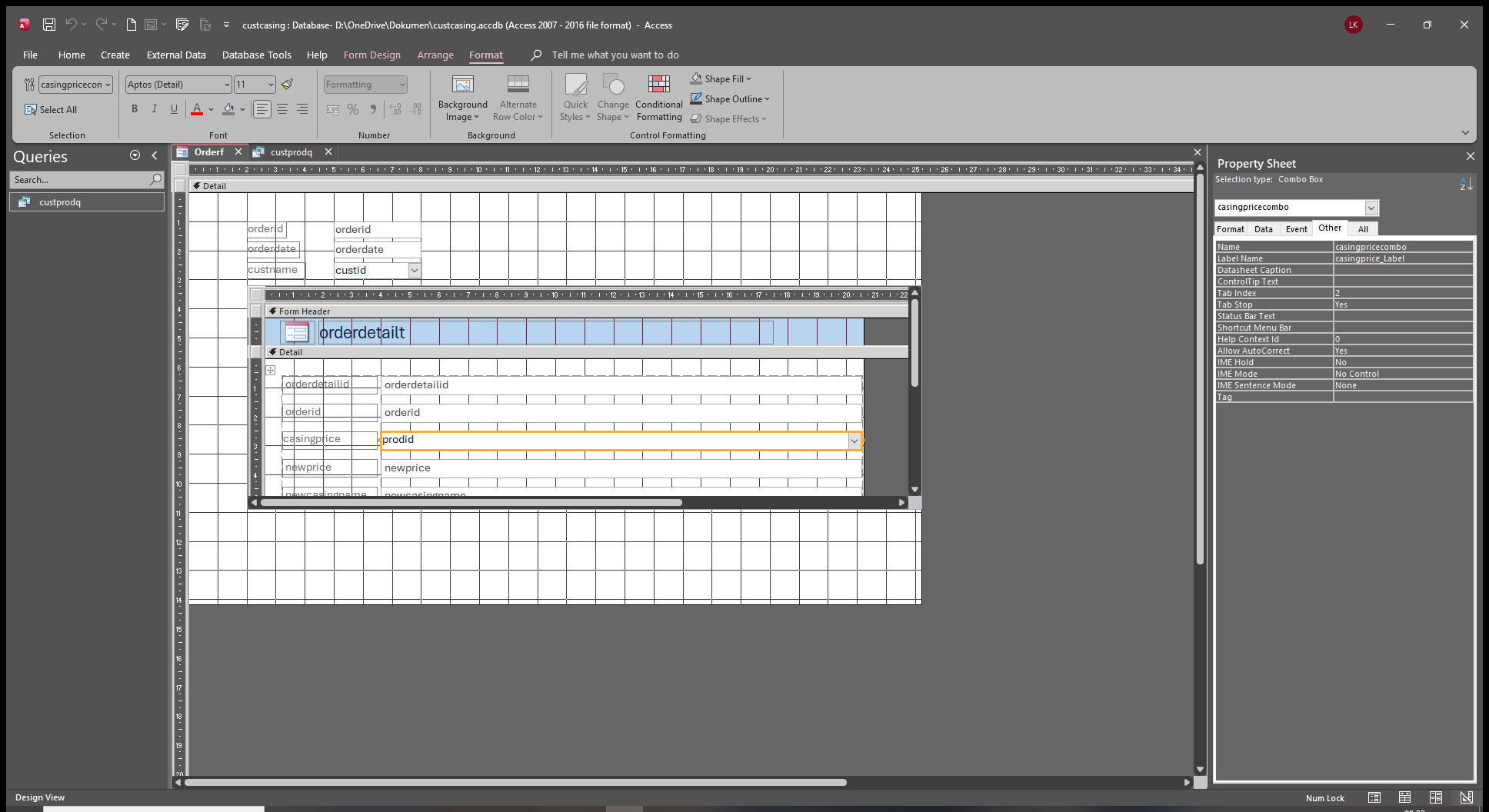
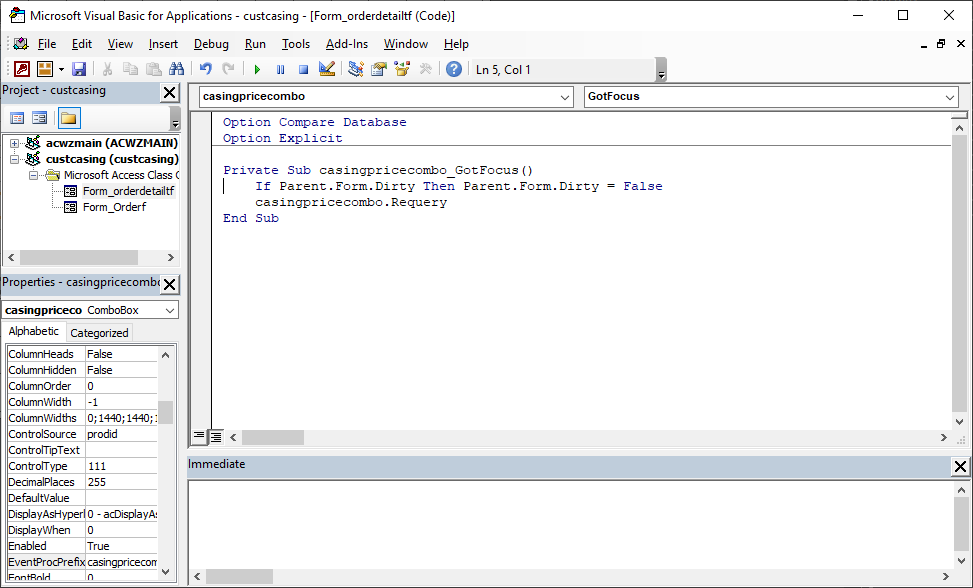
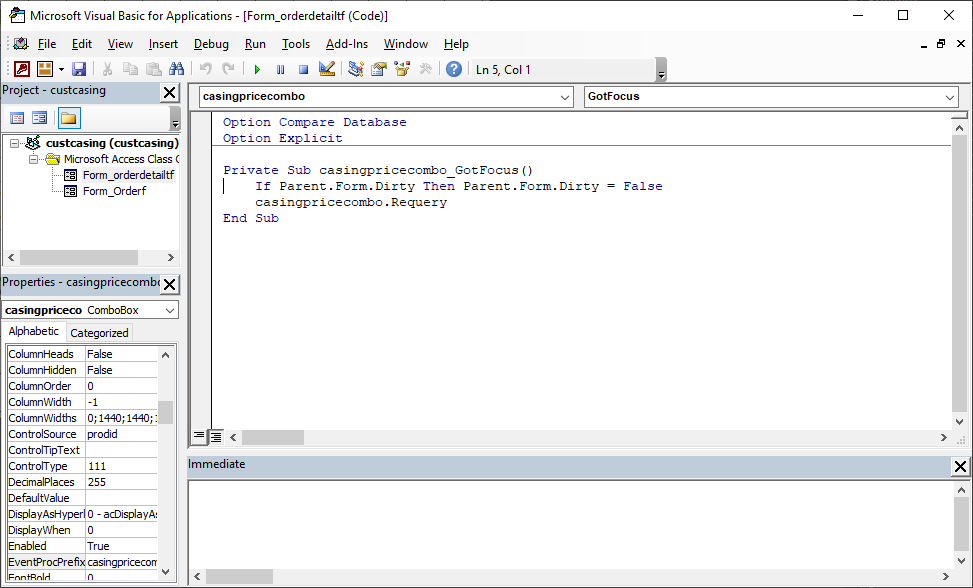
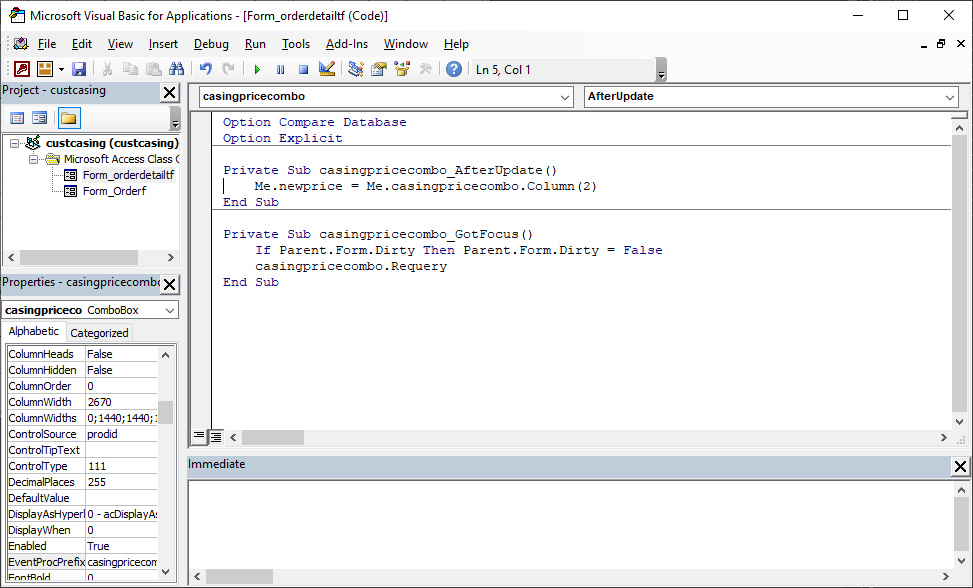
event for prodid (casingpricecombo) in orderdetailf
Liem Khen OP  @Reply  
    
11 days ago

Liem Khen OP  @Reply  
    
11 days ago
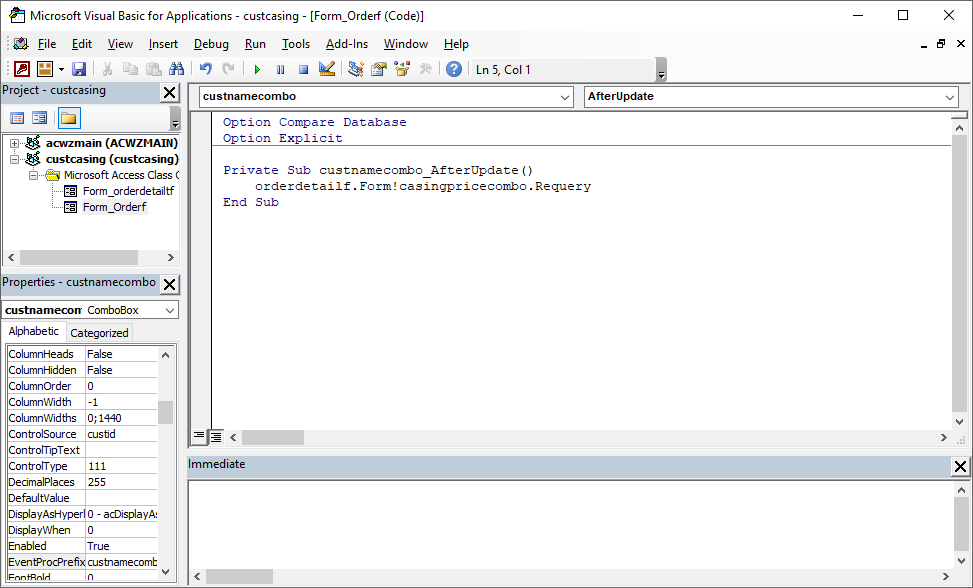
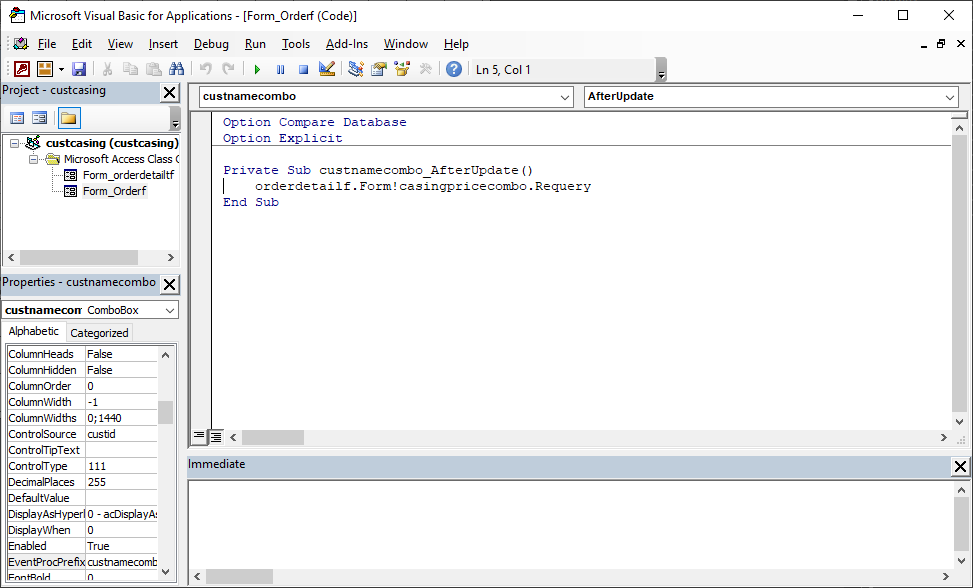
afterupdate event of custnamecombo in orderf
Donald Blackwell  @Reply  
       
10 days ago
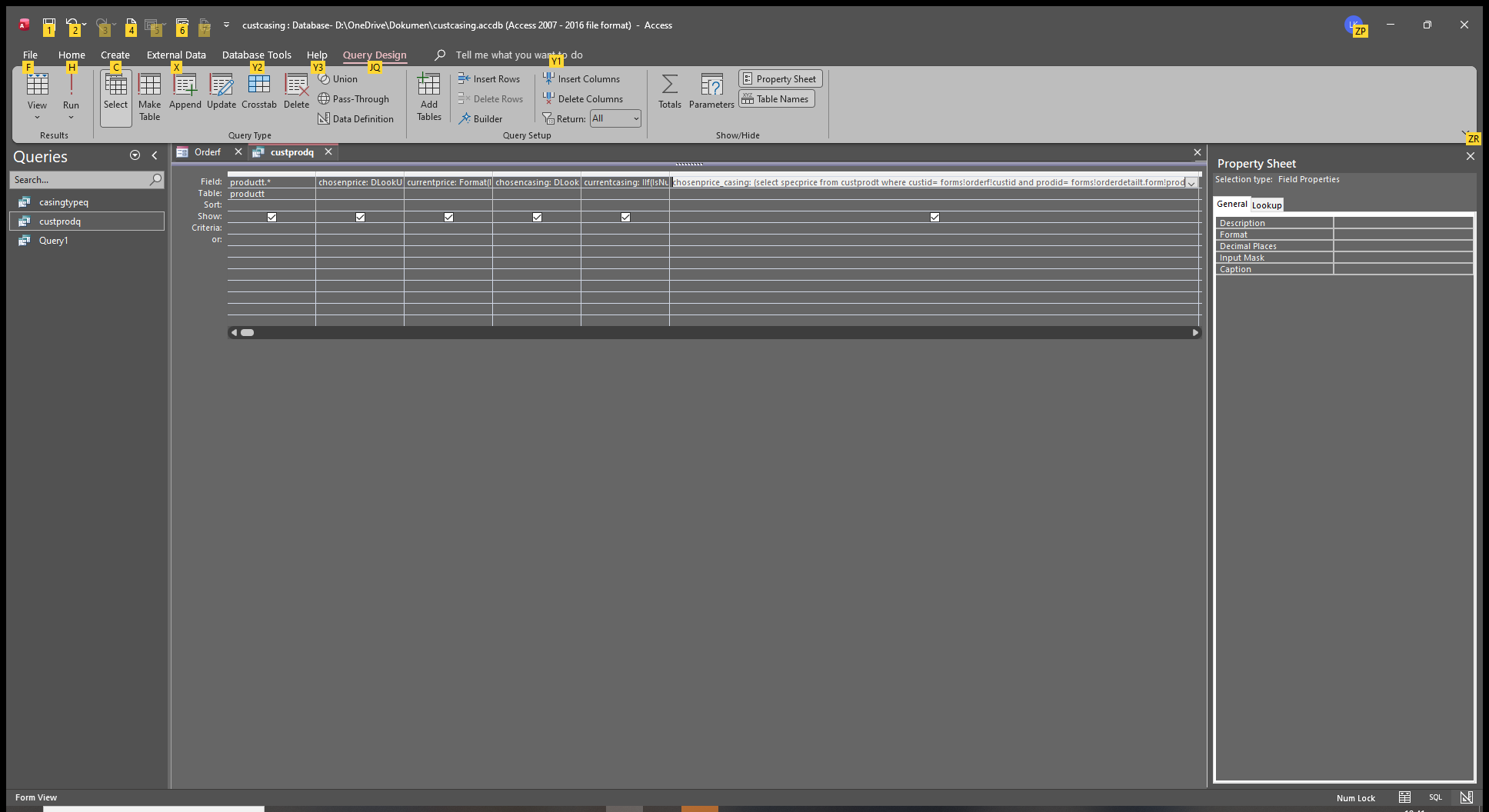
What is the SQL Rowsource of the casingpricecombo box? And, if it just points to a query, will need to see that query in design view and have the columns expanded enough to see what's in them
Liem Khen OP  @Reply  
    
10 days ago

Liem Khen OP  @Reply  
    
10 days ago

Liem Khen OP  @Reply  
    
10 days ago
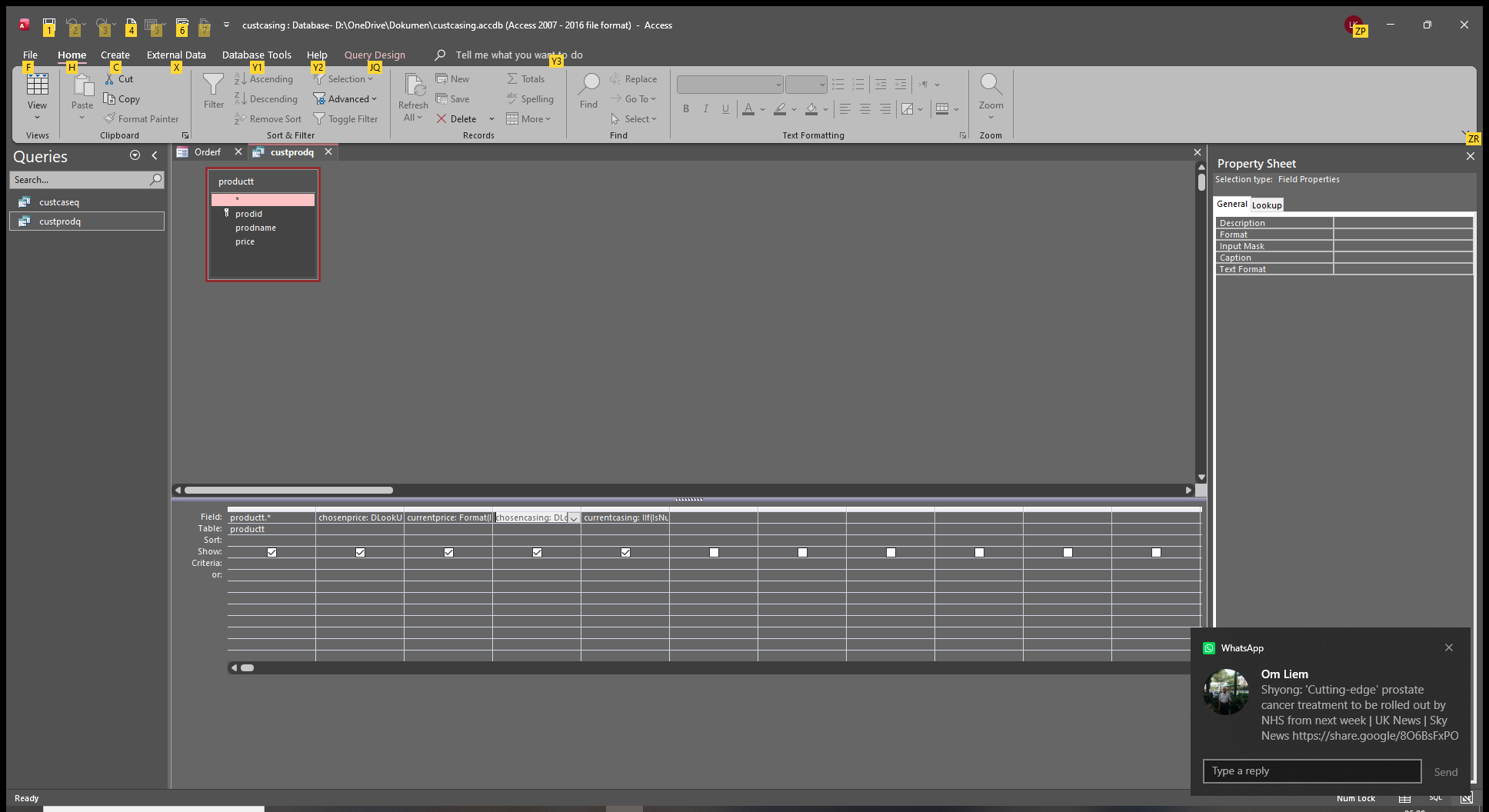
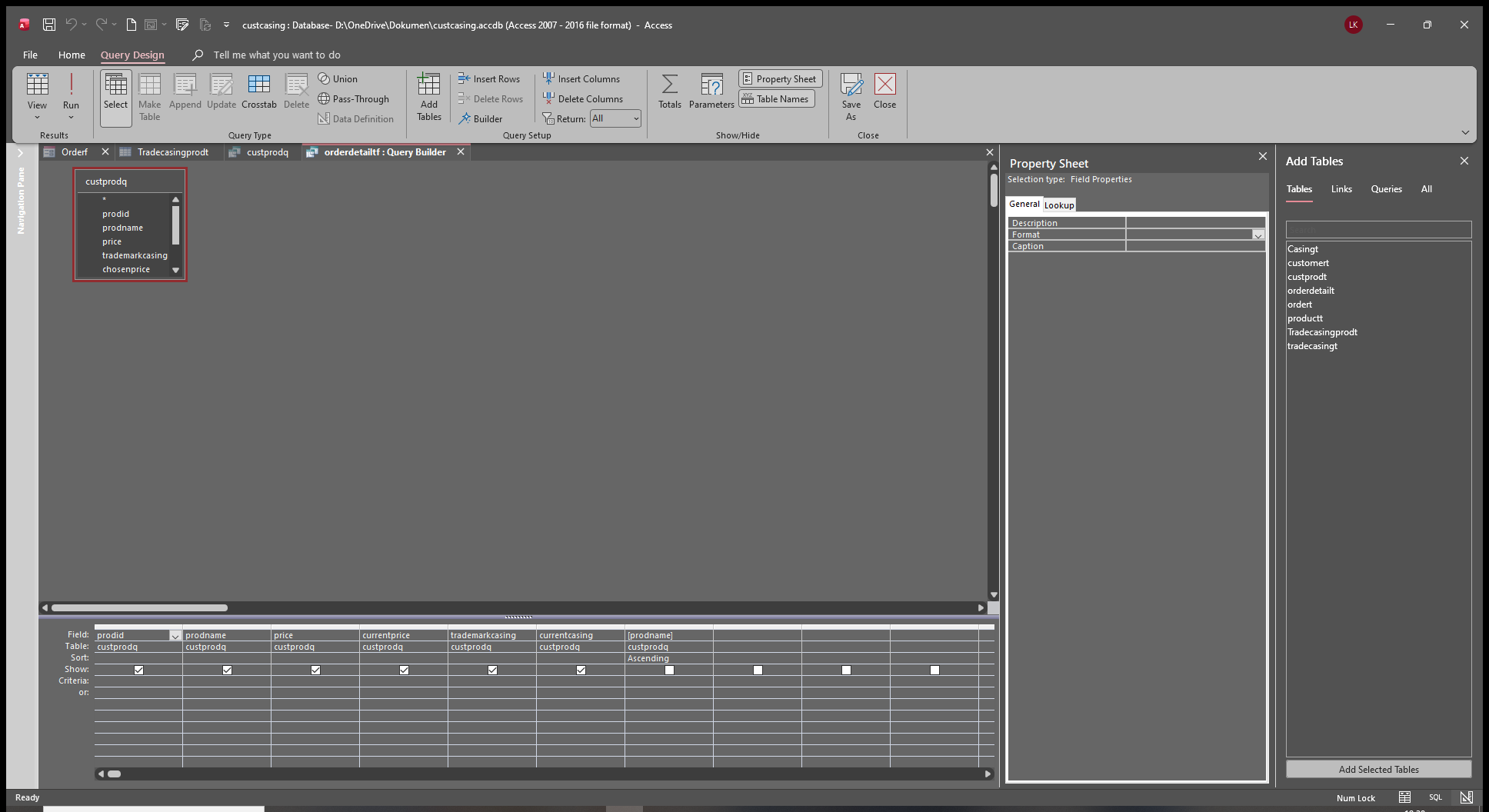
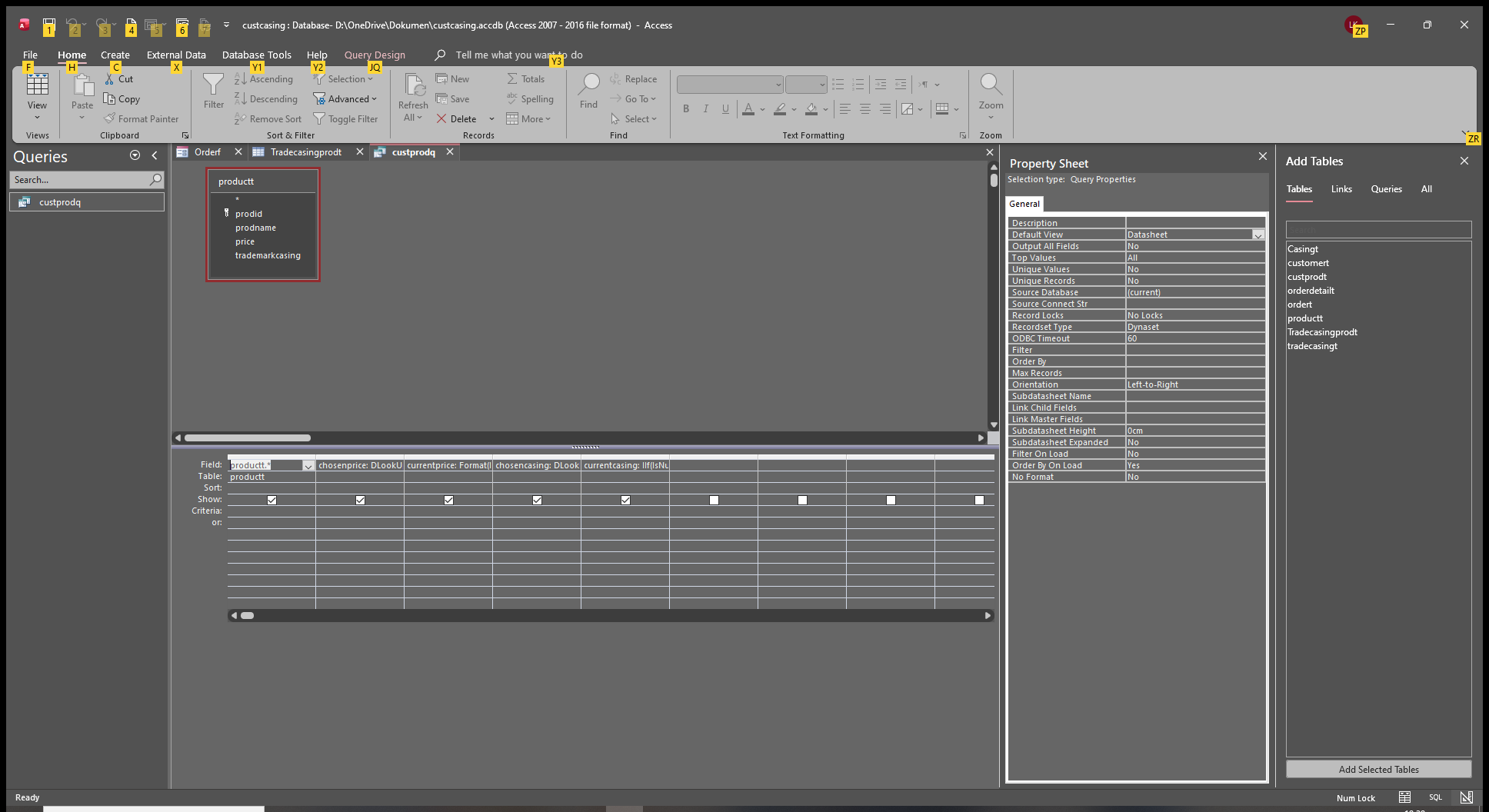
this is the query
Liem Khen OP  @Reply  
    
10 days ago
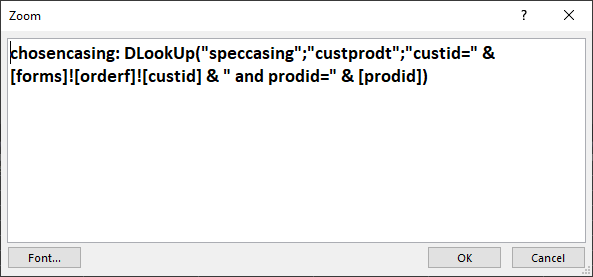
query of customerpricing and I add dlookup of speccasing
Liem Khen OP  @Reply  
    
10 days ago

Liem Khen OP  @Reply  
    
10 days ago

Donald Blackwell  @Reply  
       
10 days ago
Ok will look when I get on my PC. Phone too small to see anything. Another thing, when you added the via, did you add the new code to the same block or did you add a 2nd _after update? For example if you have an after update when you select the customer in the orderf and then a separate afterpudate block for the casing, access will only run one block
Liem Khen OP  @Reply  
    
10 days ago

Liem Khen OP  @Reply  
    
10 days ago

Liem Khen OP  @Reply  
    
10 days ago

Liem Khen OP  @Reply  
    
10 days ago
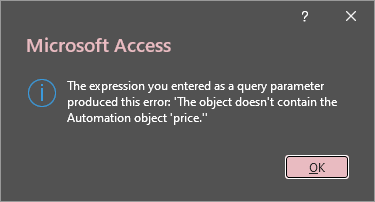
what does it mean,I want to make newprice automaticly updated by this vbs:
me.newprice=me.casingpricecombo.coloumn(2)
Liem Khen OP  @Reply  
    
10 days ago

Donald Blackwell  @Reply  
       
10 days ago
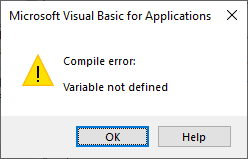
Somewhere you have likely mistyped something and its looking for a control or field named price.

Could be you have a space somewhere or something that was supposed to be enclosed inside Quotes was left outside quotes.

Eould need to know exactly what actually caused that message
Liem Khen OP  @Reply  
    
10 days ago
hehehe....you were RIGHT SIR DON
thanks ALOT
Liem Khen OP  @Reply  
    
10 days ago

Liem Khen OP  @Reply  
    
10 days ago
I wrote it PRICE not "SPECPRICE"
Liem Khen OP  @Reply  
    
10 days ago

Liem Khen OP  @Reply  
    
10 days ago
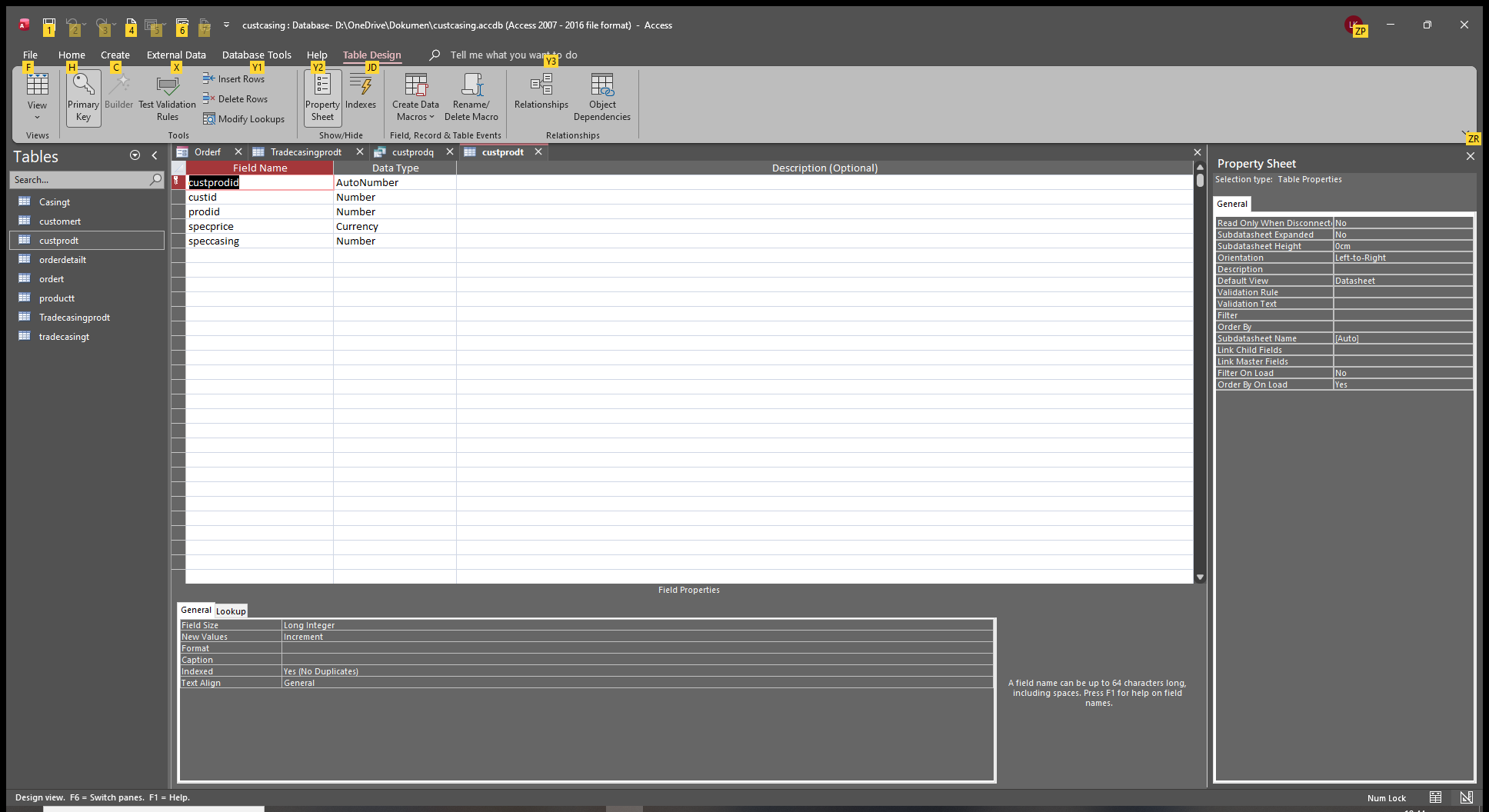
I wrote cusprodt not CUSTPRODT
Liem Khen OP  @Reply  
    
10 days ago

Liem Khen OP  @Reply  
    
10 days ago
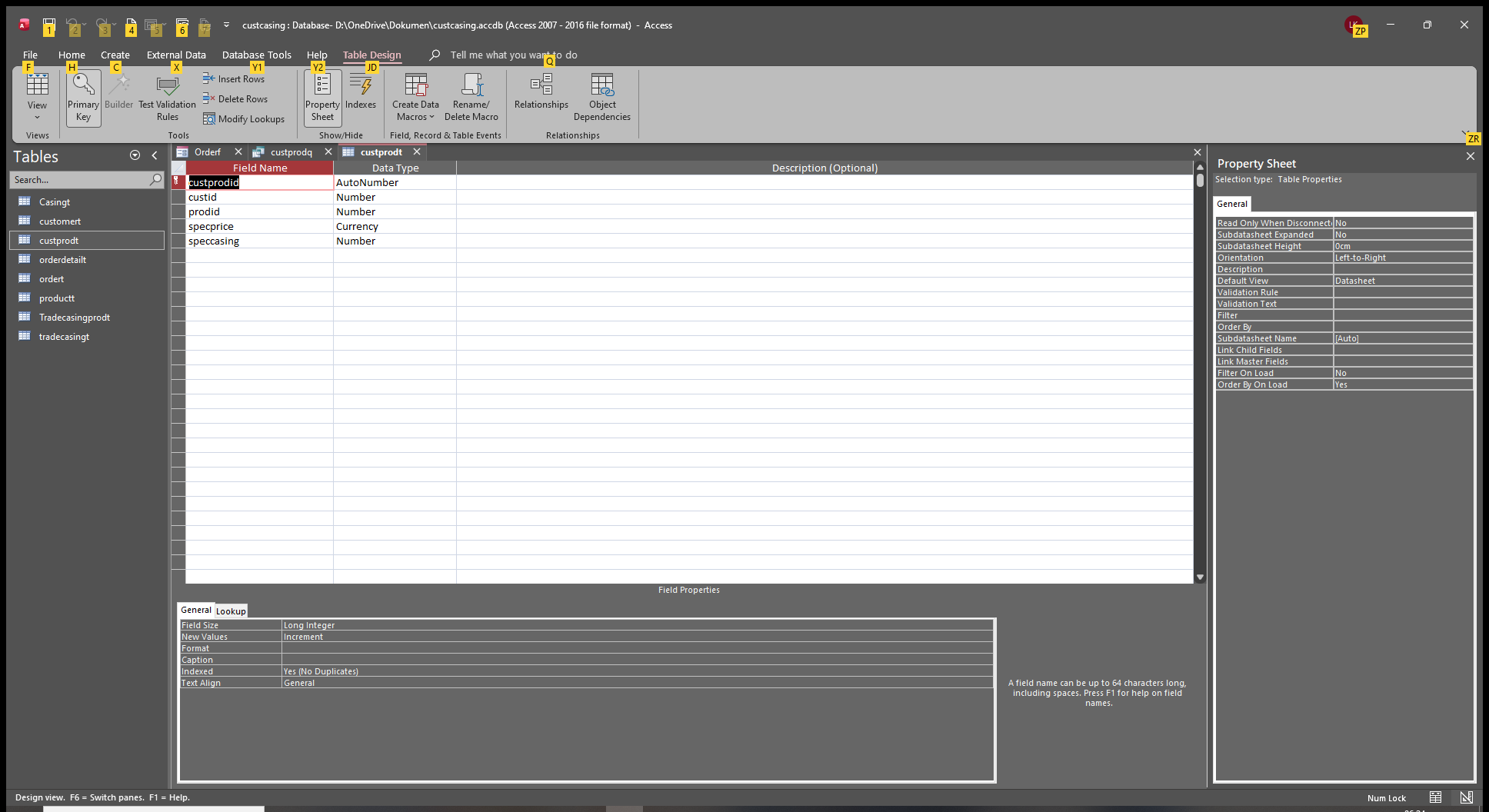
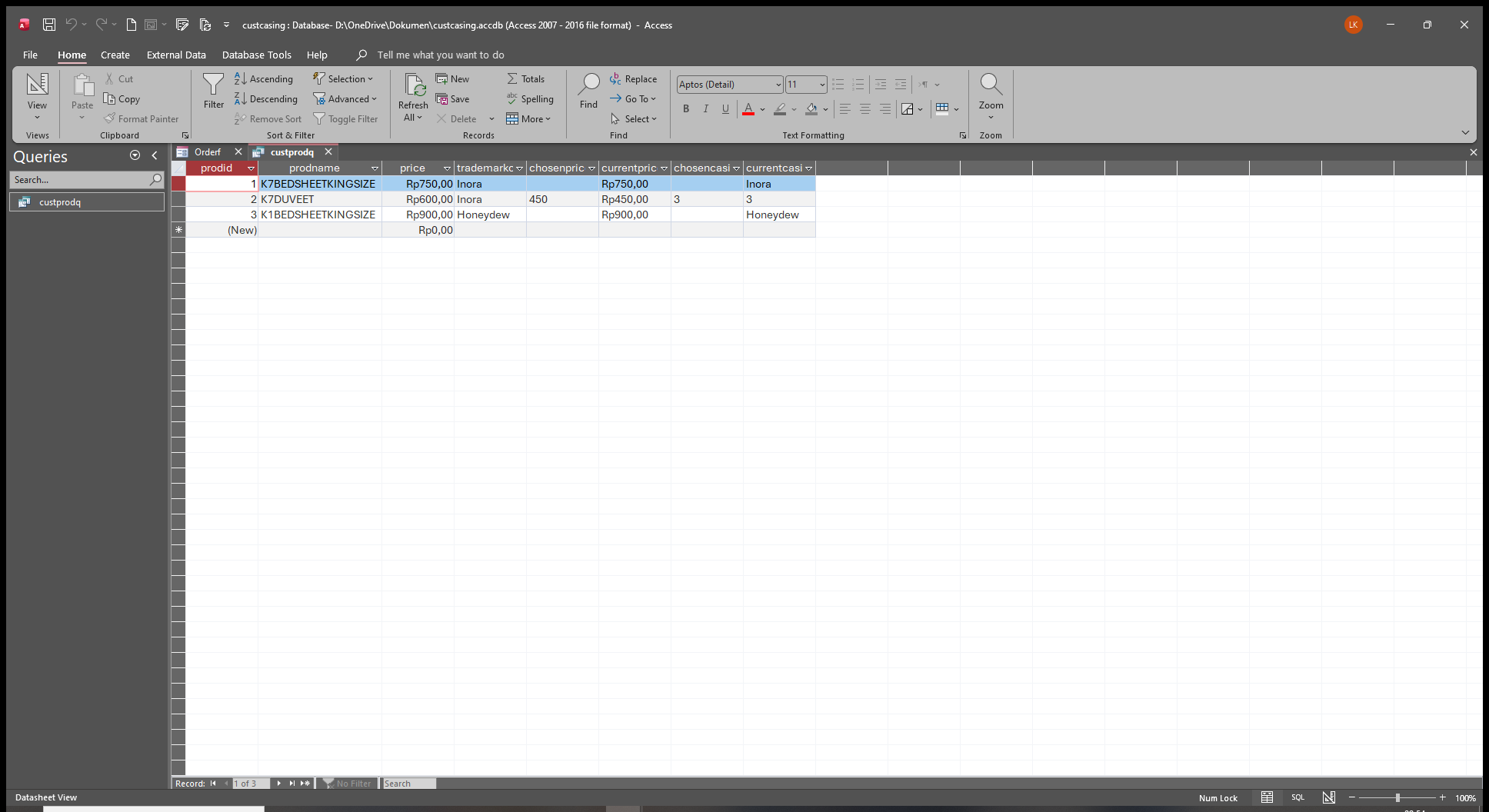
now ...SIR DON why it displayed NUMBER not the casingname (Hagu) like the other ones
Liem Khen OP  @Reply  
    
10 days ago

Liem Khen OP  @Reply  
    
10 days ago
either in form diplaying NUMBER not the casing name
Liem Khen OP  @Reply  
    
10 days ago

Liem Khen OP  @Reply  
    
10 days ago
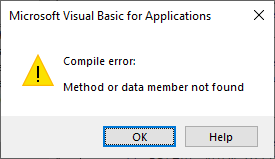
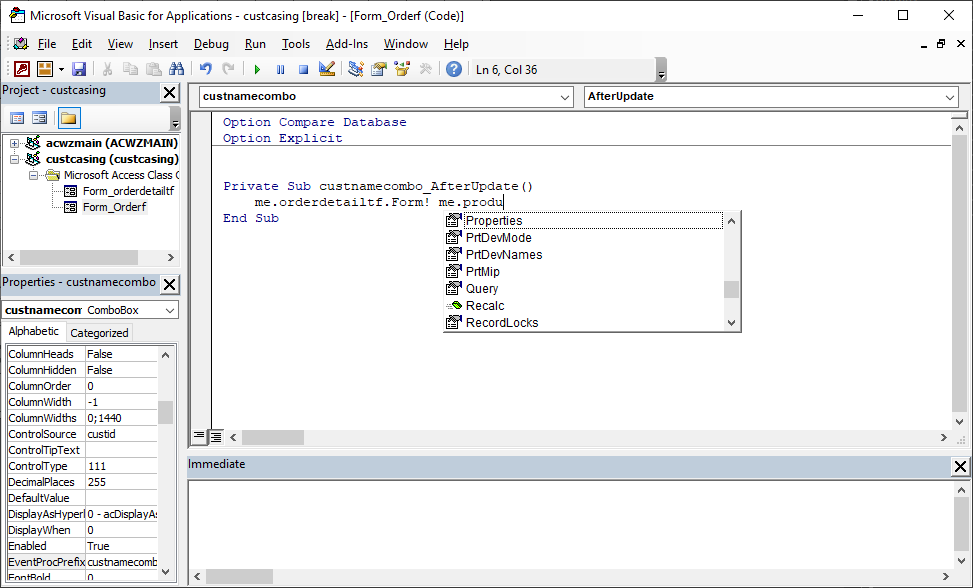
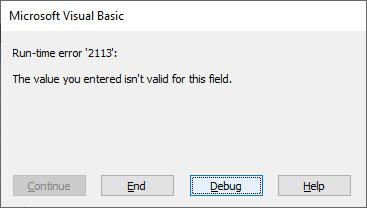
I used the vba as to pass the newprice but there came up a warning
the vba:me.newcasingname=me.casingpricecombo.coloumn(3)
Kevin Robertson  @Reply  
          
9 days ago
Column is spelled incorrectly.
Donald Blackwell  @Reply  
       
9 days ago
First thing again, would be to check spelling. I could be wrong, but I did a search and even on international systems, everything I see says it should be casingpricecombo.column(3) not coloumn(3), but that might just be a typo where you typed it here.

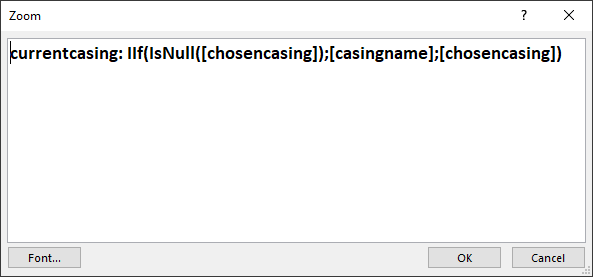
As for the number instead of the name, you are setting chosencasing to be the speccasing from the custprodt which is a number. if you want that to be text, you'd have to bring the casing table to bring that name there. Then your currentcasing is probably just looking to see if chosencasing is null or not and if not, it uses chosen casing, so again, you get the number that you have brought in with your dlookup
Liem Khen OP  @Reply  
    
9 days ago
YA , I usually used me.casingnamecombo=...etc , it was a typo.sorry
About the query using dlookup ("speccasing";"cusprodt".... , previously I typed  DLOOKUP("CASINGNAME";"CUSTPRODT" ....etc but casingname is in casingt not custprodt so it did not work.
Did you mean I have to use casingt for dlookup.
Thanks
Liem Khen OP  @Reply  
    
9 days ago
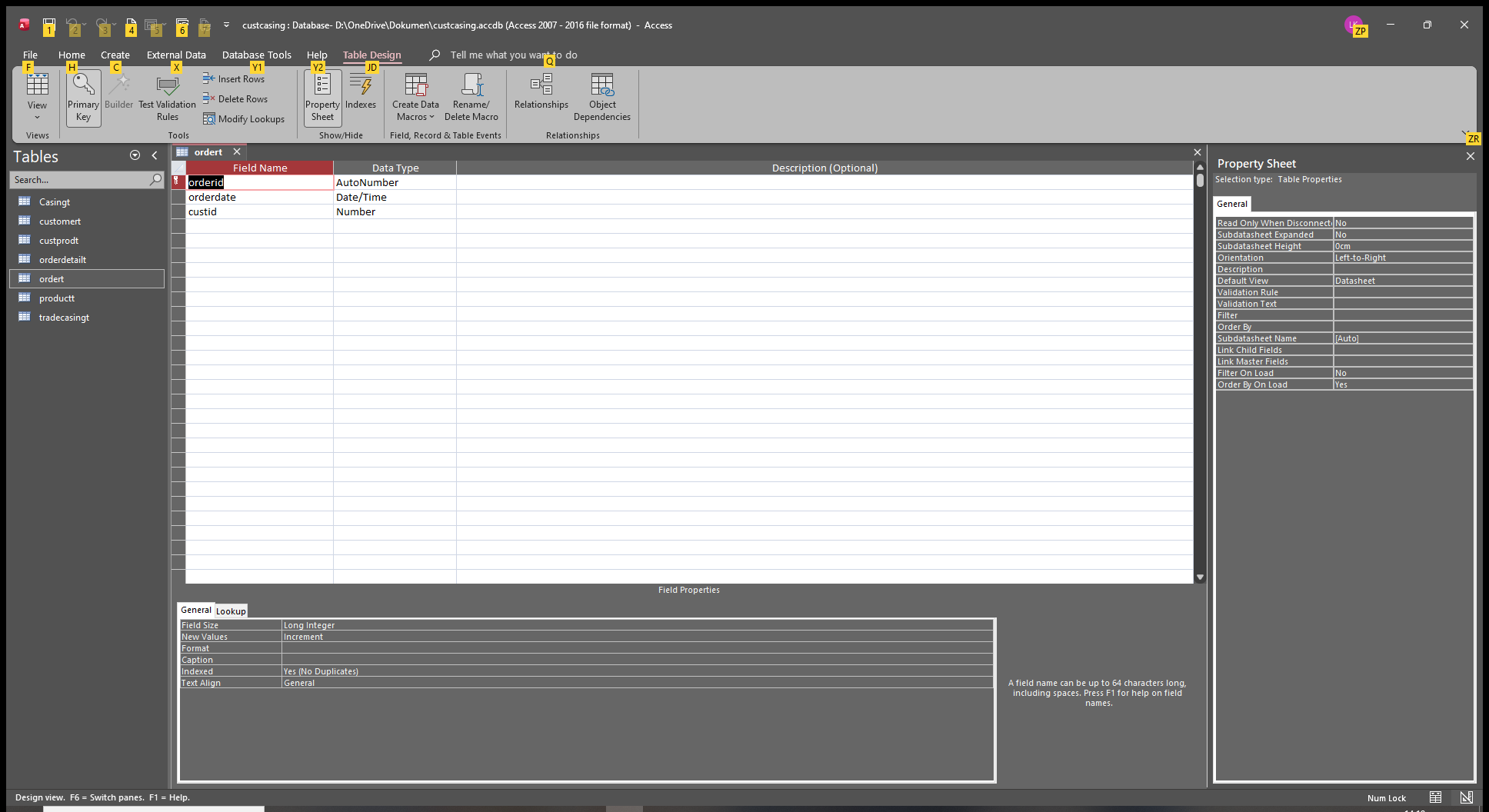
Oh ya...I typed number for datatype of speccasing in custptodt
I have to change to short text instead
Okay
Liem Khen OP  @Reply  
    
9 days ago
How about displaying casing name field in orderdetalf, can I use vba as to pass the specprice
Thanks
Donald Blackwell  @Reply  
       
9 days ago
If speccasing in custprodt is the foreign key to another table, it likely should remain a type Number:Long... Even if you change the type to text, it will probably just display the 3 since that is what it is linking to in the other table.

I was referring to your query, you could add the table that has the casing id and name to the query, linking speccasing to casing id then you'd be able to pull the name from that table.

As for displaying casing name field in orderdetailf, you can do just about anything you need, depends on how you build your form.

One thing I'm noticing is that in a lot of your queries and forms, you're using a lot of dlookups. Those are great to use, but you should know that, especially in a continuous form, they may drastically slow down the performance of your database, especially once you get a lot of records in it. As long as it only has maybe a few hundred rows or less, probably won't be awful, but once you get into a larger number of records, Access has to re-evaluate each DLookup in each field for each row so it may get horribly slow.

Liem Khen OP  @Reply  
    
8 days ago
It works sir DON after changing the datatype in productt to short text...thank you
it was unusual there came a warning as I clicked from orderf to orderdetailf but if I closed the warning and clicking the field in orderdetailf it worked no warning coming up again?
Liem Khen OP  @Reply  
    
8 days ago

Liem Khen OP  @Reply  
    
8 days ago

Donald Blackwell  @Reply  
       
8 days ago
If the warning continues to happen, check spellings in the after update event when selecting a name in orderf.
Donald Blackwell  @Reply  
       
8 days ago
In fact, you may be able to comment out that whole procedure from the Private Sub .... to the End Sub and your form should still work since we are checking the customer right in the combo box in orderdetailf
Liem Khen OP  @Reply  
    
8 days ago

Liem Khen OP  @Reply  
    
8 days ago
I wonder why there is no productnamecombo in this procedure?
I have been three times changing the prodid field.
Liem Khen OP  @Reply  
    
8 days ago
previously it worked ,after correcting the casingname from number to short text ...there came up the warning??
Liem Khen OP  @Reply  
    
8 days ago

Liem Khen OP  @Reply  
    
8 days ago
it worked
Liem Khen OP  @Reply  
    
8 days ago
Using dlookup the performance of my database will get slower so what to do instead then
Alex Hedley  @Reply  
           
8 days ago
Create a Query instead
Liem Khen OP  @Reply  
    
8 days ago
Ya sir DON said it will get slower down if the number of records get increased
Liem Khen OP  @Reply  
    
8 days ago
Ĥow come my orderf does not work as I click custid field changing to the orderdetailf, the custnamecombo afterupdate event cannot find productnamecombo but in productnamecombo_afterupdate () there is
Liem Khen OP  @Reply  
    
8 days ago
I am sorry to bother you sir DON and ALEX
Donald Blackwell  @Reply  
       
8 days ago
Yeah, DLookups evaluate 1 time per DLookyp per record. A query evaluates once.

You could create a query that gets the information you're looking for and then link that query to get the information, whether it is customer pricing or trademark casing or anything else.

Alternatively, you could try working with SQL and using a Subquery.

I won't be back at my computer until Monday probably as I'm roughly 10 hours from home to attend my niece's wedding. So I won't be able to put any other samples together before then.
Liem Khen OP  @Reply  
    
8 days ago
Thank you sir DON
BE JOYFUL GATHERING WITH FAMILY AND LOVE ONES
Liem Khen OP  @Reply  
    
7 days ago
I often encounter prolems as such (above)
1. I just deleted the orderf and orderdetailf ,I did not use  me.orderdetailf.form!me.product... but without me instead and it worked no warning anymore??
2. anything works fine but now as I want to type the date in orderf a warning appeared then if I used the calender it was okay...no warning???
Liem Khen OP  @Reply  
    
7 days ago

Liem Khen OP  @Reply  
    
7 days ago

Liem Khen OP  @Reply  
    
7 days ago

Liem Khen OP  @Reply  
    
7 days ago
I have to click the calender (beside the orderdate field) first to fill the orderdate field if not a warning appears (like the above)
hopefully anybody can help me
thank you
Donald Blackwell  @Reply  
       
7 days ago
Access often can get tripped up on dates on international systems. As long as dates are entered using your default system date syntax, they should work.

However since there are so many different formats used globally, access can get confused.

That is why Richard recommends ISO Date Format so that everyone uses the same format to be unambiguous.

Convert ISO Date Time
Liem Khen OP  @Reply  
    
6 days ago
i have been trying to find the answer replacing my Dlookup () function to subquery for better performance of my database later
Kevin Robertson  @Reply  
          
6 days ago
Liem Continue to purchase and watch (in order) Richards classes. You appear to be missing a lot of fundamentals.
Liem Khen OP  @Reply  
    
6 days ago
Hehe... what should I do just to know and solve the dlookup function to avoid the performance of my database gets slow down  later according to SIR DON's advice
I will follow
Thank you
Liem Khen OP  @Reply  
    
6 days ago
Which course should I buy
Thanks
Alex Hedley  @Reply  
           
6 days ago
Are you working through each course in order; with your Gold subscription?
Liem Khen OP  @Reply  
    
6 days ago
Why my last reply does not showup
Liem Khen OP  @Reply  
    
6 days ago
Alex if learning zone has a book to buy i need it
The way to convert dlookup to subquery or the any other ones to avoid getting slow down the performance is very importance for me
Please hel me
Thanks
Liem Khen OP  @Reply  
    
6 days ago
I am very appreciated by the learning zone help
Liem Khen OP  @Reply  
    
6 days ago
My application has got improved very much
Liem Khen OP  @Reply  
    
6 days ago
I just paid sql server for 2 dolars,actually 1,05 for members ya
I kept also "dlookup slow" video ,i am looking forward to waiting for the help so I can continue my database right away
thank you
Donald Blackwell  @Reply  
       
6 days ago
So trying to look at what I can see from this thread and the previous one we worked in, if you want to work on performance:

1) Like everyone above has said, keep working through the Beginner and Expert Courses in order and keep reworking each level until you fully understand what Richard is showing you at that point. Each class lays the foundation for the next.

2) As you go through them, you'll often realize that both performance and elegance come from simplicity. If you try to put too much in one table or one query or one form, etc., it will start to bottleneck and then as you get further along you'll be going back trying to figure out how to fix those instead of moving onto adding more functionality.

On to the point of the DLookups, as I said above, they search through the table or query once for every row of data you have but a separate query will get all the data at once in one pass generally. DLookups are great for a single form in one or two fields, but once you get into continuous forms and datasheet forms, they get really slow really fast.

--more--
Donald Blackwell  @Reply  
       
5 days ago
Sorry, trying to make sure what I respond with makes sense and trying to go back and pull from your images to make it match your existing setup to not confuse things further...
Donald Blackwell  @Reply  
       
5 days ago
Since you've worked with queries plenty, think of DLookup as a query that always pulls only one record.

A DLookup only pulls the first available option based on whatever criteria you specify each time. So using a query, you can pull all the options that match your criteria at once.

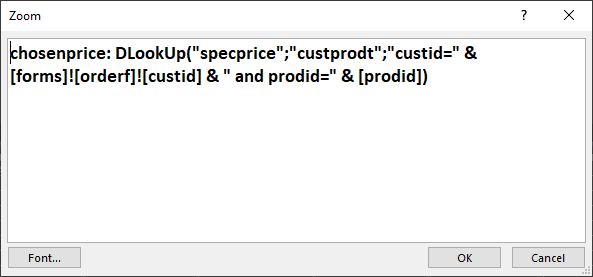
You've already worked plenty with queries so instead of this DLookup:

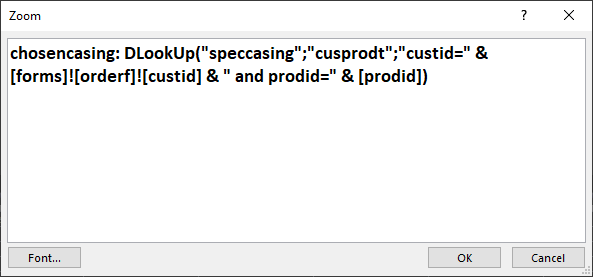
chosencasing: DLookUp("speccasing";"custprodt";"custid=" &
[forms]![orderf]![custid] & " and prodid=" & [prodid])

You could have a query that pulls from CustProdT:
Fields
CustProdID (if it exists)
CustID
ProdID
SpecCasing
SpecPrice

This way, you're pulling all the data at one time instead of doing 2 separate lookups on the same table for each row. Then bring this into a query with ProdT.* and create an outer join on ProdID. The CustID field could be shown or not, but it's criteria would be set to the Form criteria in your DLookups, You wouldn't need to list the prodid a 2nd time because it would be covered by the join and then speccasing and specprice could be shown and you'd have everything you need all with queries.
Liem Khen OP  @Reply  
    
4 days ago
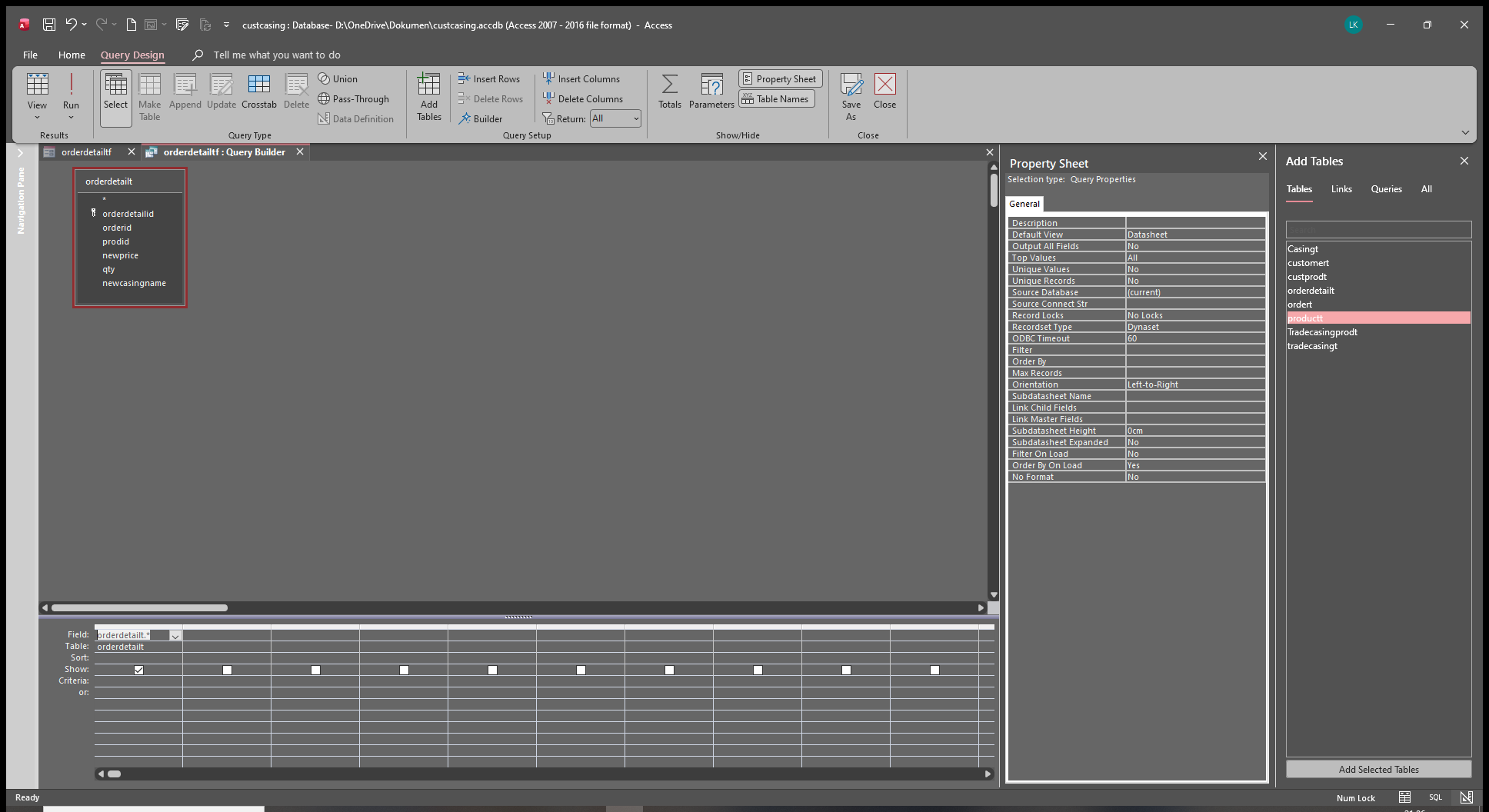
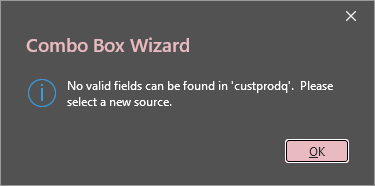
I am sorry,in productt,if I used tradmarkcasing as another table ,the custprodq could not be run.there came up a warning "field [prodid] could refer to more than one table listed in the from clause"
in custprodq I add the trademarkcasingt
Liem Khen OP  @Reply  
    
4 days ago
should I create another query combination of productt and trademarkcasingt firstly
Liem Khen OP  @Reply  
    
3 days ago

Liem Khen OP  @Reply  
    
3 days ago

Liem Khen OP  @Reply  
    
3 days ago
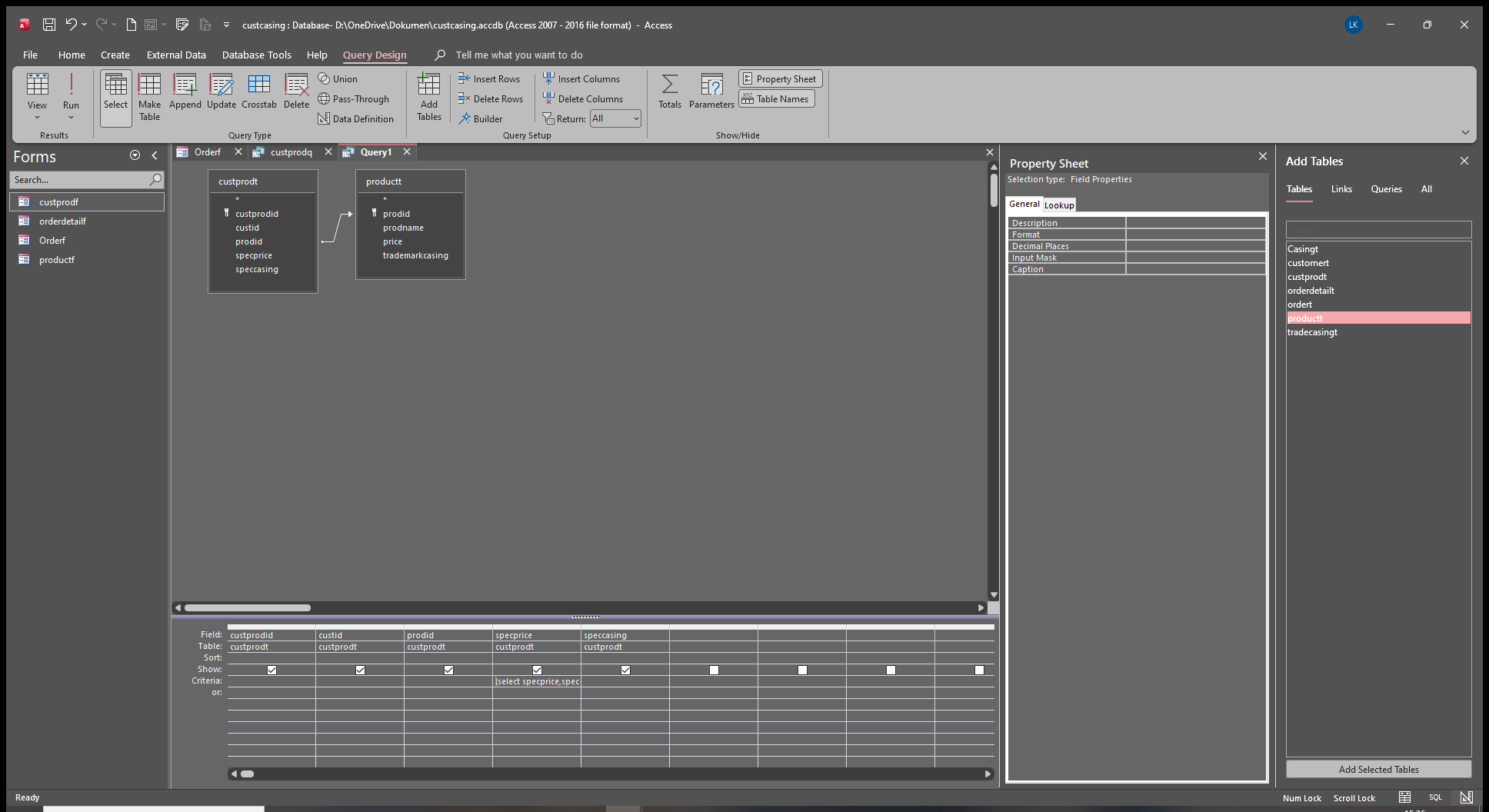
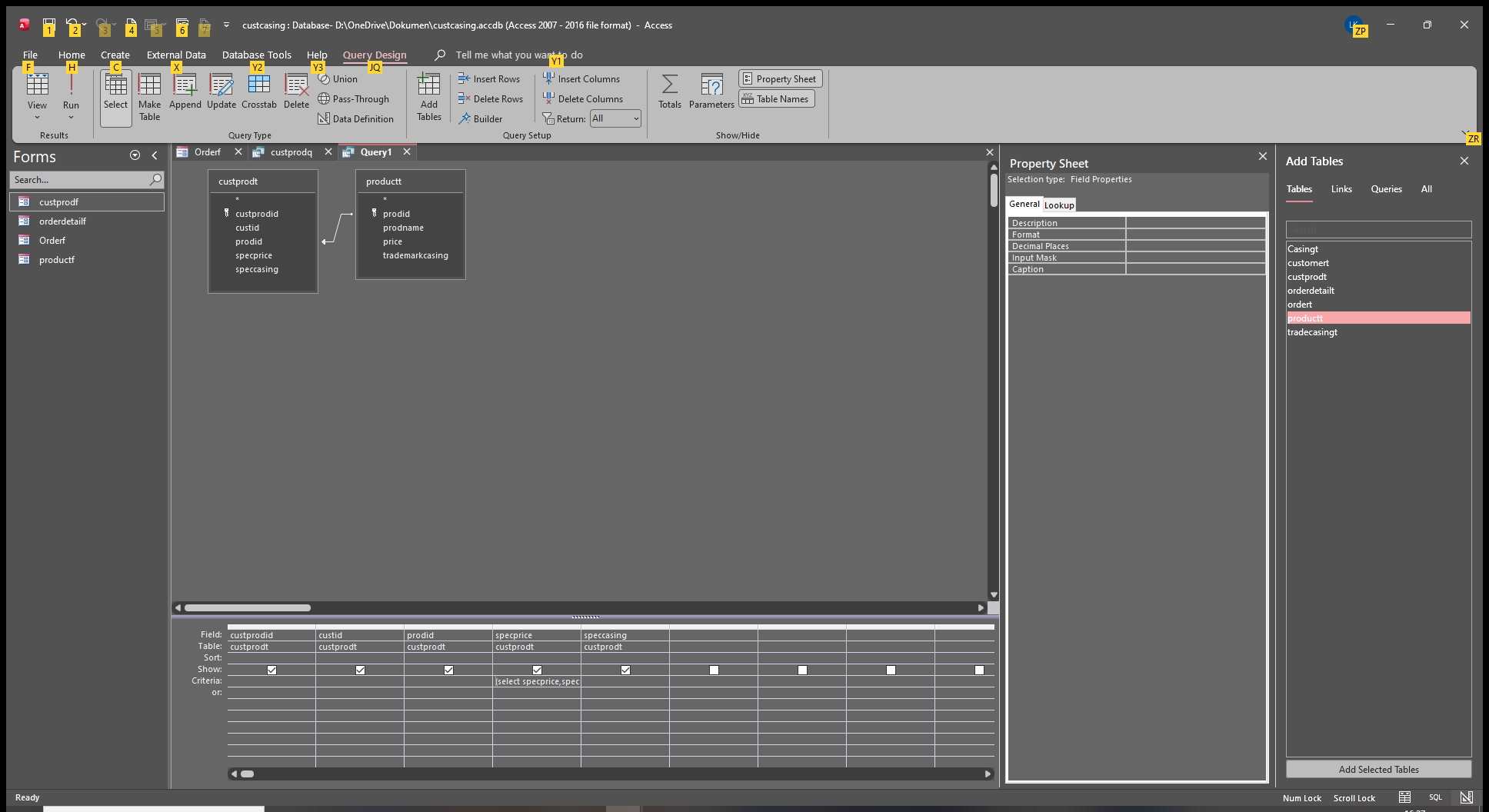
hehe...what is wrong with my subquery
Liem Khen OP  @Reply  
    
3 days ago

Liem Khen OP  @Reply  
    
3 days ago

Liem Khen OP  @Reply  
    
3 days ago
I am not good at sql
I started learning ms access from ms acces bible 2000 by cary n praque-john viescass (too much vba)- cookbook (oreily's)- vba fundamental  EVAN CALLAHAN...
Donald Blackwell  @Reply  
       
3 days ago
Just so we are on the same page, exactly what is this query for? Is it the record source for the productf form, is it the control source for a combo box?

If for a form, what are the fields you want to display on that form (not including any subform(s)).

If for a combo box, what data do you need to have in the combo box (such as the ID, Product name or casing name, etc.)?
Kevin Robertson  @Reply  
          
3 days ago
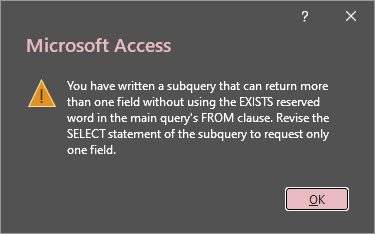
Liem The error message tells you exactly what the problem is and how to fix it.

Hint: read the last sentence of the error message.
Liem Khen OP  @Reply  
    
3 days ago
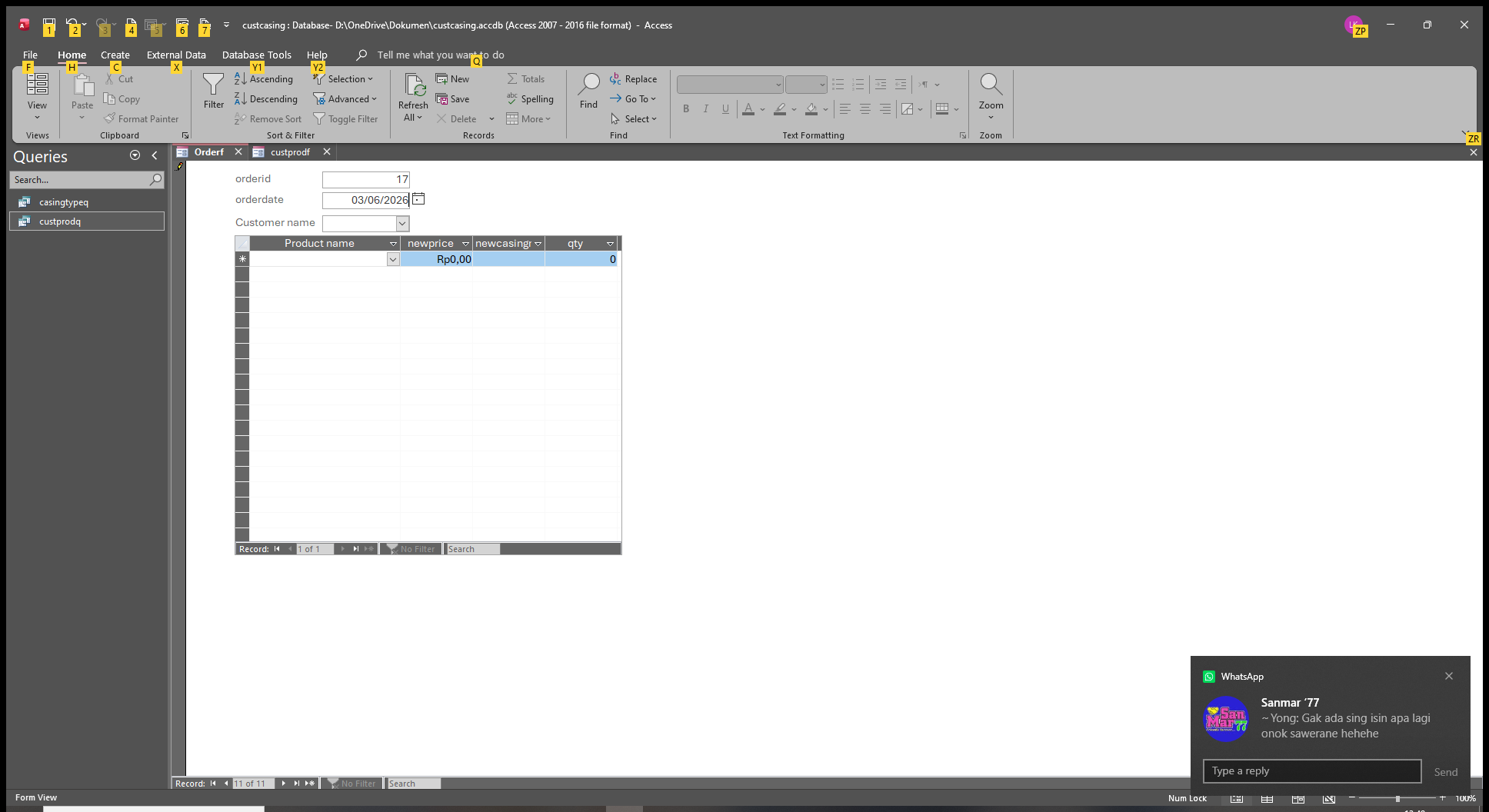
I want to display newprice and newcasing (it worked while using dlookup previously)
The specprice and the speccasing are in custprodt...I thought i could pull them in the select...
Liem Khen OP  @Reply  
    
3 days ago

Liem Khen OP  @Reply  
    
3 days ago
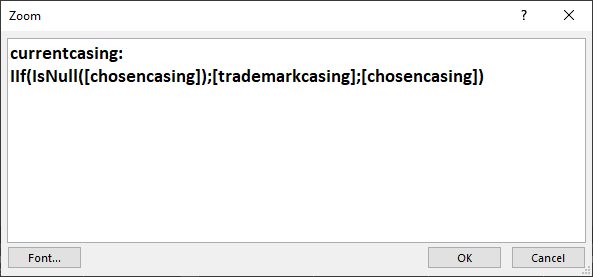
just like the query iif(isnull([chosencasing]);[casingname];[chosencasing]) and it worked in my form as showed above
Liem Khen OP  @Reply  
    
3 days ago
I do not get and I do not know how to fix it KEVIN...I am sorry
Alex Hedley  @Reply  
           
3 days ago
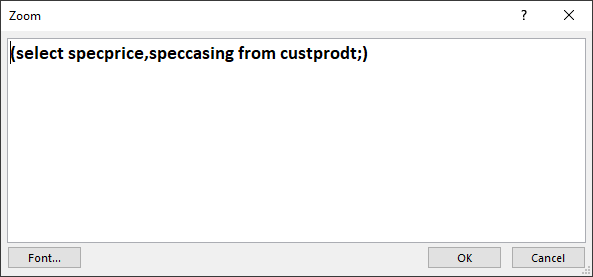
You have written a subquery that can return more than one field without using the EXISTS reserved word in the main query's FROM clause. Revise the SELECT statement of the subquery to request only one field.
Alex Hedley  @Reply  
           
3 days ago
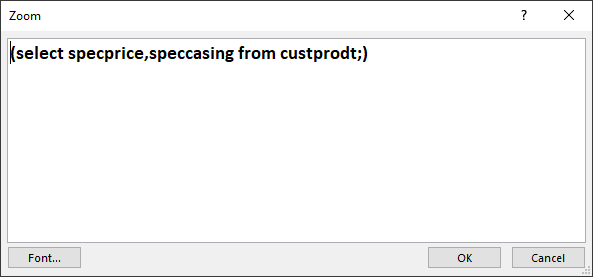
Liem If you change the Query you have written in the picture above to the SQL view and copy that into a post, what is it?
Liem Khen OP  @Reply  
    
3 days ago

Liem Khen OP  @Reply  
    
3 days ago
I am sorry ,I forgot to upload
Alex Hedley  @Reply  
           
2 days ago
So from the error message: Revise the SELECT statement of the subquery to request only one field. what do you need to change?
Liem Khen OP  @Reply  
    
2 days ago
was my select statement correct already ALEX
I want to display the newprice and newcasing with vba automation,how to solve it
Liem Khen OP  @Reply  
    
2 days ago
in orderdetailf ....I am sorry
Kevin Robertson  @Reply  
          
2 days ago
Liem The key phrase in the error is ONE FIELD.
Kevin Robertson  @Reply  
          
2 days ago
Liem Khen OP  @Reply  
    
2 days ago
KEVIN,I have to change the relationship by adding CASINGT,sometimes a customer wants not default casingname
but if I add prodid to casingt (one to many) then my query gives a warning that "there will be more than one prodid"
I get confused
thanks alot
Liem Khen OP  @Reply  
    
2 days ago
oooo... no need ya I put in the custprodt already
Liem Khen OP  @Reply  
    
2 days ago
about the subquery ,I am sorry I could not fix my query
my sql is poor....sorry
Liem Khen OP  @Reply  
    
2 days ago
I hope YOU could help me
thank you
Liem Khen OP  @Reply  
    
2 days ago
I really do not how to fix my SUBQUERY, I know how to use dlookup (RICHARDS shows me the way ) snd the subquery RICHARDS' are different (dlookup slow-subquery-faster dlookup...).
It is jusy a matter of the performance (sccording to SIR DON) I INSIST to using subquery.
Thank you
Donald Blackwell  @Reply  
       
2 days ago
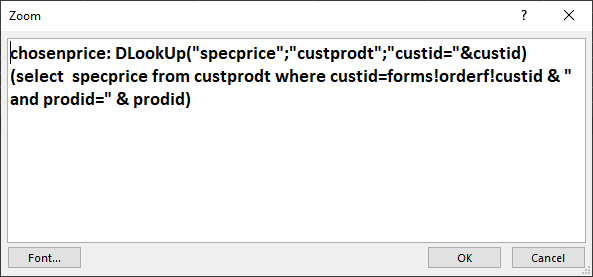
Hi Liem, when you do a DLookup, to get specpricing, your DLookup is asking for the value of one field for each field in your query. A subquery should be the same is what Adam and Kevin are getting at:

DLookup("SpecPrice";"CustProdT";"CustID=" & CustID)
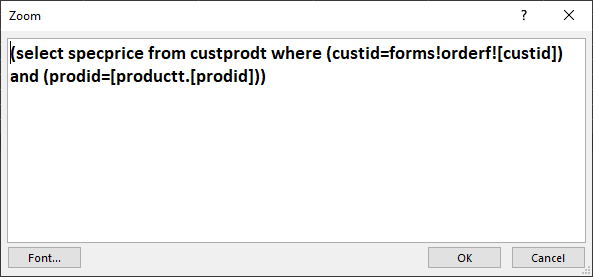
(SELECT SpecPrice FROM CustProdT WHERE CustID = Forms!OrderF!CustID)

This is just an example, without seeing exactly where you're using it, it may need adjusted. And it may not be the best solution, but once figured out, it would be faster than dlookups.
Liem Khen OP  @Reply  
    
2 days ago
so we use select twice coloumn specprice and select for speccasing
Liem Khen OP  @Reply  
    
2 days ago
I am sorry KEVIN
Liem Khen OP  @Reply  
    
2 days ago
how about the proid sir DON,in dlookup we have custid and prodid
Donald Blackwell  @Reply  
       
2 days ago
You can add to the criteria:

... WHERE (CustID = WHERETOFINDCustID) AND (ProdID = WHERETOFINDProdID))
Liem Khen OP  @Reply  
    
41 hours ago

Liem Khen OP  @Reply  
    
41 hours ago

Liem Khen OP  @Reply  
    
41 hours ago
I could not find the error I meant which name
Liem Khen OP  @Reply  
    
41 hours ago
ooo. productt
Liem Khen OP  @Reply  
    
41 hours ago

Liem Khen OP  @Reply  
    
40 hours ago
asking all controls (custid-chosenprice-chosencasing) but not prodid?
Liem Khen OP  @Reply  
    
40 hours ago
I am sorry
Liem Khen OP  @Reply  
    
40 hours ago

Liem Khen OP  @Reply  
    
40 hours ago
I am trying to delete the prodid field in orderdetailf
Liem Khen OP  @Reply  
    
39 hours ago
If you think I have to learn something on sql or anything that not too much vba ON a BOOK ...I want to buy
after this problem on replacing the dlookup I am going to move to sql server,I bought from learning zone sql server beginner2 (I am still waiting)
Liem Khen OP  @Reply  
    
36 hours ago

Liem Khen OP  @Reply  
    
36 hours ago
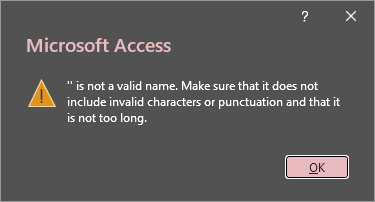
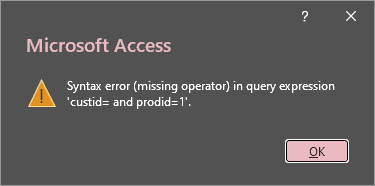
is there anything wrong ,I get a warning
Liem Khen OP  @Reply  
    
36 hours ago

Donald Blackwell  @Reply  
       
34 hours ago
I can't personally recommend any specific book that would be good with SQL in Access or SQL Server as most of what I learned about SQL I taught myself when doing web development on other platforms. Back then, I hated video tutorials because I hadn't found any that either showed me what I was looking to learn, that the instructor kept my interest instead of putting me to sleep, or that taught in a manner that "clicked" for me.

Then I found this site and began going through all of Richard's courses, beginning to end, in order and completing and re-doing each lesson to fill in the gaps in what I knew until it clicked for me. The best primers on SQL come in the Expert series and if/when you decide you want the deep knowledge, Richard's Access SQL Seminars and the Handbooks that come with them are the best resources I've utilized to apply SQL in Access.

As for SQL Server, I'm still learning to use that as the courses come out :)
Liem Khen OP  @Reply  
    
33 hours ago
My son got this sql server as learning IT in jakarta but know nothing on ms access.
That is why I want to migrate to sql server
I would like to learn from books .
The problem of replacing dlookup function to subquery i have not got the answer yet
From john viescass (inside out and building ms access application) I got difficulties on vba (too much vba)
Liem Khen OP  @Reply  
    
33 hours ago
Why i got the warning like that
Liem Khen OP  @Reply  
    
33 hours ago
With dlookup my application works fine
Liem Khen OP  @Reply  
    
27 hours ago
Sir DON , could you help me to show what make that warning
Donald Blackwell  @Reply  
       
27 hours ago
Will look at it when I get home

At work on phone right now
Liem Khen OP  @Reply  
    
23 hours ago
Thsnk you sir DON
Liem Khen OP  @Reply  
    
19 hours ago

Donald Blackwell  @Reply  
       
18 hours ago
One thing that may help you get the hang of SQL,  open an existing query in the query editor and as you look at how the fields are set up to look there and what they do, then click the down arrow below "View" on the ribbon and switch to SQL view and you'll see exactly what your queries are in SQL.

Then, just remember that a subquery is just a query inside of another query.

Because of the join in your query, you may not need to specify prodid as it might already be linked in the query so you could possibly get away without it:
ChosenPrice: (SELECT SpecPrice FROM CustProdT WHERE CustID = Forms!OrderF!CustID)

However, if it's not working, you need to tell it the open resource where to get it, for instance, you're getting CustID from the OrderF, but ProdID based on your earlier images is in the subform. You access values in the subform with notation like Forms!MAINFORM!SUBFORMCONTROLNAME.Form!CONTROLNAME.

Trying to piece together from your images above, it might be:

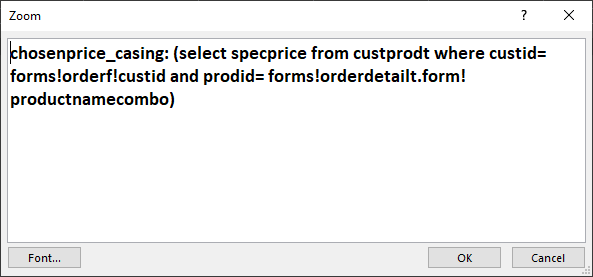
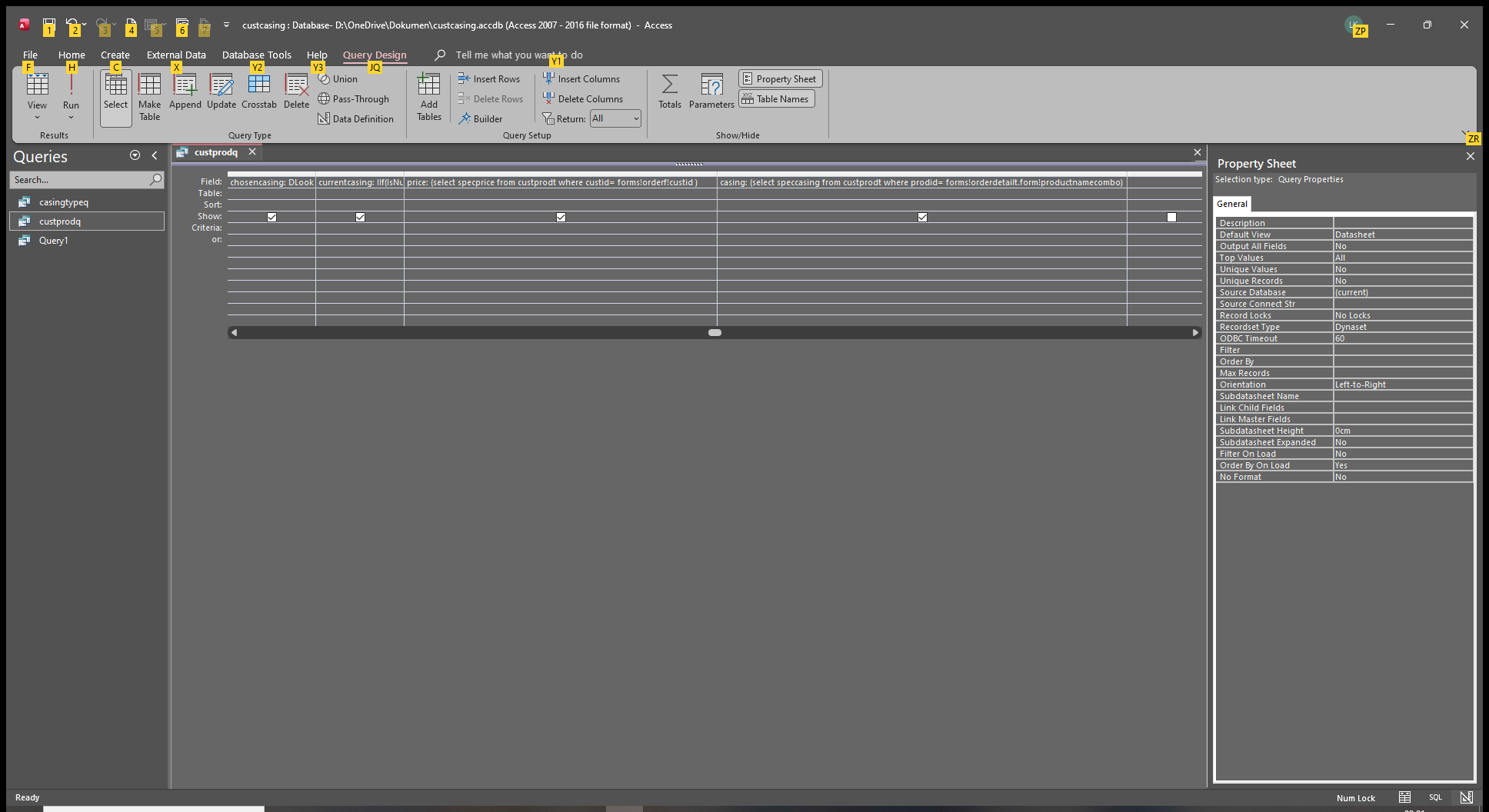
ChosenPrice: (SELECT SpecPrice FROM CustProdT WHERE CustID = Forms!OrderF!CustID AND ProdID = Forms!OrderF!OrderDetailT.Form!ProdID)
Kevin Robertson  @Reply  
          
18 hours ago
Donald You have a typo on the last line.
Donald Blackwell  @Reply  
       
17 hours ago
Thanks Kevin good catch. I looked at the image Liem posted on 2026-06-10 at 9:24:41 PM and picked the control source instead of the control name (hopefully we're looking at the same thing, lol).

So to correct my blunder:

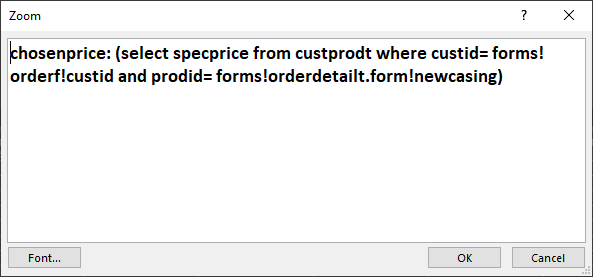
ChosenPrice: (SELECT SpecPrice FROM CustProdT WHERE CustID = Forms!OrderF!CustID AND ProdID = Forms!OrderF!OrderDetailT.Form!CasingPriceCombo)

I may also have the wrong name for the subform control but since I didn't see any images with the subform control itself highlighted and since the other image shown of it shows it as a datasheet form, I went with OrderDetailT as shown in the header of the OrderF in design view.
Liem Khen OP  @Reply  
    
16 hours ago
Ooo....replace directly the dlookup ya
Liem Khen OP  @Reply  
    
16 hours ago
The identifier....where i can learn as such
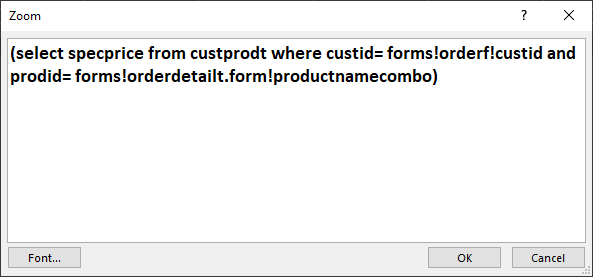
Prodid= forms!orderf!orderdetail.form!casingpricecombo
Usually i type fieldname ...here  you type orderdetailt.form!fieldname

Liem Khen OP  @Reply  
    
16 hours ago
Could you tell me how to understsnd this
ThaNk you sir DON
I HAVE GOT SO MANY THINGS FROM YOU
Liem Khen OP  @Reply  
    
11 hours ago

Liem Khen OP  @Reply  
    
11 hours ago

Liem Khen OP  @Reply  
    
11 hours ago
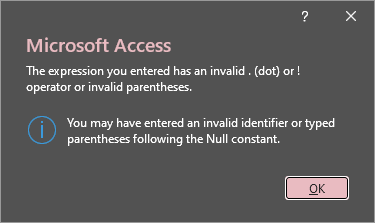
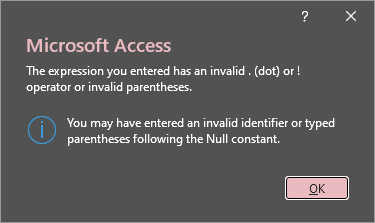
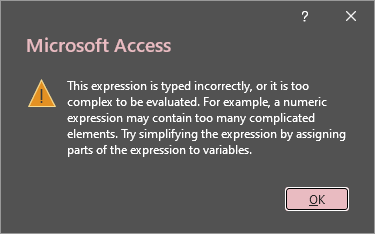
what does the warning mean?
Liem Khen OP  @Reply  
    
11 hours ago

Liem Khen OP  @Reply  
    
11 hours ago

Liem Khen OP  @Reply  
    
11 hours ago
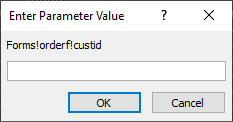
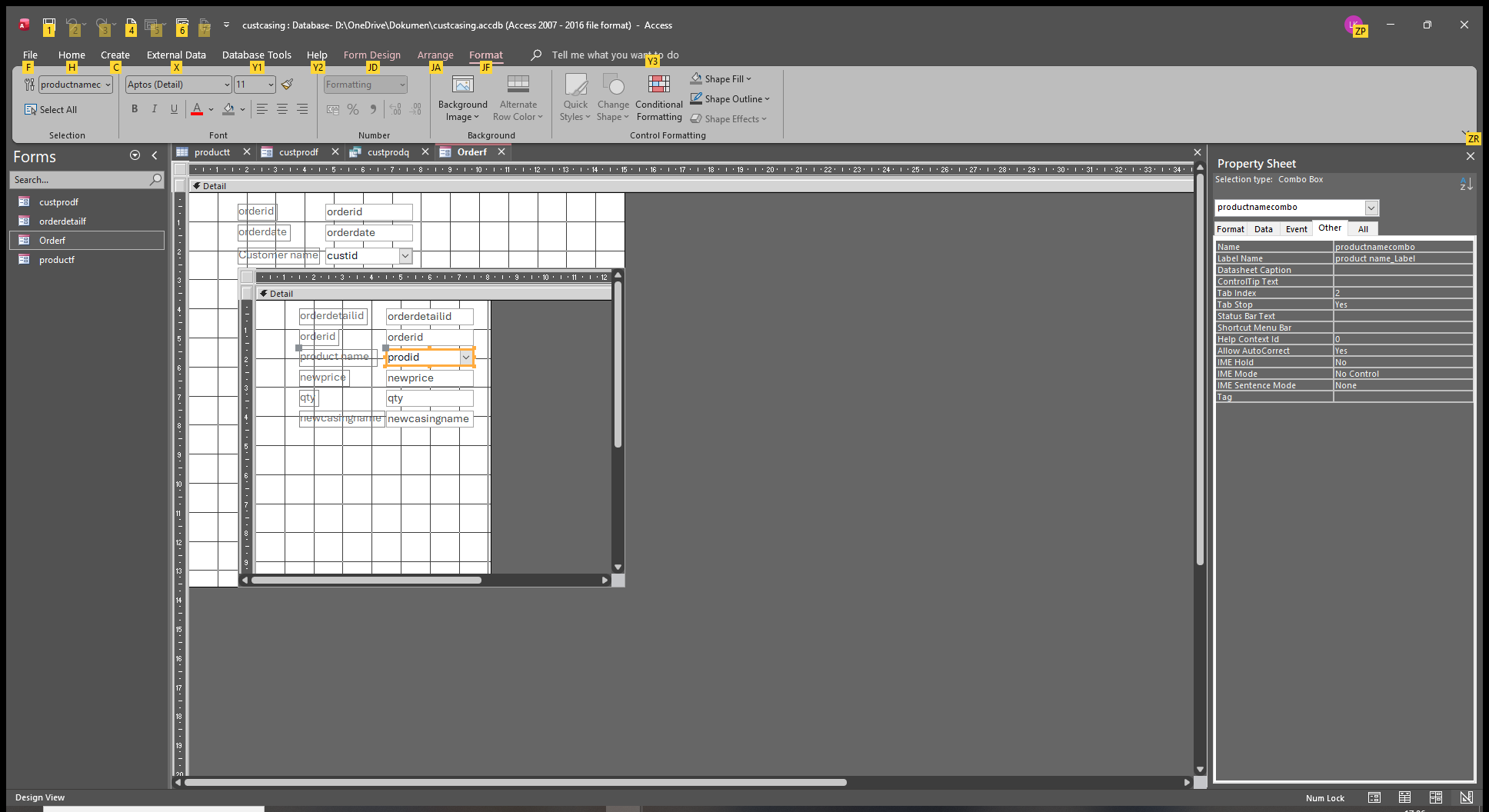
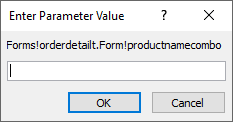
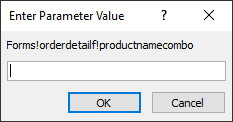
I changed the orderdetailt.form control to prodid name in orderdetailf and there were no warning if I open custprodq.
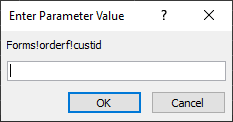
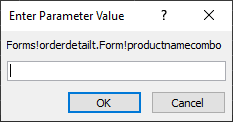
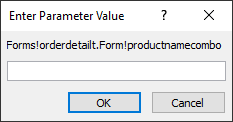
but it needed the parameters
Liem Khen OP  @Reply  
    
11 hours ago

Liem Khen OP  @Reply  
    
11 hours ago

Liem Khen OP  @Reply  
    
11 hours ago

Liem Khen OP  @Reply  
    
11 hours ago

Liem Khen OP  @Reply  
    
11 hours ago
I am sorry I did not open the orderf yet but if I opened the form there appeared parameter after I clicked 4 times it disappeared and productnamecombo (control) was empty?
Liem Khen OP  @Reply  
    
11 hours ago

Liem Khen OP  @Reply  
    
11 hours ago
I clicked this parameter 4x then one of the orderdetailf control empty
Liem Khen OP  @Reply  
    
11 hours ago

Kevin Robertson  @Reply  
          
11 hours ago
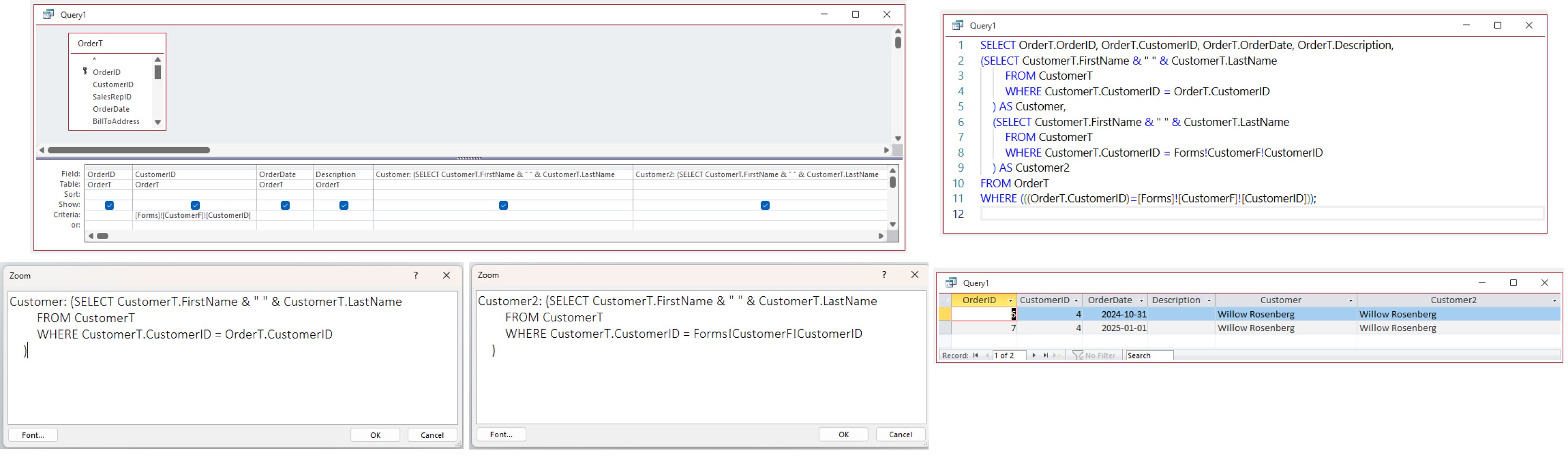
Here is an example Query with a couple of subqueries.
On gets the data from the Table while the other gets the data from the open Form.

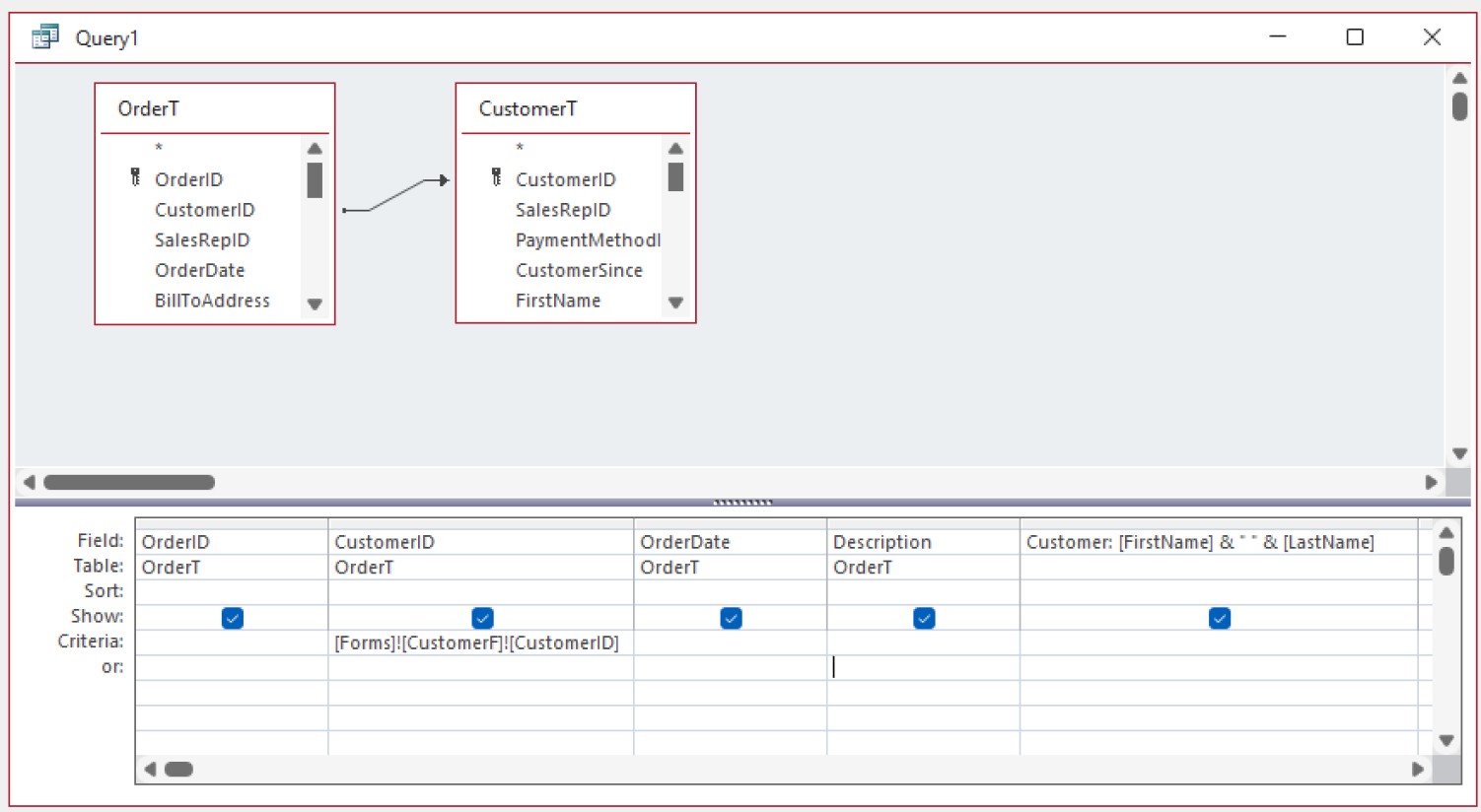
Is there any reason why you are using a subquery rather than a Join?
Kevin Robertson  @Reply  
          
11 hours ago

Liem Khen OP  @Reply  
    
10 hours ago
Dlookup makes the performance getting slow down sir DON and al RICHARDS said
Liem Khen OP  @Reply  
    
10 hours ago
I am sorry ... from the above example I want to know what you mean the criteria of customerid  is a form
Liem Khen OP  @Reply  
    
10 hours ago
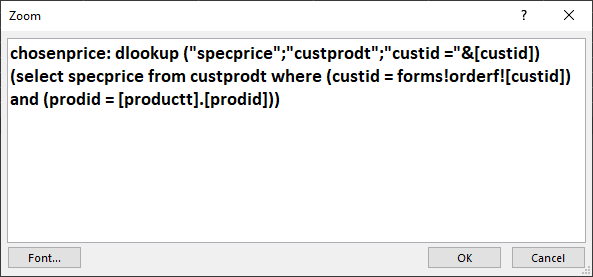
Ooo...I misplaced my subquery , I typed in the criteria of one of the dlookup
Liem Khen OP  @Reply  
    
10 hours ago
Ooo.. if we click the query with the form open it will show up the customer order, how about the second subquery
Liem Khen OP  @Reply  
    
10 hours ago
Ooo...ya the subquery is different
Kevin Robertson  @Reply  
          
10 hours ago


This Query gives the same results

Liem Khen OP  @Reply  
    
10 hours ago
Oooo...I see what you meant
The jow to get data...hehehe
Liem Khen OP  @Reply  
    
10 hours ago
The ways to get data
Liem Khen OP  @Reply  
    
10 hours ago
So what to do with my dlookup
I typed subquery in the criteria
I did misplacing ya
Liem Khen OP  @Reply  
    
9 hours ago

Liem Khen OP  @Reply  
    
9 hours ago
it does not work?
Liem Khen OP  @Reply  
    
9 hours ago

Liem Khen OP  @Reply  
    
9 hours ago

Liem Khen OP  @Reply  
    
9 hours ago
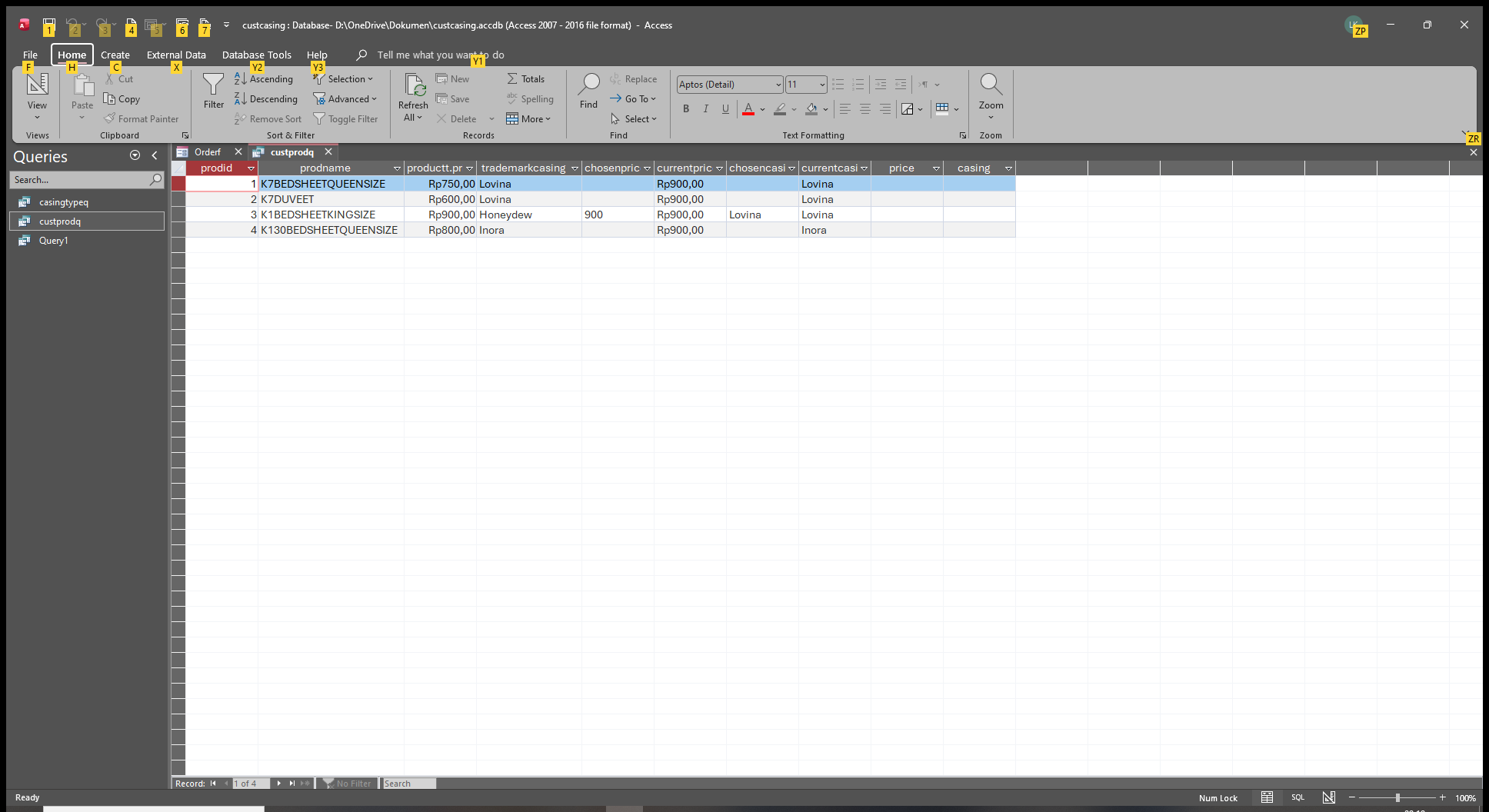
no warning
Add a Reply Upload an Image
Next Unseen

 
New Feature: Comment Live View


The following is a paid advertisement
Computer Learning Zone is not responsible for any content shown or offers made by these ads.
 

Learn
 
Access - index
Excel - index
Word - index
Windows - index
PowerPoint - index
Photoshop - index
Visual Basic - index
ASP - index
Seminars
More...
Customers
 
Login
My Account
My Courses
Lost Password
Memberships
Student Databases
Change Email
Info
 
Latest News
New Releases
User Forums
Topic Glossary
Tips & Tricks
Search The Site
Code Vault
Collapse Menus
Help
 
Customer Support
Web Site Tour
FAQs
TechHelp
Consulting Services
About
 
Background
Testimonials
Jobs
Affiliate Program
Richard Rost
Free Lessons
Mailing List
PCResale.NET
Order
 
Video Tutorials
Handbooks
Memberships
Learning Connection
Idiot's Guide to Excel
Volume Discounts
Payment Info
Shipping
Terms of Sale
Contact
 
Contact Info
Support Policy
Mailing Address
Phone Number
Fax Number
Course Survey
Email Richard
[email protected]
Blog RSS Feed    YouTube Channel

LinkedIn
Copyright 2026 by Computer Learning Zone, Amicron, and Richard Rost. All Rights Reserved. Current Time: 6/21/2026 5:01:30 PM. PLT: 1s