Free Lessons
Courses
Seminars
TechHelp
Fast Tips
Templates
Topic Index
Forum
ABCD
 
Home   Courses   TechHelp   Help   Contact   Merch   Join   Order   Logon   Forums   
 
Back to Access Forum    Comments List
Upload Images   @Reply   Bookmark    Link   Email   Next Unseen 
Question
Mitchell Layne 
     
2 months ago
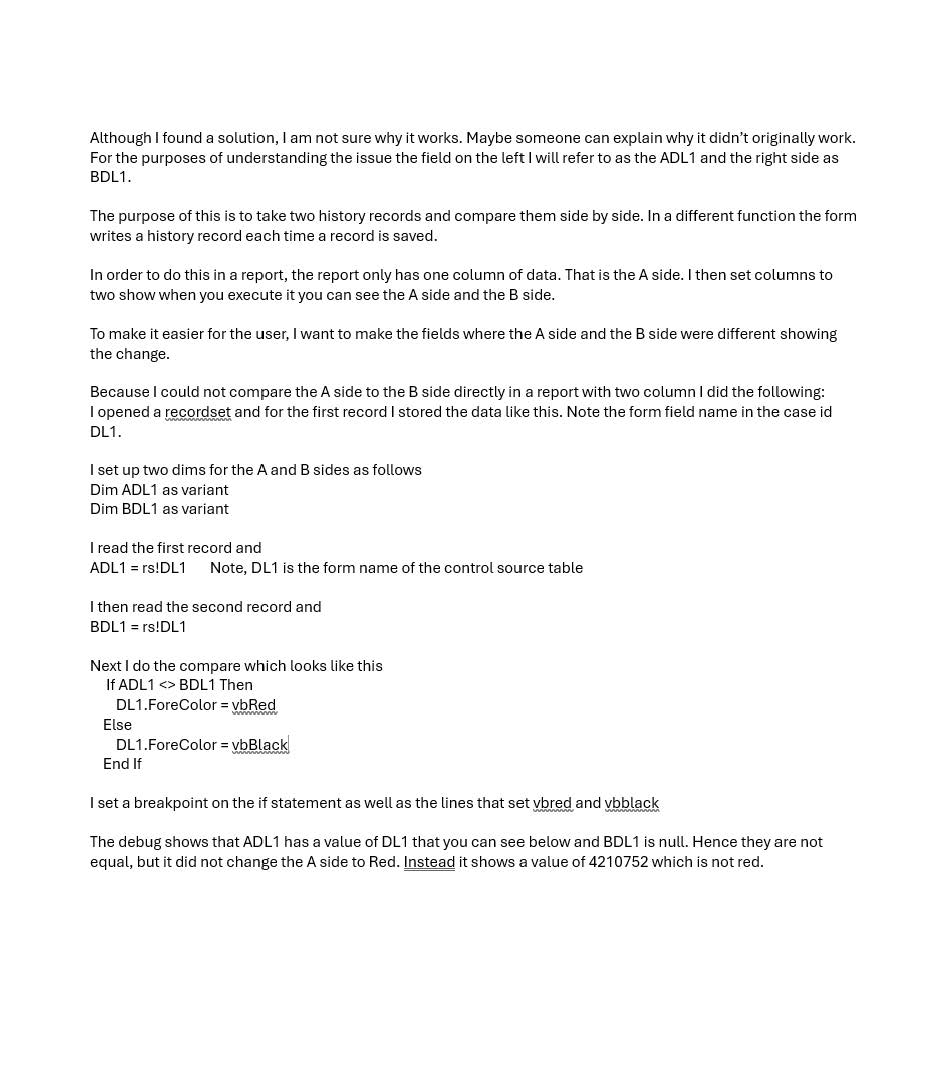
I found a solution to my issue, but it does not make sense to me why it initially did not work. I wanted to see if someone can explain it to me.
Mitchell Layne OP  @Reply  
     
2 months ago

Mitchell Layne OP  @Reply  
     
2 months ago

Jesus Rodriguez  @Reply  
      
2 months ago
I believe it’s cause you need to target the text box those values are in.

If ADL1 < BDL1 Then
Textbox name.ForeColor = vbRed
Else
Textbox.name.ForeColor = vbBlack
End If
Mitchell Layne OP  @Reply  
     
2 months ago
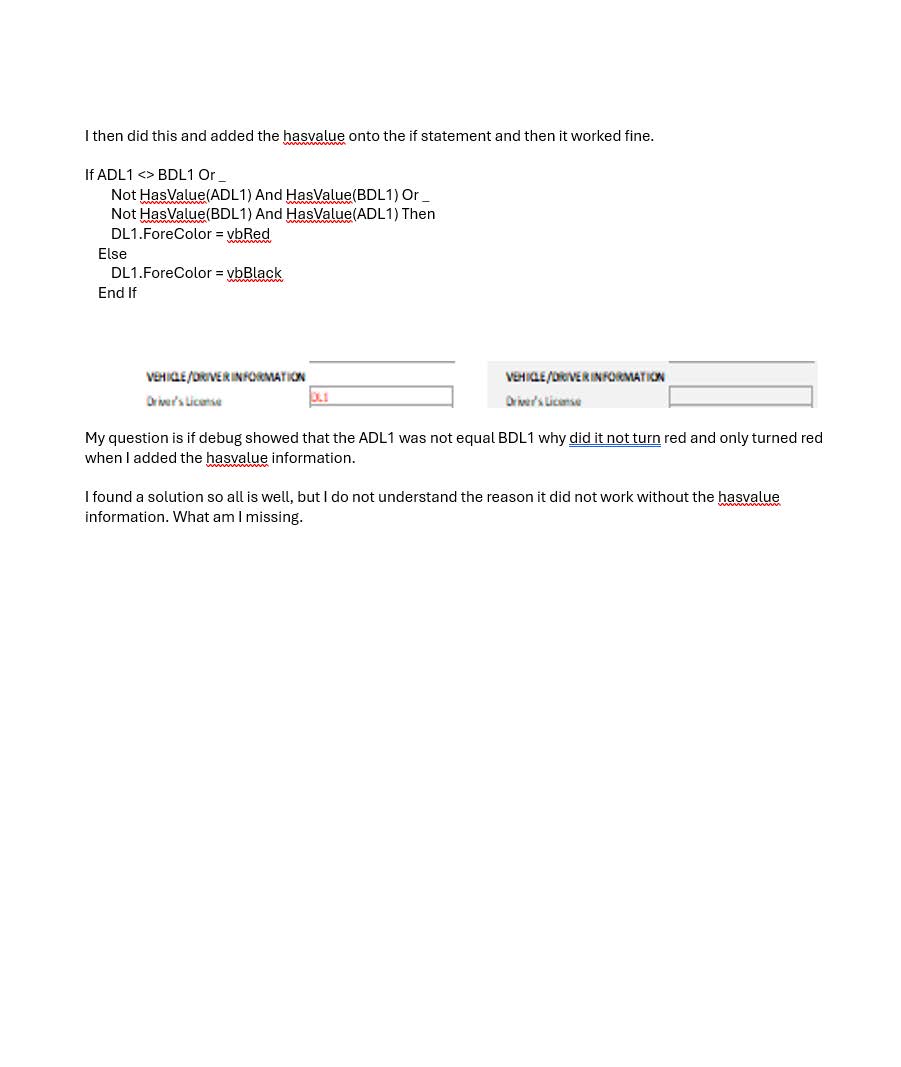
Thanks. The text box name is DL1, which is what I have. The storage areas where I saved the values of DL1 for the two records I read are ADL1 and BDL1. I believe I had what you said and it did not work until I added the hasvalue into the IF statement. I do not think I can use < rather than <> as you indicated because it is possible that either the ADL1 or the BDL1 can be null with the other side having a value.
Raymond Spornhauer  @Reply  
          
2 months ago
You should show us your actual code and not just screen shots of selected code typed into another document.  It's hard to answer your questions without having a full accurate context of what you're trying to accomplish along with how your form is actually set up.

My first question would be, why are you Dim'ing ADL1 and BDL1 as "variants"?  Access could be making these an incorrect variable type.  (A String variable of "4210752" is not the same as the Number variable 4210752)

You also haven't told us where you're running this code (which Event).

I'm not sure why your code for the ForeColor is written in negatives, I would have written it:

If ADL1 = BDL1 Then
    DL1.ForeColor = vbBlack
Else
    DL1.ForeColor = vbRed
End If

-Raymond
Mitchell Layne OP  @Reply  
     
2 months ago
I appreciate your guidance. I will try to explain why I did certain things. To answer you first question, the reason it is a screen shot is because it looked like the upload only took JPG. I made it a variant because when I used string, I got errors due to nulls. I either had to do the hasvalue function or change to variant. I knew it was less efficient, but it solved the nulls issue.
As far as the 4210752 that is the value of the color result of the DL1.ForeColor = vbRed. When I looked that up this is what it said.
The decimal color value 4210752 corresponds to the hex triplet #404040, which is a dark gray shade often referred to as "Eclipse"

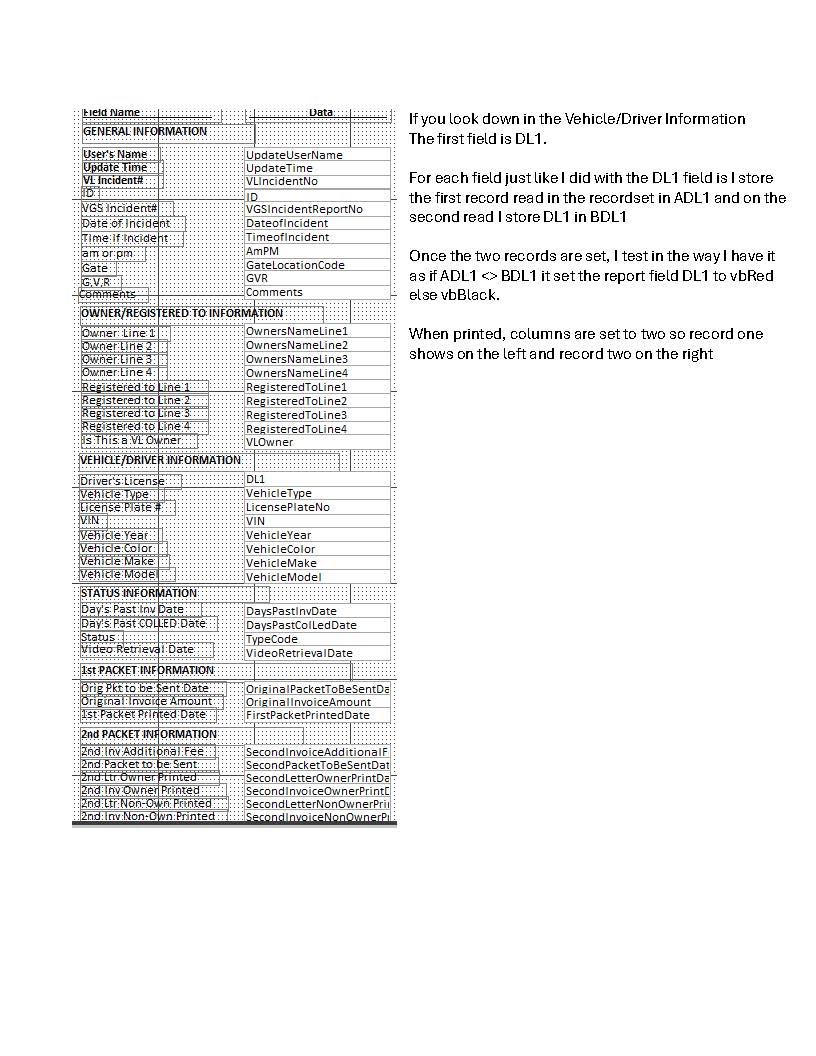
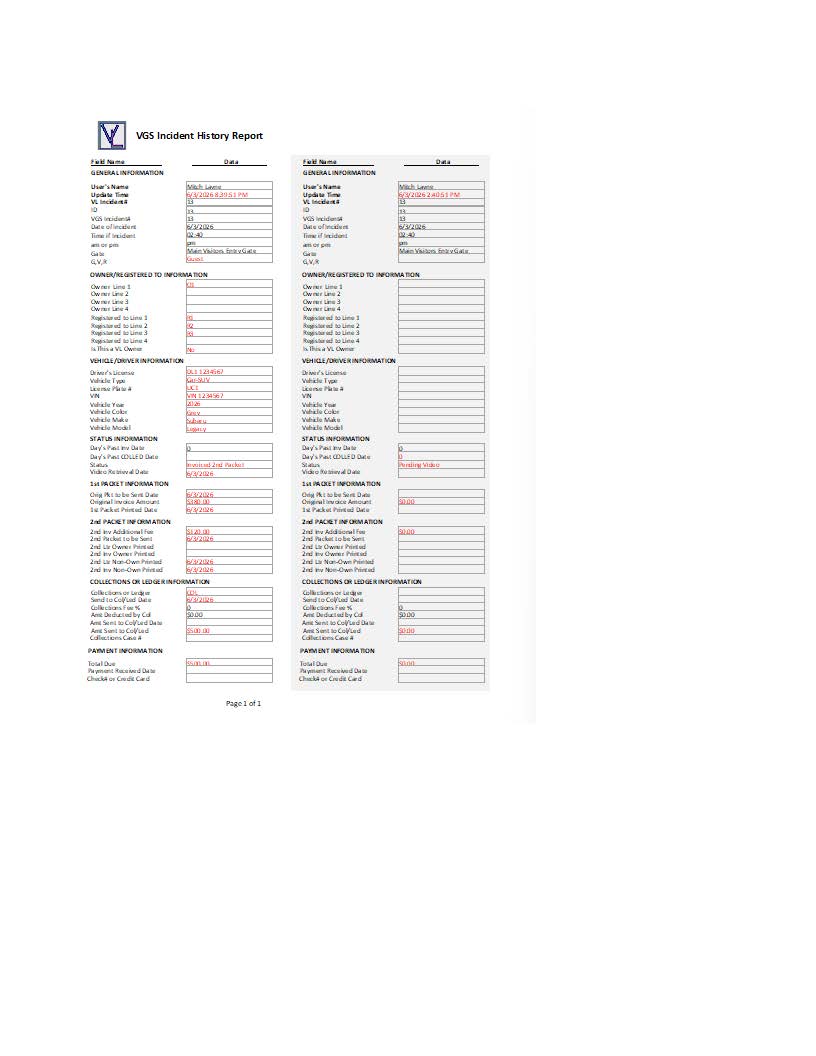
You are absolutely correct in that the if statement could have been made in the positive. The reason I made it negative, which may not be the correct way is that it was when the fields did not match, I wanted it red and I wasn't sure if it was more efficient from a coding or performance point of view which way would be faster. I am happy to show code if you can tell me the proper way to upload it. There are a lot of fields, and they all function the same way which is store all of the fields in record one with an A followed by the source name from the table. then read the second record prefixed with a B followed by the same source name. I will provide a scrren shot of the report so you can see the fields.
Mitchell Layne OP  @Reply  
     
2 months ago

Mitchell Layne OP  @Reply  
     
2 months ago

Donald Blackwell  @Reply  
       
2 months ago
Hi Mitchell,

I believe that the reason that your first attempt did not work is because null has not value, which is why adding the hasvalue made your procedure work because you checked whether the 2 values were the same but since a null value nullifies that, then checking if one or the other doesn't have a value it gave you the type of response you were looking for.

A simpler approach might be:

Details

' Declare the variables
Dim ADL1 as String, BDL1 as String

' For the first record
' Use Nz to set the value to an empty string if it is null
ADL1 = Nz(rs!DL1,"")

' For the second record
' Use Nz to set the value to an empty string if it is null
BDL1 = nz(rs!DL1,"")

' Assume the two don't match just because IMO positive if statements are easier to read
DL1.ForeColor = vbRed

' Check if the two do match, and if so, set the color to black
If ADL1 = BDL1 then DL1.ForeColor = vbBlack


Mitchell Layne OP  @Reply  
     
2 months ago
Thanks Donald. Very informative and makes a lot of sense to me. I did not realize that nulls would negate the IF. That will certainly help in other code I may create as well. Appreciate it. Thanks mitch

This thread is now CLOSED. If you wish to comment, start a NEW discussion in Access Forum.
 

Next Unseen

 
New Feature: Comment Live View


The following is a paid advertisement
Computer Learning Zone is not responsible for any content shown or offers made by these ads.
 

Learn
 
Access - index
Excel - index
Word - index
Windows - index
PowerPoint - index
Photoshop - index
Visual Basic - index
ASP - index
Seminars
More...
Customers
 
Login
My Account
My Courses
Lost Password
Memberships
Student Databases
Change Email
Info
 
Latest News
New Releases
User Forums
Topic Glossary
Tips & Tricks
Search The Site
Code Vault
Collapse Menus
Help
 
Customer Support
Web Site Tour
FAQs
TechHelp
Consulting Services
About
 
Background
Testimonials
Jobs
Affiliate Program
Richard Rost
Free Lessons
Mailing List
PCResale.NET
Order
 
Video Tutorials
Handbooks
Memberships
Learning Connection
Idiot's Guide to Excel
Volume Discounts
Payment Info
Shipping
Terms of Sale
Contact
 
Contact Info
Support Policy
Mailing Address
Phone Number
Fax Number
Course Survey
Email Richard
[email protected]
Blog RSS Feed    YouTube Channel

LinkedIn
Copyright 2026 by Computer Learning Zone, Amicron, and Richard Rost. All Rights Reserved. Current Time: 8/11/2026 2:31:55 AM. PLT: 0s