Free Lessons
Courses
Seminars
TechHelp
Fast Tips
Templates
Topic Index
Forum
ABCD
 
Home   Courses   TechHelp   Help   Contact   Merch   Join   Order   Logon   Forums   
 
Back to Access Forum    Comments List
Upload Images   @Reply   Bookmark    Link   Email   Next Unseen 
Petty Cash Formatting
Kenneth A Thomas 
       
2 days ago
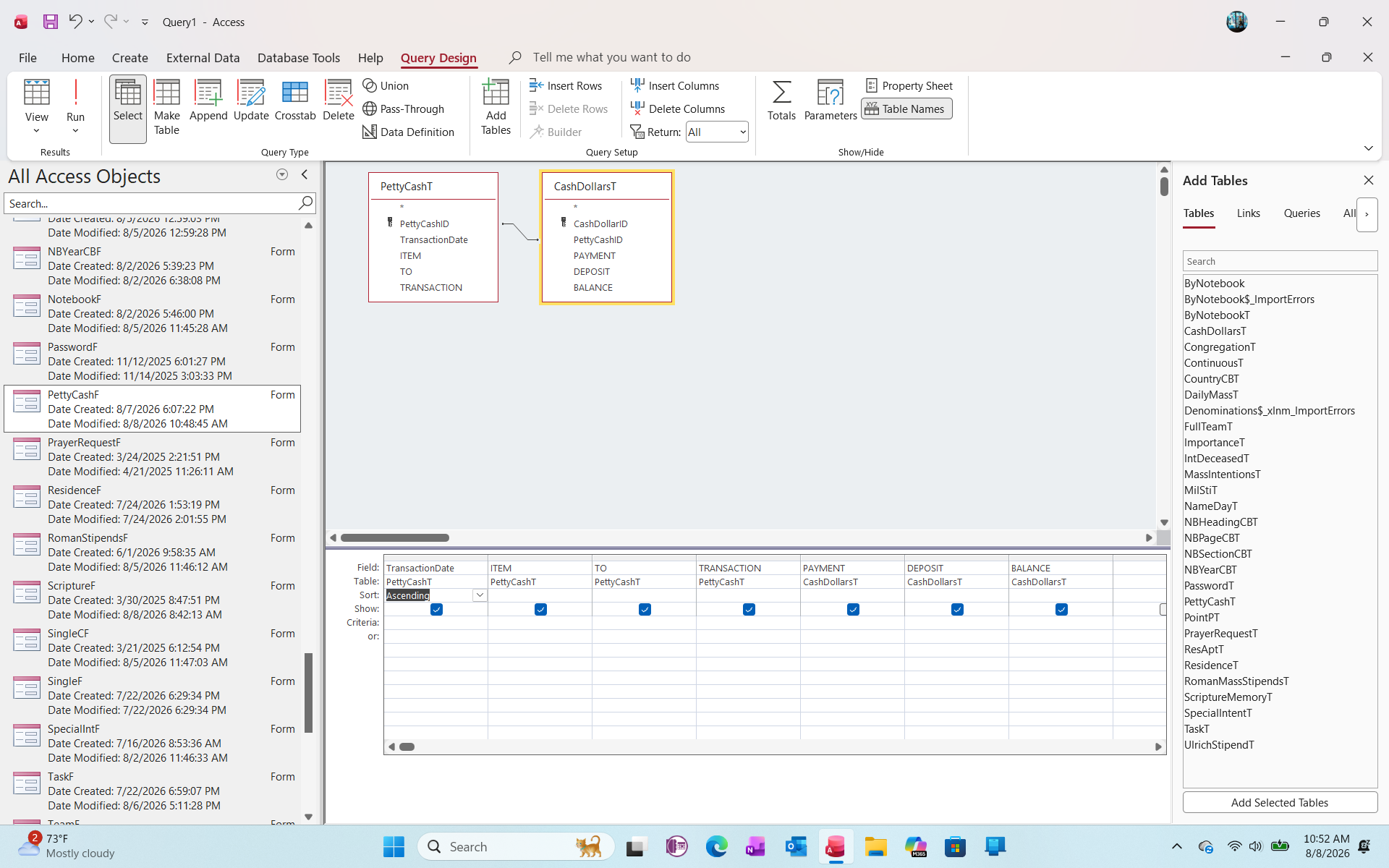
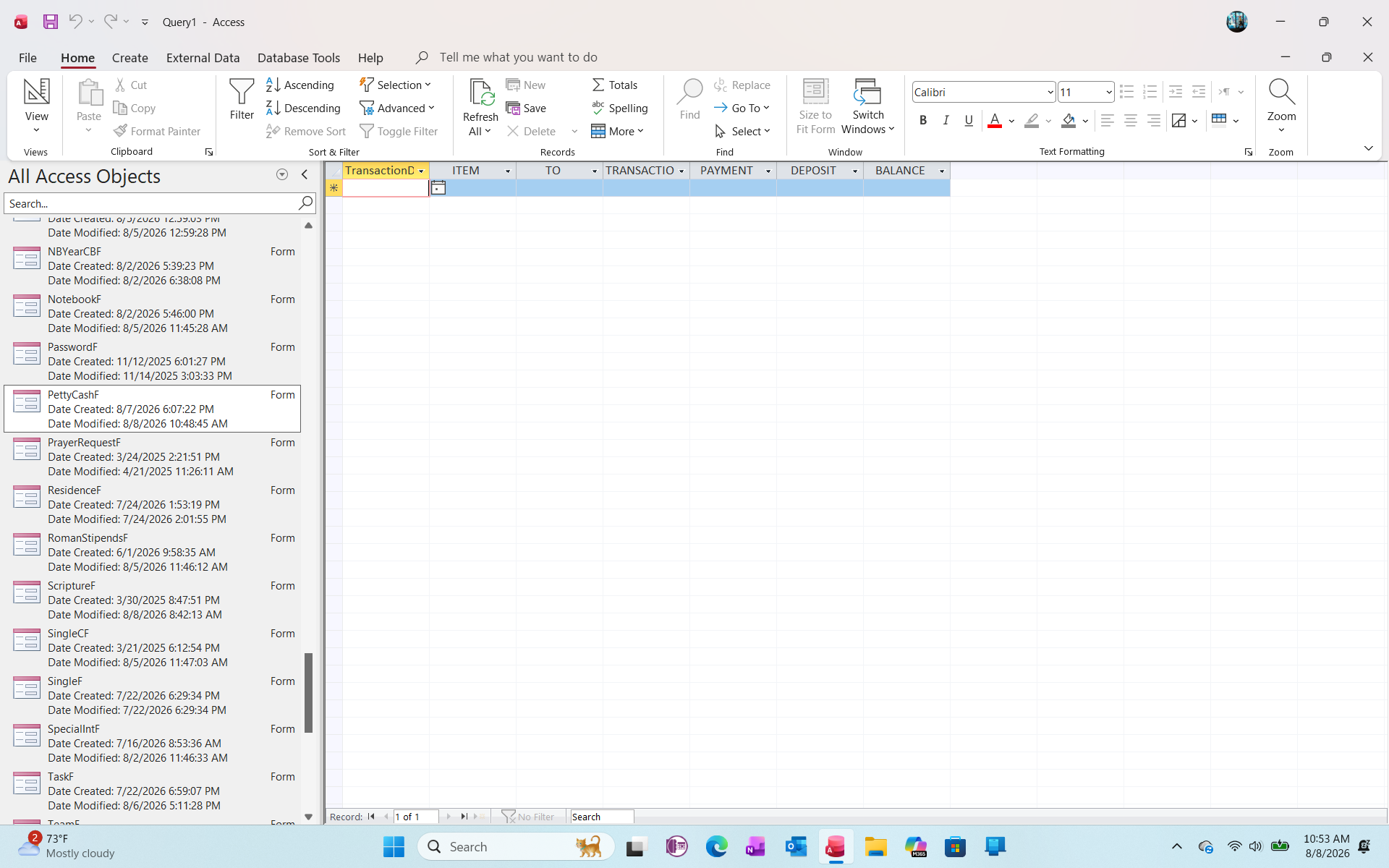
I am attempting to design a Petty Cash Query from 2 table.  One table is the PettyCashT and the other is CashDollarsT.  I imported the data for both tables from an Excel Spreaddaheet that I have been using for several years.  The reason why I broken the data up into 2 different tables is so that I can separate the verbiage fields from the currency fields.  However, I need all data merged for reporting purposes.  Any advice?  I will attach 2 Query Screenshots.  Thank you.
Kenneth A Thomas OP  @Reply  
       
2 days ago

Kenneth A Thomas OP  @Reply  
       
2 days ago

Kenneth A Thomas OP  @Reply  
       
2 days ago
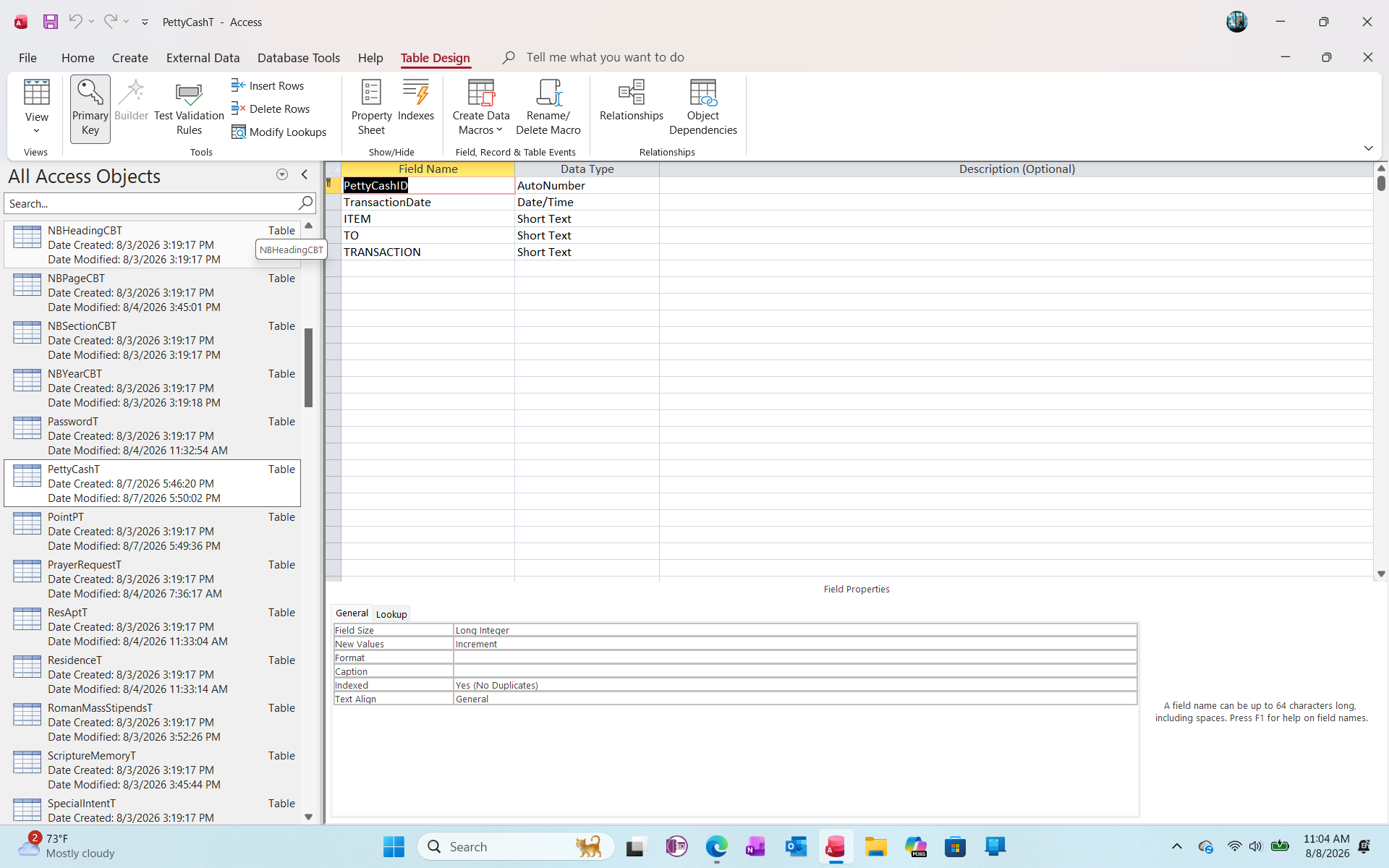
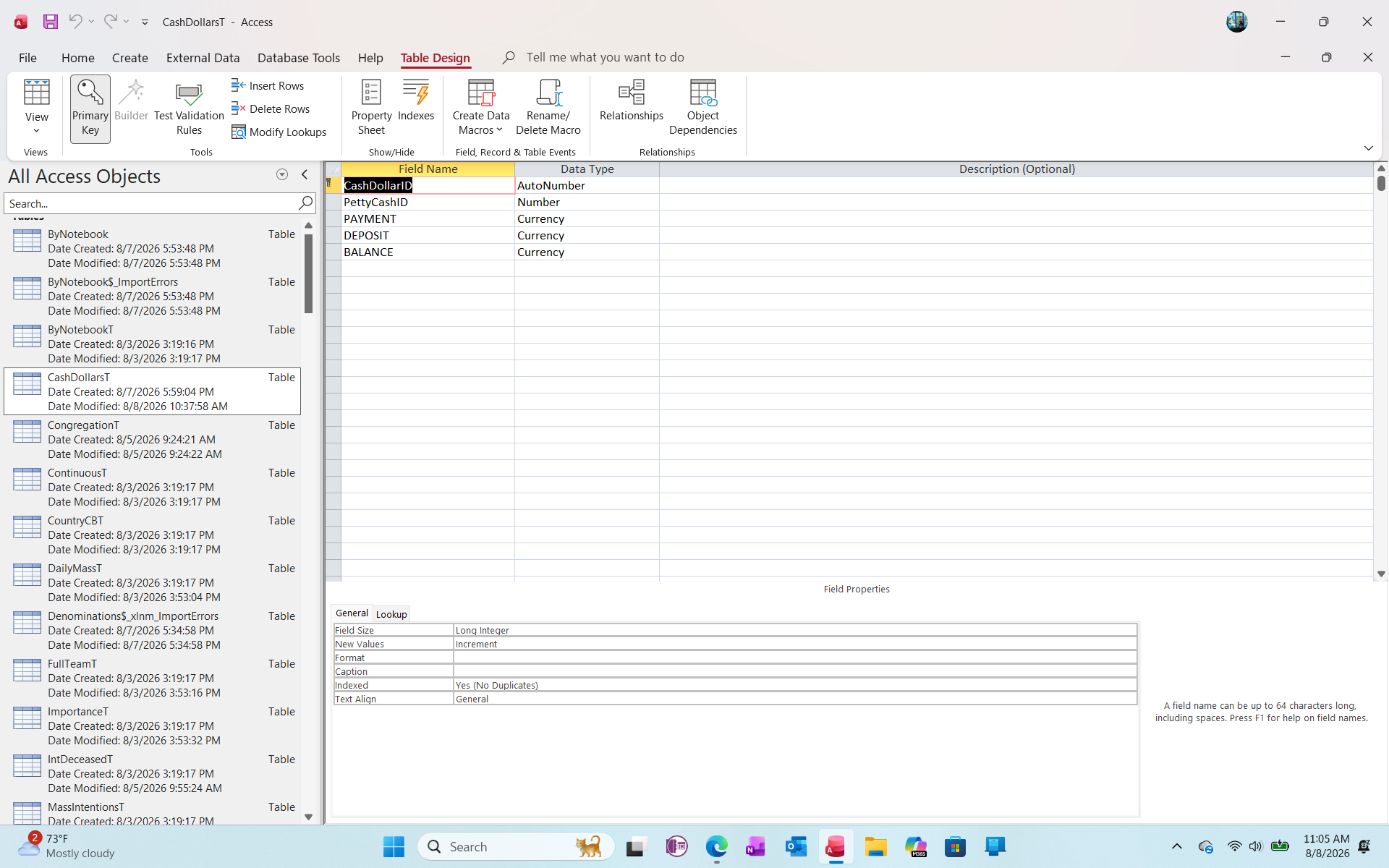
I am also attaching the design for both tables.  I am hesitant to show a screen shot of the actual data from the tables becuase it is sensative information.
Kenneth A Thomas OP  @Reply  
       
2 days ago

Kenneth A Thomas OP  @Reply  
       
2 days ago

A Toykan  @Reply  
      
2 days ago
Most importantly, in PettyCashT table PettyCashID is an Autonumber field. When importing into Access from Excel Access itself generates them based on the row order in Excel, so it won't remember the numbers you had there. If in your CashDollarsT table (where PettyCashID is a Number, not an Autonumber field) those IDs were either manually type in or came from another import routine, there is no guarantee that they will be in sync with the ones in PettyCashT, especially if you imported two tables separately and/or there were some skipped records during import and/or the order of rows in Access differed from the order in Excel. Therefore, it is necessary to check that the links are indeed correct.

If these are correct then

Based on the screenshot you provided, an Inner Join was created by default between PettyCashT and CashDollarsT. An Inner Join only returns results if they are found in both records of the PettyCashT and CashDollarsT. Therefore, if the PettyCashID in your CashDollarsT is blank or simply does not match the PettyCashID in the PettyCashT, your query will return blank (contain no results).
It seems that you separated your data into two tables to differentiate between text fields and currency fields; however, in terms of a relational database, it is better to keep it all in one table when it comes to 1:1 relations (each transaction has only one set of numbers associated with it).
There are two possible solutions to your problem:
1. You can use a Left Join instead of an Inner Join, and make sure that the PettyCashID field in your CashDollarsT is filled and matches the PettyCashID in PettyCashT
2. You can put both tables together (in my opinion, it is easier) and eliminate the need for a query to join the tables together and generate reports.
Kenneth A Thomas OP  @Reply  
       
2 days ago
1. A Toykan, I am going to take your advice and add al information in the same table.

2. However, I foresee another issue with this table and that is with the "Balance" Field, which is already includes calculations in the Excel Spreadsheet.  Would I be correct in presuming that I should leave out the balance data when I import the spreadsheet, then add that field after the import.  I am expecting that I will need to format the "Balance" Field in PettyCashF, so any pre-existing calculations would probably lead to unnecessaty problems.  Do you agree?
John Davy  @Reply  
         
2 days ago
Hi Kenneth, I agree with Toykan and would combine into one table. John
Kenneth A Thomas OP  @Reply  
       
2 days ago
John, that's what I am doing.  However, I need to know the best way to calculate the "Balance" field.
John Davy  @Reply  
         
2 days ago
Hi Kenneth, Do you have the necessary data to calculate the balance if you import without the balance field? John
A Toykan  @Reply  
      
2 days ago
If you already have values like balance being calculated—similar to having Unit Price in cell A, Quantity in cell B, and Unit Price × Quantity in cell C in Excel—you don't need to transfer Balance, you can compute it with a very simple query. Unless you are dealing with constantly fluctuating calculations like exchange rates, there's no need to store a calculated value in the table. That's how database logic works.
Kenneth A Thomas OP  @Reply  
       
2 days ago
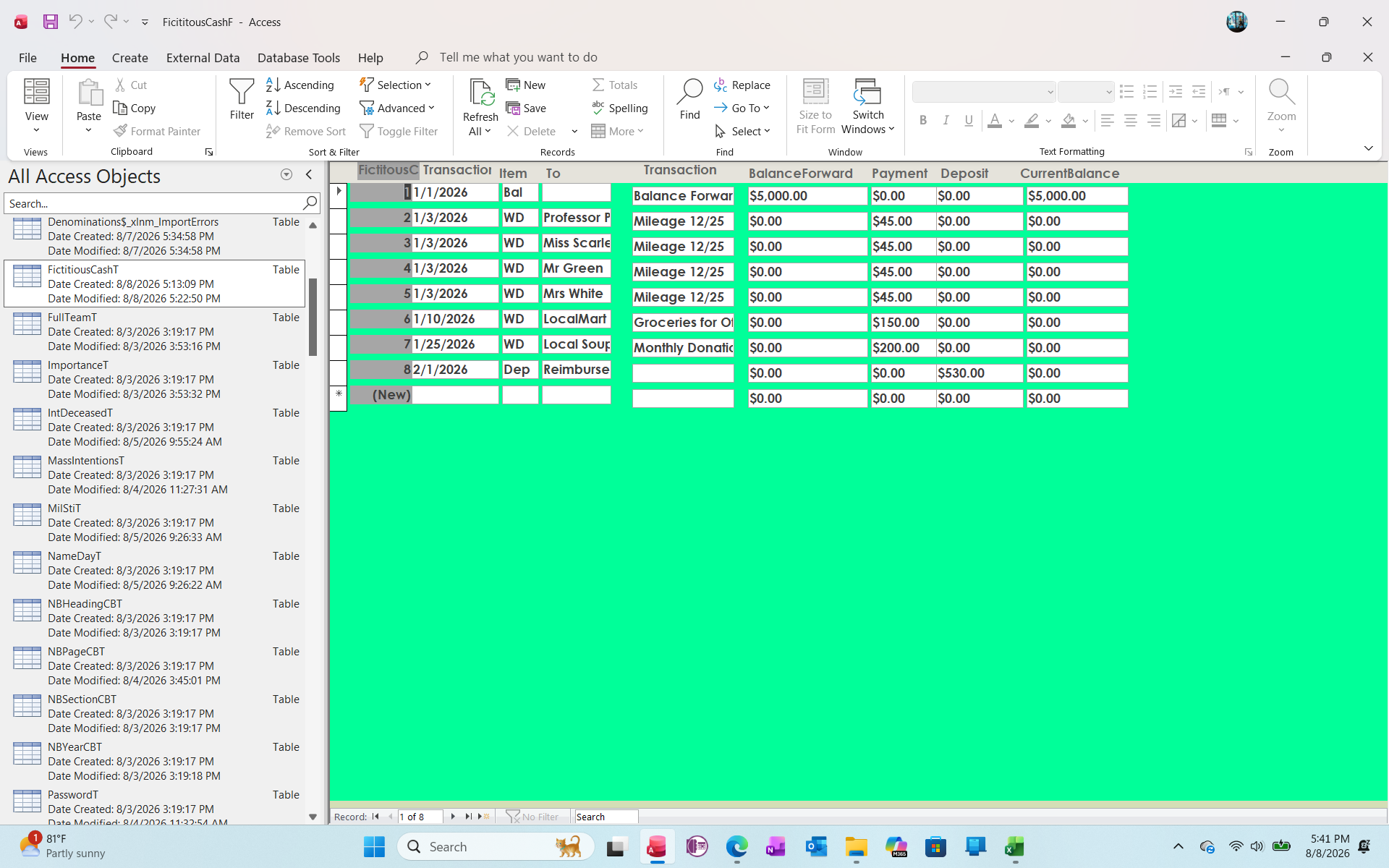
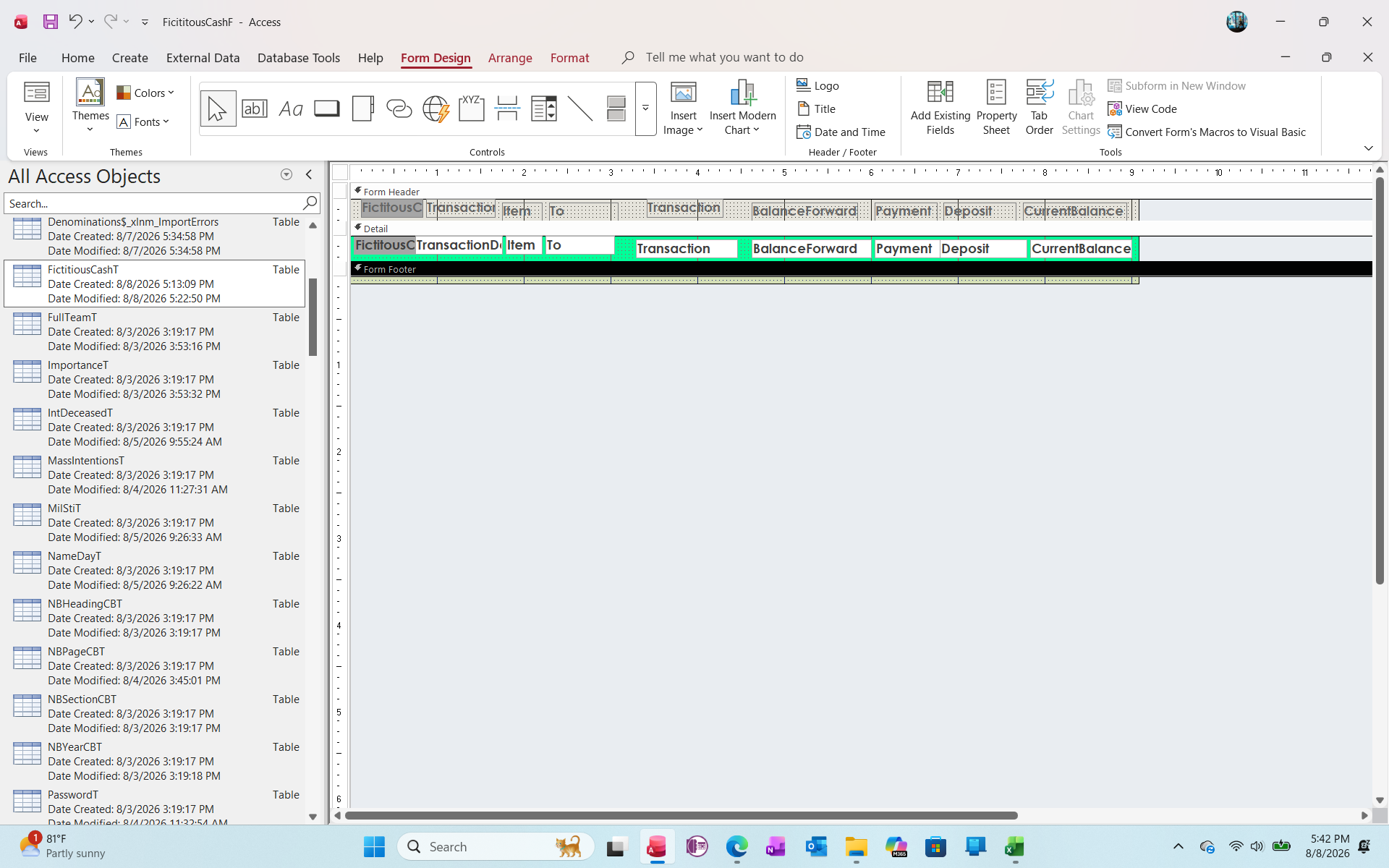
My functions are addition and subtraction.  I am going to set up a fictitional table, form, etc, then display it here to show what i need.
Kenneth A Thomas OP  @Reply  
       
2 days ago

Kenneth A Thomas OP  @Reply  
       
2 days ago

Kenneth A Thomas OP  @Reply  
       
2 days ago
One of my job tasks is to maintain Petty Cash for our organization.  I currently keep track of Petty Cash in an Excel Spreadsheet, but I would like to manage this in Access.  I email a copy of the Petty Cash spreadsheet to our bookkeeper at least once a quarter, or when I need the Petty Cash replenished.  The arthritis in my hands is acting up, so I made a brief replication of a Petty Cash Spreadsheet.  My goal is to keep a running "Current Balance", not just the balance of each transaction.
Richard Rost  @Reply  
          
2 days ago
Yes, keep all of the transaction data in one table. Don't import or store the running Balance field from Excel. A balance is a calculated value, and storing it creates the possibility that it can get out of sync if someone edits, adds, or deletes a transaction later.

You can calculate the running balance in a query or report based on the transaction date and a unique transaction ID. I cover running balances here:

Check Register

The same general technique applies to petty cash: start with an opening balance, then add deposits/reimbursements and subtract expenses. The important part is having a consistent transaction date and a unique ID so Access knows the proper order of transactions when calculating the running total.

You could use a UNION query to combine two separate tables, but I wouldn't go that route here. One PettyCashT with the date, description, receipt/check information, and dollar amounts for each transaction will be much easier to manage and report on.
Kenneth A Thomas OP  @Reply  
       
2 days ago
Thank you, R.
Add a Reply Upload an Image
Next Unseen

 
New Feature: Comment Live View


The following is a paid advertisement
Computer Learning Zone is not responsible for any content shown or offers made by these ads.
 

Learn
 
Access - index
Excel - index
Word - index
Windows - index
PowerPoint - index
Photoshop - index
Visual Basic - index
ASP - index
Seminars
More...
Customers
 
Login
My Account
My Courses
Lost Password
Memberships
Student Databases
Change Email
Info
 
Latest News
New Releases
User Forums
Topic Glossary
Tips & Tricks
Search The Site
Code Vault
Collapse Menus
Help
 
Customer Support
Web Site Tour
FAQs
TechHelp
Consulting Services
About
 
Background
Testimonials
Jobs
Affiliate Program
Richard Rost
Free Lessons
Mailing List
PCResale.NET
Order
 
Video Tutorials
Handbooks
Memberships
Learning Connection
Idiot's Guide to Excel
Volume Discounts
Payment Info
Shipping
Terms of Sale
Contact
 
Contact Info
Support Policy
Mailing Address
Phone Number
Fax Number
Course Survey
Email Richard
[email protected]
Blog RSS Feed    YouTube Channel

LinkedIn
Copyright 2026 by Computer Learning Zone, Amicron, and Richard Rost. All Rights Reserved. Current Time: 8/10/2026 1:35:01 AM. PLT: 1s