Free Lessons
Courses
Seminars
TechHelp
Fast Tips
Templates
Topic Index
Forum
ABCD
 
Home   Courses   TechHelp   Help   Contact   Merch   Join   Order   Logon   Forums   
 
Back to Access Forum    Comments List
Upload Images   @Reply   Bookmark    Link   Email   Next Unseen 
Tab Interface
Kevin Robertson 
          
3 days ago
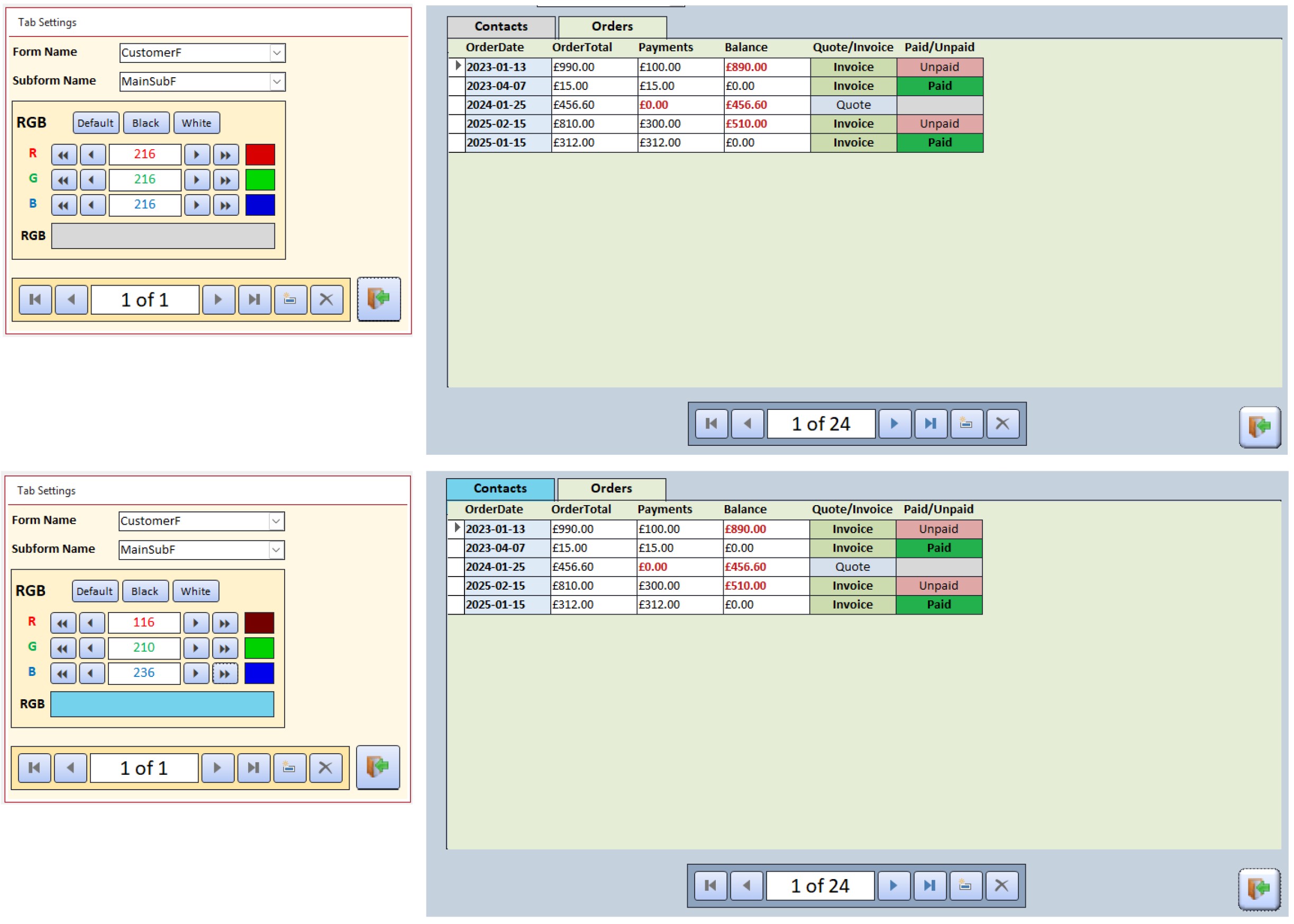
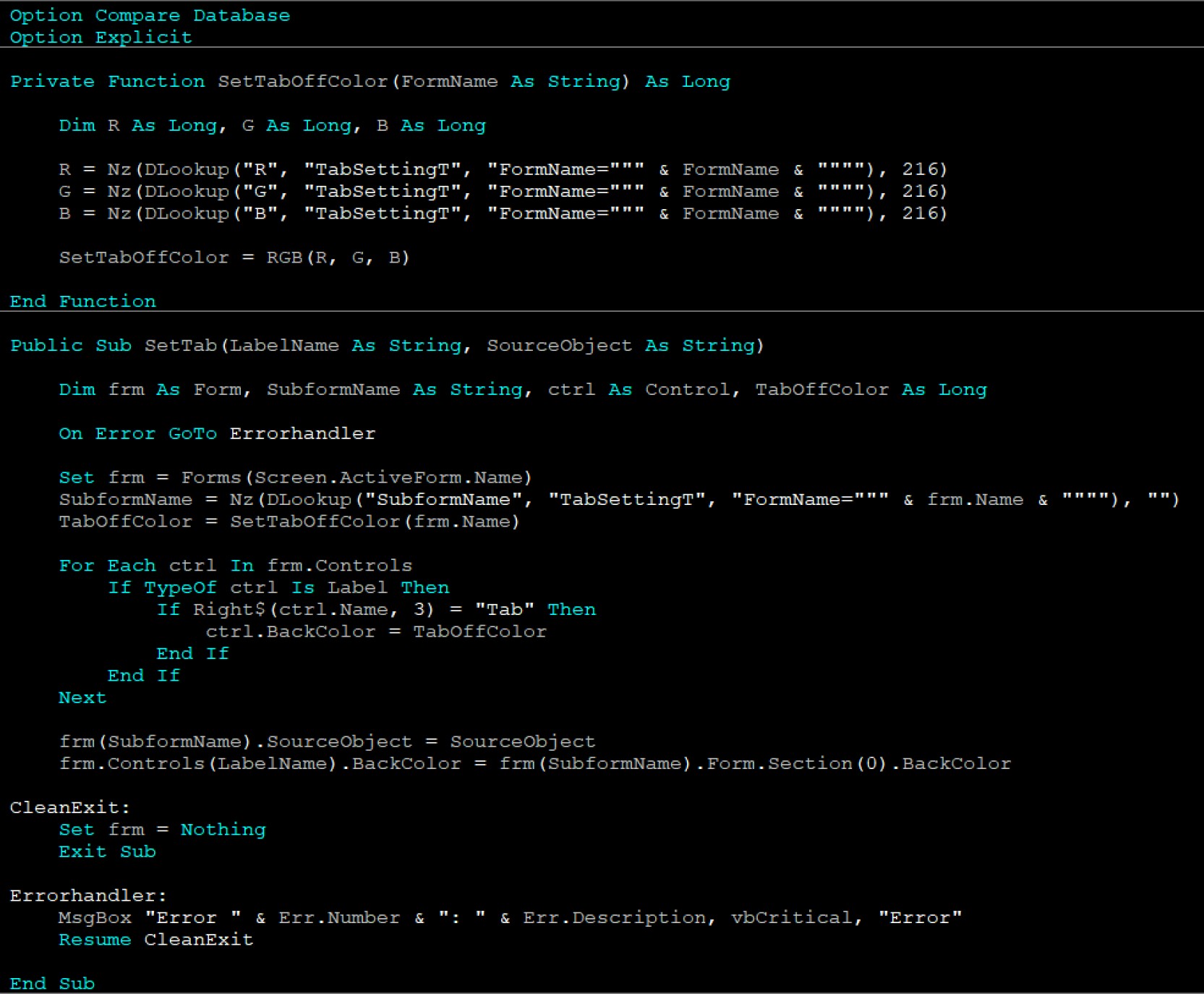
I have set up Tab Settings for my Forms that use 'Tabs' with a dedicated Form for the settings.
The screenshots are below.
Kevin Robertson OP  @Reply  
          
3 days ago

Kevin Robertson OP  @Reply  
          
3 days ago

Matt Hall  @Reply  
           
3 days ago
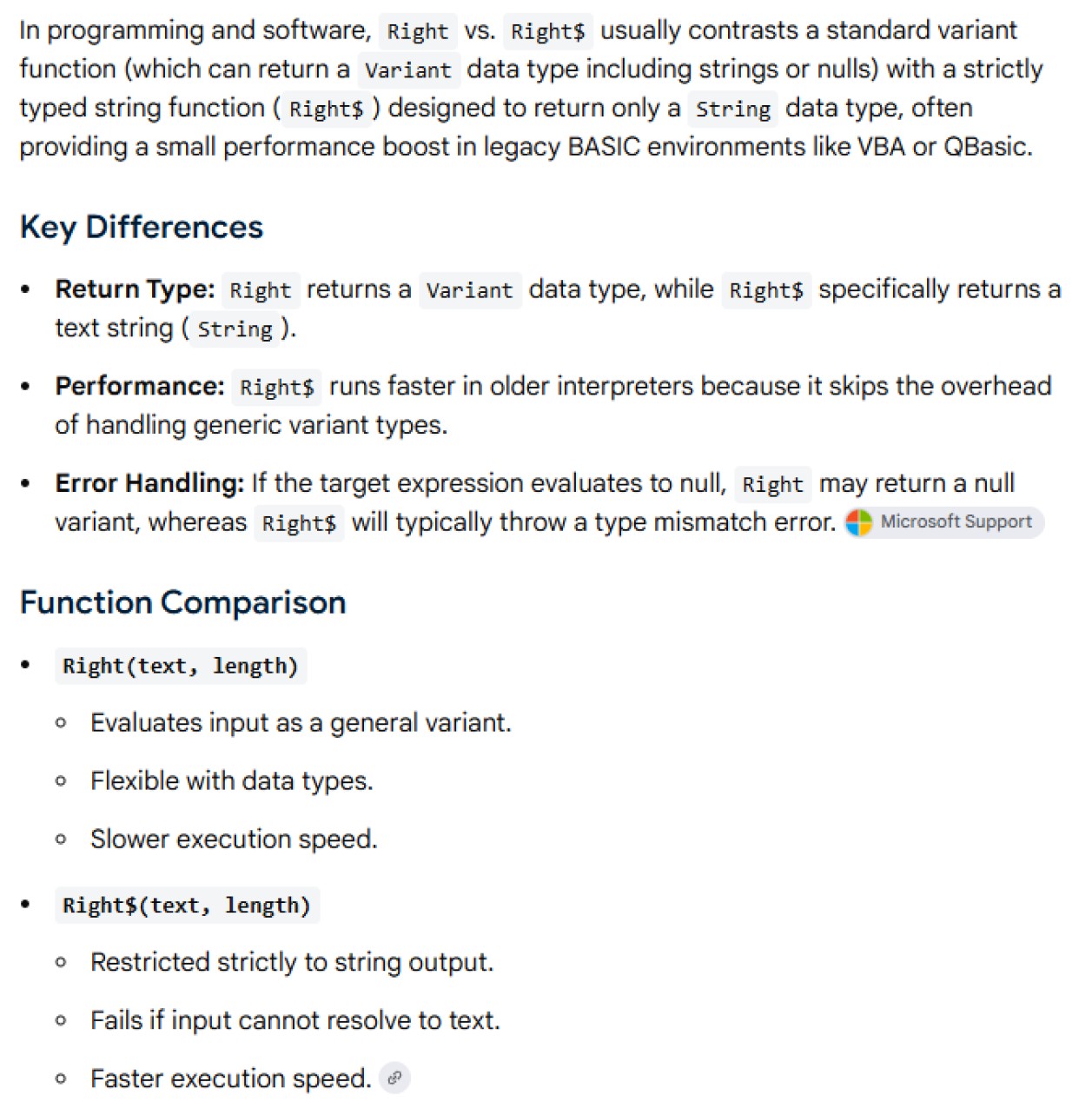
That looks great but you have some sort of weird dollar sign that I don't understand.
Kevin Robertson OP  @Reply  
          
3 days ago
Do you mean this line?

If Right$(ctrl.Name, 3) = "Tab" Then
Kevin Robertson OP  @Reply  
          
3 days ago

Matt Hall  @Reply  
           
3 days ago
No.  I meant the melted E to the left of your prices. ;)
Kevin Robertson OP  @Reply  
          
3 days ago
Oh. You mean the pound sign. LOL
I'm Scottish so that is my currency :)
Matt Hall  @Reply  
           
3 days ago
I was in London and Grantsburg a couple of years ago.  Actually, the weird things about the currency for me was that the bills were different sizes, plastic, and slippery.  Many places we went were surprised to see cash and a few wouldn't accept it for payment.
Raymond Spornhauer  @Reply  
          
3 days ago
Great idea!  Thank you for sharing these.

-Raymond
Bryan Enbey  @Reply  
     
3 days ago
Kevin
Good one Matt!!  LOL!  It's a real workout to carry all those "pounds" around.  "Melted E", so £ = € that have been in the sun too long?

Kevin, love that color picker form you have set up, that's pretty cool!  You may want to incorporate some math that alternates the font color to white after the color gets so dark.  I happened to've done a similar task in Excel, changing font to white based on this BG color criteria based on tests I ran:
If G < 195 And (B < 210 Or ((B > 200 And R + G + (B - 200) < 230) Or (G < 125 And R < 175)))
John Davy  @Reply  
         
3 days ago
Kevin, Very nice.  John
Richard Rost  @Reply  
          
2 days ago
Elegant solution.
Add a Reply Upload an Image
Next Unseen

 
New Feature: Comment Live View


The following is a paid advertisement
Computer Learning Zone is not responsible for any content shown or offers made by these ads.
 

Learn
 
Access - index
Excel - index
Word - index
Windows - index
PowerPoint - index
Photoshop - index
Visual Basic - index
ASP - index
Seminars
More...
Customers
 
Login
My Account
My Courses
Lost Password
Memberships
Student Databases
Change Email
Info
 
Latest News
New Releases
User Forums
Topic Glossary
Tips & Tricks
Search The Site
Code Vault
Collapse Menus
Help
 
Customer Support
Web Site Tour
FAQs
TechHelp
Consulting Services
About
 
Background
Testimonials
Jobs
Affiliate Program
Richard Rost
Free Lessons
Mailing List
PCResale.NET
Order
 
Video Tutorials
Handbooks
Memberships
Learning Connection
Idiot's Guide to Excel
Volume Discounts
Payment Info
Shipping
Terms of Sale
Contact
 
Contact Info
Support Policy
Mailing Address
Phone Number
Fax Number
Course Survey
Email Richard
[email protected]
Blog RSS Feed    YouTube Channel

LinkedIn
Copyright 2026 by Computer Learning Zone, Amicron, and Richard Rost. All Rights Reserved. Current Time: 8/15/2026 5:36:26 AM. PLT: 0s