Free Lessons
Courses
Seminars
TechHelp
Fast Tips
Templates
Topic Index
Forum
ABCD
 
Home   Courses   TechHelp   Help   Contact   Merch   Join   Order   Logon   Forums   
 
Back to Access Forum    Comments List
Upload Images   @Reply   Bookmark    Link   Email   Next Unseen 
Making Easy Calculations Difficult
Kenneth A Thomas 
       
3 days ago
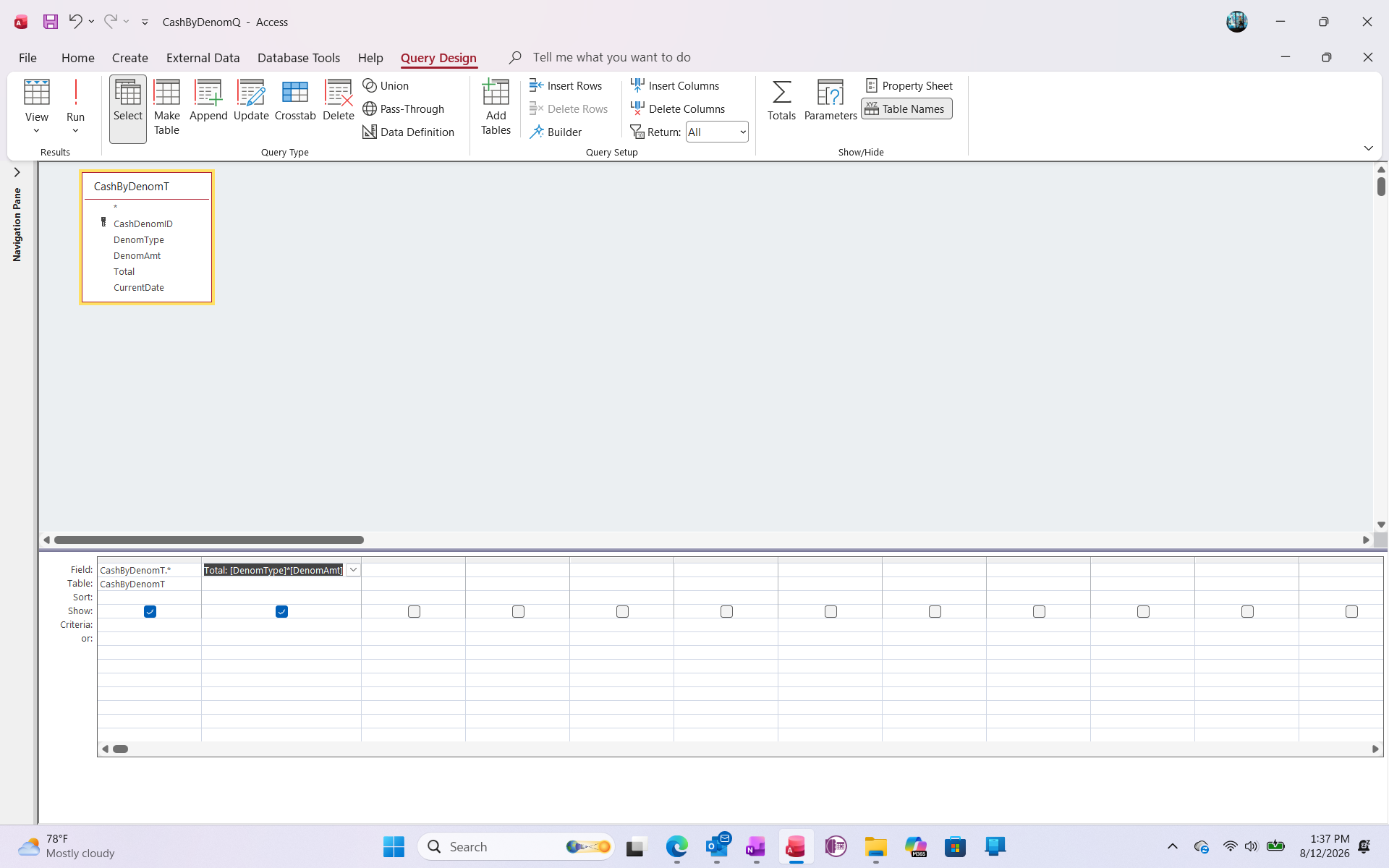
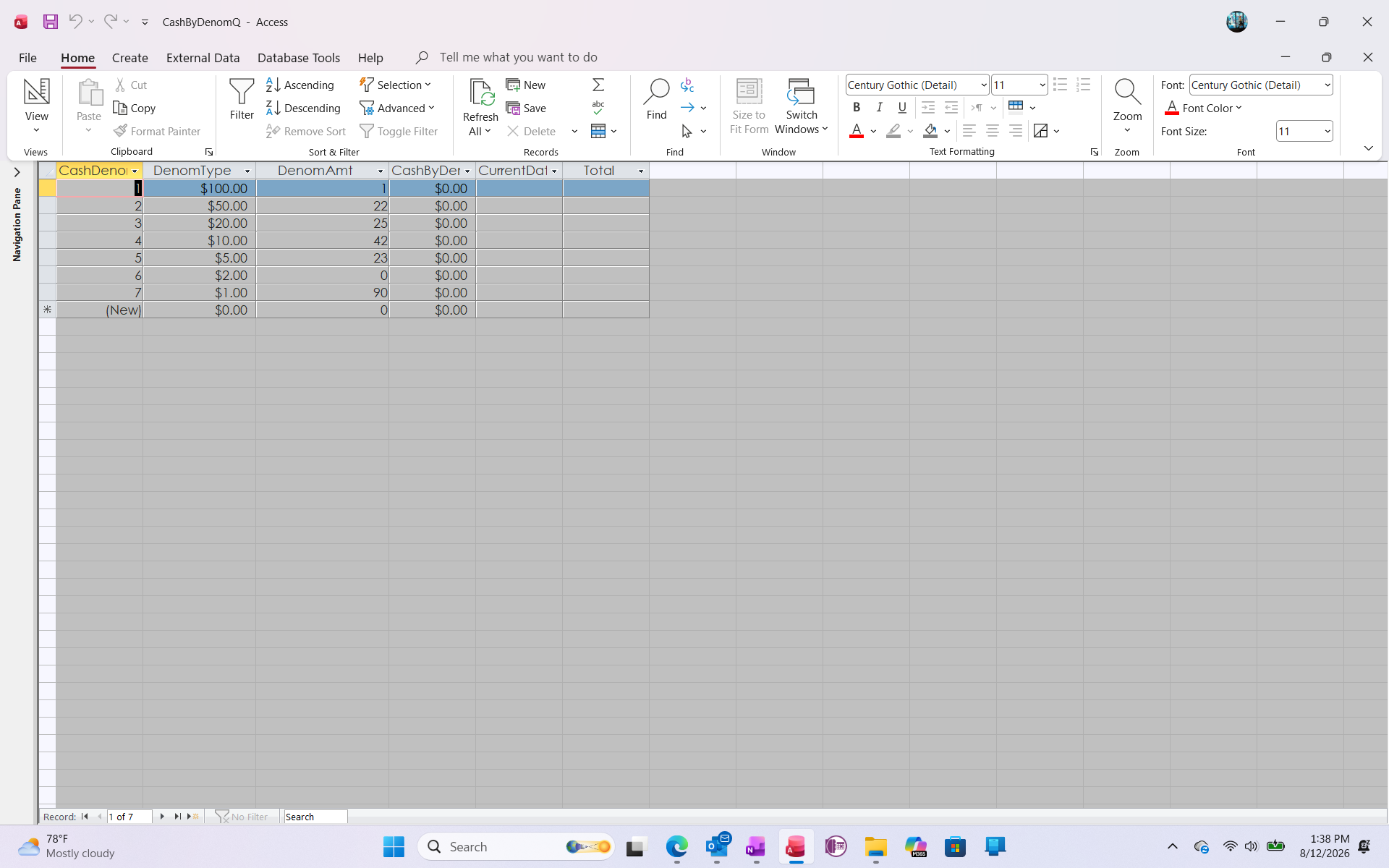
OK everyone...I have added 2 screenshots from data that is related to a tab on my Petty Cash Spreadsheet.  The tab in question contains simple information (Denomination, Amount, Total and Current Date).  I went back and reviewed Richard's video on Calculated Fields in Microsoft Access, which is one of the most understandable videos concerning Access.  I followed the procedures step by step.  However, the calculation I entered does not show the desired result, as the "Total" field does not populate (remains ($0.00).  What's up with that?
Kenneth A Thomas OP  @Reply  
       
3 days ago

Kenneth A Thomas OP  @Reply  
       
3 days ago

Kevin Robertson  @Reply  
          
3 days ago
This is because you have Total as a Table Field.
You don't need to store the calculated value in the Table.
Kenneth A Thomas OP  @Reply  
       
3 days ago
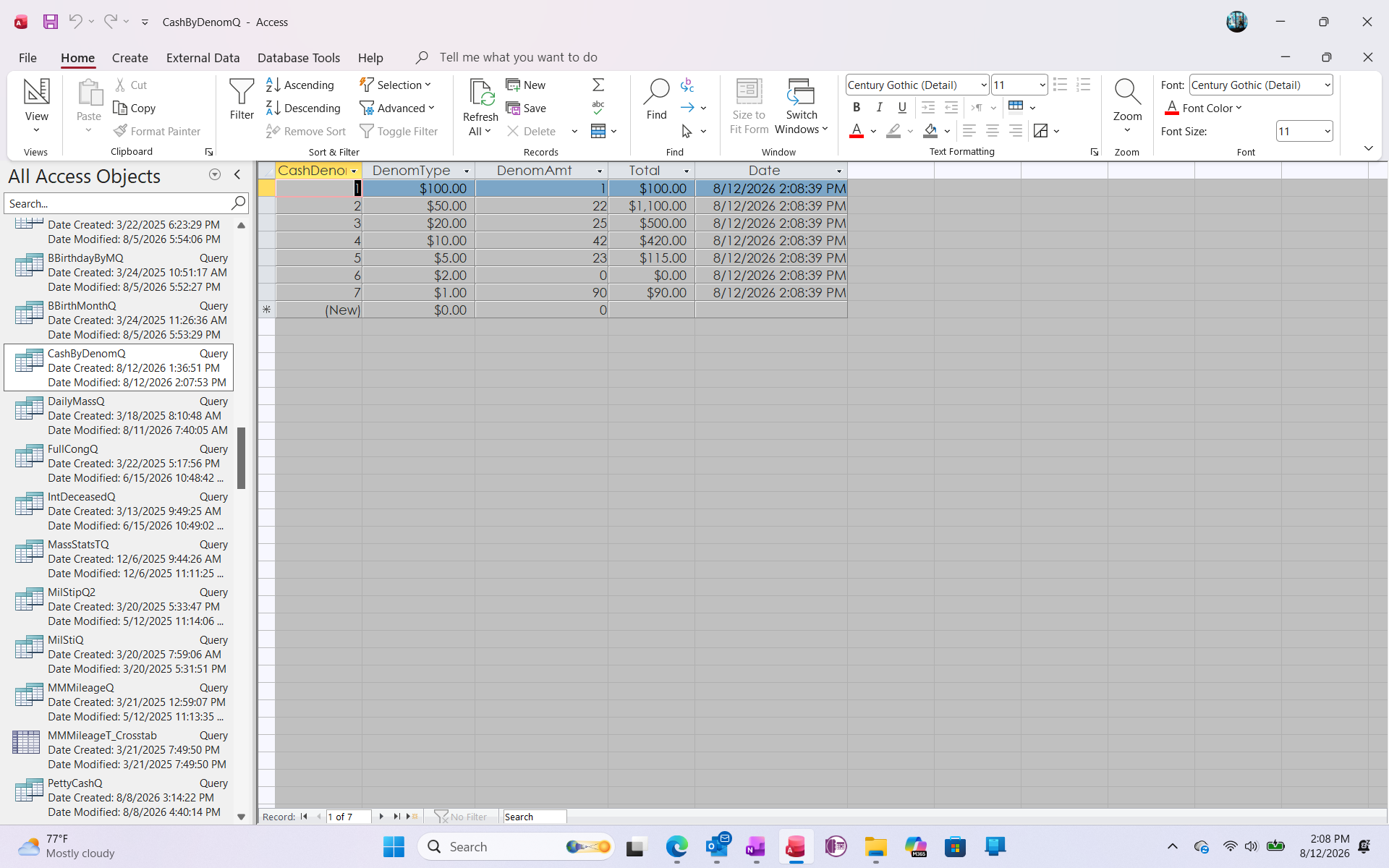
Thank you, Kevin.  I will change that and see what happens.  Does that also apply to Dates?
Kenneth A Thomas OP  @Reply  
       
3 days ago
At least the fix was easy; for the Totals and Dates!
Kenneth A Thomas OP  @Reply  
       
3 days ago

Bryan Enbey  @Reply  
     
3 days ago
Kudos on remembering the all-too-often forgotten $2 bill.  Pres. Jefferson would be proud.  :)

It is good to avoid storing any calculable fields in tables.  If you have a petty cash running log (if it tracks denominations in/out), you honestly could just run a query from that source table to see how many of each you have.  I do similar with my trading database where queries on tickers take a sum of shares bought/sold/split-exchanged to arrive at how many I currently have.
Kenneth A Thomas OP  @Reply  
       
3 days ago
Bryan, I changed the table earlier and deleted the calculable fields.
Add a Reply Upload an Image
Next Unseen

 
New Feature: Comment Live View


The following is a paid advertisement
Computer Learning Zone is not responsible for any content shown or offers made by these ads.
 

Learn
 
Access - index
Excel - index
Word - index
Windows - index
PowerPoint - index
Photoshop - index
Visual Basic - index
ASP - index
Seminars
More...
Customers
 
Login
My Account
My Courses
Lost Password
Memberships
Student Databases
Change Email
Info
 
Latest News
New Releases
User Forums
Topic Glossary
Tips & Tricks
Search The Site
Code Vault
Collapse Menus
Help
 
Customer Support
Web Site Tour
FAQs
TechHelp
Consulting Services
About
 
Background
Testimonials
Jobs
Affiliate Program
Richard Rost
Free Lessons
Mailing List
PCResale.NET
Order
 
Video Tutorials
Handbooks
Memberships
Learning Connection
Idiot's Guide to Excel
Volume Discounts
Payment Info
Shipping
Terms of Sale
Contact
 
Contact Info
Support Policy
Mailing Address
Phone Number
Fax Number
Course Survey
Email Richard
[email protected]
Blog RSS Feed    YouTube Channel

LinkedIn
Copyright 2026 by Computer Learning Zone, Amicron, and Richard Rost. All Rights Reserved. Current Time: 8/15/2026 5:35:00 AM. PLT: 0s