Free Lessons
Courses
Seminars
TechHelp
Fast Tips
Templates
Topic Index
Forum
ABCD
 
Home   Courses   TechHelp   Help   Contact   Merch   Join   Order   Logon   Forums   
 
Back to Access Developers    Comments List
Upload Images   @Reply   Bookmark    Link   Email   Next Unseen 
Background Image Missing From Emailed PDF
Abraham Breuer 
     
35 hours ago
My Access report’s background image appears in Print Preview but is missing from the PDF attachment sent through Outlook. This happens with both embedded and linked images, although it worked previously, it still shows the picture backround in print preview

Has anyone experienced this or found a solution?
John Valencic  @Reply  
     
34 hours ago
I've had problems in the past with sent pdf's directly from Access, so I save them to my computer then send the pdf from my machine. Just my 2¢....
John Valencic  @Reply  
     
33 hours ago
Also, in your property sheet for the image, make sure that the display property is set to "Always" display
Kevin Yip  @Reply  
      
32 hours ago
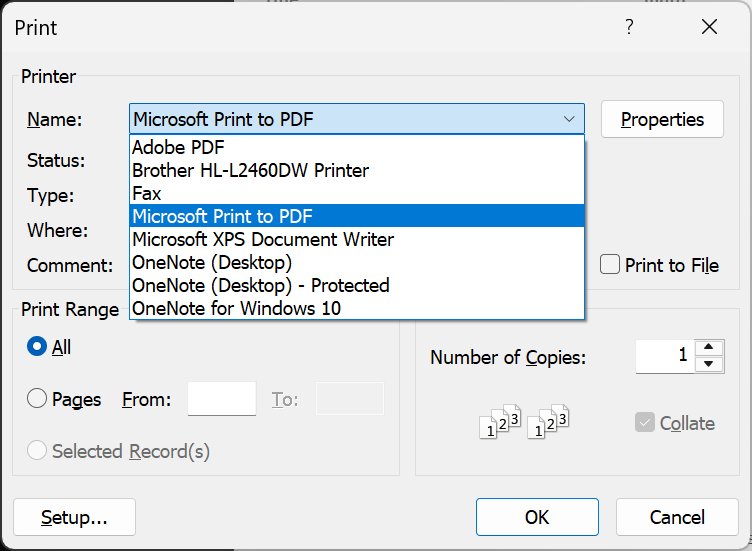
Try manually printing the report to PDF from the Print Preview screen to see if the picture appears in the output.  Try using different PDF drivers in the print dialog box if they are available (pictured below).  Windows has a built-in PDF driver called "Microsoft Print to PDF"  When you use VBA to print PDF, Access uses a different PDF driver built into Office.  Try using a third-party PDF driver as well, such as the freeware Bullzip ( https://www.bullzip.com/products/pdf/download.php ), which I've used for many years.  In short, I suspect it's a PDF driver issue.
Kevin Yip  @Reply  
      
32 hours ago

Abraham Breuer OP  @Reply  
     
32 hours ago
Thnaks all!

Kevin - when exporting the pdf with vba as a pdf will it not use the built in drive?
Kevin Yip  @Reply  
      
31 hours ago
Access (Office) uses its own built-in PDF driver when you use the VBA code:

     DoCmd.OutputTo acOutputReport, "Report Name Here", acFormatPDF, , ...

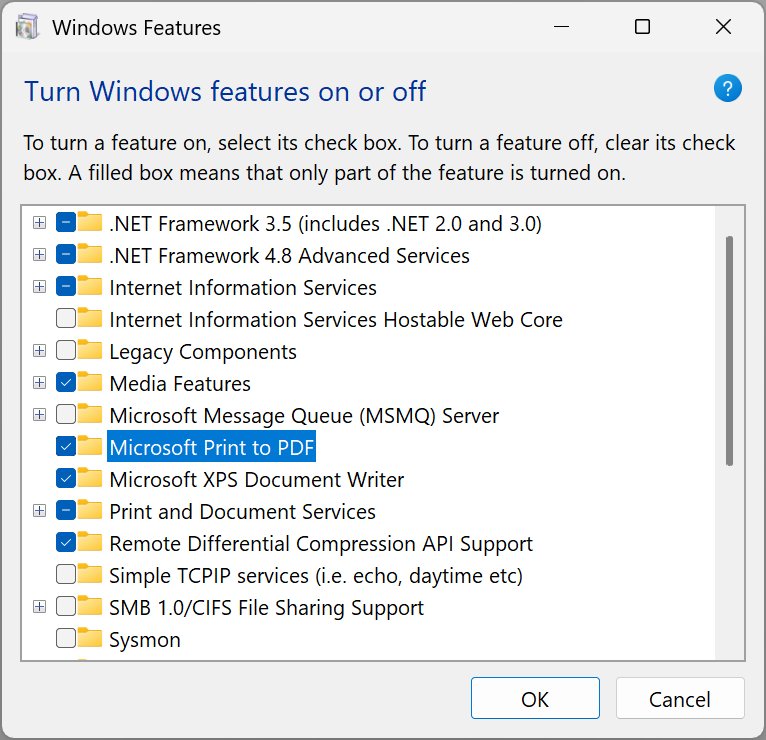
Windows has its own built-in PDF driver called "Microsoft Print to PDF," which can be enabled or disabled in the "Turn Windows feature on or off" dialog box (pictured below).  Turn this off, and the Access VBA code will still work.  And that's proof they use different drivers.

Different drivers always do things differently, even if they supposedly do the same thing.  That's why I have PDF issues, I always try a different driver.  

On my Chrome browser, when I bring up the Print dialog box, I get "Save as PDF" (Chrome's built-in PDF driver), "Adobe PDF" (Adobe's driver), and "Microsoft Print to PDF" as options.  Sometimes they produce outputs that have subtle or major differences.  Adobe is the creator of PDF, but sadly their driver has issues too.
Kevin Yip  @Reply  
      
31 hours ago

Abraham Breuer OP  @Reply  
     
31 hours ago
thanks kevin
but how will this help my output of the pdf to fix that it will show me the picture backround? its vba using classic outlook with an attchment generated as a pdf from ms access reports?
Kevin Yip  @Reply  
      
30 hours ago
It's an elimination process.  Print the PDF manually and see if the problem goes away.  Whether it does or doesn't will help us narrow down the cause.
A Toykan  @Reply  
      
30 hours ago
Instead of using the Report Background Image, place a normal Image control behind the report's contents. Set the image to embedded, picture size to sctretch or zoom as appropriate, picture tiling to no and send the image back and keep all other controls above it. This way, rather than relying on the PDF engine to correctly interpret the Report Background Image property you let it render the image as a normal graphic object in the PDF.I think this approach makes a lot of sense, especially in your case where the image appears in Print Preview but is missing from the PDF generated via VBA.
Kevin Yip  @Reply  
      
29 hours ago
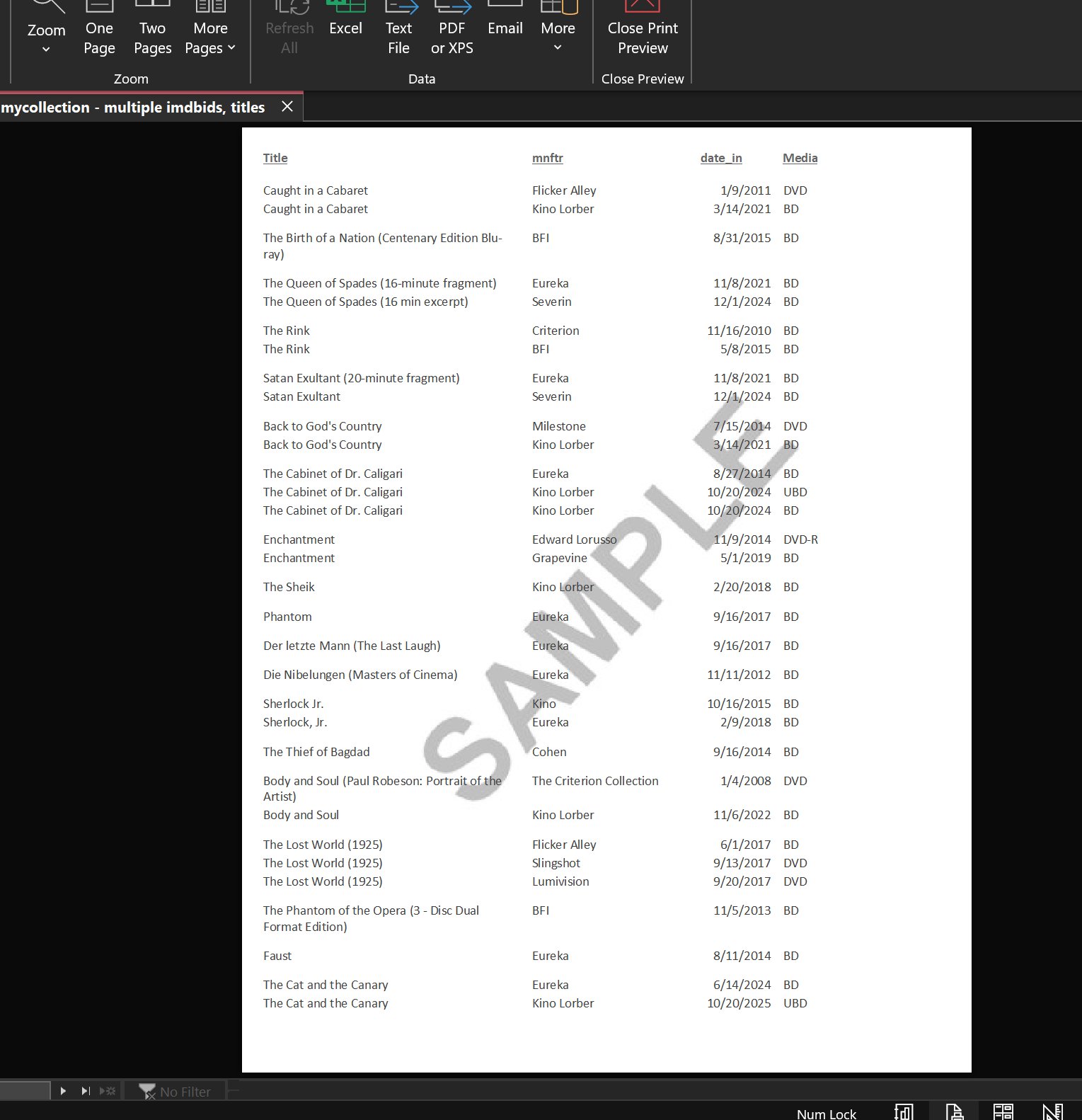
A  That won't work because a regular image control cannot span multiple sections: headers, detail, footers, etc.  That is why report background image is needed, because it can (example pictured below).  

Btw, Abraham , I just tried printing my report below manually and with VBA, and the background image came out fine in both cases on the resulting PDF files.  So the cause of your problem may lie elsewhere.
Kevin Yip  @Reply  
      
29 hours ago

Richard Rost  @Reply  
          
26 hours ago
Kevin's test is still useful, but I'm pretty sure DoCmd.OutputTo does not use the Windows "Microsoft Print to PDF" printer driver. It uses Access/Office's PDF export filter. Printing the report to Microsoft Print to PDF is a different rendering path.

The first thing I would do is save the PDF locally with your VBA code and open that exact file before Outlook attaches it. Outlook isn't normally removing anything from the PDF. If the local PDF is already missing the background, then you know the issue is entirely in the Access export.

Since it worked before, I would also try removing and reassigning the report's background Picture property, preferably using a fresh local JPG or PNG file, then set it back to Embedded. Linked pictures can fail if the path, permissions, or network connection has changed, but embedded should not have that problem.

A Toykan's suggestion can work if the image only needs to appear in one report section. If you need a true page-wide background across headers, detail, and footers, the report Background Picture is the right tool.

If reassigning the image doesn't fix it, try creating a new blank report and importing the objects from the old report, then reapply the background picture. Reports can occasionally get a little corrupted, especially after lots of design changes. Also, check whether an Office update happened around the time this stopped working.
Add a Reply Upload an Image
Next Unseen

 
New Feature: Comment Live View


The following is a paid advertisement
Computer Learning Zone is not responsible for any content shown or offers made by these ads.
 

Learn
 
Access - index
Excel - index
Word - index
Windows - index
PowerPoint - index
Photoshop - index
Visual Basic - index
ASP - index
Seminars
More...
Customers
 
Login
My Account
My Courses
Lost Password
Memberships
Student Databases
Change Email
Info
 
Latest News
New Releases
User Forums
Topic Glossary
Tips & Tricks
Search The Site
Code Vault
Collapse Menus
Help
 
Customer Support
Web Site Tour
FAQs
TechHelp
Consulting Services
About
 
Background
Testimonials
Jobs
Affiliate Program
Richard Rost
Free Lessons
Mailing List
PCResale.NET
Order
 
Video Tutorials
Handbooks
Memberships
Learning Connection
Idiot's Guide to Excel
Volume Discounts
Payment Info
Shipping
Terms of Sale
Contact
 
Contact Info
Support Policy
Mailing Address
Phone Number
Fax Number
Course Survey
Email Richard
[email protected]
Blog RSS Feed    YouTube Channel

LinkedIn
Copyright 2026 by Computer Learning Zone, Amicron, and Richard Rost. All Rights Reserved. Current Time: 8/19/2026 7:18:29 PM. PLT: 1s