Free Lessons
Courses
Seminars
TechHelp
Fast Tips
Templates
Topic Index
Forum
ABCD
 
Home   Courses   TechHelp   Help   Contact   Merch   Join   Order   Logon   Forums   
 
Back to Access Forum    Comments List
Upload Images   @Reply   Bookmark    Link   Email   Next Unseen 
Report Query From Multiple Tables
Kenneth A Thomas 
       
21 hours ago
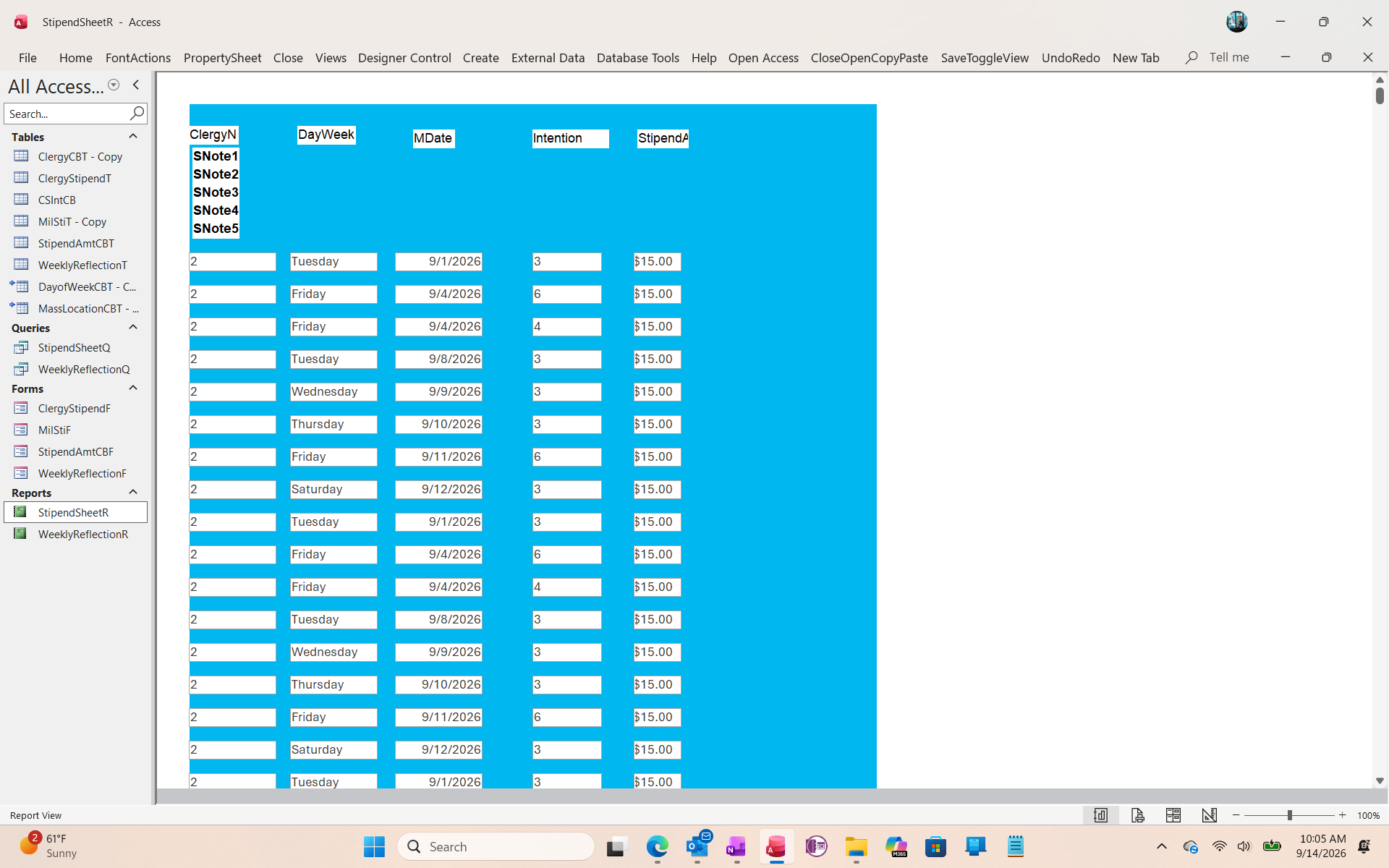
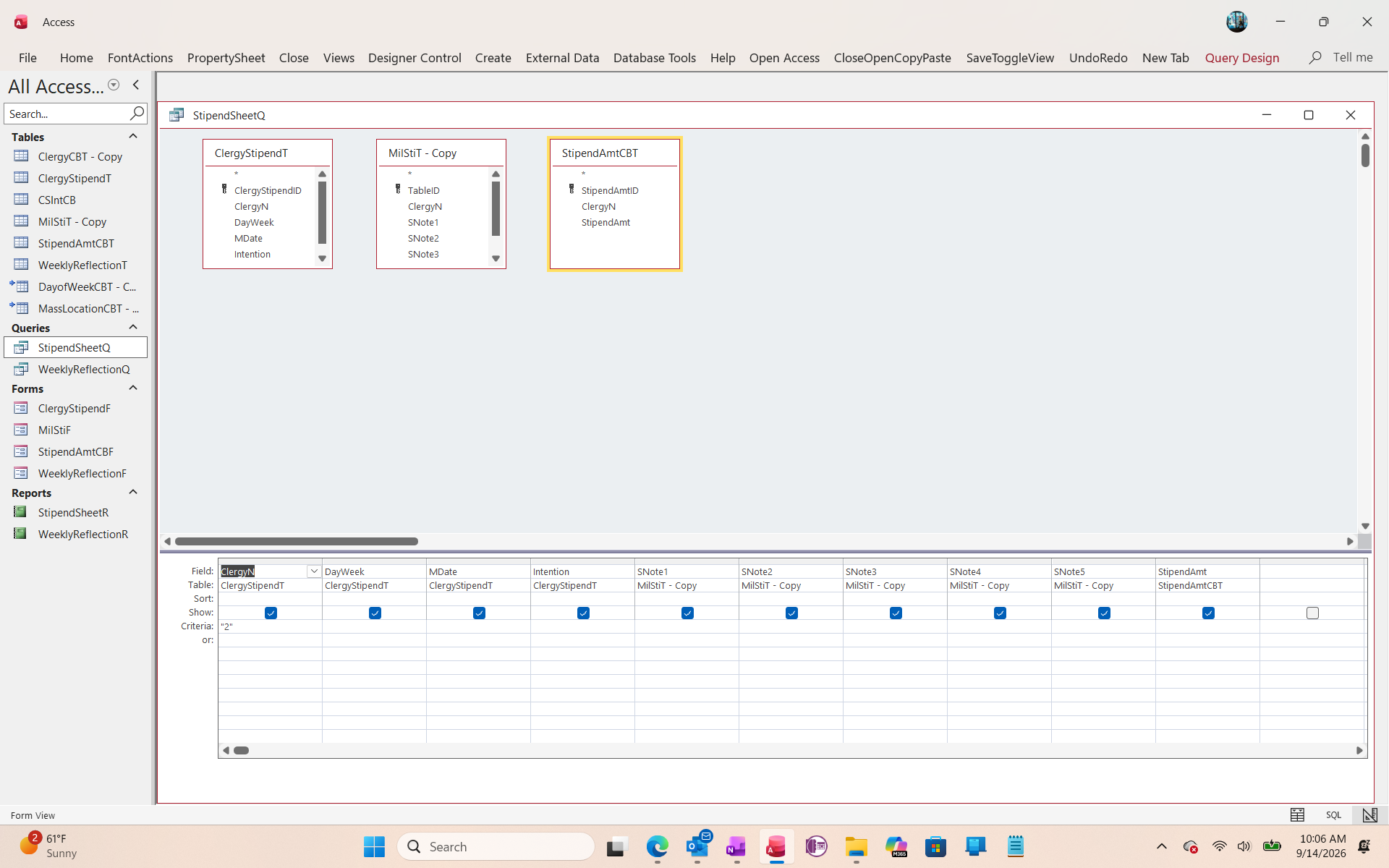
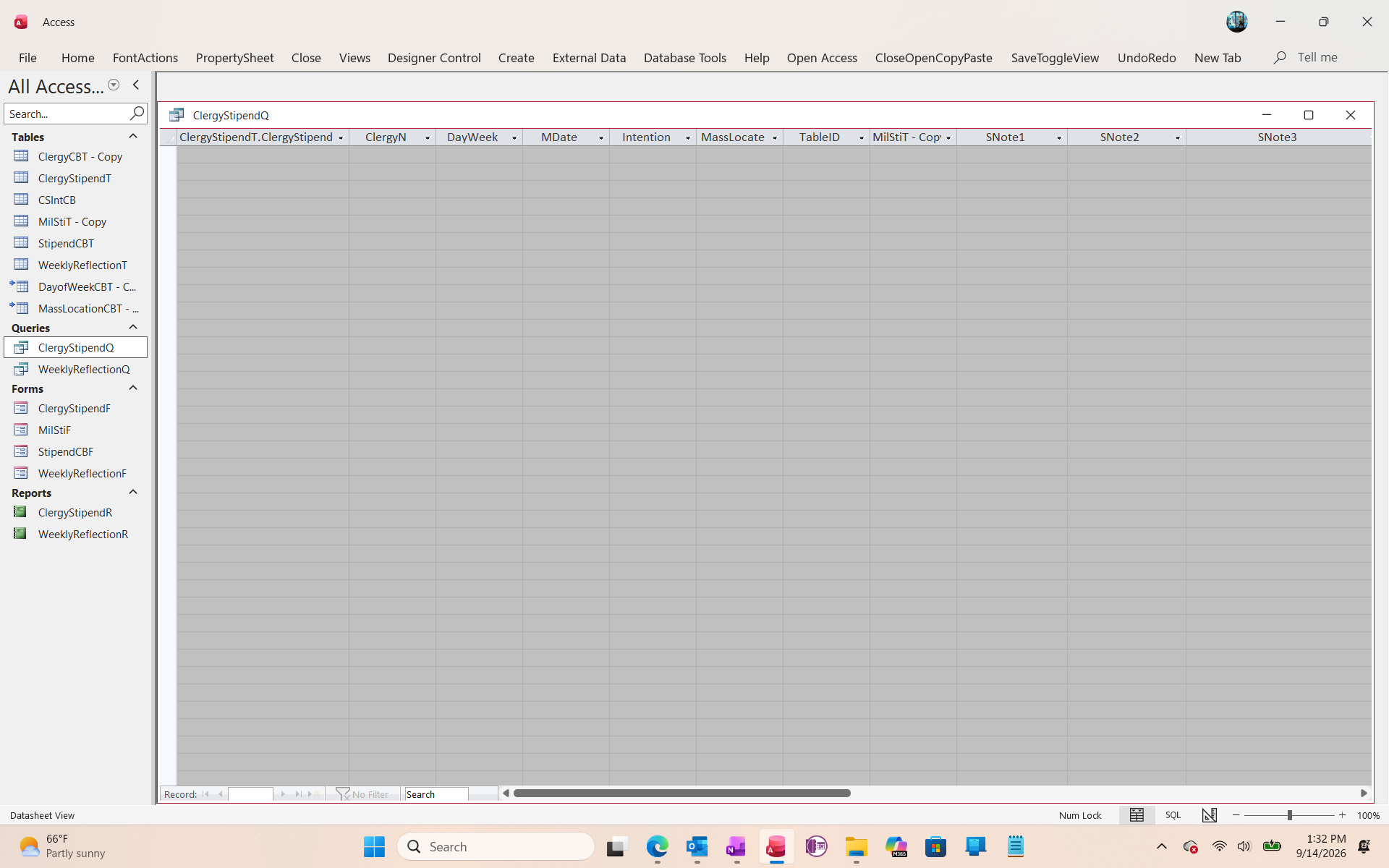
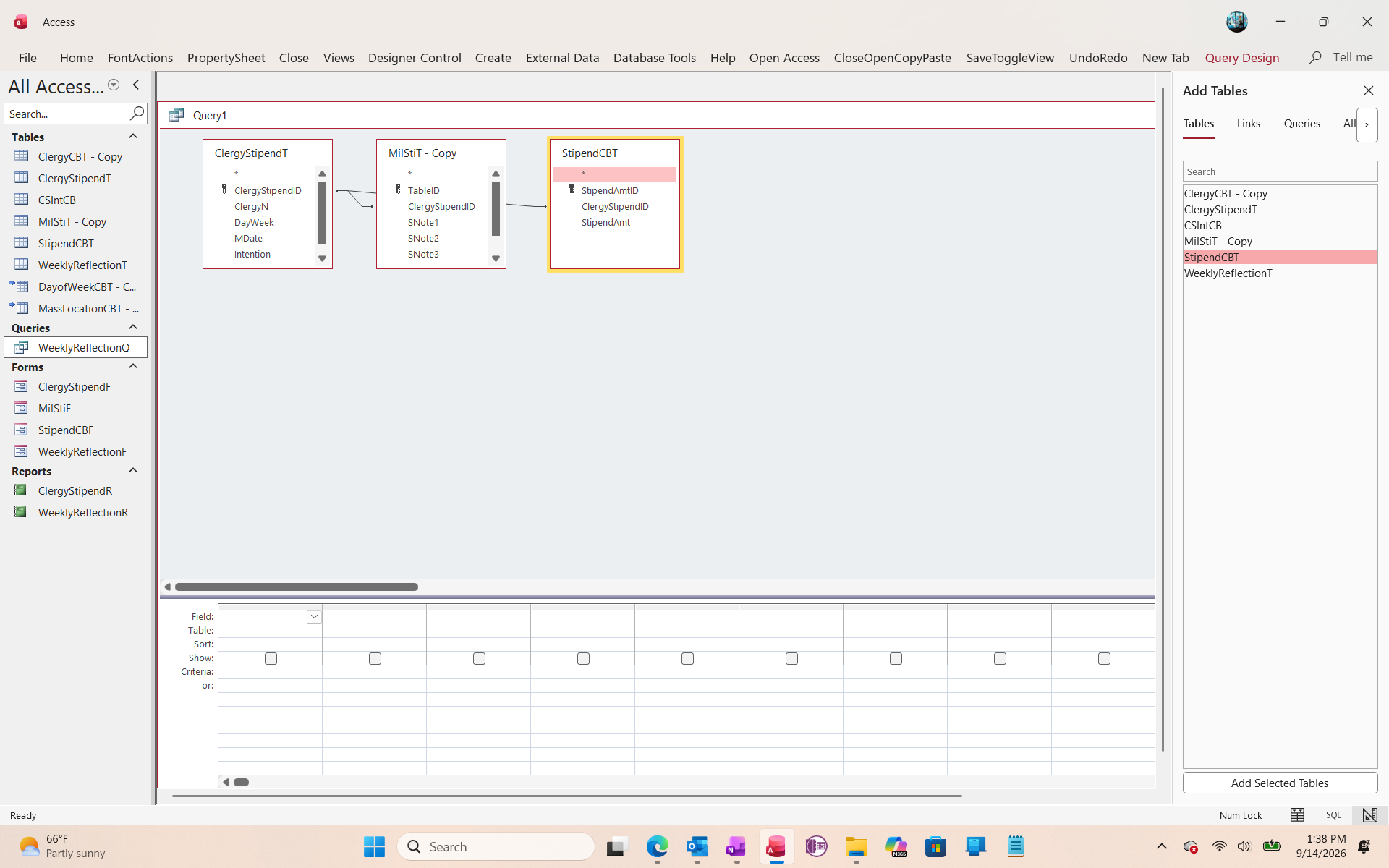
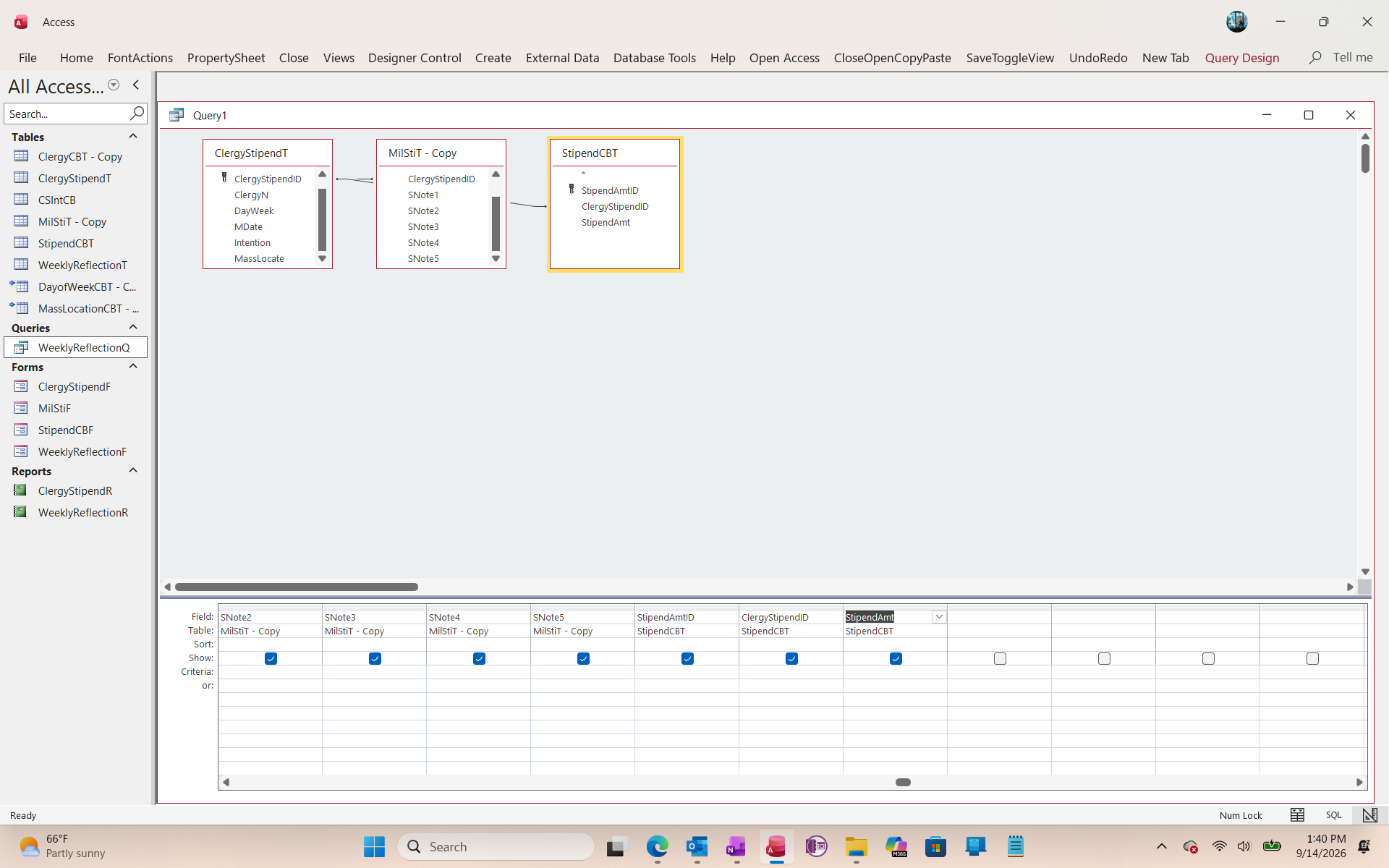
I am designing a new Report for Clergy Stipends and I've hit a roadblock.  I've previously designed similar reports but lost mistakenly deleted the report and can't remember how I designed this.  How do I join the 3 tables in the screenshots to design the report?  Please note that one of the tables in the stipend amounts, so the reports will include calculated figures.  Thank you.
Kenneth A Thomas OP  @Reply  
       
21 hours ago

Kenneth A Thomas OP  @Reply  
       
21 hours ago

Kenneth A Thomas OP  @Reply  
       
21 hours ago

John Williams  @Reply  
     
20 hours ago
Kenneth When I do paragraph text for a report, signature line, etc, (picture 2) I use DLookups for those fields.  You could combine a full block as one field vs multiple look-ups.
Kenneth A Thomas OP  @Reply  
       
20 hours ago
So John, is it safe just to store those fields in a Combo Box
Kenneth A Thomas OP  @Reply  
       
20 hours ago
John, I just thought of something.  I need all 5 Note fields in each report.  Can I still use DLookup for that?
Kevin Robertson  @Reply  
          
19 hours ago
Build a Query containing all the required Tables and fields, then base your Report off of that Query.
Kenneth A Thomas OP  @Reply  
       
18 hours ago
Kevin, I thought so, but when I use the Query for the Report, it ends up as another Query.  I don't know if I have something se twrong.
Richard Rost  @Reply  
          
16 hours ago
Kevin is correct. The normal approach is to build one query that joins the three tables, includes the fields you need, and performs any stipend calculations. Then set the report's Record Source property to that query.

When you click the builder button next to the Record Source property, Access opens the query designer. That's normal - it doesn't mean the report has somehow turned into another query. You are just editing or selecting the query that supplies the report's data.

Make sure the tables are joined using their matching primary key and foreign key fields. Don't join tables simply because two fields happen to contain similar-looking text. For example, the Stipend table should contain the ID of the related clergy member or stipend type, and that ID is what you join to the primary key in the other table.

I would not use DLookup for the five Note fields if they are part of the data you need for every report record. Put those fields in the report's source query instead. DLookup is OK for an occasional single value, such as a church name or a signature line, but a query is cleaner, faster, and much easier to maintain when the data is already related.

Likewise, a combo box should normally store an ID value, not the actual paragraph text. The combo can display the descriptive text to the user, while the underlying field stores the related record's ID. Then your query can retrieve all five Note fields through the relationship.

For calculated stipend figures, create calculated fields in the query, such as:

AnnualStipend: [MonthlyStipend] * 12

Then place AnnualStipend on the report just like any other field.
Kenneth A Thomas OP  @Reply  
       
11 hours ago
I might have to make some minor changes to all 3 tables because I don't think that any of them have a field that matches the other 2.  They are monthly stipends, but I get the point.  Thank you, Richard.
Richard Rost  @Reply  
          
8 hours ago
Exactly. Each related table needs a field that identifies how its records relate to records in the other table(s). Usually that means a primary key in the "one" table and a matching foreign key in the "many" table.

For example, ClergyT might have ClergyID as its primary key. Then StipendT would include ClergyID to indicate which clergy member receives each stipend record. If the notes are reusable templates, you might have a NotesT with NoteID as its primary key, and store NoteID in the appropriate related table.

Don't try to join them on the monthly stipend amount itself. Amounts can repeat, change over time, or be blank, so they are not reliable relationship fields.

Once you decide what each table represents and how the records relate, make those ID fields, establish the relationships, and then the report query should fall into place.
Add a Reply Upload an Image
Next Unseen


What's This?


The following is a paid advertisement
Computer Learning Zone is not responsible for any content shown or offers made by these ads.
 

Learn
 
Access - index
Excel - index
Word - index
Windows - index
PowerPoint - index
Photoshop - index
Visual Basic - index
ASP - index
Seminars
More...
Customers
 
Login
My Account
My Courses
Lost Password
Memberships
Student Databases
Change Email
Info
 
Latest News
New Releases
User Forums
Topic Glossary
Tips & Tricks
Search The Site
Code Vault
Collapse Menus
Help
 
Customer Support
Web Site Tour
FAQs
TechHelp
Consulting Services
About
 
Background
Testimonials
Jobs
Affiliate Program
Richard Rost
Free Lessons
Mailing List
PCResale.NET
Order
 
Video Tutorials
Handbooks
Memberships
Learning Connection
Idiot's Guide to Excel
Volume Discounts
Payment Info
Shipping
Terms of Sale
Contact
 
Contact Info
Support Policy
Mailing Address
Phone Number
Fax Number
Course Survey
Email Richard
[email protected]
Blog RSS Feed    YouTube Channel

LinkedIn
Copyright 2026 by Computer Learning Zone, Amicron, and Richard Rost. All Rights Reserved. Current Time: 9/11/2026 6:30:39 AM. PLT: 2s