Free Lessons
Courses
Seminars
TechHelp
Fast Tips
Templates
Topic Index
Forum
ABCD
 
Home   Courses   TechHelp   Help   Contact   Merch   Join   Order   Logon   Forums   
 
Home > Forums > Access Forum > Description Box by David Clement
Back to Access Forum    Comments List
Upload Images | @Reply | Bookmark | Link | Email | Next Unseen |
Description Box
David Clement 
      
90 minutes ago
Good morning Richard and others,
I have been building a Photo Browser Database. It is working quite well.
One of my Fields is set up as Description. I have made a Query for that field as
[SearchDescription] as a wildcard search, it works well, but I am wondering if there is an easier or better way to enter the description for the photo in question. An example might be like this- someone standing by rock on beach wearing blue hat-you can enter any of those words, and it will search for those description words in the whole database. using no commas or dashes, just the text. The text may have 80 total charactors in the description. Is that okay, or is there a way to make it like a Google search using plus signs and such?
Thank you!
Richard Rost  @Reply  
          
41 minutes ago
That kind of free-form description is perfectly fine. An 80-character description is no problem at all - a Short Text field can hold up to 255 characters, and you can use Long Text if you ever need more.

Access doesn't have a built-in Google-style search syntax with plus signs, quoted phrases, and so on. A criterion such as:

Like "*" & [SearchDescription] & "*"

is great for finding one word or an exact phrase anywhere in the description. But if someone enters "rock beach," it looks for those two words together in that order.

If you want "rock beach blue" to find records containing all three words in any order, that requires splitting the entered text into individual words and building separate criteria for each one. That's very doable with a search form and a little VBA. I do cover this in some of my more advanced developer lessons.

For a photo database, I would also seriously consider using keywords/tags in addition to the full description. For example: beach, rock, blue, hat, person. A proper keyword table with a junction table gives you much cleaner searching than trying to make every description read like a Google search. You can still keep the Description field for the human-readable notes.
David Clement OP  @Reply  
      
25 minutes ago
Okay.
Thank you!
Kevin Yip  @Reply  
      
62 seconds ago
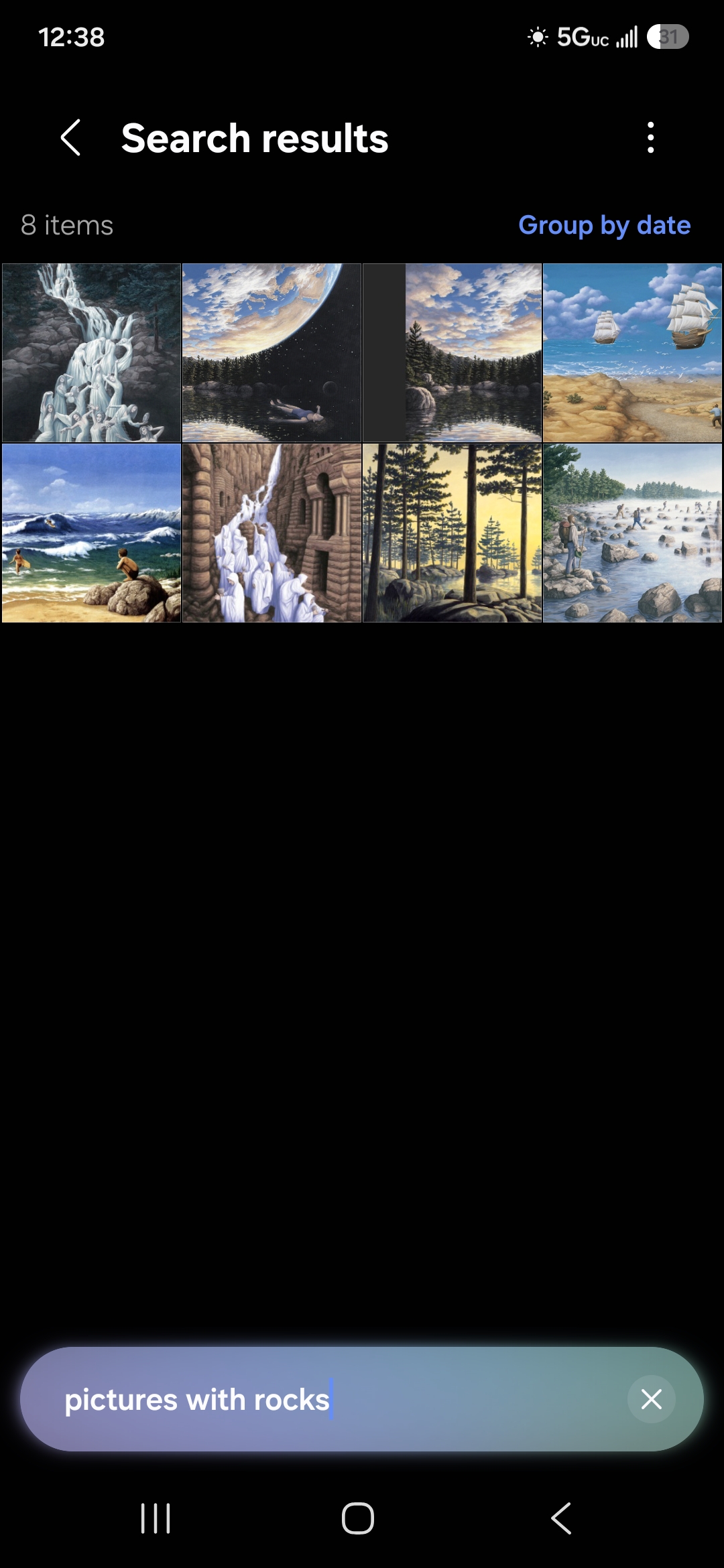
Image searches are probably best done with AI nowadays.  Your phones probably can already do it.  On my Galaxy S25, I search for "pictures with rocks" and it will show pictures on my phone that fit that description (see picture below).  But it's not always accurate.  Sadly, Access is not likely to get these AI capabilities.  Traditional keyword search is problematic due to synonyms, conjugated words, misspelled words, etc., that you have to account for.  Not to mention, all the data entry you have to do for all the keywords, not pleasant if you have thousands of pictures and/or pictures with complex visual elements.
Kevin Yip  @Reply  
      
48 seconds ago

Add a Reply Upload an Image
Next Unseen


What's This?


The following is a paid advertisement
Computer Learning Zone is not responsible for any content shown or offers made by these ads.
 

Learn
 
Access - index
Excel - index
Word - index
Windows - index
PowerPoint - index
Photoshop - index
Visual Basic - index
ASP - index
Seminars
More...
Customers
 
Login
My Account
My Courses
Lost Password
Memberships
Student Databases
Change Email
Info
 
Latest News
New Releases
User Forums
Topic Glossary
Tips & Tricks
Search The Site
Code Vault
Collapse Menus
Help
 
Customer Support
Web Site Tour
FAQs
TechHelp
Consulting Services
About
 
Background
Testimonials
Jobs
Affiliate Program
Richard Rost
Free Lessons
Mailing List
PCResale.NET
Order
 
Video Tutorials
Handbooks
Memberships
Learning Connection
Idiot's Guide to Excel
Volume Discounts
Payment Info
Shipping
Terms of Sale
Contact
 
Contact Info
Support Policy
Mailing Address
Phone Number
Fax Number
Course Survey
Email Richard
[email protected]
Blog RSS Feed    YouTube Channel

LinkedIn
Copyright 2026 by Computer Learning Zone, Amicron, and Richard Rost. All Rights Reserved. Current Time: 11/3/2026 12:50:31 PM. PLT: 0s