Free Lessons
Courses
Seminars
TechHelp
Fast Tips
Templates
Topic Index
Forum
ABCD
 
Home   Courses   TechHelp   Help   Contact   Merch   Join   Order   Logon   Forums   
 
Back to Access Forum    Comments List
Pending Approval    Upload Images   @Reply   Bookmark    Link   Email   Next Unseen 

Anonymous 
 
Beau Tanner  @Reply  
    
5 years ago

Beau Tanner  @Reply  
    
5 years ago
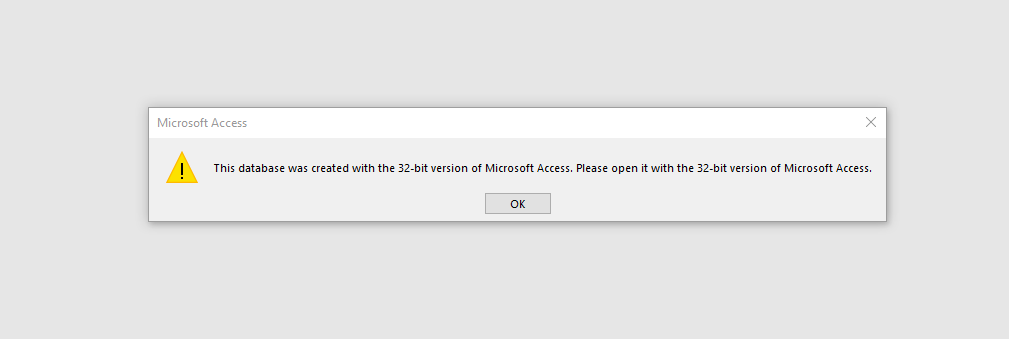
So, this is weird.  If I double click on the file from the windows folder, Access opens an gives me the above warning.  HOWEVER, if I open Access from the Start Menu, when Access opens and I double click on the recent files, the database opens without any issues.  So, I think that the problem is solved?

I have a new found respect for computer programmers.  This experience has been a good one...
Scott Axton  @Reply  
      
5 years ago
Just to double check / rule out the obvious - go to each of the machines.    
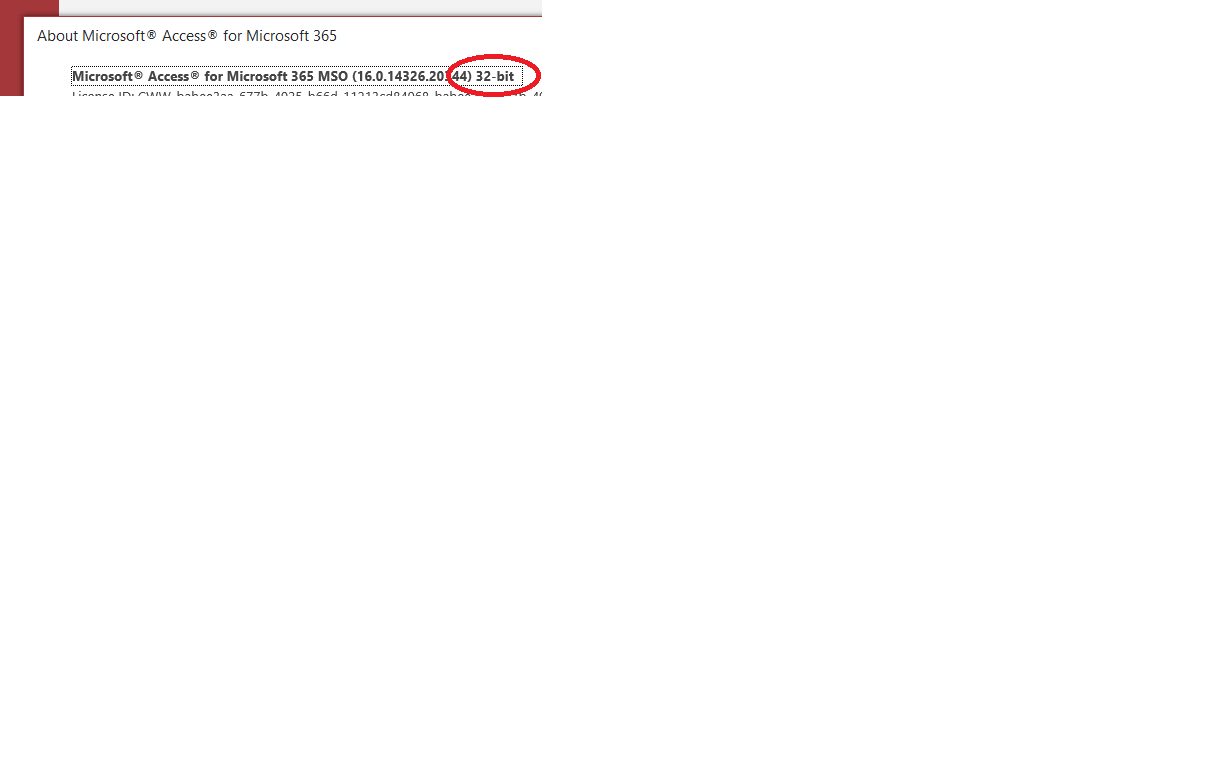
        Open Access and click File -> Account -> About Access

That will bring up a dialog box showing your installation of Office.  

I would almost bet $$ that you have #4 installed as a different "bitness".

I'm assuming that when you created the ACCDE file you chose 64 bit AND you are using the exact same file to distribute to each computer.  Correct?

Scott Axton  @Reply  
      
5 years ago

Beau Tanner  @Reply  
    
5 years ago
I just checked, and, yes sir, that was the issue. I never would have thought of that.  It is interesting, though, because I can open the database if I start Access first; I cannot open Access by double clicking the database.  Computers are interesting.
Scott Axton  @Reply  
      
5 years ago
Darn - Should have put a $10 bet down.  Oh well  LOL

Glad that got it sorted.  If it were me I would completely uninstall Office on that computer then re-install 64 bit.  Kind of a hassle but  you will be rewarded for the effort on time saved in the future.
Richard Rost  @Reply  
          
5 years ago
Word of the day: Bitness.

Ima open a new bitness and sell laptops.
Scott Axton  @Reply  
      
5 years ago
Hey whatever works right?  Beau and You both knew what I was talking about so I guess I got the thought across.
LOL
Beau Tanner  @Reply  
    
5 years ago
Okay, so update:

To clarify, the .accdb file will open on any machine regardless of bitness.  The .accde file, however, will only open on a like-bitness machine.  It's kind of annoying, but my workaround on this is to save the .accde file on my machine & distribute it to the others; then, go to the 64-bit machine, open the "admin" .accdb file and save it as an .accde file directly to the 64-bit machine.  It's an extra step, but it's the best solution that I have thus far to make sure everyone can use the split database.

If anyone has a better solution, I am all ears (and, no, reenstalling 64-bit Office suite on all of the computers is not a solution for reasons that are above my paygrade).
Scott Axton  @Reply  
      
5 years ago
Unfortunately, if you can't ensure that all of the machines are running the same version - 64 bit, the solution you just laid out is pretty much your only option.
Richard has a template for pushing updates - Access Updater v 1.0  but I don't think it accounts for mixes of bitness  ;)
Richard Rost  @Reply  
          
5 years ago
Sorry, but that is definitely a Microsoft-imposed issue with ACCDE files. They require the same bitness. ACCDB files don't always.

This thread is now CLOSED. If you wish to comment, start a NEW discussion in Access Forum.
 

Next Unseen

 
New Feature: Comment Live View


The following is a paid advertisement
Computer Learning Zone is not responsible for any content shown or offers made by these ads.
 

Learn
 
Access - index
Excel - index
Word - index
Windows - index
PowerPoint - index
Photoshop - index
Visual Basic - index
ASP - index
Seminars
More...
Customers
 
Login
My Account
My Courses
Lost Password
Memberships
Student Databases
Change Email
Info
 
Latest News
New Releases
User Forums
Topic Glossary
Tips & Tricks
Search The Site
Code Vault
Collapse Menus
Help
 
Customer Support
Web Site Tour
FAQs
TechHelp
Consulting Services
About
 
Background
Testimonials
Jobs
Affiliate Program
Richard Rost
Free Lessons
Mailing List
PCResale.NET
Order
 
Video Tutorials
Handbooks
Memberships
Learning Connection
Idiot's Guide to Excel
Volume Discounts
Payment Info
Shipping
Terms of Sale
Contact
 
Contact Info
Support Policy
Mailing Address
Phone Number
Fax Number
Course Survey
Email Richard
[email protected]
Blog RSS Feed    YouTube Channel

LinkedIn
Copyright 2026 by Computer Learning Zone, Amicron, and Richard Rost. All Rights Reserved. Current Time: 7/15/2026 9:48:09 AM. PLT: 0s