Free Lessons
Courses
Seminars
TechHelp
Fast Tips
Templates
Topic Index
Forum
ABCD
 
Home   Courses   TechHelp   Help   Contact   Merch   Join   Order   Logon   Forums   
 
Back to Access Forum    Comments List
Upload Images | @Reply | Bookmark | Link | Email | Next Unseen |
Opening Multiple Photos
Colin Smyth 
      
5 years ago
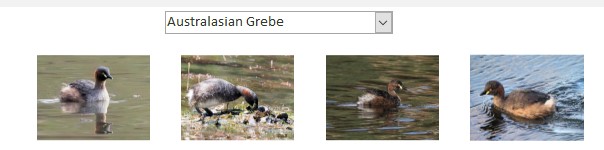
I have a database of birds that I have photographed. I have a form that displays the photos. There maybe up to four photos. I use the shellexec command to open the photo in my default programme to see it more clearly. The photos are all stored in the one folder for each type of bird I have seen. Is there a way that I can set it up to say next for it to move to the next bird. At the moment I have to close the Windows photo programme and then click on the next photo to open that one. See the attached view of how the form looks. Thank you.
Colin Smyth OP  @Reply  
      
5 years ago

Scott Axton  @Reply  
      
5 years ago
If you are wanting to move from picture to picture using the default program that would be a function of the program you are using. You should be able to view the next picture in that folder (depending on the program).

If you are wanting to move to a different bird in your Access application you may be able to use custom buttons.
Check out the  Command Buttons video
Richard Rost  @Reply  
           
5 years ago
Yeah, if you're using Windows Photos (comes with Win 10) then it should let you scroll back and forth between any pictures in the same folder, even if you only opened one.
Colin Smyth OP  @Reply  
      
5 years ago
Hi Richard. That is what I would have thought too, but it doesn't let me. I have to close the first one, and then open the next one. I initially use the browse button to find the photo on my hard drive and then that shows up the image in an image box on my form. Each group of birds as shown above are all in the same folder on my hard drive. If I open the photo on my hard drive, it then lets me scroll through all the photos in the folder. Do you have any other suggestions?
Scott Axton  @Reply  
      
5 years ago
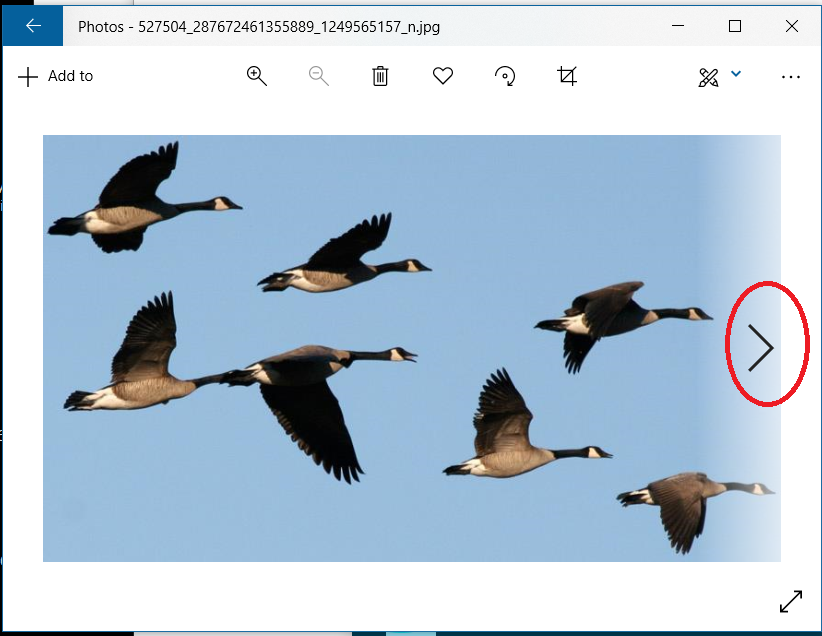
Colin when you hover over the left and right margin you don't get the < "Previous" or > "Next" buttons?
Scott Axton  @Reply  
      
5 years ago

Colin Smyth OP  @Reply  
      
5 years ago
Hi Scott. No, they are not there. They are if I open the photo directly from the folder, but not when I do it through access.
Richard Rost  @Reply  
           
5 years ago
Colin is correct. I just tried it. If you open one image from Access with a FollowHyperlink, it doesn't let you scroll left and right through the other images in that folder. You'll have to open them individually from inside Access. Sorry. I don't see an easy solution. I'll play with it a little more though...
Colin Smyth OP  @Reply  
      
5 years ago
Thank you everyone for looking at this for me. Appreciate your time.

This thread is now CLOSED. If you wish to comment, start a NEW discussion in Access Forum.
 

Next Unseen


What's This?


The following is a paid advertisement
Computer Learning Zone is not responsible for any content shown or offers made by these ads.
 

Learn
 
Access - index
Excel - index
Word - index
Windows - index
PowerPoint - index
Photoshop - index
Visual Basic - index
ASP - index
Seminars
More...
Customers
 
Login
My Account
My Courses
Lost Password
Memberships
Student Databases
Change Email
Info
 
Latest News
New Releases
User Forums
Topic Glossary
Tips & Tricks
Search The Site
Code Vault
Collapse Menus
Help
 
Customer Support
Web Site Tour
FAQs
TechHelp
Consulting Services
About
 
Background
Testimonials
Jobs
Affiliate Program
Richard Rost
Free Lessons
Mailing List
PCResale.NET
Order
 
Video Tutorials
Handbooks
Memberships
Learning Connection
Idiot's Guide to Excel
Volume Discounts
Payment Info
Shipping
Terms of Sale
Contact
 
Contact Info
Support Policy
Mailing Address
Phone Number
Fax Number
Course Survey
Email Richard
[email protected]
Blog RSS Feed    YouTube Channel

LinkedIn
Copyright 2026 by Computer Learning Zone, Amicron, and Richard Rost. All Rights Reserved. Current Time: 11/9/2026 3:27:14 PM. PLT: 1s