Free Lessons
Courses
Seminars
TechHelp
Fast Tips
Templates
Topic Index
Forum
ABCD
 
Home   Courses   TechHelp   Help   Contact   Merch   Join   Order   Logon   Forums   
 
Back to Access Forum    Comments List
Upload Images | @Reply | Bookmark | Link | Email | Next Unseen |
Field Showing Numeric Value
Taruna Matharu 

5 years ago
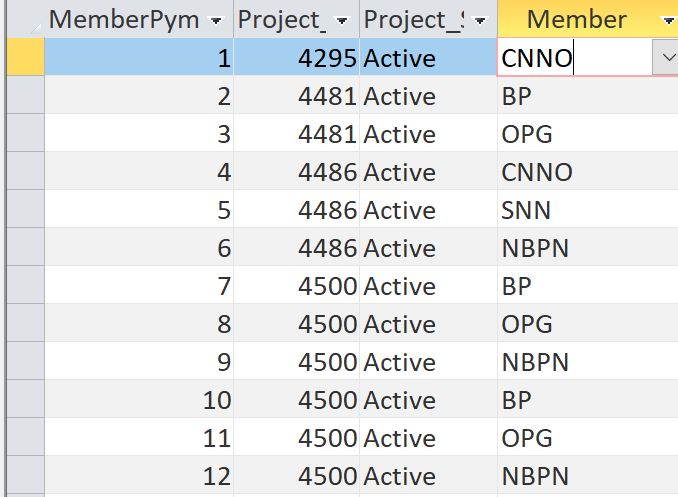
I have a table for Projects with all Member participants (which is a drop down) and I have a query to that on selection should show that members participation in all projects. The issue is that member field is returning a numeric value. I think it is because of the data type mismatch but I do not know how to fix it.
Taruna Matharu OP  @Reply  

5 years ago

Taruna Matharu OP  @Reply  

5 years ago

Adam Schwanz  @Reply  
           
5 years ago
Evil Access Stuff Lookup values in your tables are evil.

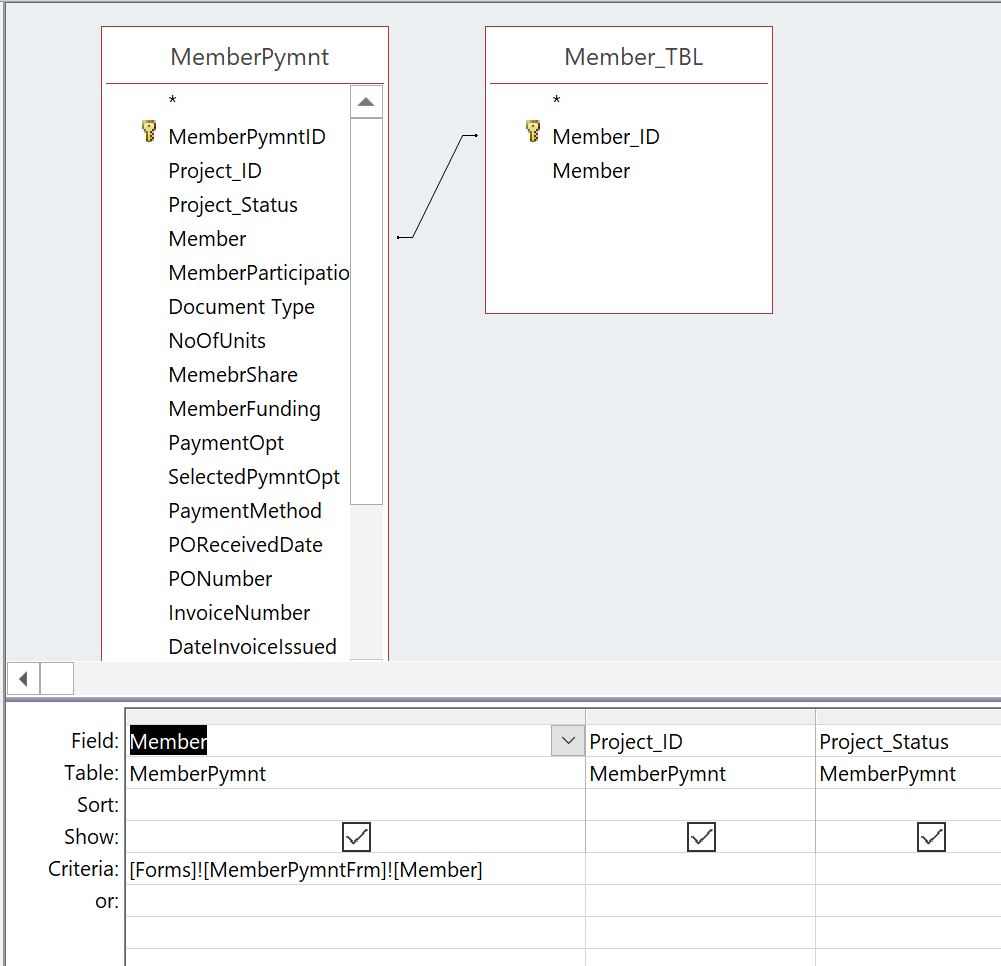
But yes it's because it's a number field. I'm assuming Member_TBL has their real names in it? If so, In your query photo you should be able to get the string version by bringing in Member from Member_TBL
Taruna Matharu OP  @Reply  

5 years ago

Taruna Matharu OP  @Reply  

5 years ago
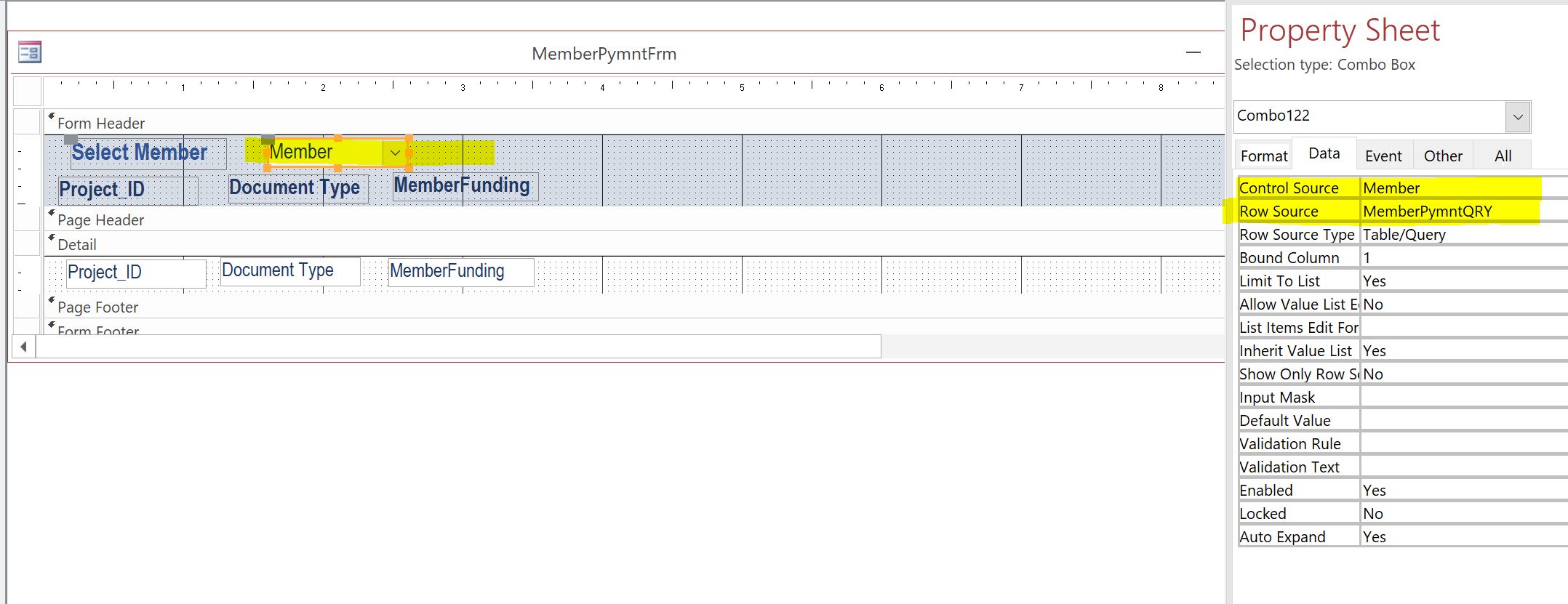
Hi Adam, Member_TBL has their real names in it and I did as  you mentioned it works when you run Query, in the form I have a Search Button for Members that I am picking from the Query as dropdown and once the member is selected it show all the projects that member is a part of. In form it is not showing the Member list.
Adam Schwanz  @Reply  
           
5 years ago
Change the control source there to Member_TBL.Member if you've brought in the member field from that into the query. Or even better just give it an alias. Go to where you have the member in the query from the _TBL and change it to MemberName: Member_TBL.Member and then change the control source to MemberName
Taruna Matharu OP  @Reply  

5 years ago

Taruna Matharu OP  @Reply  

5 years ago

Taruna Matharu OP  @Reply  

5 years ago
Hi Adam,
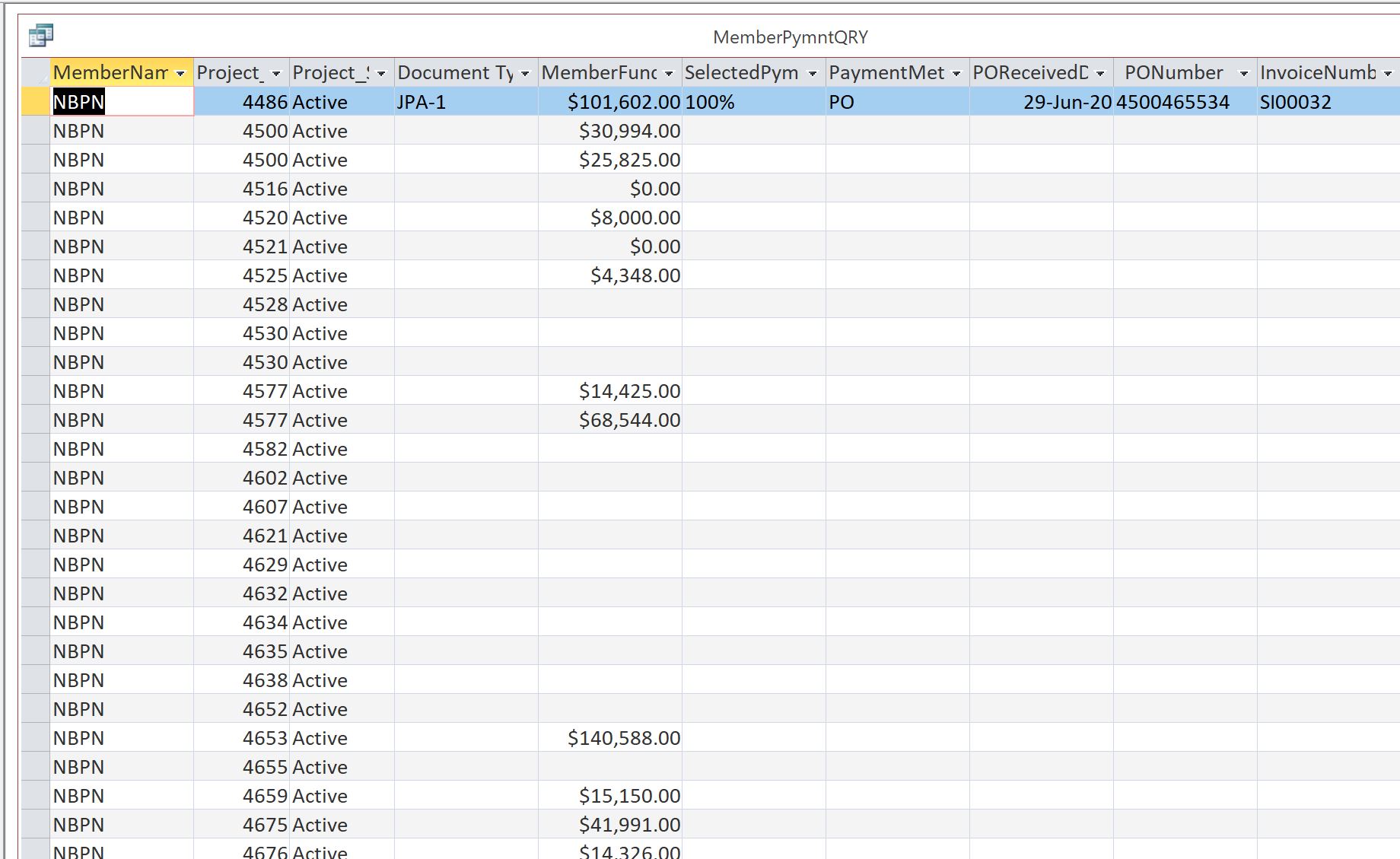
Now, It is showing the Member in the List and when the query is run you can see the results, however the form it dies not display the projects for the selected member.
Adam Schwanz  @Reply  
           
5 years ago
Delete the combo box and start over, guessing you have something in the macro going funky now that you've changed that. Select the ID field and the MemberName for the 2 fields
Taruna Matharu OP  @Reply  

5 years ago
When I add new combo box under the option where we select field it does not display the ID anymore only MemberName
Adam Schwanz  @Reply  
           
5 years ago
So your doing new combo box, find a record thing right? Then in next page you can't select the ID and the MemberName? Page after that should be hide the key field.

The form is based off of the query too correct?
Adam Schwanz  @Reply  
           
5 years ago
A filter may be easier. Try this Filter Records
Taruna Matharu OP  @Reply  

5 years ago
Yes I did the new combo box to select member and it then lists only for that member projects. It is the next page where it is not showing  ID for me to select only MemberName and other fields. The hide part comes after we select.  So I will check the Filter Records link that you shared.
Adam Schwanz  @Reply  
           
5 years ago
Wondering if you're not having trouble because of the two member fields. Didn't want to throw any coding at a beginner problem but try this just to see if that's the issue.

Take the Member_TBL out of the query all togethor.
Remove the MemberName alias that we made

Make a new MemberName with this code:

MemberName: DLOOKUP("Member","Member_TBL","Member_ID=" & Member)

If that gives you any problems, you may need to wrap your underscore fields in brackets

MemberName: DLOOKUP("Member","[Member_TBL]","[Member_ID]=" & Member)

Bring in MemberPymntID and Member into the query. Go to try to make a combo box then, bring in MemberPymntID and MemberName
Adam Schwanz  @Reply  
           
5 years ago
That will find specific records, if you want all the records for that member, base the combo box on Member and MemberName
Taruna Matharu OP  @Reply  

5 years ago
I did try the above as mentioned and when I run query it gives all members and I want all the records for one member. When I base the combo box on Member and MemberName it displays and I cannot make a selection under the Details the data  for all members is already displayed.
Adam Schwanz  @Reply  
           
5 years ago
Do you still have the member field in there with the criteria?
Taruna Matharu OP  @Reply  

5 years ago

Taruna Matharu OP  @Reply  

5 years ago

Taruna Matharu OP  @Reply  

5 years ago
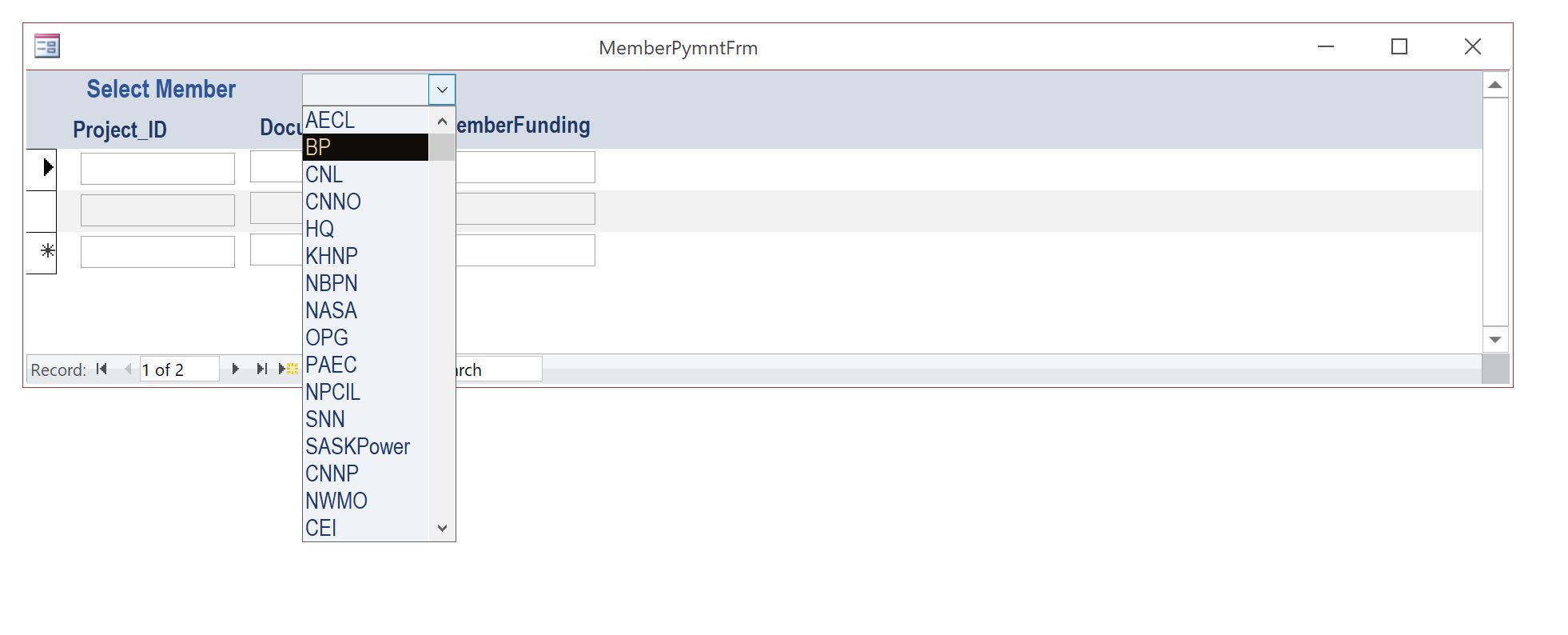
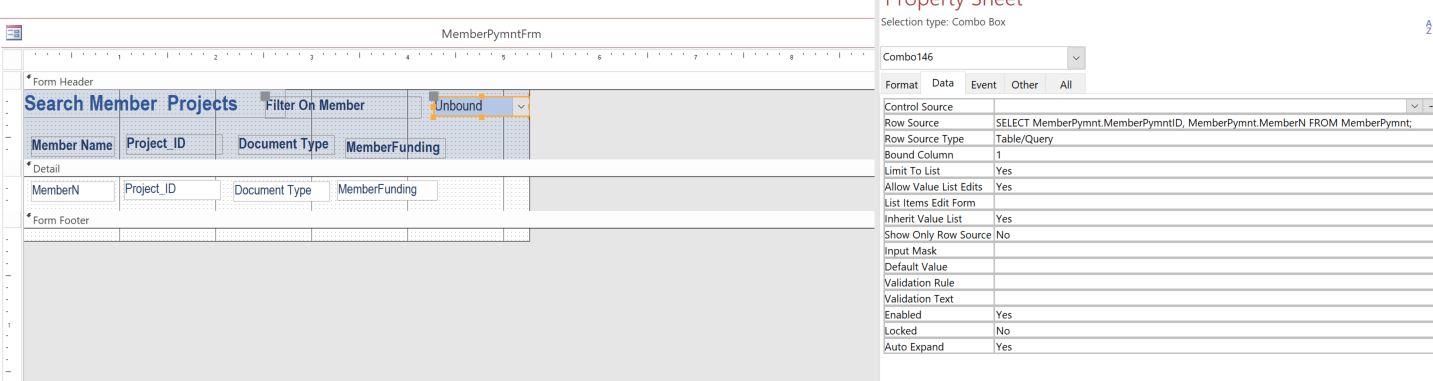
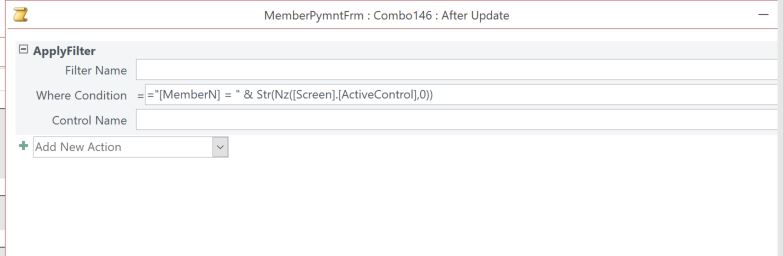
I could not get it to work, so I got rid of the Lookup field for Members and created MemberN  ShortText in the Table. Now in the Form it displays all Members data, I added the combo box. Now I have 2 questions In the combo box it displays all occurrences of members multiple times where as there are on 14 members. When I select the Member it does not filter.

This thread is now CLOSED. If you wish to comment, start a NEW discussion in Access Forum.
 

Next Unseen


What's This?


The following is a paid advertisement
Computer Learning Zone is not responsible for any content shown or offers made by these ads.
 

Learn
 
Access - index
Excel - index
Word - index
Windows - index
PowerPoint - index
Photoshop - index
Visual Basic - index
ASP - index
Seminars
More...
Customers
 
Login
My Account
My Courses
Lost Password
Memberships
Student Databases
Change Email
Info
 
Latest News
New Releases
User Forums
Topic Glossary
Tips & Tricks
Search The Site
Code Vault
Collapse Menus
Help
 
Customer Support
Web Site Tour
FAQs
TechHelp
Consulting Services
About
 
Background
Testimonials
Jobs
Affiliate Program
Richard Rost
Free Lessons
Mailing List
PCResale.NET
Order
 
Video Tutorials
Handbooks
Memberships
Learning Connection
Idiot's Guide to Excel
Volume Discounts
Payment Info
Shipping
Terms of Sale
Contact
 
Contact Info
Support Policy
Mailing Address
Phone Number
Fax Number
Course Survey
Email Richard
[email protected]
Blog RSS Feed    YouTube Channel

LinkedIn
Copyright 2026 by Computer Learning Zone, Amicron, and Richard Rost. All Rights Reserved. Current Time: 11/14/2026 3:29:17 PM. PLT: 1s