Free Lessons
Courses
Seminars
TechHelp
Fast Tips
Templates
Topic Index
Forum
ABCD
 
Home   Courses   TechHelp   Forums   Help   Contact   Merch   Join   Order   Logon  
 
Back to Access Forum    Comments List
Upload Images   @Reply   Bookmark    Link   Email   Next Unseen 
Still Cant Search
David Clement 
       
4 years ago
I am sorry to be a pain, but I still cant search my continuous from inside my Return Form. Even the Navigation Buttons which I turned back on wont search. I had to resort to making Run Query Buttons to fill this need to search.
Hoping someone can tell me what I am doing wrong.
Thank you.
David Clement OP  @Reply  
       
4 years ago

David Clement OP  @Reply  
       
4 years ago

David Clement OP  @Reply  
       
4 years ago

Kevin Robertson  @Reply  
          
4 years ago
What does the code look like that generates your search results?
David Clement OP  @Reply  
       
4 years ago
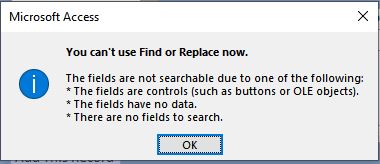
I dont get any search results at all. The only error message I get is the one in the picture, Can't Use
find or Replace.
David Clement OP  @Reply  
       
4 years ago
Is it because the Salesman field is a Combo Box?
Scott Axton  @Reply  
        
4 years ago
David Clement OP  @Reply  
       
4 years ago
I have done that, couldn't get it to work. It doesn't seem to want to search inside the Sub Form which is a continuous form. As I have said, it seems all I can do is make queries.
Kevin Robertson  @Reply  
          
4 years ago
How is the search performed?

If it is done in VBA, show us.
If it is done in a Macro, show us.
If it is done in a Query, show us.

If we can't see what you are attempting we can't determine what you are doing wrong.
David Clement OP  @Reply  
       
4 years ago
I gave up on search Salesman in favor of using Queries.
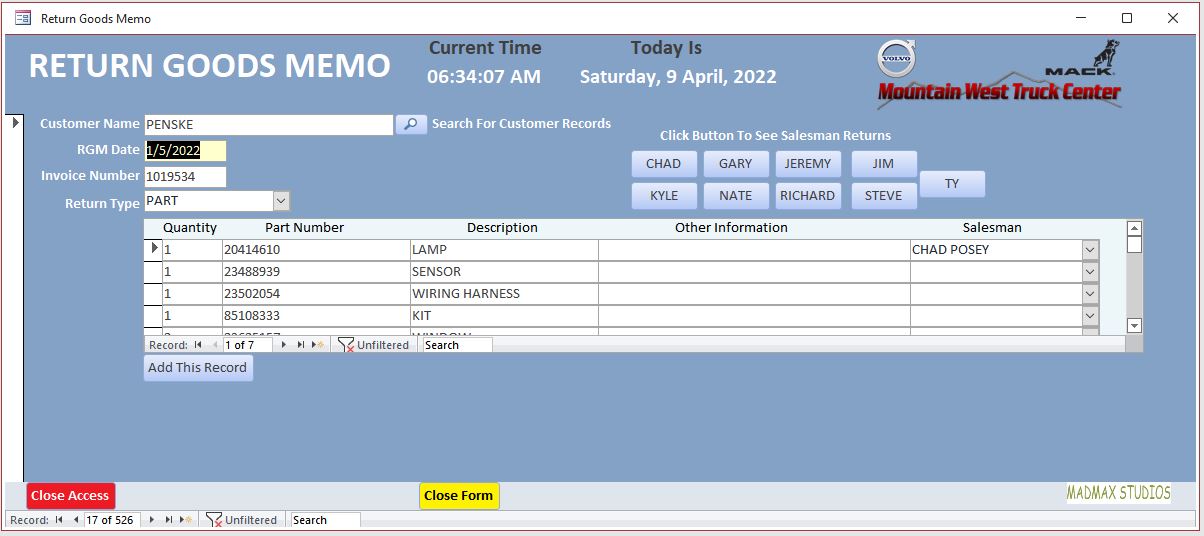
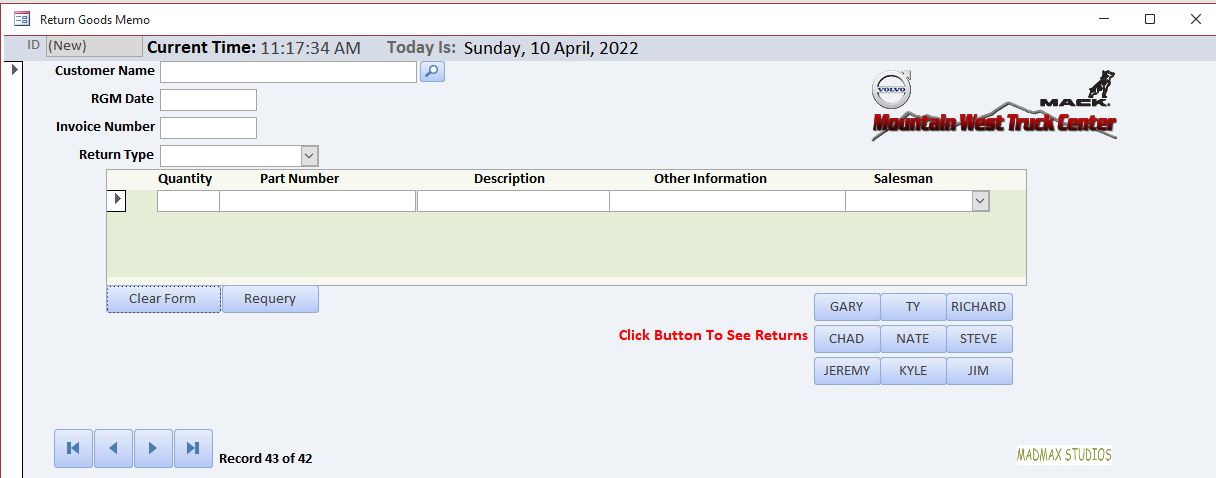
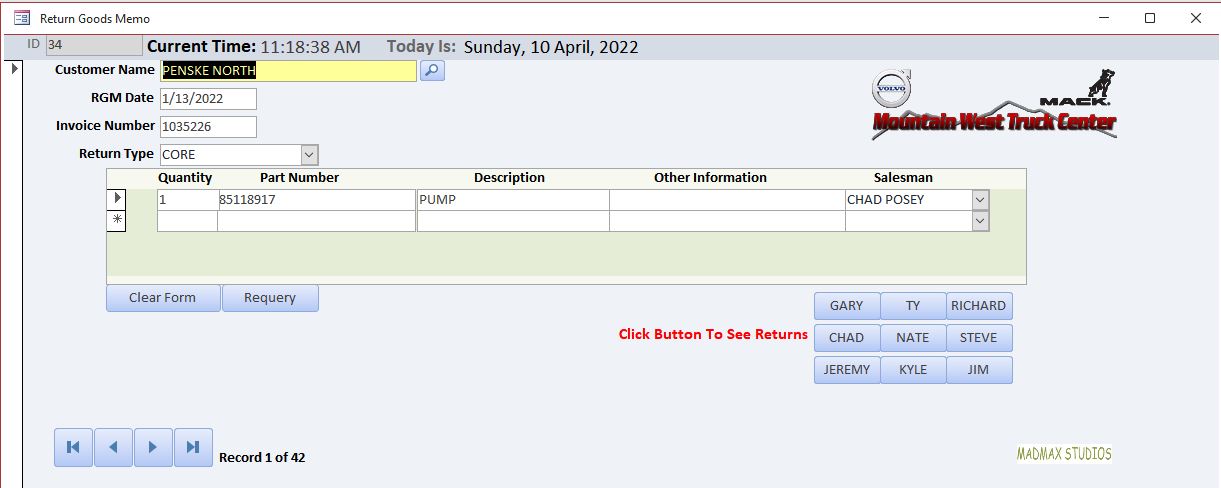
I have a Search Customer Name button which works. Getting back to the Form after the search is now a problem. I will include screenshots of what is happening now.
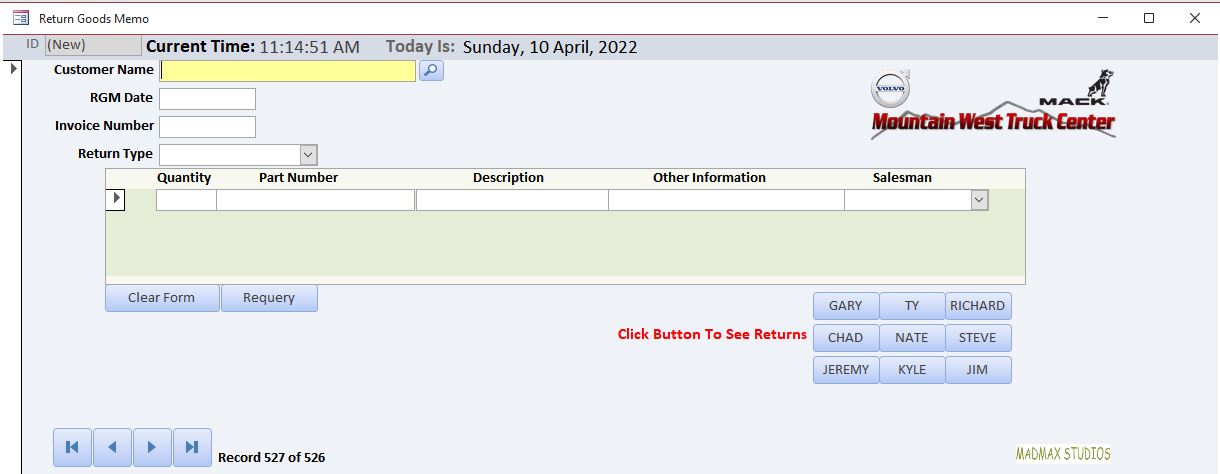
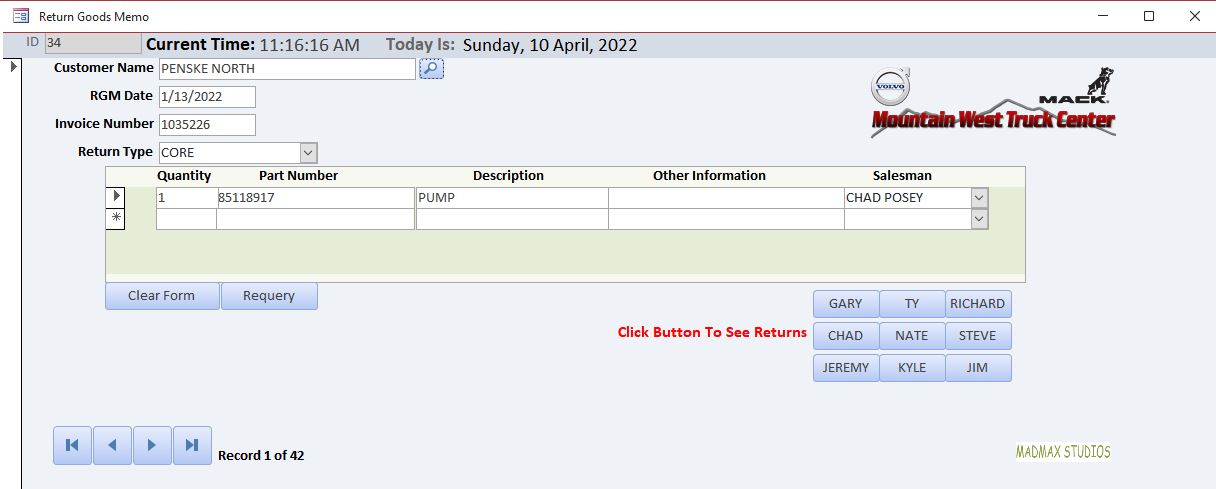
1-PreSearch,2-Aftersearch,3-AfterClearForm,4-AfterRequery.
To summarize, I had to make a Close Form button and then need to reopen the form to go to next new record. I am sorry to be so unfamiliar with what to do. I have watched so many videos it is sometimes hard to keep them all straight.
David Clement OP  @Reply  
       
4 years ago

David Clement OP  @Reply  
       
4 years ago

David Clement OP  @Reply  
       
4 years ago

David Clement OP  @Reply  
       
4 years ago

David Clement OP  @Reply  
       
4 years ago
I rebuilt this form again from scratch instead of trying to fix my original one. Still have same issue of not being able to Refresh and or Requery the form to get to the next new record.
Richard Rost  @Reply  
           
4 years ago
David, the guys are trying to help you, but you're not giving them enough information. Kevin said he needs you to show him what you're doing. We need to see your query in Design View. What VBA code are you using to refilter the subform? You're showing us meaningless screen shots.

I show you how to build a better search form in Access Advanced 6, and a much more enhanced one in Access Developer 26. I see you haven't taken any of my Developer lessons, so these will involve some VBA. Start with Access Developer 1.
David Clement OP  @Reply  
       
4 years ago
Hello,
Sorry for the delay, I have under the weather for a while.
The only VBA code I am using in this form is this.
Private Sub Customer_Name_Click()
             Dim s As String
  
  s = InputBox("Enter Company Name", "Company Name", CompanyName)
  
  If s = "" Then Exit Sub
  
  Me.Filter = "CustomerName Like""*" & s & "*"""
  Me.FilterOn = True
End Sub

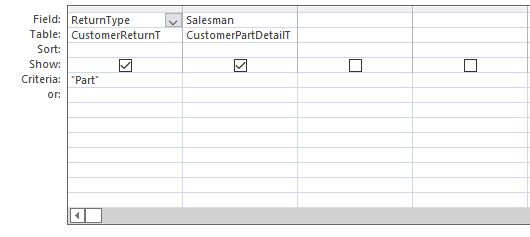
I will also include the query that I am using as a screen shot.
What the search is doing after you enter what you want to search for works just fine with all searches. What I can't get to work is a requery button, so I had to remove the button since it really wasn't working anyway. So now I am just using the
filtered/unfiltered button and the go to last record that way. It is no longer in the database, but it was just the me.requery  vba.
Thank you.
David Clement OP  @Reply  
       
4 years ago

David Clement OP  @Reply  
       
4 years ago
I wanted to originally to be able to search for part numbers the same way i can search customer name. I have used the same VBA code that i use only changing customer name to part number, but no matter what i do, it comes back as an error. Thats what i am using queries for those kind of searches.
David Clement OP  @Reply  
       
4 years ago
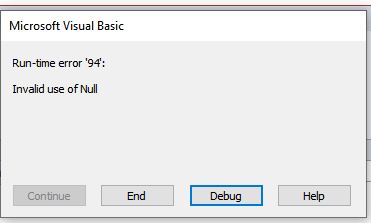
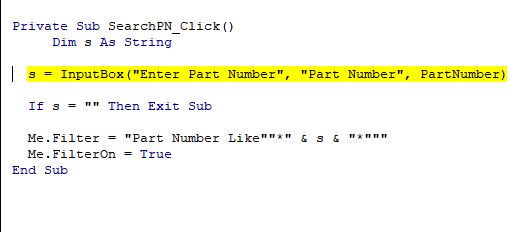
This is what happens when I try to do a part number search:
Private Sub SearchPN_Click()
     Dim s As String
  
  s = InputBox("Enter Part Number", "Part Number", PartNumber)
  
  If s = "" Then Exit Sub

  
  Me.Filter = "Part Number Like""*" & s & "*"""
  Me.FilterOn = True
End Sub
Except the please enter part number.......
comes up yellow in the debugger dialog box, but i don't know where i've made the mistake.
Thats why I gave up on the part number search altogether and am now using the run query instead, they work just fine.
David Clement OP  @Reply  
       
4 years ago

David Clement OP  @Reply  
       
4 years ago

Kevin Robertson  @Reply  
          
4 years ago
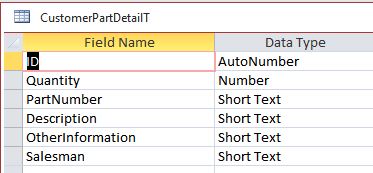
Does PartNumber contain a space?

In the Default Value for the Input Box you refer to "PartNumber", but in the filter you refer to "Part Number".
David Clement OP  @Reply  
       
4 years ago
In my table, this is how it, I have Part Number Set: PartNumber, my form label is Part Number. I thought InputBox is like message box.
David Clement OP  @Reply  
       
4 years ago
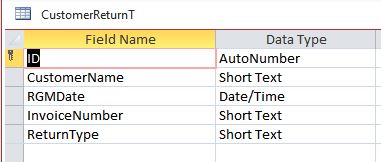
I don't know a better way to do the subform or as Richard would say, The Details Form(Quantity,Part Number ,Description ,Other Information ,Salesman). I tried to base My forms on the Invoicing forms Richard shows how to make, but obviously I am doing something wrong.
David Clement OP  @Reply  
       
4 years ago
Is this not the way Richard says to build this kind of database?
See photos.
David Clement OP  @Reply  
       
4 years ago

David Clement OP  @Reply  
       
4 years ago

Richard Rost  @Reply  
           
4 years ago
Try:

s = InputBox("Enter Part Number", "Part Number", Nz(PartNumber,""))

This thread is now CLOSED. If you wish to comment, start a NEW discussion in Access Forum.
 

Next Unseen

 
New Feature: Comment Live View


The following is a paid advertisement
Computer Learning Zone is not responsible for any content shown or offers made by these ads.
 

Learn
 
Access - index
Excel - index
Word - index
Windows - index
PowerPoint - index
Photoshop - index
Visual Basic - index
ASP - index
Seminars
More...
Customers
 
Login
My Account
My Courses
Lost Password
Memberships
Student Databases
Change Email
Info
 
Latest News
New Releases
User Forums
Topic Glossary
Tips & Tricks
Search The Site
Code Vault
Collapse Menus
Help
 
Customer Support
Web Site Tour
FAQs
TechHelp
Consulting Services
About
 
Background
Testimonials
Jobs
Affiliate Program
Richard Rost
Free Lessons
Mailing List
PCResale.NET
Order
 
Video Tutorials
Handbooks
Memberships
Learning Connection
Idiot's Guide to Excel
Volume Discounts
Payment Info
Shipping
Terms of Sale
Contact
 
Contact Info
Support Policy
Mailing Address
Phone Number
Fax Number
Course Survey
Email Richard
[email protected]
Blog RSS Feed    YouTube Channel

LinkedIn
Copyright 2026 by Computer Learning Zone, Amicron, and Richard Rost. All Rights Reserved. Current Time: 5/1/2026 9:48:59 PM. PLT: 1s