Free Lessons
Courses
Seminars
TechHelp
Fast Tips
Templates
Topic Index
Forum
ABCD
 
Home   Courses   TechHelp   Forums   Help   Contact   Merch   Join   Order   Logon  
 
Back to Access Forum    Comments List
Upload Images   @Reply   Bookmark    Link   Email   Next Unseen 
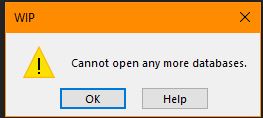
Cannot Open Any More Databases
Dan Jackson 
            
4 years ago
Hi,

This is resolved for now but wanted to approach the subject in case it comes back. Just fishing for ideas

=====The Issue=====
Recently, i've noticed i get the "Cannot open any more databases" error (See Image). Upon research, its due to the Access Limit of 255 connections. I also watched Rick's Bug Alert video but that has apparently since been patched.

=====Object affected=====
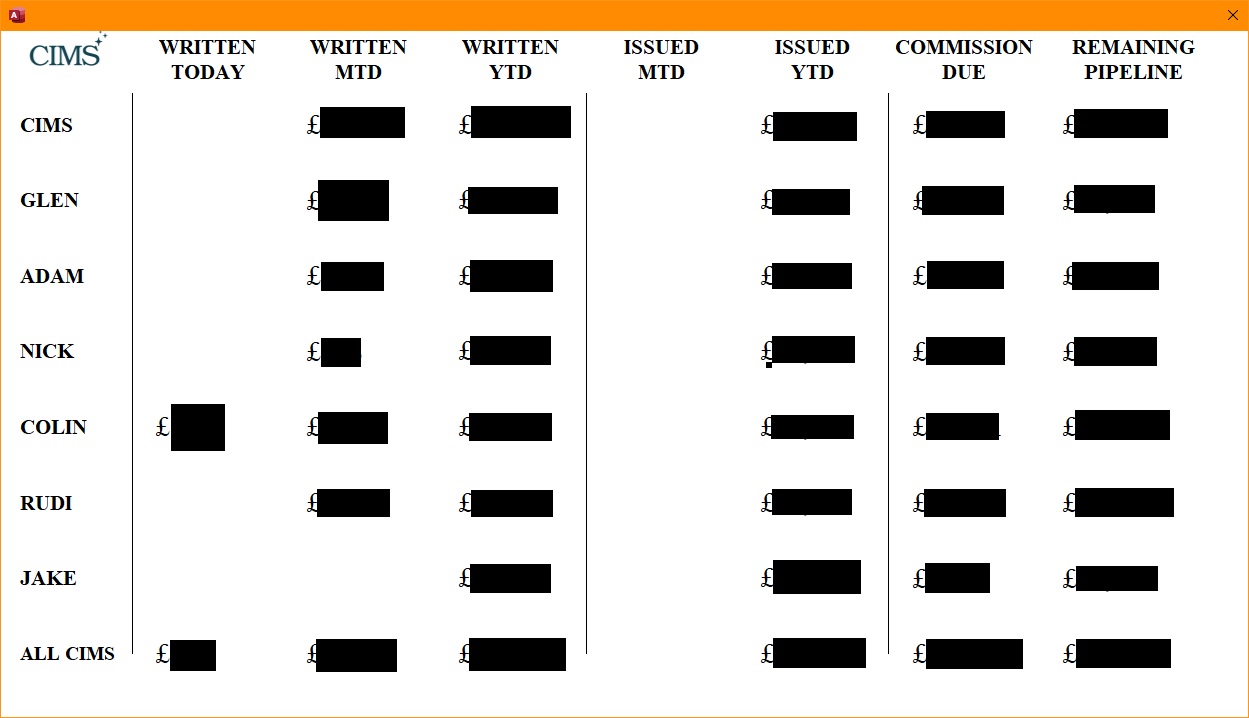
I have a salesboard which calculates total figures for my advisors and requeries every 60 seconds (See Image). The names and titles are simple labels. The figures are each a list box with SQL applied directly to the ROW source.

=====Hopeful Outcome=====
Is there a more efficient method of doing this in the future? I initially tried using a crosstab query but found it wan't quite flexible enough for my needs

=====Example of one of the SQL statements built into the figure=====
SELECT FormatCurrency(Sum(IIf([Field2]=0,[Field1],[Field2])),0) AS [Final Figure]
FROM SalesALLQ
WHERE (((SalesALLQ.GrossWrittenDate)=Date()) AND ((SalesALLQ.NPW)=0) AND ((SalesALLQ.StaffName)="CIMS"));
Dan Jackson OP  @Reply  
            
4 years ago

Dan Jackson OP  @Reply  
            
4 years ago

Dan Jackson OP  @Reply  
            
4 years ago
ps. The blanks are expected, they are not the result of this issue
Dan Jackson OP  @Reply  
            
4 years ago
Just had this happen today. Is there a better way to do this without using Crosstab? Thanks
Adam Schwanz  @Reply  
           
4 years ago
So usually this is because the queries are just too complex. you may need to store some of the values in a table instead, split it into 2 update queries that run separately that update the table with the information you display.
Dan Jackson OP  @Reply  
            
4 years ago
Appreciate it Adam. I'll circle back to this at some point and give it a go. Cheers

This thread is now CLOSED. If you wish to comment, start a NEW discussion in Access Forum.
 

Next Unseen

 
New Feature: Comment Live View


The following is a paid advertisement
Computer Learning Zone is not responsible for any content shown or offers made by these ads.
 

Learn
 
Access - index
Excel - index
Word - index
Windows - index
PowerPoint - index
Photoshop - index
Visual Basic - index
ASP - index
Seminars
More...
Customers
 
Login
My Account
My Courses
Lost Password
Memberships
Student Databases
Change Email
Info
 
Latest News
New Releases
User Forums
Topic Glossary
Tips & Tricks
Search The Site
Code Vault
Collapse Menus
Help
 
Customer Support
Web Site Tour
FAQs
TechHelp
Consulting Services
About
 
Background
Testimonials
Jobs
Affiliate Program
Richard Rost
Free Lessons
Mailing List
PCResale.NET
Order
 
Video Tutorials
Handbooks
Memberships
Learning Connection
Idiot's Guide to Excel
Volume Discounts
Payment Info
Shipping
Terms of Sale
Contact
 
Contact Info
Support Policy
Mailing Address
Phone Number
Fax Number
Course Survey
Email Richard
[email protected]
Blog RSS Feed    YouTube Channel

LinkedIn
Copyright 2026 by Computer Learning Zone, Amicron, and Richard Rost. All Rights Reserved. Current Time: 4/30/2026 2:05:07 PM. PLT: 1s