Free Lessons
Courses
Seminars
TechHelp
Fast Tips
Templates
Topic Index
Forum
ABCD
 
Home   Courses   TechHelp   Forums   Help   Contact   Merch   Join   Order   Logon  
 
Back to Access Forum    Comments List
Upload Images   @Reply   Bookmark    Link   Email   Next Unseen 
combobox error
Jennie Collins 
     
4 years ago
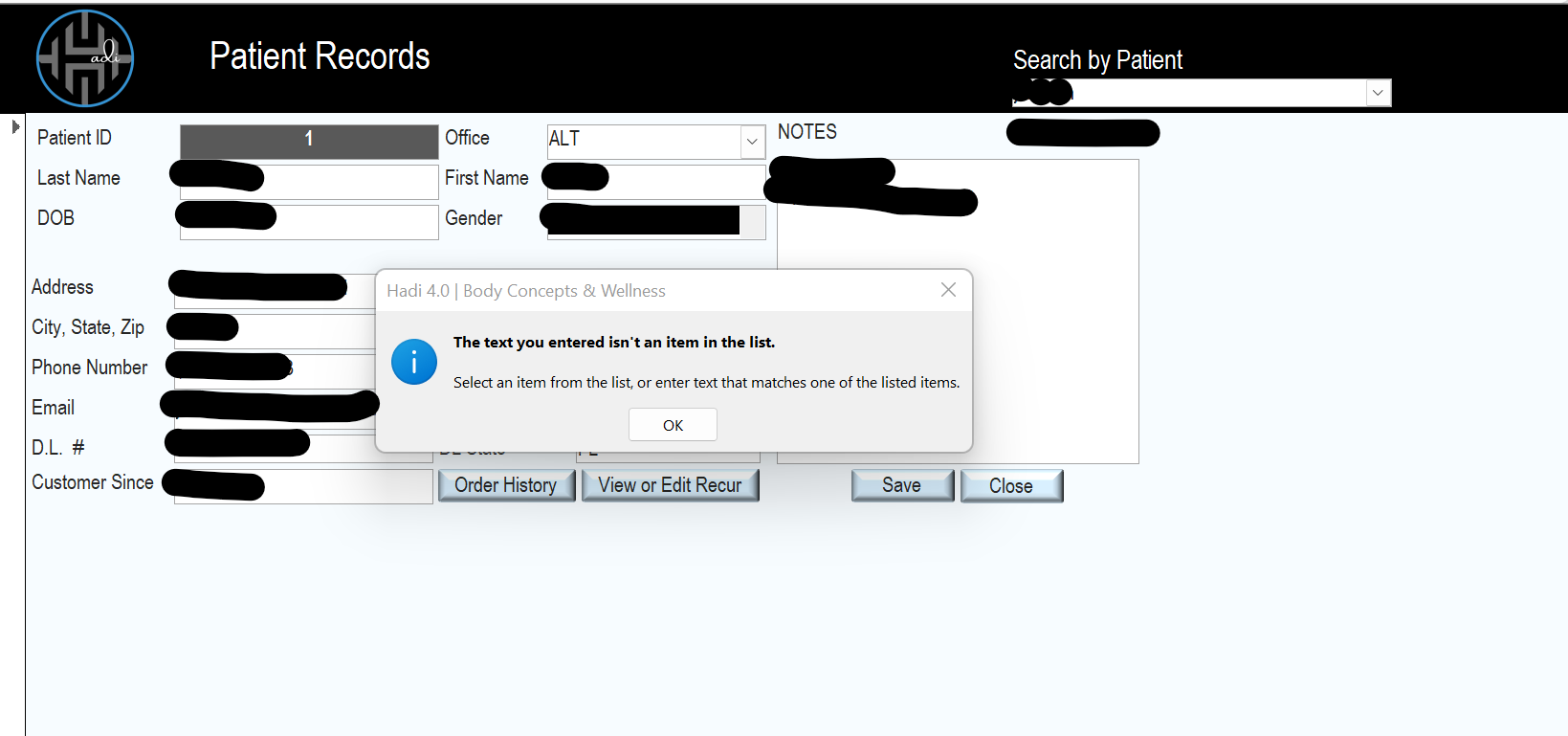
I have a combobox in the header of the customerF. CustomerF based on CustomerT. combobox to search works great til i close the program and re open. then i get an error that says the item is not on the list. but it clearly is. its in the dropdown. Ive tried multiple ways to fix it with no success.
Alex Hedley  @Reply  
           
4 years ago
Can you share a screenshot?

Is this when you pick any item?
Jennie Collins OP  @Reply  
     
4 years ago
Yes let me post pic. It happens no matter what I type or Pic from list
Jennie Collins OP  @Reply  
     
4 years ago

Jennie Collins OP  @Reply  
     
4 years ago
when i re create the combobox it works. as i type it begins populating names from the dropdown. When i close the program and re open, i type a name but nothing happens. when i hit enter i get this error. if  i choose from the dropdown i get same error.
Scott Axton  @Reply  
        
4 years ago
Jennie is this something that has happened just recently or is it happening this way always?

How are you creating your combo box? Using the wizard or manually?
You may need to post some screenshots in design mode for us to see.

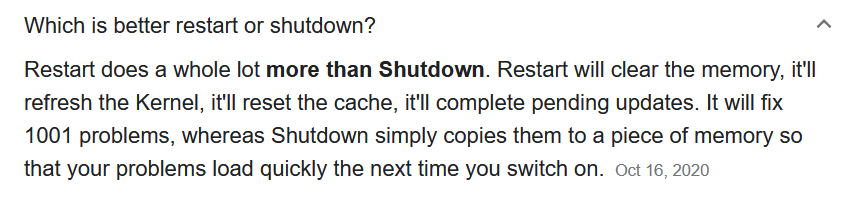
I would start out by totally closing out of all programs.  Then restart your computer.  Don't do a shut down but actually do a restart.

Have you gone through any of the items Troubleshooter?

Scott Axton  @Reply  
        
4 years ago

Jennie Collins OP  @Reply  
     
4 years ago
i guess all issues started after the first time i finished the database, split and put backend on sharepoint. thats when errors started. this last file i basically re created from scratch to make sure i didnt copy errors after i pulled it back down from sharepoint.

that combobox had been fine though, its recent and i cant figure out why. i made a video of whats happening. am i aloud to post a link to that video?
Scott Axton  @Reply  
        
4 years ago
You just added in a variable that wasn't mentioned before - moving to SharePoint.  I'm afraid I haven't worked with SP so can't be of any help there.

So if you download a fresh copy of one of the TechHelp Free Templates or make a new db of your own, can you recreate the same issue? That will tell us if it is in your current db or in access / your computer.
If you have another computer with access on it you could try it there as well.

You are allowed to upload screenshots, and that is fine because we can see them prior to approving them. Once approved they can't be changed.
  
The reason links are not allowed is multi-fold:  
       1. Virus prevention
       2. It prevents broken links in posts -- You might post it now but delete in 2 months from now.  
           Thus breaking the threads in the forum.
       3. Not saying you would, but it prevent people from posting advertising, p**n, etc.  Richard had instances
           where things looked fine initially then got switched out - hacked - whatever, with some nasty stuff and it
           just became easier to not allow most links.
Jennie Collins OP  @Reply  
     
4 years ago
Scott I restarted and then went back to a back up version from about a week prior and all is good.

Now that I have all the basic functions and its working well AGAIN, I need to attempt splitting the database and putting the tables in SharePoint. Ill go back and watch Richard's class first but I'm scared to death to mess it up :-/
Scott Axton  @Reply  
        
4 years ago
The only way you can mess up is if you don't have good backups to fall back on.  Sure you may have 'unexpected occurrences' crop up after a change but if you BU regularly and keep several past BU files it is easier to recover.

Restoring a good BU is much easier than recreating a whole application.

This thread is now CLOSED. If you wish to comment, start a NEW discussion in Access Forum.
 

Next Unseen

 
New Feature: Comment Live View


The following is a paid advertisement
Computer Learning Zone is not responsible for any content shown or offers made by these ads.
 

Learn
 
Access - index
Excel - index
Word - index
Windows - index
PowerPoint - index
Photoshop - index
Visual Basic - index
ASP - index
Seminars
More...
Customers
 
Login
My Account
My Courses
Lost Password
Memberships
Student Databases
Change Email
Info
 
Latest News
New Releases
User Forums
Topic Glossary
Tips & Tricks
Search The Site
Code Vault
Collapse Menus
Help
 
Customer Support
Web Site Tour
FAQs
TechHelp
Consulting Services
About
 
Background
Testimonials
Jobs
Affiliate Program
Richard Rost
Free Lessons
Mailing List
PCResale.NET
Order
 
Video Tutorials
Handbooks
Memberships
Learning Connection
Idiot's Guide to Excel
Volume Discounts
Payment Info
Shipping
Terms of Sale
Contact
 
Contact Info
Support Policy
Mailing Address
Phone Number
Fax Number
Course Survey
Email Richard
[email protected]
Blog RSS Feed    YouTube Channel

LinkedIn
Copyright 2026 by Computer Learning Zone, Amicron, and Richard Rost. All Rights Reserved. Current Time: 5/6/2026 1:13:49 PM. PLT: 1s