When adding images to forms and reports my images are being turned on their sides. I am using the picture path on the form and when it inserts the picture it is turned 90 degrees. when I first did it it worked fine now after about 10 images it started turning them.
Adam Schwanz
@Reply 4 years ago
The image is set on the windows side not inside of access, you may need to rotate your image outside of access to get the correct orientation inside of access.
Richard (Rost :P), may be a good quick video idea. There have been a LOT of these lately it seems like.
I have tried rotating my pictures in the folder I have them in, from right side up to upside down to see what effect it may have on my access database, but it does not affect them at all. They stay 90 degrees clockwise.
Richard Van WagonerOP
@Reply 4 years ago
Richard Van WagonerOP
@Reply 4 years ago
Richard Van WagonerOP
@Reply 4 years ago
This is one of the images that rotate. The first picture is in my Folder on my computer, the second is after I import it to my database.
Interesting. I've never seen this behavior myself. I'll have to experiment with it. How are you adding the images? Are you storing the images in an OLE field INSIDE the database, or storing the filename in a text field and using the Image control? See Images.
Scott Axton
@Reply 4 years ago
Just as important -
How are you taking the photo? By phone?
When you take the picture are you taking it Portrait (vertical) or Landscape (horizontal)?
Kevin Yip
@Reply 4 years ago
Right-clicking on a picture and choosing Rotate does *not* actually rotate it, I found out. Solution: after right-clicking the picture, click "Edit with Photos." A different tool shows up. Set the rotations. At the bottom right, next to "Save a copy", click the "V" button, then click Save. That will actually save it into the file. Access should now show the picture as it really is.
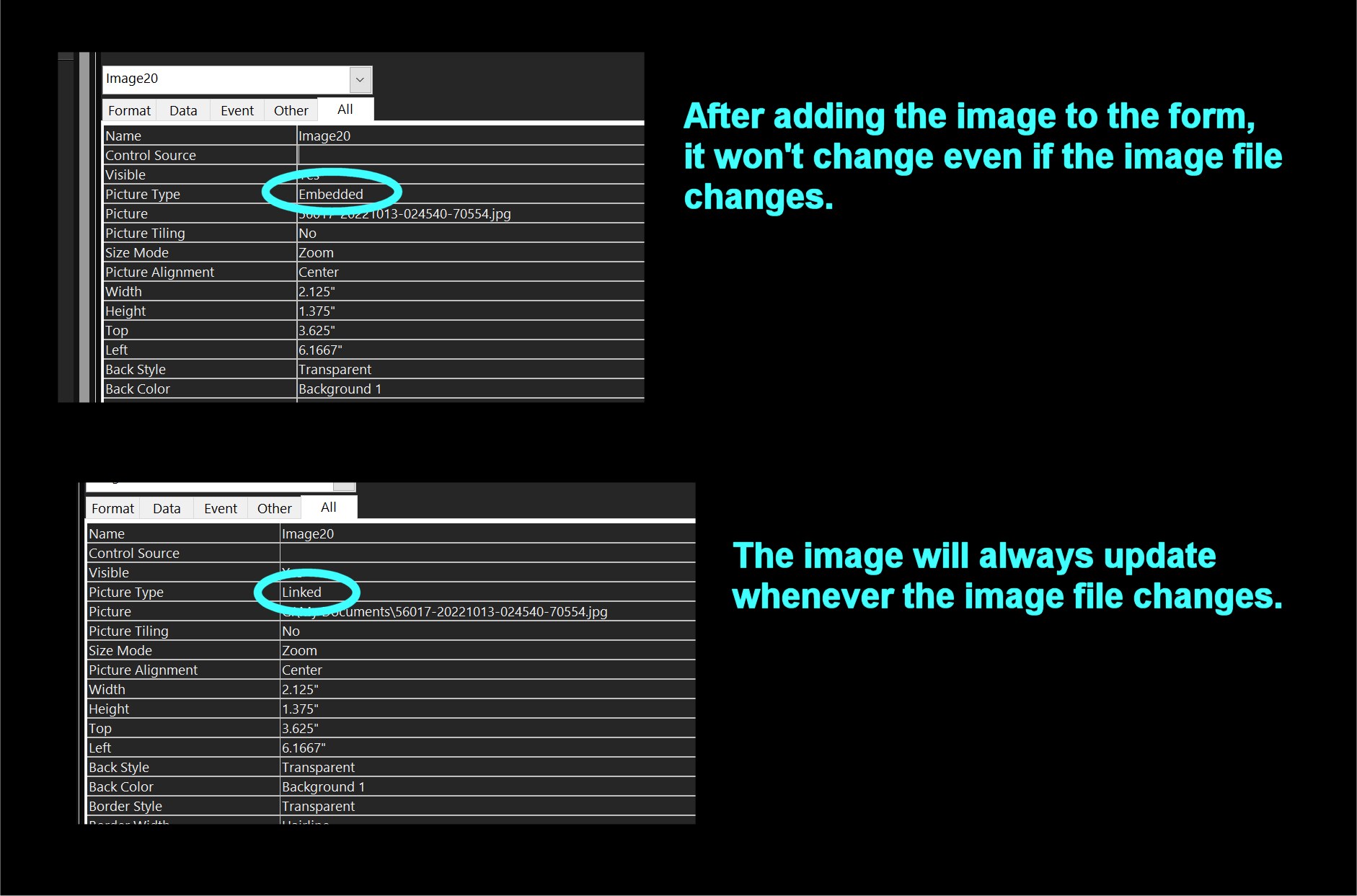
One caveat: check whether your image is "embedded" or "linked" (see pic below). "Embedded" means the image will always look the way it looked when you first added it to the control. If the picture was sideways when you first added it, it will stay sideways even after you corrected it -- in which case you'll have to set the "Picture" property to nothing, then add the picture again. But if it is a "linked" picture, the image will always be the same as the image file.
Kevin Yip
@Reply 4 years ago
Richard Van WagonerOP
@Reply 4 years ago
First I'll answer the questions posed to me. I am taking the pictures with a phone. Then adding them to my computer. They are being taken in Portrait mode. I then edit the pictures crop mostly with the picture program that came with my computer. I then use the pictures in my database. Using a file name to point to the picture. Right now it is only happening with 3 0f 17 pictures and they are not consecutive in order.
If you are a Visitor, go ahead and post your reply as a
new comment, and we'll move it here for you
once it's approved. Be sure to use the same name and email address.
This thread is now CLOSED. If you wish to comment, start a NEW discussion in
Access Expert 4.