4 hours
ago: Doing some maintenance on the server today. If you've placed an order and it hasn't processed yet, hang in there. Should be ready soon. I've got the car up on the jack and the tires are off...
Dismiss
I am looking for best practices for Document control. My Database is growing and its hard to remember what each Form or Query is about and why its structured like it is, the navigation pane is also cluttered with help Forms etc. I am using your proposed Naming structure which helps thank you but ..
How can you bring a little bit more structure to this only slightly organized chaos
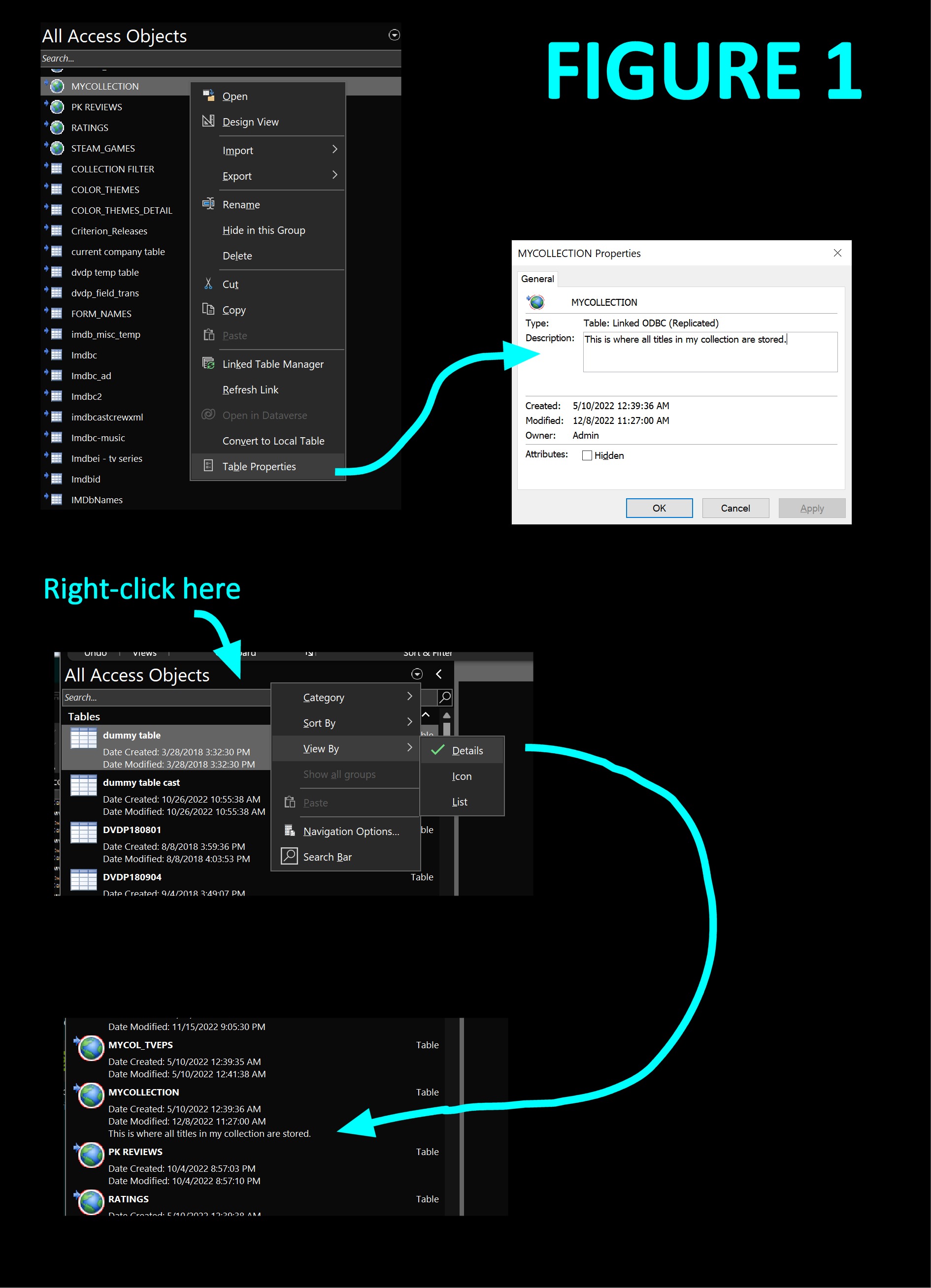
Right-click on each item on the navigation pane and click Properties, where you can type a custom description (max 255 chars) for that item. Turn on "detail view" in the navigation pane to see your custom description next to each item. See Figure 1 below.
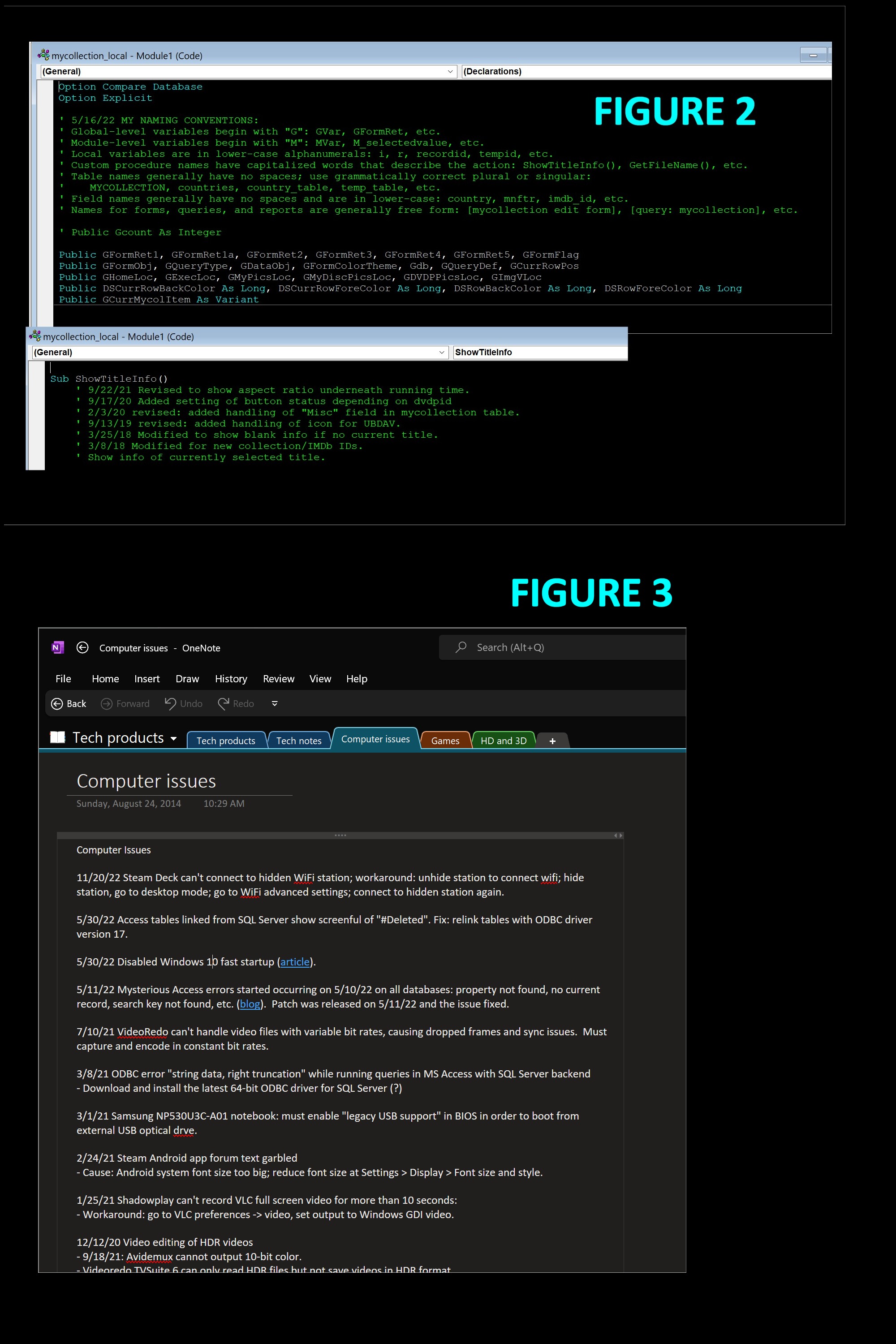
If you have a lot of VBA code, you also need to make ample comments for it. Type in anything that will jog your memory easily when you haven't seen the code for a long time. In my VBA code (Figure 2), I comment the date each procedure was created, all the dates it was revised, and the reasons it was revised.
You can also use OneNote, part of Office, for your note-taking (Figure 3). I use OneNote to record any noteworthy computer issues that arise. I've been doing that for years.
Yes, all this is time-consuming, but in any professional setting, this is part of the job.
Kevin Yip
@Reply 4 years ago
Kevin Yip
@Reply 4 years ago
Sorry, only students may add comments.
Click here for more
information on how you can set up an account.
If you are a Visitor, go ahead and post your reply as a
new comment, and we'll move it here for you
once it's approved. Be sure to use the same name and email address.
This thread is now CLOSED. If you wish to comment, start a NEW discussion in
Access Forum.