22 minutes
ago: Doing some maintenance on the server today. If you've placed an order and it hasn't processed yet, hang in there. Should be ready soon. I've got the car up on the jack and the tires are off...
Dismiss
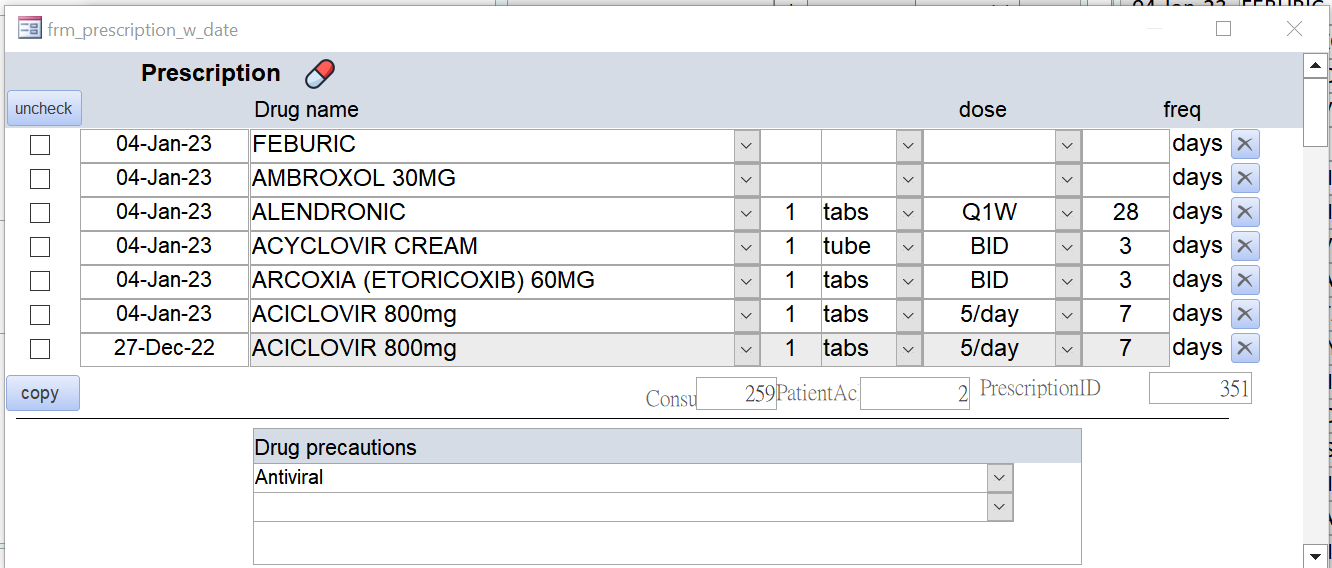
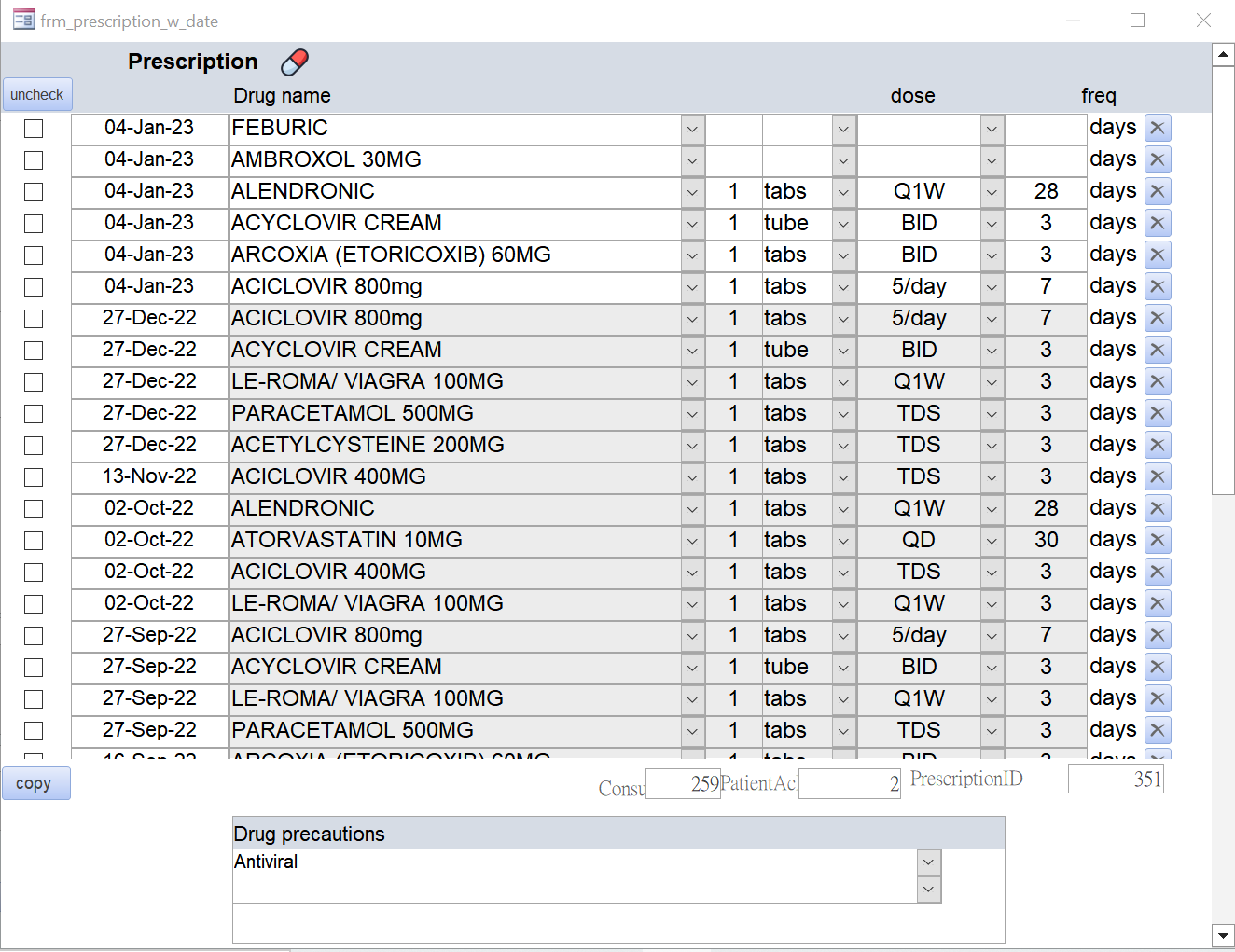
every time I open the form, it is short , only contains 7 rows (below default.png) The form actually contains many rows (below actual.png) How can I lengthen the form whenever I open it ? Thanks
John YeungOP
@Reply 3 years ago
John YeungOP
@Reply 3 years ago
Kevin Robertson
@Reply 3 years ago
Open the form resize it and save it (Ctrl + S). Access should open the form with the saved height.
If for some reason this isn't working set the height of the form in the Open or Load event.
Example: Me.InsideHeight = 9000
John YeungOP
@Reply 3 years ago
done, thanks Kevin
Sorry, only students may add comments.
Click here for more
information on how you can set up an account.
If you are a Visitor, go ahead and post your reply as a
new comment, and we'll move it here for you
once it's approved. Be sure to use the same name and email address.
This thread is now CLOSED. If you wish to comment, start a NEW discussion in
Access Forum.