Free Lessons
Courses
Seminars
TechHelp
Fast Tips
Templates
Topic Index
Forum
ABCD
 
Home   Courses   TechHelp   Help   Contact   Merch   Join   Order   Logon   Forums   
 
Back to Access Forum    Comments List
Upload Images   @Reply   Bookmark    Link   Email   Next Unseen 
Subform Issue
Becky Smith 
     
3 years ago
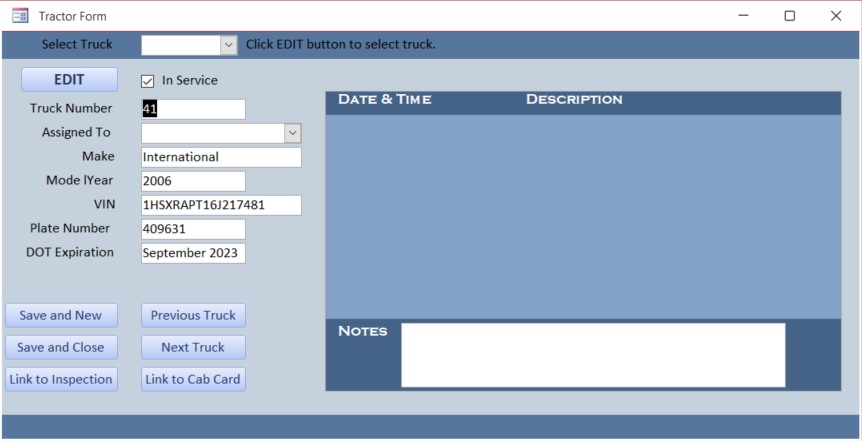
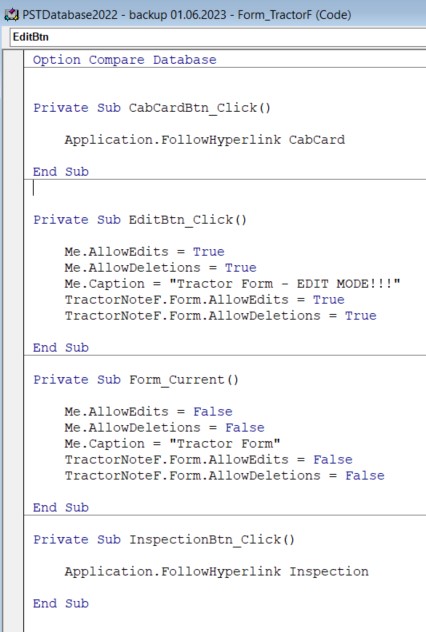
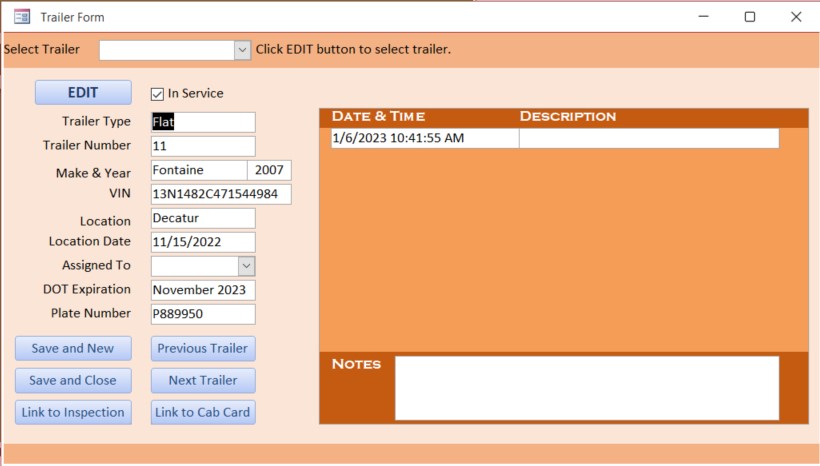
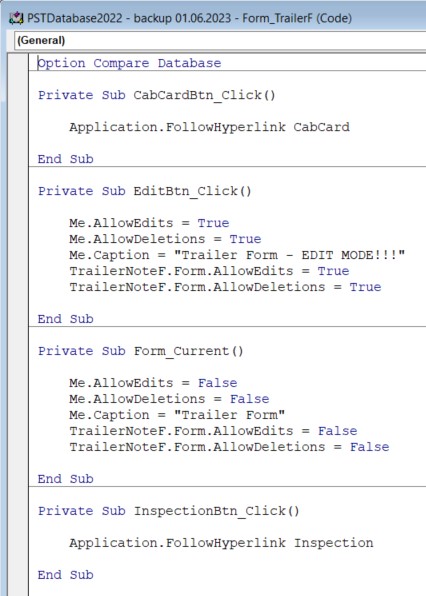
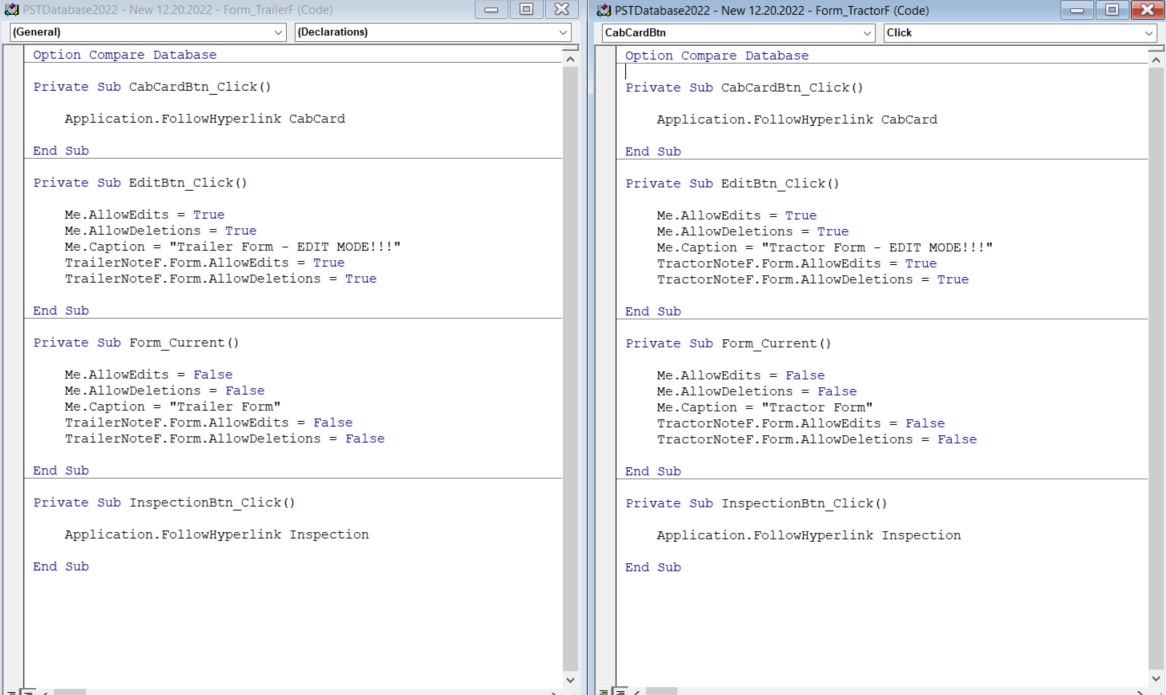
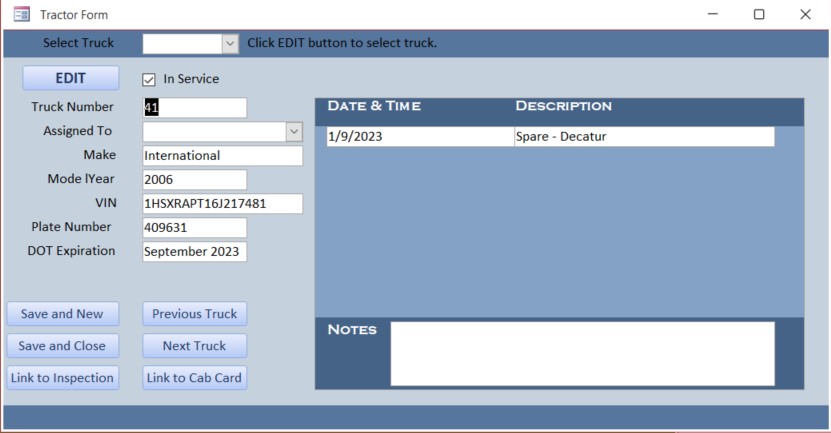
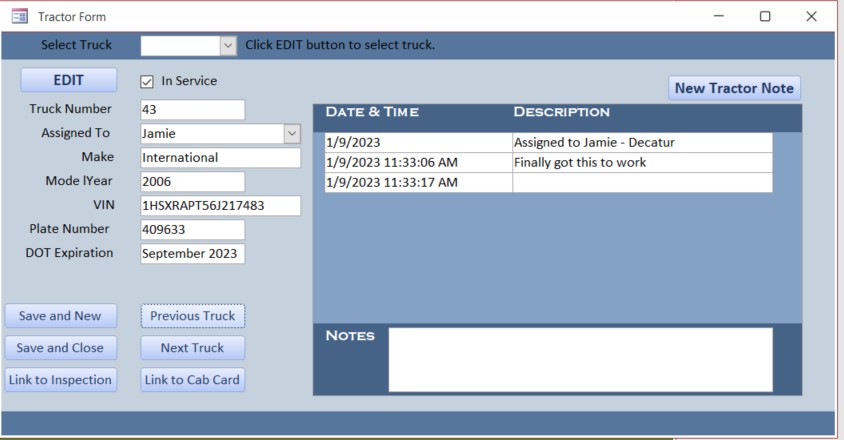
I'm at a loss.... I'm a novice, just starting on Expert series. I have a couple forms with subforms to add comments for each record. I have the exact same information in both my TractorF & TrailerF. When I open the trailer form, the subform displays a field to add a new note; the tractor form does not. I have an edit button on both forms and the corresponding codes. Again, the same in both forms. I just don't understand what the difference is that there is no field to enter a new note on the tractor form...
Becky Smith OP  @Reply  
     
3 years ago

Becky Smith OP  @Reply  
     
3 years ago

Becky Smith OP  @Reply  
     
3 years ago

Becky Smith OP  @Reply  
     
3 years ago

Juan C Rivera  @Reply  
            
3 years ago
Hi Becky,  I'm trying to narrow down what may be causing the problem.  
Are you  on Access Expert 2 or 3?
Do you have 2 forms the same or one form and setting the controls with VBA. If you cut and paste this may have some code that is causing the problem.  let me know

V/r
Juan
Becky Smith OP  @Reply  
     
3 years ago
I just started Expert 2. I have one form for Tractor notes and one for trailer notes. I didn't copy & paste, I did them both separately. I even tried to delete the subform from the Tractor table and put it back in, but it still gives me the same issue.
Kevin Robertson  @Reply  
          
3 years ago
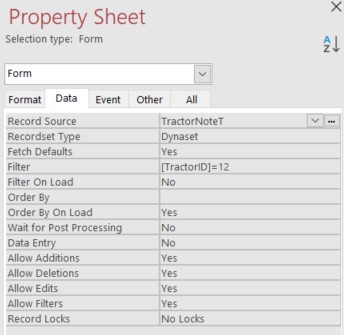
Check the AllowAdditions property of the Subform. It looks like it is set to No and that's why you are unable to add a new record.
Becky Smith OP  @Reply  
     
3 years ago

Becky Smith OP  @Reply  
     
3 years ago
It is set to Yes.
Kevin Robertson  @Reply  
          
3 years ago
Have you tried copying the one that is working then just change the properties/formatting as necessary?
Since they have the same field names this should be a quick and simple task.
Becky Smith OP  @Reply  
     
3 years ago
Very frustrating... Still giving me the same result.
Kevin Yip  @Reply  
     
3 years ago
This can happen if the form's Detail section is invisible.  Open up TractorNoteF in design view, click on a blank area in the Detail section, and see if you have accidentally set the Visible property to No.

Other things to check are the subform control's properties.  Make sure Source Object, Link Master Fields, and Link Child Fields are correct.  But then again if these are incorrect, you get error messages.
Becky Smith OP  @Reply  
     
3 years ago
I've checked all those things. I even deleted my TractorFormF, completely rebuilt it and added it back to TractorF and the new note field still does not show up... I tried to add a button to add a new note, but it gives says can't go to specified record when you click it in the subform.

I have just noticed, that I am unable to edit the subform on the TractorF even when clicking the edit button first. I am able to add new information to the subform in TrailerF, but I have to click the edit button to edit or delete. I've checked the code on both again and they are identical (except the from names.)

Any other ideas what to try?
Becky Smith OP  @Reply  
     
3 years ago

Kevin Robertson  @Reply  
          
3 years ago
If you add a sample record to the table does it show up on the subform?
Becky Smith OP  @Reply  
     
3 years ago
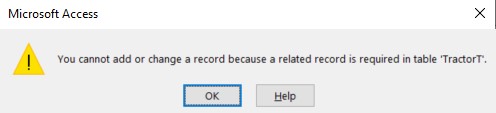
No... It gives me this error message.
Becky Smith OP  @Reply  
     
3 years ago

Kevin Robertson  @Reply  
          
3 years ago
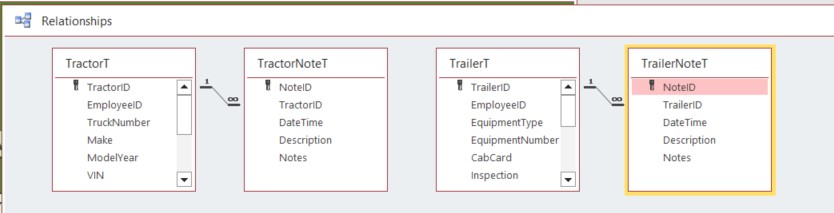
That's normal with Referential Integrity turned on. You'll need a record in the parent table (TractorF) first.
Becky Smith OP  @Reply  
     
3 years ago

Becky Smith OP  @Reply  
     
3 years ago
I've added a record to the parent table. It still doesn't give me a new field to add a new note.
Becky Smith OP  @Reply  
     
3 years ago

Kevin Robertson  @Reply  
          
3 years ago
If you add a temporary button to the parent form and add the code below do you see anything?
TractorNoteF.Form.AllowAdditions = True
Becky Smith OP  @Reply  
     
3 years ago
That does allow me to type a new note. The only issue is that it when I start typing the new note description, it puts another line down below it.
Becky Smith OP  @Reply  
     
3 years ago

Becky Smith OP  @Reply  
     
3 years ago
At this point, I've gone back to a backup from 12/20 that is is working on. Not that much has changed in the database since then, so I'm just going to update it and hope it continues to work once I'm done. I appreciate all your help! I'm sure its something small that I did without realizing.

This thread is now CLOSED. If you wish to comment, start a NEW discussion in Access Forum.
 

Next Unseen

 
New Feature: Comment Live View


The following is a paid advertisement
Computer Learning Zone is not responsible for any content shown or offers made by these ads.
 

Learn
 
Access - index
Excel - index
Word - index
Windows - index
PowerPoint - index
Photoshop - index
Visual Basic - index
ASP - index
Seminars
More...
Customers
 
Login
My Account
My Courses
Lost Password
Memberships
Student Databases
Change Email
Info
 
Latest News
New Releases
User Forums
Topic Glossary
Tips & Tricks
Search The Site
Code Vault
Collapse Menus
Help
 
Customer Support
Web Site Tour
FAQs
TechHelp
Consulting Services
About
 
Background
Testimonials
Jobs
Affiliate Program
Richard Rost
Free Lessons
Mailing List
PCResale.NET
Order
 
Video Tutorials
Handbooks
Memberships
Learning Connection
Idiot's Guide to Excel
Volume Discounts
Payment Info
Shipping
Terms of Sale
Contact
 
Contact Info
Support Policy
Mailing Address
Phone Number
Fax Number
Course Survey
Email Richard
[email protected]
Blog RSS Feed    YouTube Channel

LinkedIn
Copyright 2026 by Computer Learning Zone, Amicron, and Richard Rost. All Rights Reserved. Current Time: 8/7/2026 6:14:44 PM. PLT: 1s