Free Lessons
Courses
Seminars
TechHelp
Fast Tips
Templates
Topic Index
Forum
ABCD
 
Home   Courses   TechHelp   Help   Contact   Merch   Join   Order   Logon   Forums   
 
Back to Access Forum    Comments List
Upload Images   @Reply   Bookmark    Link   Email   Next Unseen 
Multiple Users Split Databas
William Farrar 
    
3 years ago
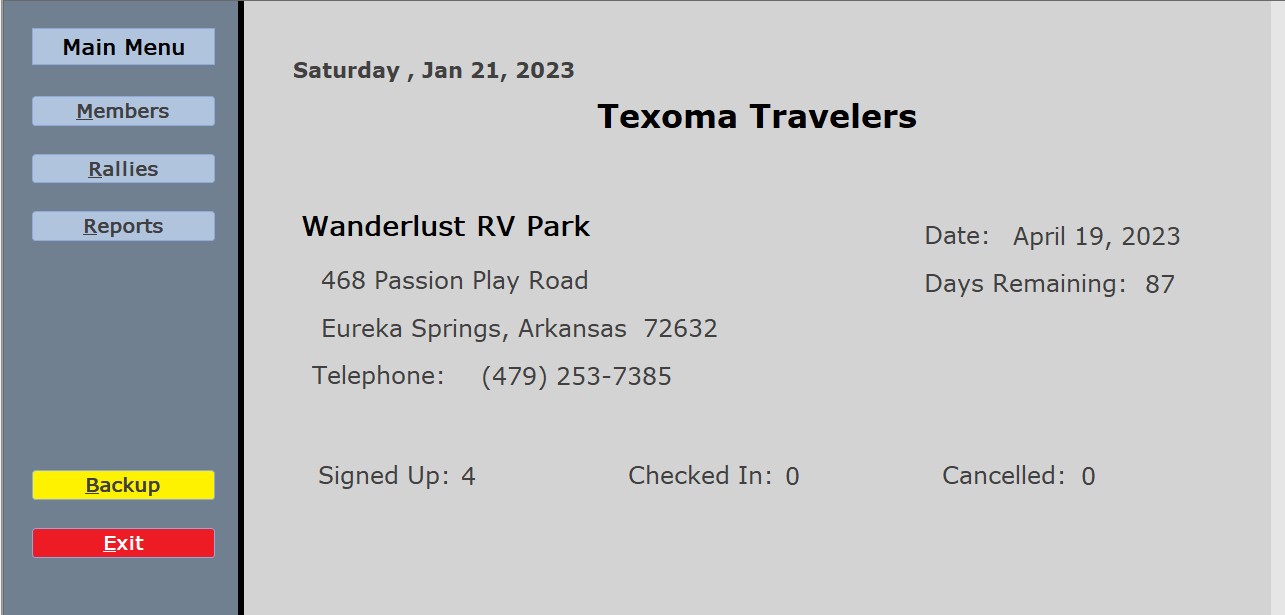
If you have two or more users entering "Check In" data for an event with a split database and back-end, how can all of the users view the latest information?  Maybe a timer event that refreshes the form every 20 seconds...  Our form also shows the number of members that have signed up and those who have checked in for the event
John Davy  @Reply  
         
3 years ago
check out record locking
William Farrar OP  @Reply  
    
3 years ago
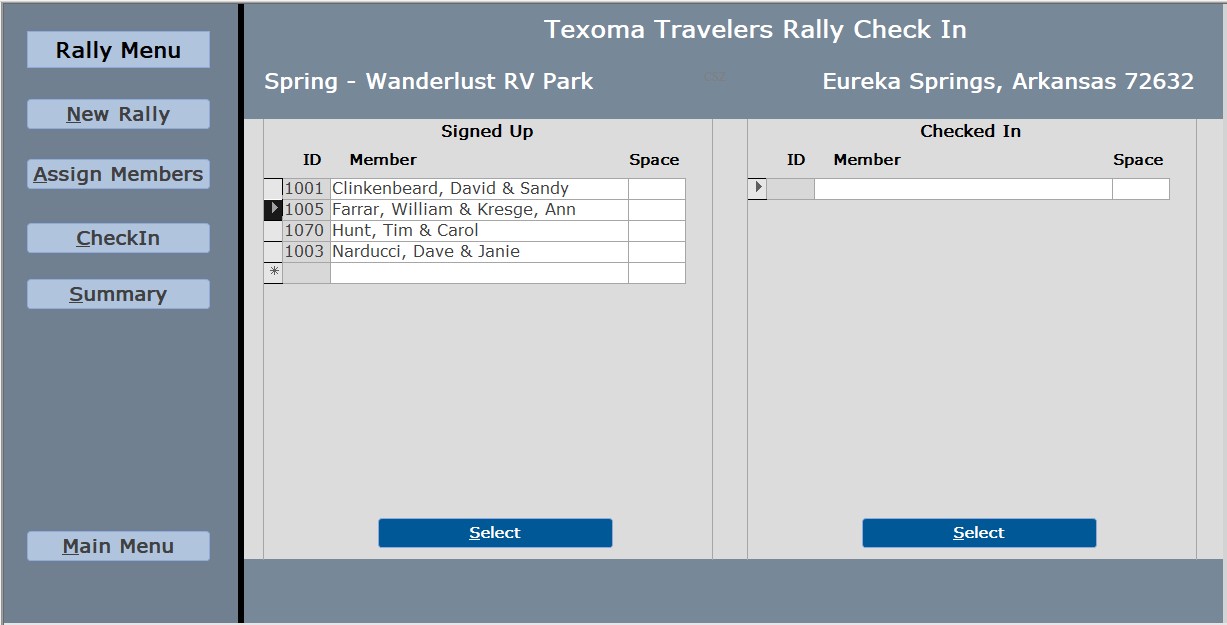
I'm not referring to record locks and preventing other users from editing the exact same record...  If three users have the same form open which contains two continuous  "signed-up" and "checked in".  If user one checks someone in (attendee name moves from the "signed up" sub-form to the "checked-in" sub-form).  I want the open form that user two and user three to receive the updated information without having to close and re-open the form
Scott Axton  @Reply  
      
3 years ago
I'm having a bit of trouble visualizing your form for check in process.  You might need to supply a screen shot or two.  
How are you checking in people? Just going down a list and checking them off or do you open another form to check in people?

For simplicity sake lets say Ann and Bert (A & B) are both checking in attendees.  
While A is checking in "Pat", B can't see the changes made being made until A saves the record for Pat.
Meanwhile B is checking in "Steve" so visa versa.  
In your code to save the record you would refresh your own screen with the most current data. That would be in an AfterUpdate event.
So B saved the record for Steve, the screen updates and B would now see that A also updated Pat while he was working with Steve.

If A is just sitting there and B is doing all the work, yes, you would have to put in some kind of refresh event. Either by a manual button or by a timer event to update the screen to the most current info.

There is some overhead to constantly updating screens via a timer.  Your local computer has to go out and fetch the data from the back end and refresh your form. If you only have 2-3 users that might not be to big a hit depending on how many records you are talking about.  On the other hand if you have lots of users and lots of records and have a timer refreshing the screen every 20 seconds, you might start to see performance issues depending on the power of the computer(s) being used.

So, as you can see, there are Pros and Cons to either method.
William Farrar OP  @Reply  
    
3 years ago

William Farrar OP  @Reply  
    
3 years ago

William Farrar OP  @Reply  
    
3 years ago

William Farrar OP  @Reply  
    
3 years ago

William Farrar OP  @Reply  
    
3 years ago
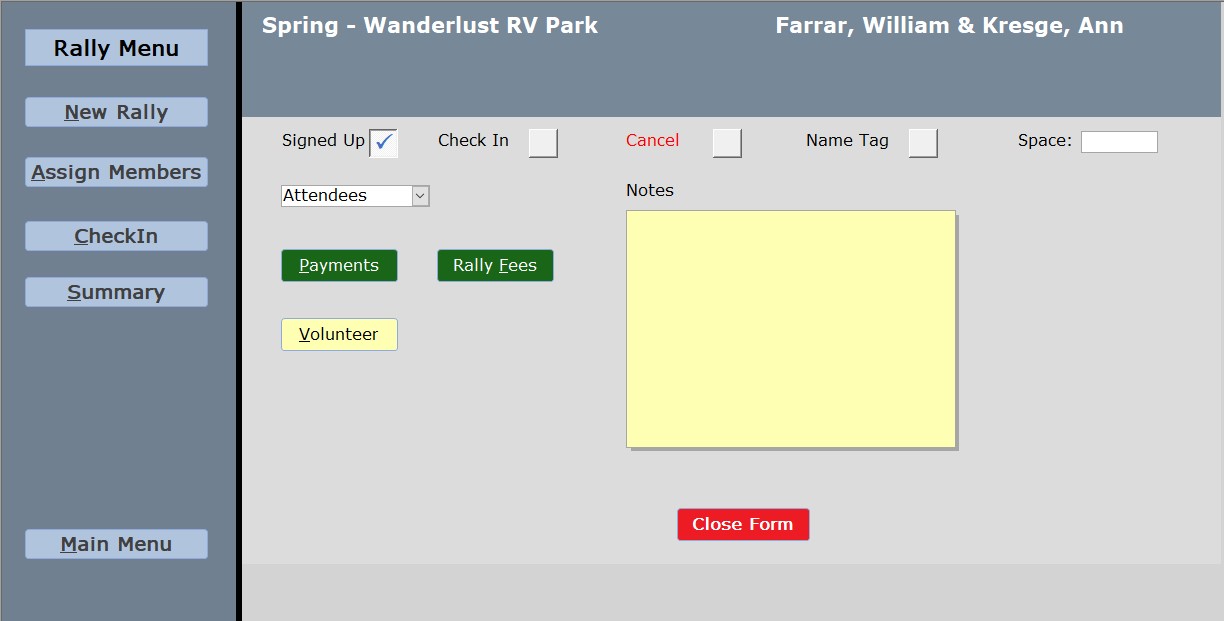
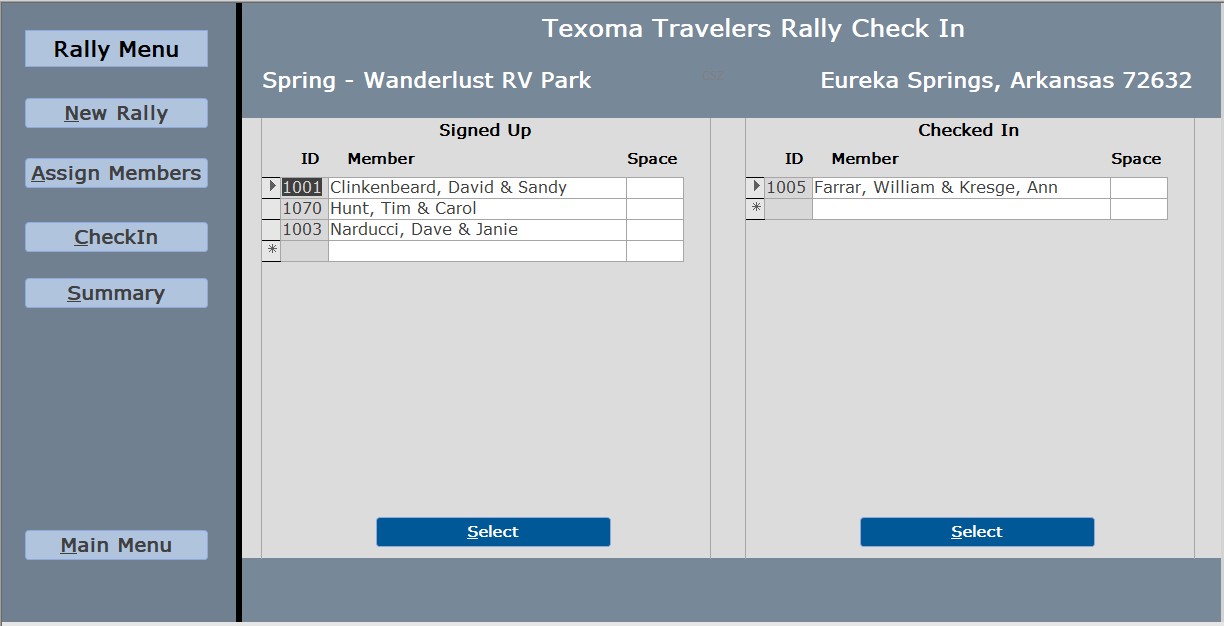
Select the meber you wish to check-in, then press Select.  The button closes the form on the right and opens the next form to mark check-in, cancel, pay fees etc.  Then click on Close form which will close the current form and then reopen the check-in form. This cause the form to perform an automatic re-query for both of the continuous forms with the updated information.  This is great for a single user; however, we will be running this form on at least two computers or more.

How do I get the other users the updated information?  A timer event could cause another user to loose or enter a "dirty" record when it runs the query.  I need the other form to update, but only if the current record is complete to prevent a "dirty" record. Can the timer event be turned off when the check-in form is opened and then turned back on when it closes?
Scott Axton  @Reply  
      
3 years ago
I think you are trying to over think what will happen.  Have you tried splitting the db yet?

From what I see above you should not have a problem.  Here is a way to test this out:
1. Back up your database.
2. Copy your db into a new folder.  Say :  "Split DB Test" folder.
3. Split your DB  Link: Split Your Database
    Now you have your two files in the folder:  Example TexTravelers_fe and TexTravelers_be
4. Simulate two computers:  select the TexTravelers_fe file and make a copy of it.  Rename it to "Computer 2 fe" C2 for short below.      In the same folder is fine.
5. Open both fe files.  Note that both copies are using the SAME "be" file so you will see the same data.
6. In C2 check in Hunter.  In the TT fe check in Clinkenbeard (The same member can't be in front of two clerks at the same time right?)
7. On C2 you finish Hunter and on TT, I'm editing still so that information hasn't been updated in the tables yet.  C2 will still show Hunter as needing checked in.  Mean while Farrar comes up to C2's desk to check in. While you are checking in Farrar, TT finishes and the check in form is reopened performing the auto re-query as you stated.  TT should now see that Hunter has been checked in by C2.

The only time either computer will not see the other computers activity is when one is sitting there idle and there
is an update on the other computer(s).
You could handle that with a "Refresh" button on the check in form to just manually update the query, or, as you said a timer event in the check in form.  Once you close the form to check in someone the timer will stop. A timer only runs as long as the form is open.

=========
Something to consider:
Have you thought about double booking a space?  Let's say you have 88 spaces ;-) and space 3 is filled by Hunter.
Well, when checking in Clinkenbeard you need to know that space 3 is not available to assign to them.

Scott Axton  @Reply  
      
3 years ago
William Farrar OP  @Reply  
    
3 years ago
I appreciate the all of the help,  I was going to wait until I rent a virtual server from our hosting provider before splitting the DB.  After reading your comments and re-evaluating the scenario, I agree with you that I probably won't have to make any changes due to the same record will not be open on all of the computers at the same time.

This thread is now CLOSED. If you wish to comment, start a NEW discussion in Access Forum.
 

Next Unseen


What's This?


The following is a paid advertisement
Computer Learning Zone is not responsible for any content shown or offers made by these ads.
 

Learn
 
Access - index
Excel - index
Word - index
Windows - index
PowerPoint - index
Photoshop - index
Visual Basic - index
ASP - index
Seminars
More...
Customers
 
Login
My Account
My Courses
Lost Password
Memberships
Student Databases
Change Email
Info
 
Latest News
New Releases
User Forums
Topic Glossary
Tips & Tricks
Search The Site
Code Vault
Collapse Menus
Help
 
Customer Support
Web Site Tour
FAQs
TechHelp
Consulting Services
About
 
Background
Testimonials
Jobs
Affiliate Program
Richard Rost
Free Lessons
Mailing List
PCResale.NET
Order
 
Video Tutorials
Handbooks
Memberships
Learning Connection
Idiot's Guide to Excel
Volume Discounts
Payment Info
Shipping
Terms of Sale
Contact
 
Contact Info
Support Policy
Mailing Address
Phone Number
Fax Number
Course Survey
Email Richard
[email protected]
Blog RSS Feed    YouTube Channel

LinkedIn
Copyright 2026 by Computer Learning Zone, Amicron, and Richard Rost. All Rights Reserved. Current Time: 9/15/2026 5:42:18 PM. PLT: 0s