Free Lessons
Courses
Seminars
TechHelp
Fast Tips
Templates
Topic Index
Forum
ABCD
 
Home   Courses   TechHelp   Forums   Help   Contact   Merch   Join   Order   Logon  
 
Back to Access Forum    Comments List
Upload Images   @Reply   Bookmark    Link   Email   Next Unseen 
Create PDF Store to OneDrive
Jon Capps 
       
3 years ago
I have been trying to find a solution to create a pdf to a temp local folder and them copy that created PDF to OneDrive URL folder, is this possible?
Richard Rost  @Reply  
          
3 years ago
Can you map the OneDrive folder as a drive letter like you can with Google Drive Sync? I haven't used OneDrive in years.
Richard Rost  @Reply  
          
3 years ago
Quick Google shows this.
Richard Rost  @Reply  
          
3 years ago
Do that and then you can easily copy stuff up to OneDrive. I do it all the time with my Google Drive mapped to G:
Dan Jackson  @Reply  
            
3 years ago
I have been trying to map OneDrive for over a year and never got a result. Same with sharepoint. I'm sure I tried the method in the link but will give it another go. Would be amazing if it works - to date, there isn't a native Linux client and the ones people have made are balls ⚽️ 🏀 🏈

Would be nice to have my storage back on the Unix environment again. . . One step closer to removing the evil empires like Micro$oft (yes, i know OneDrive is Micro$oft bit Office is the one thing they actually do very well!)

Appreciate the link and reminder to retry! Hope you get your pdf situation sorted. Mapping OneDrive will definitely be a positive step forward.
Richard Rost  @Reply  
          
3 years ago
That's one of the major reasons why I went with Google Drive because it's super easy to share folders and map network drives to your shared folders and the documents update almost instantly on all of the attached machines and it's just the best solution and I've tried them all. Plus Google's remote desktop is the best of those as well. Now if Google made a Microsoft Access competitor then there'd be something to talk about lol.
Jon Capps OP  @Reply  
       
3 years ago

Jon Capps OP  @Reply  
       
3 years ago
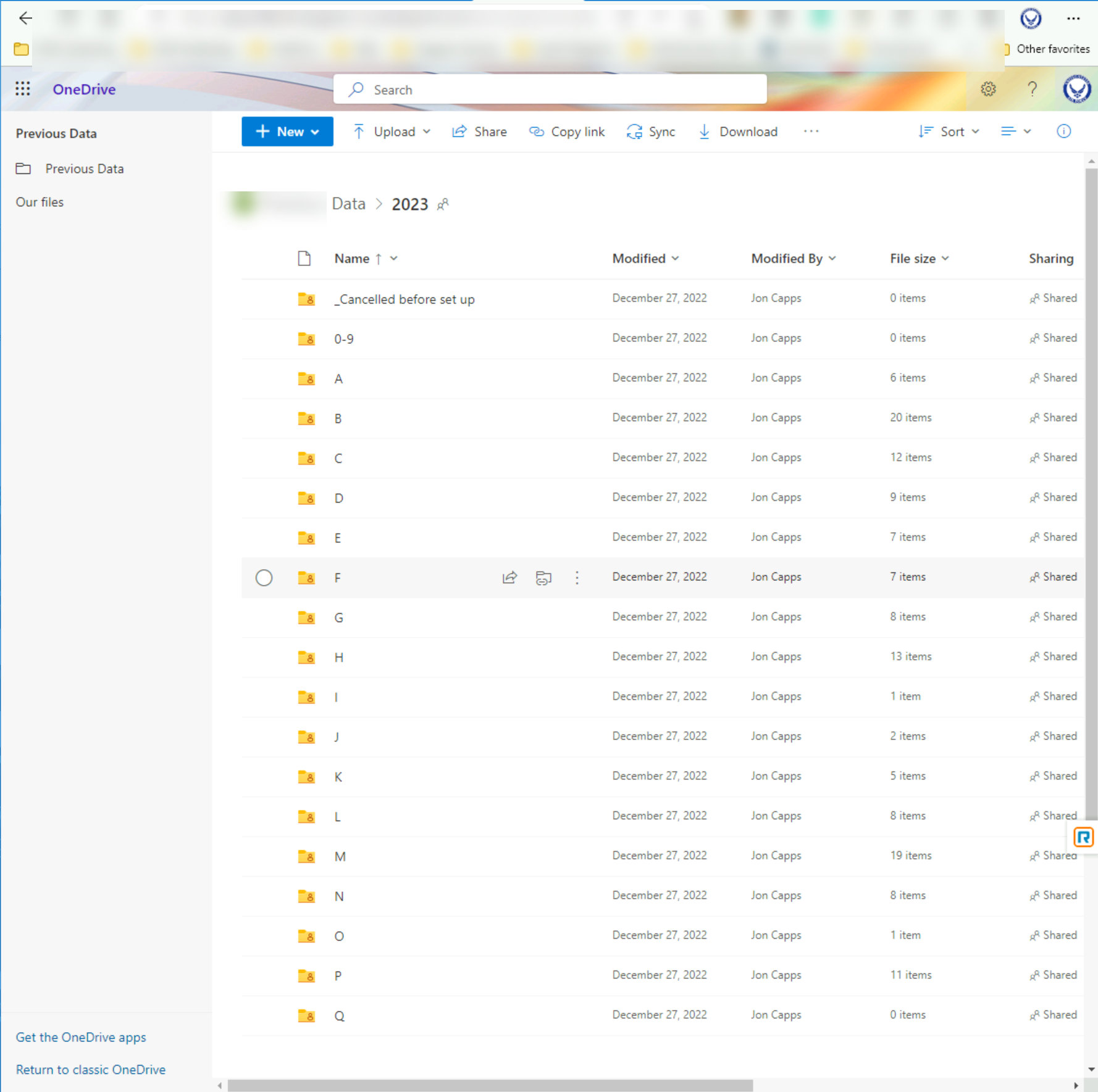
We have folders setup on Business OneDrive by year, then by Letter (last name of person), reading the link, I guess I need to map each folder? OneDrive has a sync client, however it limited to how many files per a machine the  URL can sync, we typically have about a 120000K files per each year
Dan Jackson  @Reply  
            
3 years ago
Approve isn't working for me Jon, but having read your message, that isn't correct. Your map To the root folder so only 1 mapping. In your case, something like :

O:\2023\A
O:\2023\B
O:\2022\A

And so on
Dan Jackson  @Reply  
            
3 years ago
Ricks link identifies a way of linking directly to your cloud storage without having to use the sync client or storing the files on your pc
Jon Capps OP  @Reply  
       
3 years ago

Jon Capps OP  @Reply  
       
3 years ago
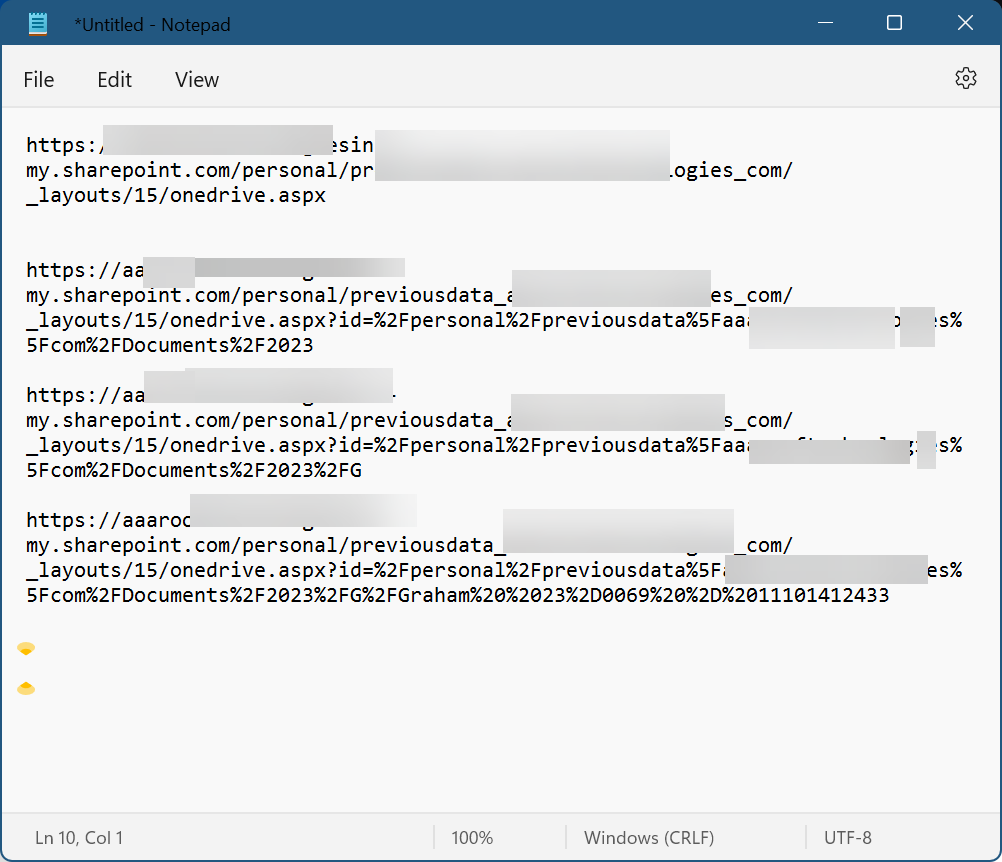
I did some looking  around on the URL so  there is four different url's and I can how its building out all the way down to the folder where I want to put that PDF, just trying to figure out how to map out this, there was no CID as the link suggested from RR, the first part is common with all the folder hierarchy
Jon Capps OP  @Reply  
       
3 years ago
I made a table with the URL and using the Shell command the link will open so I can drag and drop the PDF, would be sweet if I could get this to do it on its own.  Thank you for a quick reply. It may have to be done with Microsoft Power automate flow or something?
Alex Hedley  @Reply  
           
3 years ago
You can net use to a SharePoint site.

For OneDrive if you just install the app it'll automatically map the drive

This thread is now CLOSED. If you wish to comment, start a NEW discussion in Access Forum.
 

Next Unseen

 
New Feature: Comment Live View


The following is a paid advertisement
Computer Learning Zone is not responsible for any content shown or offers made by these ads.
 

Learn
 
Access - index
Excel - index
Word - index
Windows - index
PowerPoint - index
Photoshop - index
Visual Basic - index
ASP - index
Seminars
More...
Customers
 
Login
My Account
My Courses
Lost Password
Memberships
Student Databases
Change Email
Info
 
Latest News
New Releases
User Forums
Topic Glossary
Tips & Tricks
Search The Site
Code Vault
Collapse Menus
Help
 
Customer Support
Web Site Tour
FAQs
TechHelp
Consulting Services
About
 
Background
Testimonials
Jobs
Affiliate Program
Richard Rost
Free Lessons
Mailing List
PCResale.NET
Order
 
Video Tutorials
Handbooks
Memberships
Learning Connection
Idiot's Guide to Excel
Volume Discounts
Payment Info
Shipping
Terms of Sale
Contact
 
Contact Info
Support Policy
Mailing Address
Phone Number
Fax Number
Course Survey
Email Richard
[email protected]
Blog RSS Feed    YouTube Channel

LinkedIn
Copyright 2026 by Computer Learning Zone, Amicron, and Richard Rost. All Rights Reserved. Current Time: 5/8/2026 5:53:46 AM. PLT: 1s