Free Lessons
Courses
Seminars
TechHelp
Fast Tips
Templates
Topic Index
Forum
ABCD
 
Home   Courses   TechHelp   Help   Contact   Merch   Join   Order   Logon   Forums   
 
Home > Forums > Access Forum > acBetween What by Ricky Houtris
Back to Access Forum    Comments List
Upload Images | @Reply | Bookmark | Link | Email | Next Unseen |
acBetween What
Ricky Houtris 
    
3 years ago
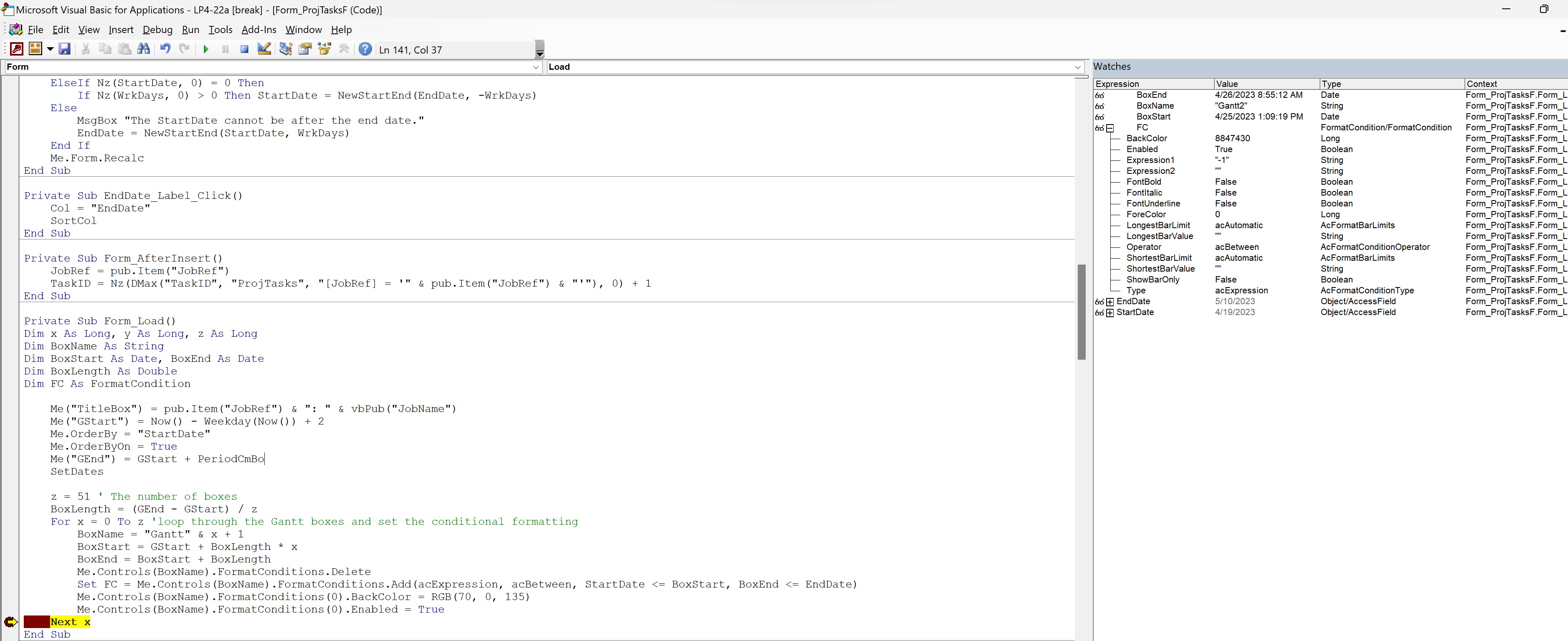
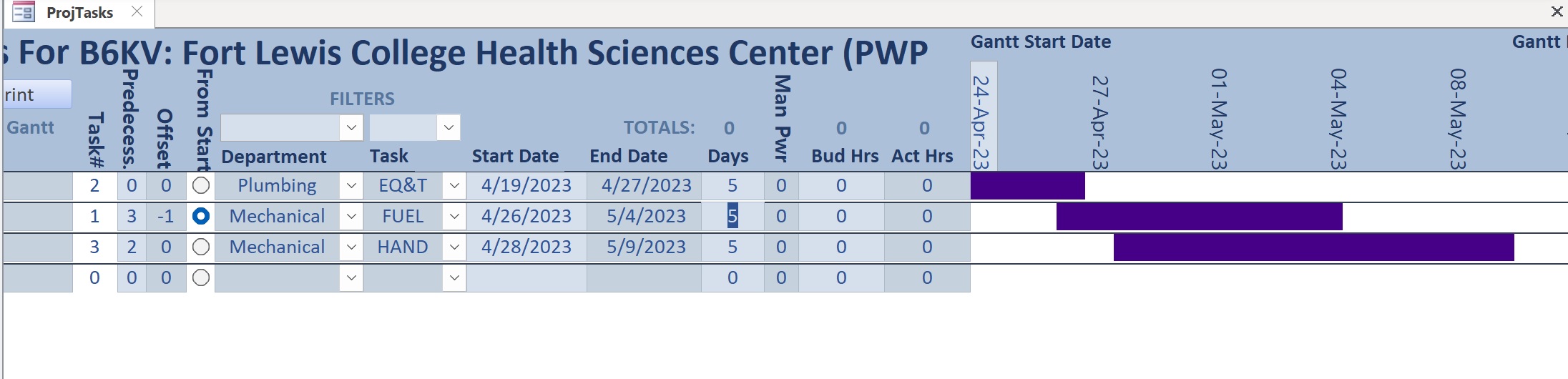
I am trying to set up conditional formatting for 51 text boxes to create a Gantt chart. I need the text boxes to change color when they are within the date range of the task. The task has a StartDate and an EndDate. The text boxes are within the date range of GStart and GEnd. The form load sub is below.

Private Sub Form_Load()
Dim x As Long, y As Long, z As Long
Dim BoxName As String
Dim BoxStart As Date, BoxEnd As Date
Dim BoxLength As Double
Dim FC As FormatCondition

    Me("TitleBox") = pub.Item("JobRef") & ": " & vbPub("JobName")
    Me("GStart") = Now() - Weekday(Now()) + 2
    Me.OrderBy = "StartDate"
    Me.OrderByOn = True
    Me("GEnd") = GStart + PeriodCmBo
    SetDates
    
    z = 51 ' The number of boxes
    BoxLength = (GEnd - GStart) / z
    For x = 0 To z 'loop through the Gantt boxes and set the conditional formatting
        BoxName = "Gantt" & x + 1
        BoxStart = GStart + BoxLength * x
        BoxEnd = BoxStart + BoxLength
        Me.Controls(BoxName).FormatConditions.Delete
        Set FC = Me.Controls(BoxName).FormatConditions.Add(acExpression, acBetween, StartDate <= BoxStart, BoxEnd <= EndDate)
        Me.Controls(BoxName).FormatConditions(0).BackColor = RGB(70, 0, 135)
        Me.Controls(BoxName).FormatConditions(0).Enabled = True
    Next x
End Sub

When I check in the watch window, I can only get a value of "-1" for Expression1. Expression2 shows "".

I guess that my question is what are the two expressions supposed to be, or am I approaching this all wrong?
Ricky Houtris OP  @Reply  
    
3 years ago

Ricky Houtris OP  @Reply  
    
3 years ago

Kevin Yip  @Reply  
     
3 years ago
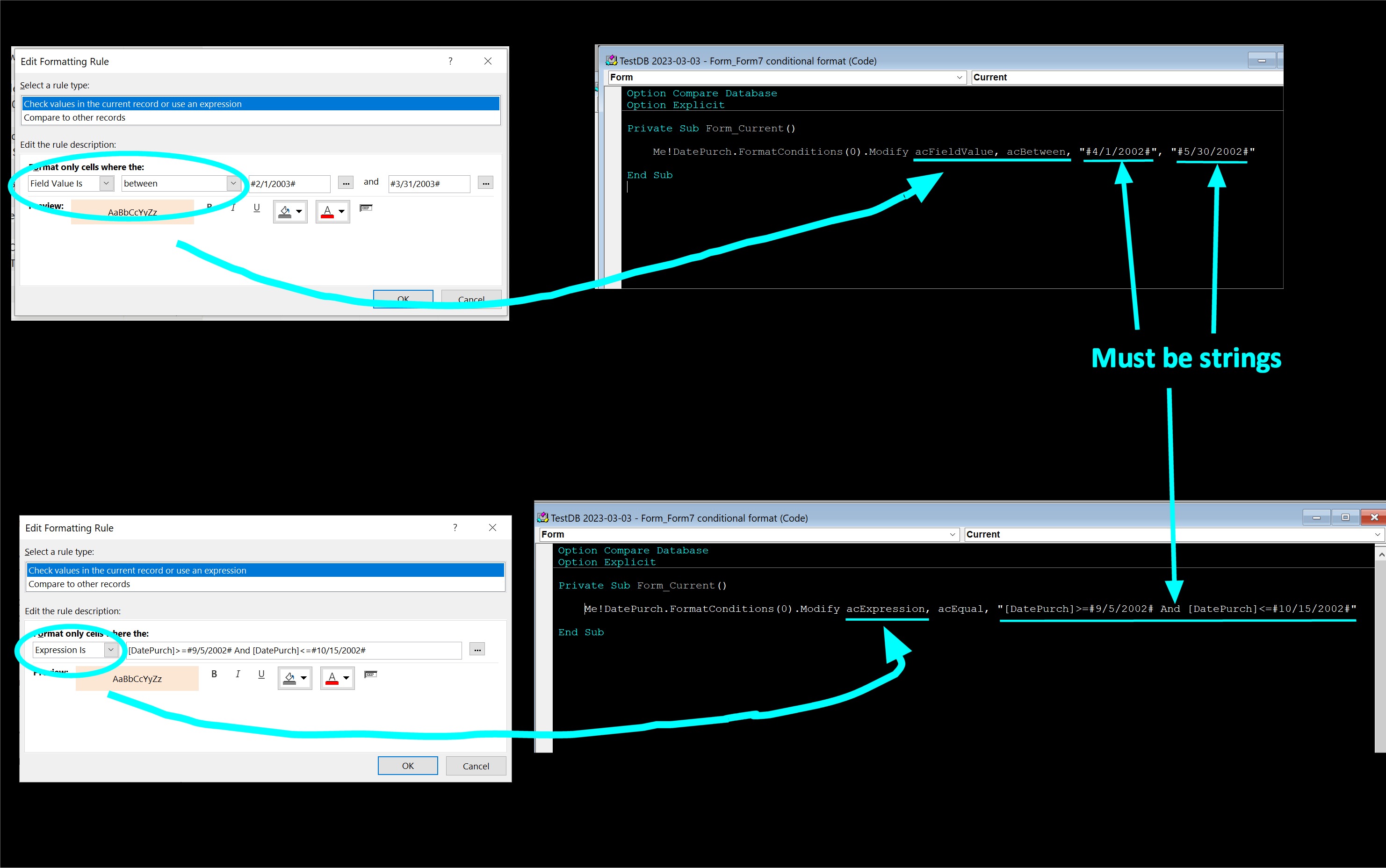
You just need some slight correction to VBA syntax.  See the pictures below.  "acExpression" means a different type of conditional format from the one you are using.  When you manually set the formatting rule, if you see "Field Value is" and "between", you need to use the corresponding VBA counterparts, which are "acFieldValue" and "acBetween", as shown in my pic.  Also, your date values must be *strings* in the VBA code (note the double quotes enclosing the dates, including the pound sign), as shown in my pic, because that is how Access expects to receive from you.

"acExpression" pertains to the kind of rules shown in my second set of pictures below.  When you manually edit the rule, you can change the rule description to "Expression is", and the enter the expression on the right, which can be a boolean expression as shown.  The VBA counterparts, as shown, are "acExpression", "acEqual", and the expression, which also must be a string.  "acEqual" is the only option you can use here, because it says "Expression *is*", which means the expression must equal the value.  This type of conditional format gives you more freedom because you can enter any boolean expression, not just confined to "greater than", "equal", "less than", etc.

P.S.  Note that I use .Modify to modify an existing rule.  If you already have a rule, you can do this, instead of using .Delete and .Add to create a new one.  .FormatConditions(0) is the first rule on the list when you edit rules manually.  FormatConditions(1) is the second, and so forth.
Kevin Yip  @Reply  
     
3 years ago

Ricky Houtris OP  @Reply  
    
3 years ago
Thanks, Kevin,

That makes some sense to me. As, I said in the subject, acBetween what? I do need to compare the StartDate and EndDate to the BoxStart and BoxEnd values, so I cannot use the value in the text box with the acBetween. I will have to work on something like this.
        Set FC = Me.Controls(BoxName).FormatConditions.Add(acExpression, acEqual, "#" & [StartDate] & "# <= #" & Format(BoxStart, "MM/DD/YYYY") & "# And #" & Format(BoxEnd, "MM/DD/YYYY") & "# <= #" & [EndDate] & "#")

If I am using variables in the text string I am happier evaluating them outside the string. This is still not right, but it is moving me in the right direction. Thanks again,
Ricky
Ricky Houtris OP  @Reply  
    
3 years ago

Ricky Houtris OP  @Reply  
    
3 years ago
Okay, Kevin,

The issue was that I went too far taking the field names out was wrong. It should be:
        Set FC = Me.Controls(BoxName).FormatConditions.Add(acExpression, acEqual, "[StartDate] <= #" & Format(BoxStart, "MM/DD/YYYY") & "# And #" & Format(BoxEnd, "MM/DD/YYYY") & "# <= [EndDate]")

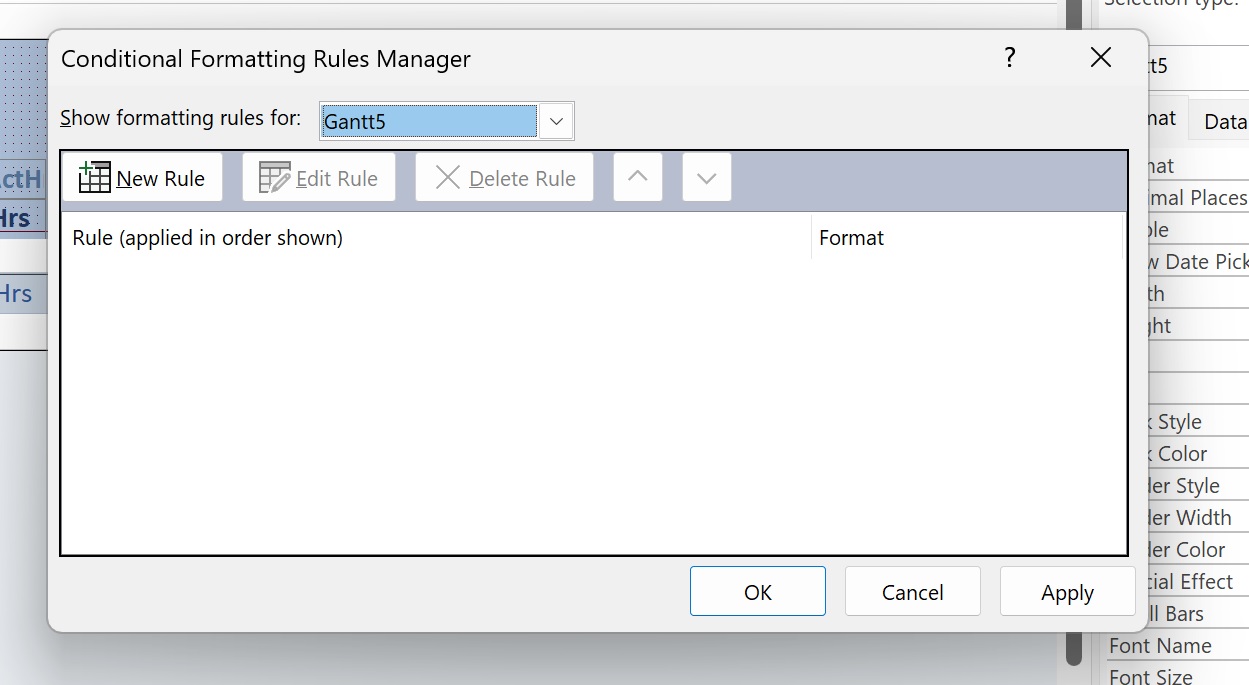
Now the delete vs modify thing is about if the conditional formatting is stored in the access file or not. Do I delete and add them every time, or do I modify them? I will have to build a subroutine that I run every time that the user changes the date ranges of the Gantt. looking at the conditional formatting from the design view, I would say that they are not stored in the Access file, so I plan to delete and add them.

I can now add different colors for each department when I build the sub and call it on load and every time the user changes the date range. Thanks again for all your help,

Ricky


Ricky Houtris OP  @Reply  
    
3 years ago

This thread is now CLOSED. If you wish to comment, start a NEW discussion in Access Forum.
 

Next Unseen


What's This?


The following is a paid advertisement
Computer Learning Zone is not responsible for any content shown or offers made by these ads.
 

Learn
 
Access - index
Excel - index
Word - index
Windows - index
PowerPoint - index
Photoshop - index
Visual Basic - index
ASP - index
Seminars
More...
Customers
 
Login
My Account
My Courses
Lost Password
Memberships
Student Databases
Change Email
Info
 
Latest News
New Releases
User Forums
Topic Glossary
Tips & Tricks
Search The Site
Code Vault
Collapse Menus
Help
 
Customer Support
Web Site Tour
FAQs
TechHelp
Consulting Services
About
 
Background
Testimonials
Jobs
Affiliate Program
Richard Rost
Free Lessons
Mailing List
PCResale.NET
Order
 
Video Tutorials
Handbooks
Memberships
Learning Connection
Idiot's Guide to Excel
Volume Discounts
Payment Info
Shipping
Terms of Sale
Contact
 
Contact Info
Support Policy
Mailing Address
Phone Number
Fax Number
Course Survey
Email Richard
[email protected]
Blog RSS Feed    YouTube Channel

LinkedIn
Copyright 2026 by Computer Learning Zone, Amicron, and Richard Rost. All Rights Reserved. Current Time: 10/28/2026 12:35:36 PM. PLT: 0s