Free Lessons
Courses
Seminars
TechHelp
Fast Tips
Templates
Topic Index
Forum
ABCD
 
Home   Courses   TechHelp   Help   Contact   Merch   Join   Order   Logon   Forums   
 
Back to Access Forum    Comments List
Upload Images   @Reply   Bookmark    Link   Email   Next Unseen 
Combo field selects combo
William Kennedy 
    
3 years ago
I am trying to find the Techhelp video where Richard uses a combo field that also selects a different combo field values that are assigned to the first combo field Data.  Can someone point me to it?
Scott Axton  @Reply  
      
3 years ago
This one?
Cascading
William Kennedy OP  @Reply  
    
3 years ago
Yes that is the one.  I've reviewed it and have a question.  I have three fields that can be linked. Payee, MainCategory and SubCategory.  Can I use Richard method to link all three?
Scott Axton  @Reply  
      
3 years ago
I'm not quite sure I understand what you are asking.  Can you provide an example?
William Kennedy OP  @Reply  
    
3 years ago
Working on that
William Kennedy OP  @Reply  
    
3 years ago
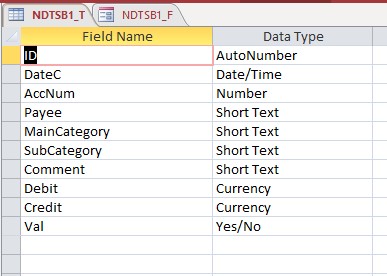
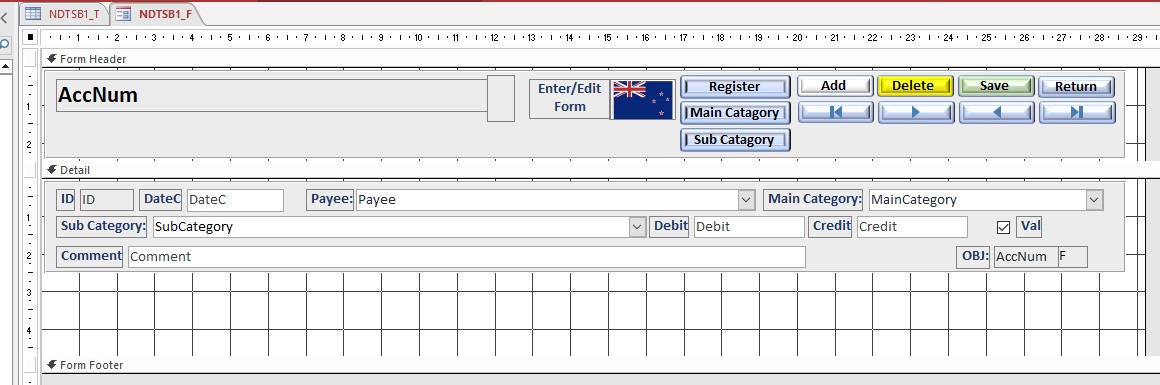
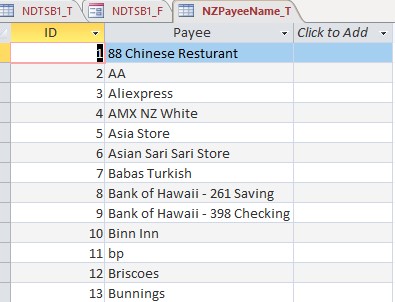
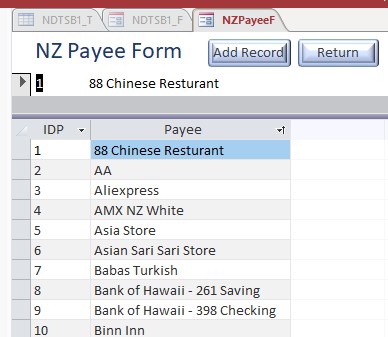
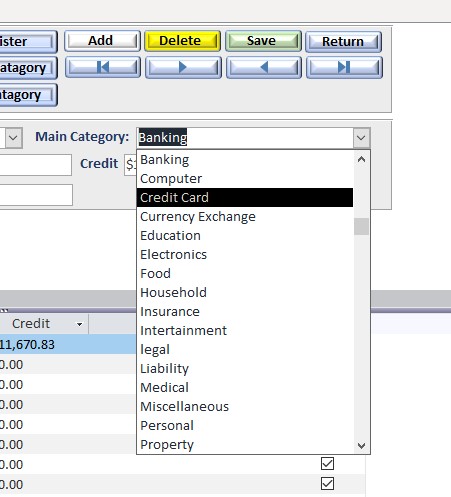
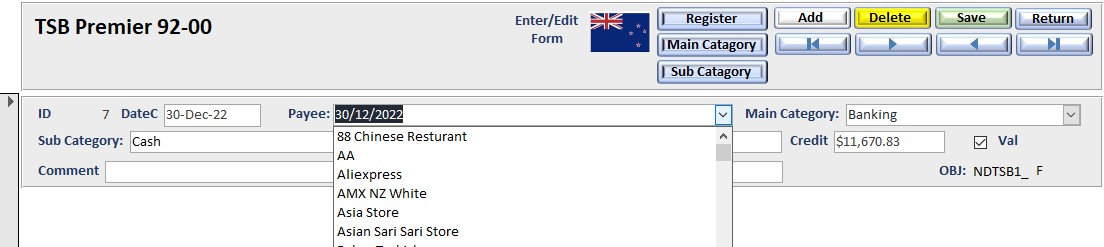
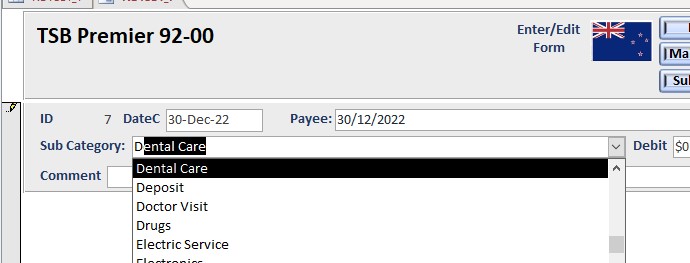
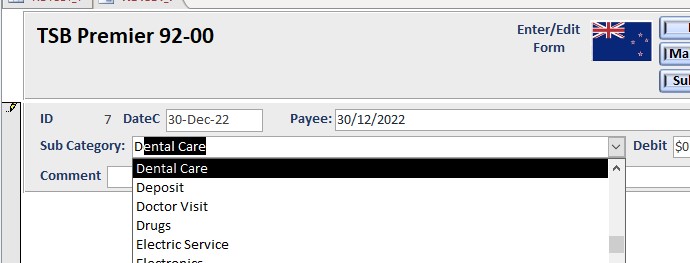
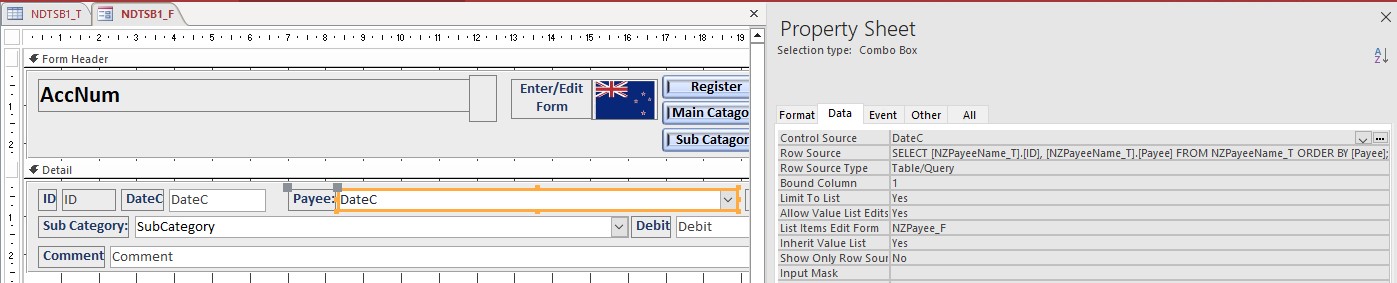
I presently have a form NDTSB1_F for an account NDTSB1_T; the form has combo boxes that presently select PAYEE, MAINCATEGORY and SUBCATEGORY data from the three helper tables. It is very time consuming and subject to error from the user.
A simple example of what I want to do is select Payee, MainCategory and Subcategory that are limited. If you select McDonalds as the Payee, you would could select Food as the MainCategory and Fast Food as the SubCategory. These fields are related and can be used to generate more detailed reports.
Richards video on Cascading Combo Boxes I think is the answer. I want the user to selects the Payee with prefiltered MainCategory for that Payee, and have options in the MainCategory combo box. Then, when the user selects a MainCategory, only Subcategories from that MainCategoryare are available to the user. The selection at a higher-level will limit the values in the lower level combo boxes.
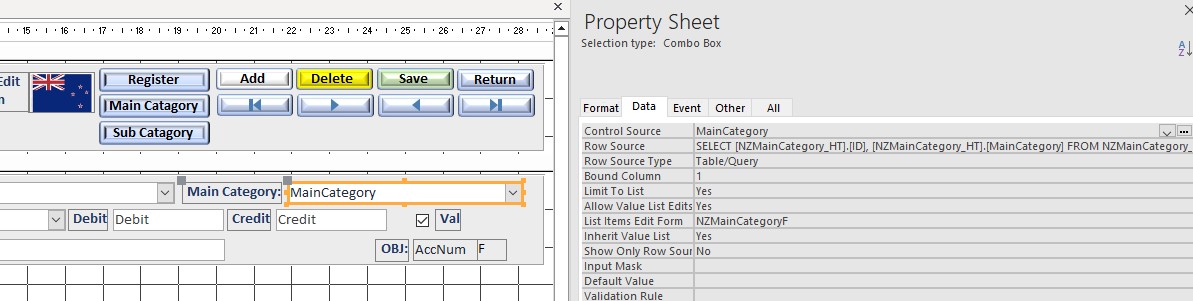
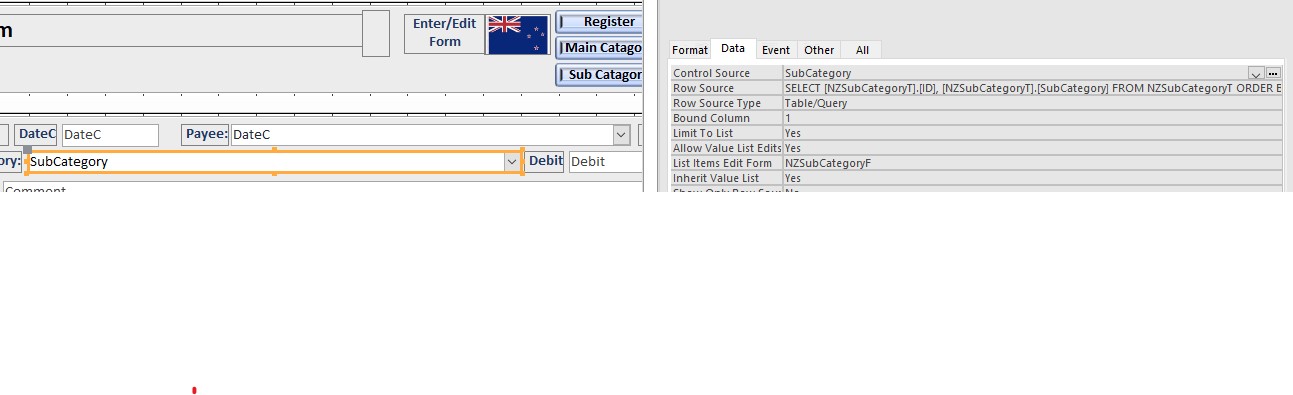
Richard indicates that I need to use a query as the record source for all the combo boxes in question with the exception of the Payee combo box. The query for the subsequent combo box will be based on a query that is filtered, based on the current value of the higher level combo box.
PayeeCbo combo box
All Payees (Allow user to add new Payees to [Payee_HT} from a Payee_F)

MainCategoryCbo combo box (Allow user to add new MainCategory to [Maincategory_HT} from a MainCategory_F)
All MainCategories where PayeeID = Payee combo box

SubCategoryCBo combo box (Allow user to add new SubCategory to [Subcategory_HT} from a SubCategory_F)
All SubCategory where MainCategoryID = MainCategory combo box
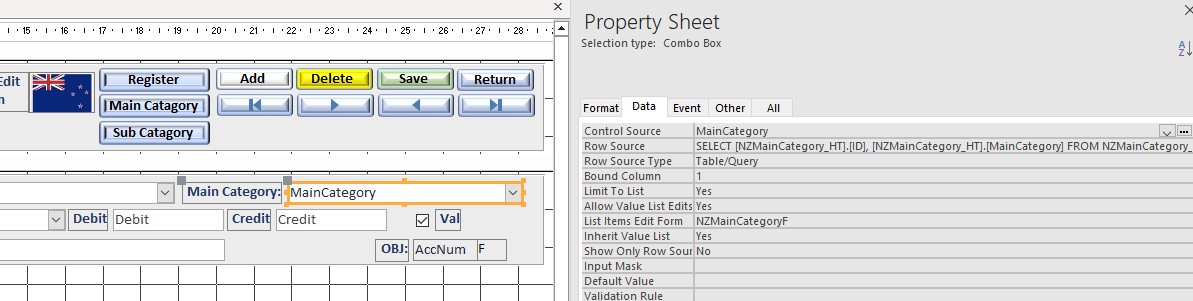
I have difficulties understanding the RowSource Property for the MainCategory Combo and the SubCategory Combo
I understand the VBA code for Requery On Current and After Update.
William Kennedy OP  @Reply  
    
3 years ago

William Kennedy OP  @Reply  
    
3 years ago

William Kennedy OP  @Reply  
    
3 years ago

William Kennedy OP  @Reply  
    
3 years ago

William Kennedy OP  @Reply  
    
3 years ago

William Kennedy OP  @Reply  
    
3 years ago

William Kennedy OP  @Reply  
    
3 years ago

William Kennedy OP  @Reply  
    
3 years ago

William Kennedy OP  @Reply  
    
3 years ago

William Kennedy OP  @Reply  
    
3 years ago

William Kennedy OP  @Reply  
    
3 years ago

William Kennedy OP  @Reply  
    
3 years ago

William Kennedy OP  @Reply  
    
3 years ago
I think the Zip code Templet might answer these issues.  Reviewing that now.

This thread is now CLOSED. If you wish to comment, start a NEW discussion in Access Forum.
 

Next Unseen

 
New Feature: Comment Live View


The following is a paid advertisement
Computer Learning Zone is not responsible for any content shown or offers made by these ads.
 

Learn
 
Access - index
Excel - index
Word - index
Windows - index
PowerPoint - index
Photoshop - index
Visual Basic - index
ASP - index
Seminars
More...
Customers
 
Login
My Account
My Courses
Lost Password
Memberships
Student Databases
Change Email
Info
 
Latest News
New Releases
User Forums
Topic Glossary
Tips & Tricks
Search The Site
Code Vault
Collapse Menus
Help
 
Customer Support
Web Site Tour
FAQs
TechHelp
Consulting Services
About
 
Background
Testimonials
Jobs
Affiliate Program
Richard Rost
Free Lessons
Mailing List
PCResale.NET
Order
 
Video Tutorials
Handbooks
Memberships
Learning Connection
Idiot's Guide to Excel
Volume Discounts
Payment Info
Shipping
Terms of Sale
Contact
 
Contact Info
Support Policy
Mailing Address
Phone Number
Fax Number
Course Survey
Email Richard
[email protected]
Blog RSS Feed    YouTube Channel

LinkedIn
Copyright 2026 by Computer Learning Zone, Amicron, and Richard Rost. All Rights Reserved. Current Time: 8/24/2026 3:16:02 PM. PLT: 0s