Hi, There are two Excel spreadsheet templates that I use in association with a database at work. I created links on the forms to open the related templates. However, Excel is opening the actual template, instead of a new file with a 1 at the end of it. Is there a way to open a new file from that template, in Access? TIA
Quick search found something for Word, might be similar in Excel:
Dim oDoc as Word.Document

Set oDoc = Documents.Add(Template:= Application.StartupPath & "\Templates\My Template", NewTemplate:=False, DocumentType:=0)

oDoc.Activate
Monica JonesOP
@Reply 3 years ago
No, apparently excel.application and/or excel.workbook are out of date. I've gone from a hyperlink to vba, Shell "excel.exe ""\\CorpNAS1\Transportation\01-Reports\301 MonthlyServiceReports\01-Programs\SF Maintenance\SF_Maintenance.xltx""&", vbNormalFocus only to have the same results.
Kevin Yip
@Reply 3 years ago
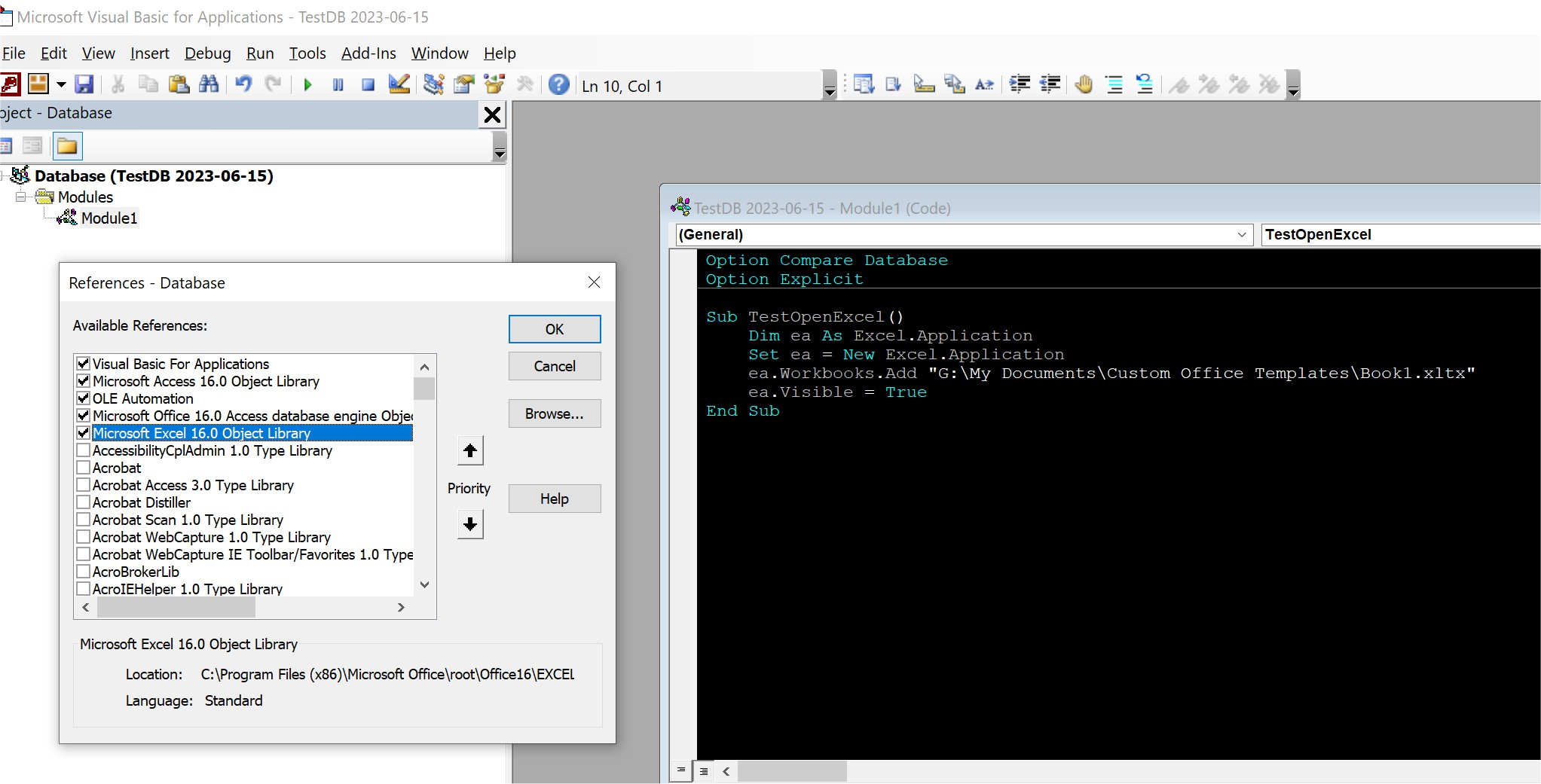
You can use Office automation as shown in the picture below to open an new Excel workbook using a template. Make sure you select "Microsoft Excel 16.0 Object Library" in the VBA references as shown below. Automation is certainly not "out of date," whatever that means. It has been a standard feature in Office for years.
Kevin Yip
@Reply 3 years ago
Sorry, only students may add comments.
Click here for more
information on how you can set up an account.
If you are a Visitor, go ahead and post your reply as a
new comment, and we'll move it here for you
once it's approved. Be sure to use the same name and email address.
This thread is now CLOSED. If you wish to comment, start a NEW discussion in
Access Expert 20.