Free Lessons
Courses
Seminars
TechHelp
Fast Tips
Templates
Topic Index
Forum
ABCD
 
Home   Courses   TechHelp   Forums   Help   Contact   Merch   Join   Order   Logon  
 
Back to Access Forum    Comments List
Upload Images   @Reply   Bookmark    Link   Email   Next Unseen 
Filling Form Fields
Kent Morstain 
    
3 years ago
I have a table that has data in it that corresponds to a form I created.  The form has search fields that I use a query to capture the individual record based on the search fields.  When I run the query, I see the proper data, but it won't populate the form fields.  I've been scratching my head and I can't seem to get it to populate the fields in the form.

What information, and or screenshots do I need to supply for help?
Kent Morstain OP  @Reply  
    
3 years ago

Kent Morstain OP  @Reply  
    
3 years ago

Kent Morstain OP  @Reply  
    
3 years ago

Kent Morstain OP  @Reply  
    
3 years ago

Kent Morstain OP  @Reply  
    
3 years ago

Kent Morstain OP  @Reply  
    
3 years ago
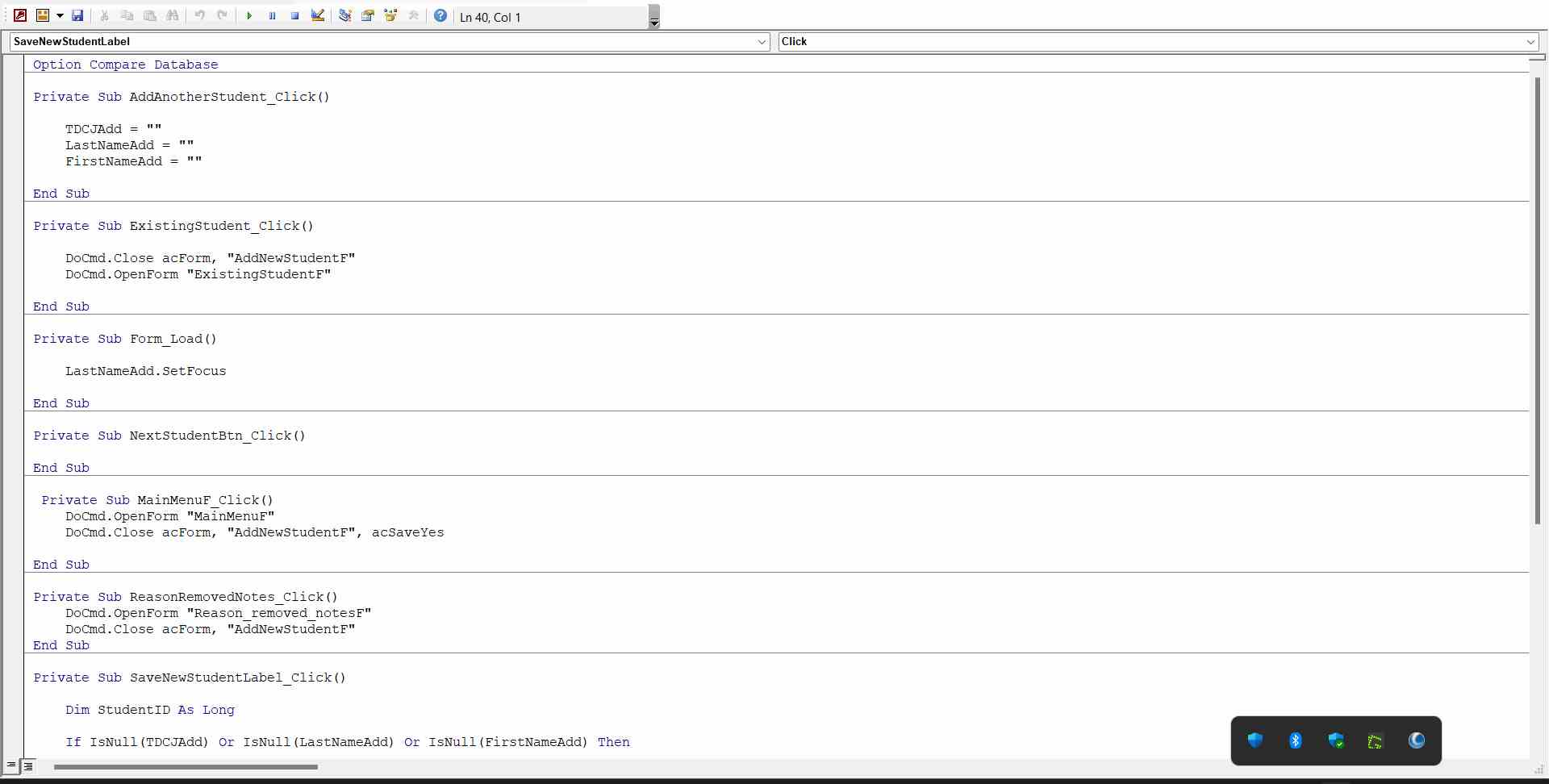
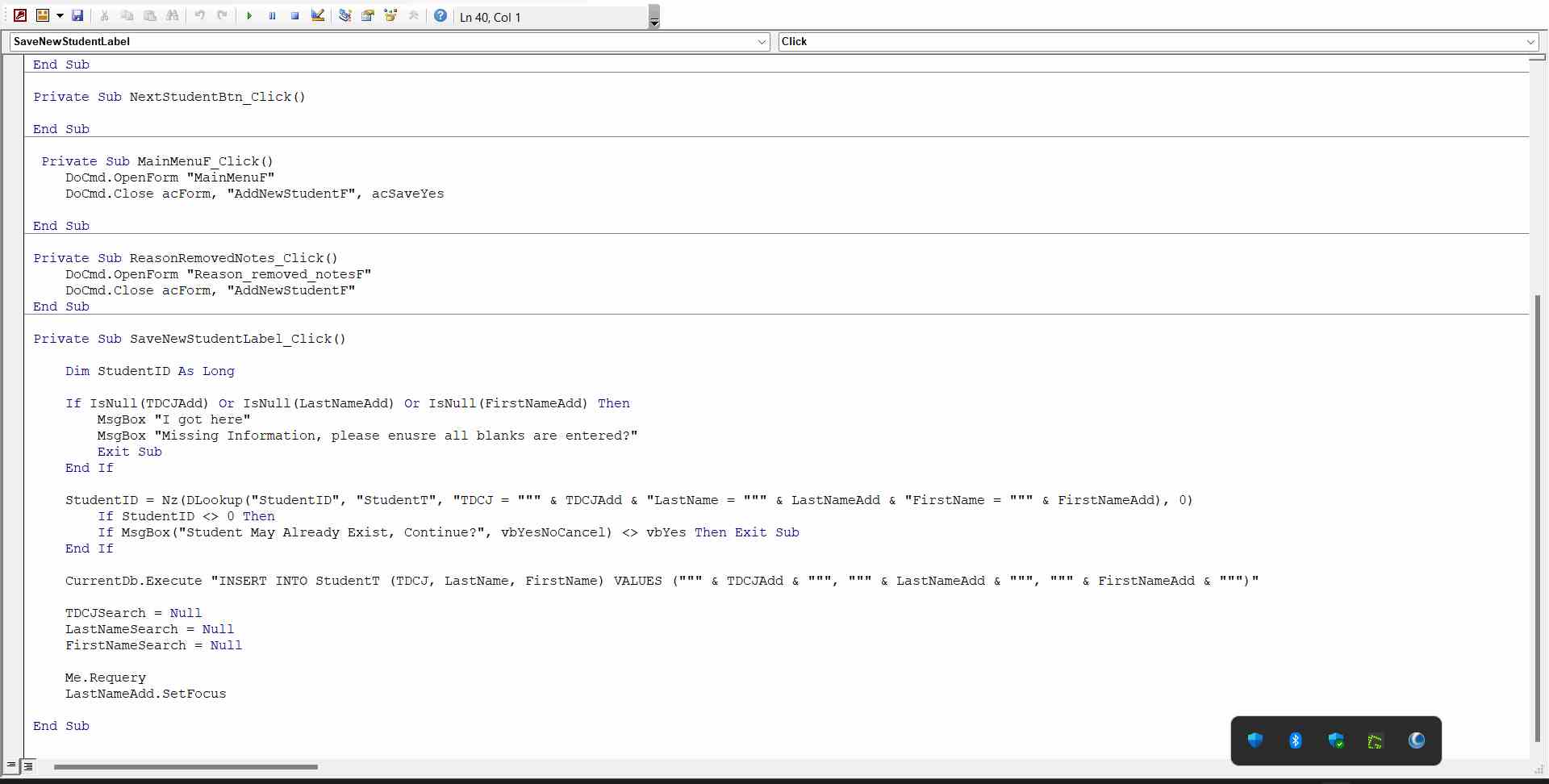
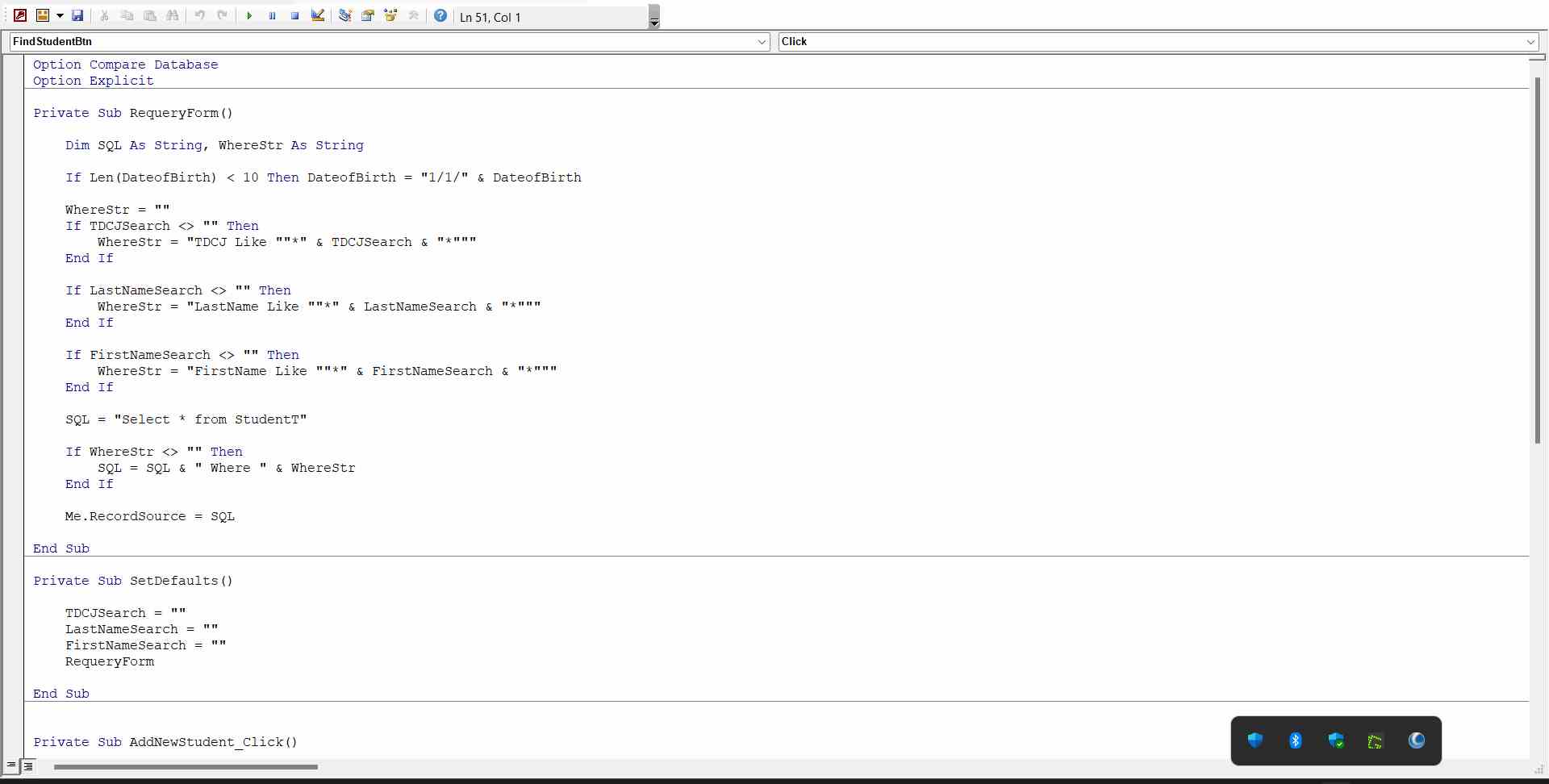
The attached screenshots are what I am trying to get the form to populate.  Ive other issues, but this hurdle is the one I've been trying to tackle first.
Scott Axton  @Reply  
        
3 years ago
You don't show us any or the code for your form.   It doesn't show us how the fields are on the form to fill in.
Typically you have to do something like City = City from the data source.
Is this an unbound form or is it tied to a record set?

Go check out the ZIP Code Lookup video.  That gives a pretty good example of you to fill in your forms fields.
I'm sure there are more examples but that one is good to start.  I'll try and remember some others and point you to them.
Kent Morstain OP  @Reply  
    
3 years ago

Kent Morstain OP  @Reply  
    
3 years ago

Kent Morstain OP  @Reply  
    
3 years ago

Kent Morstain OP  @Reply  
    
3 years ago

Kent Morstain OP  @Reply  
    
3 years ago

Kent Morstain OP  @Reply  
    
3 years ago

Kevin Robertson  @Reply  
          
3 years ago
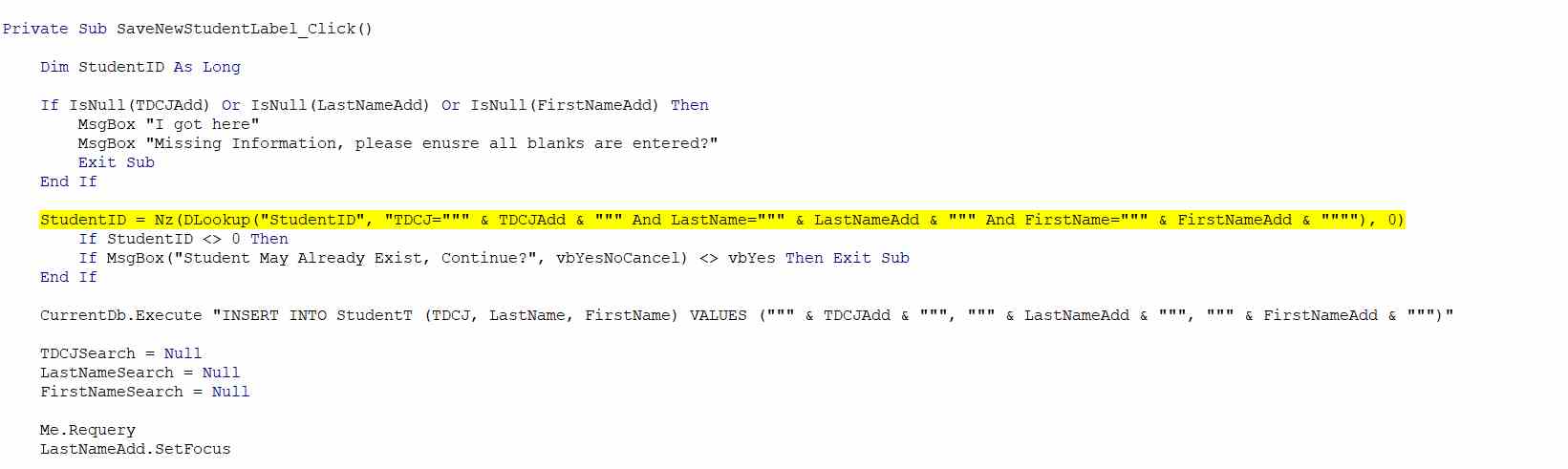
You are missing some And keywords and some double quotes.

StudentID = Nz(DLookup("StudentID", "TDCJ=""" & TDCJAdd & """ And LastName=""" & LastNameAdd & """ And FirstName=""" & FirstNameAdd & """"), 0)
Kent Morstain OP  @Reply  
    
3 years ago

Kent Morstain OP  @Reply  
    
3 years ago
Tried the code with And an a extra quote and the same problem.  This is on the add new student form code.
Kent Morstain OP  @Reply  
    
3 years ago

Kevin Robertson  @Reply  
          
3 years ago
Just noticed the Table name is missing. The second parameter of your DLookup should be a Table or Query name.

DLookup
Kent Morstain OP  @Reply  
    
3 years ago
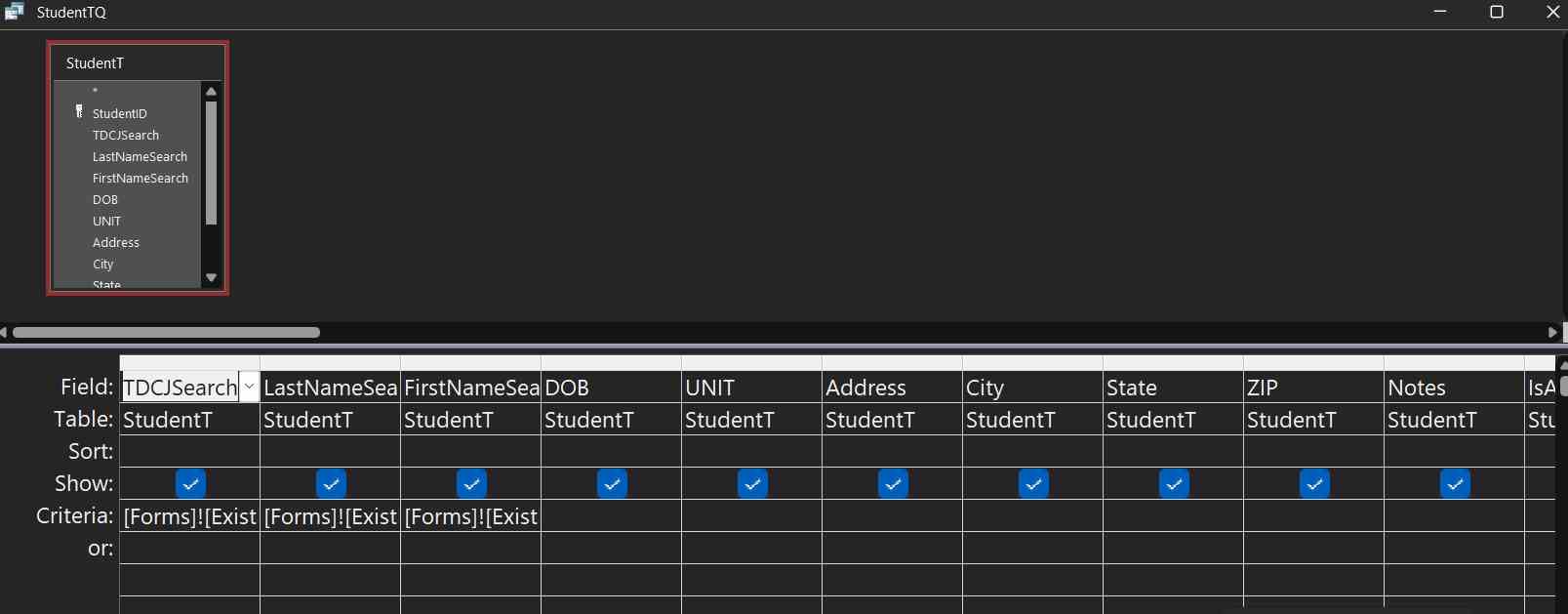
For the form of existing students, the search fields are unbound.  I don't know how to get the StudentQ (see screenshot) to populate the ExistingStudentF)
Kent Morstain OP  @Reply  
    
3 years ago
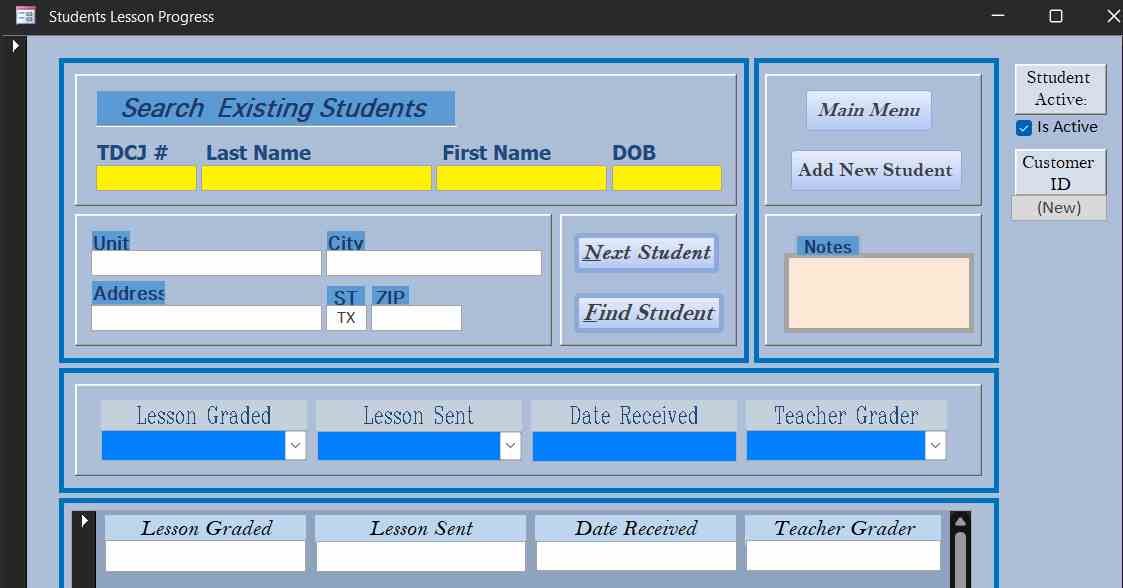
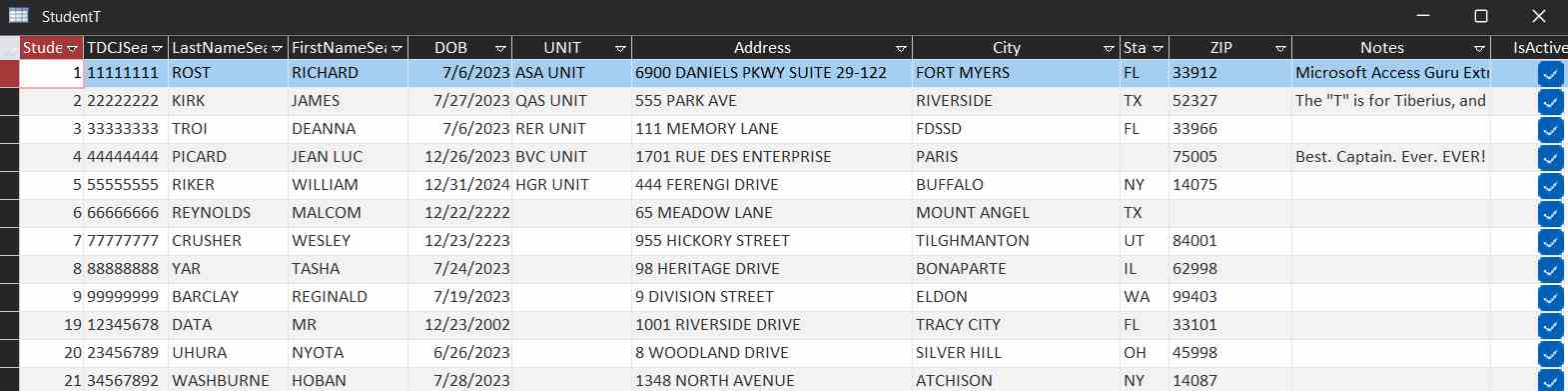
I have modified the form to be both a search for existing students and for entering new students. It works well, except when I blank the fields for a new lookup or exit to the main form.  Doing so, it writes another record to the database with blank fields except for the TDJC number in the table.

I've tried blanking the fields such as TDJC ="", LastName="", etc on the Next Student button.  That works intermittently, can't seem to determine the reason for it.

Is there a way to only get 1 record from looking up an existing student, and more importantly if I add a new student I get only 1 record written?

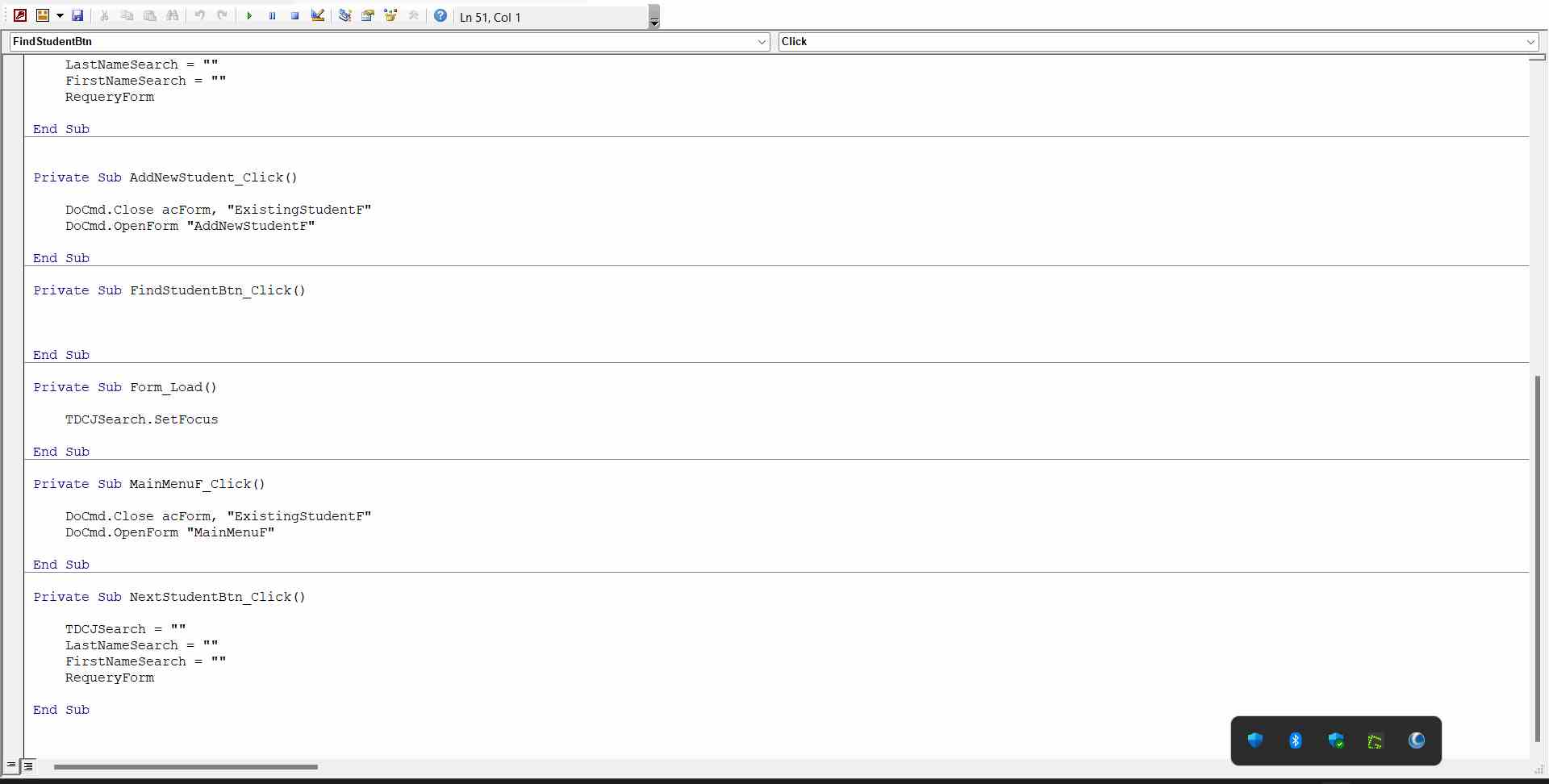
Below is my code adapted from the zipcode lookup lesson.

Screenshots to follow.

Much Thx


________________________________________________________________________


Private Sub FindStudentBtn_Click()
  
    Dim StudentID As Long
    Dim sTDCJ As String, sLastName As String, sFirstName As String, sDateofBirth As String, sUnit As String, sAddress As String, _
    sCity As String, sState As String, sZIP As String
    Dim SQL As String
    
    StudentID = Nz(DLookup("StudentID", "StudentT", "TDCJ=""" & TDCJ & """"), 0)
                              
    If StudentID > 0 Then
      ' TDJC Number found, ask below
            TDCJ = DLookup("TDCJ", "StudentT", "StudentID=" & StudentID)
            LastName = DLookup("LastName", "StudentT", "StudentID=" & StudentID)
            FirstName = DLookup("FirstName", "StudentT", "StudentID=" & StudentID)
            DateofBirth = DLookup("DateofBirth", "StudentT", "StudentID=" & StudentID)
            Unit = DLookup("Unit", "StudentT", "StudentID=" & StudentID)
            Address = DLookup("Address", "StudentT", "StudentID=" & StudentID)
            City = DLookup("City", "StudentT", "StudentID=" & StudentID)
            State = DLookup("State", "StudentT", "StudentID=" & StudentID)
            State = UCase(State)
            ZIP = DLookup("Zip", "StudentT", "StudentID=" & StudentID)

    Else
    
        ' TDJC Number not found, ask for info
          MsgBox "Student Not Found, Enter Information in blanks to follow !!"
        
            sTDCJ = InputBox("Enter TDCJ # (8 Digits ONLY)")
            sLastName = InputBox("Enter Last Name")
            sFirstName = InputBox("Enter First Name")
            sDateofBirth = InputBox("Enter Date of Birth (FORMAT - XX/DD/YYYY)")
            sUnit = InputBox("Enter Unit")
            sAddress = InputBox("Enter Address")
            sCity = InputBox("Enter City")
            sState = InputBox("Enter State")
            sState = UCase(sState)
            sZIP = InputBox("Enter ZIP")

            TDCJ = sTDCJ
            LastName = sLastName
            FirstName = sFirstName
            DateofBirth = sDateofBirth
            Unit = sUnit
            Address = sAddress
            City = sCity
            State = sState
            ZIP = sZIP
          
            SQL = "INSERT INTO StudentT ( TDCJ, LastName, FirstName, DateofBirth, UNIT, Address, City, State, ZIP ) " & _
                    "SELECT """ & sTDCJ & """, """ & sLastName & """, """ & sFirstName & """, """ & sDateofBirth & """, """ & sUnit & """, """ & _
                    sAddress & """, """ & sCity & """, """ & sState & """, """ & sZIP & """"
            
          
            DoCmd.RunSQL SQL
    End If
        
        
End Sub

Private Sub Form_Load()
    
    TDCJ.SetFocus
    
End Sub

Private Sub MainMenuF_Click()
    
    DoCmd.Close acForm, "ExistingStudentF"
    DoCmd.OpenForm "MainMenuF"

End Sub

Kent Morstain OP  @Reply  
    
3 years ago

Kent Morstain OP  @Reply  
    
3 years ago

Kent Morstain OP  @Reply  
    
3 years ago

Kent Morstain OP  @Reply  
    
3 years ago

Kent Morstain OP  @Reply  
    
3 years ago
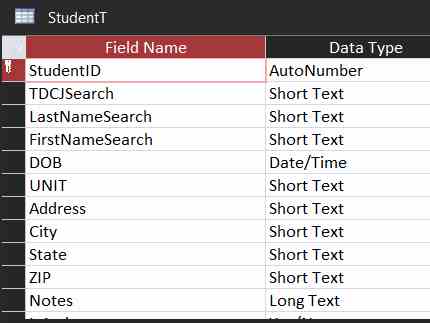
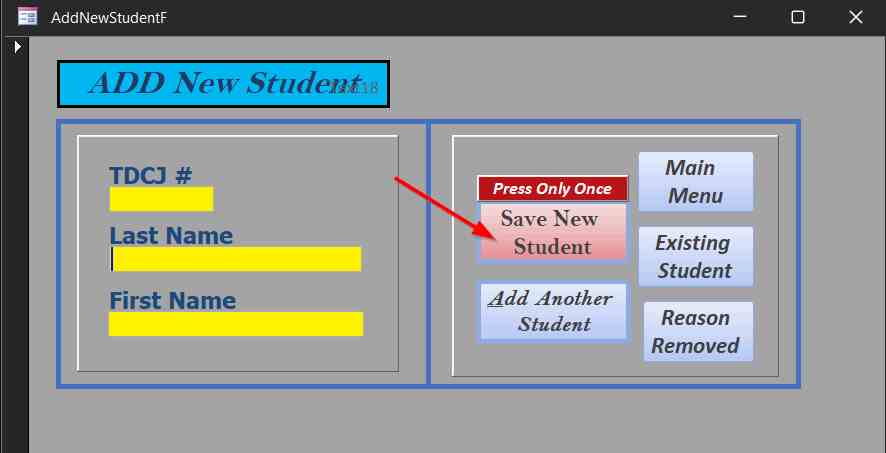
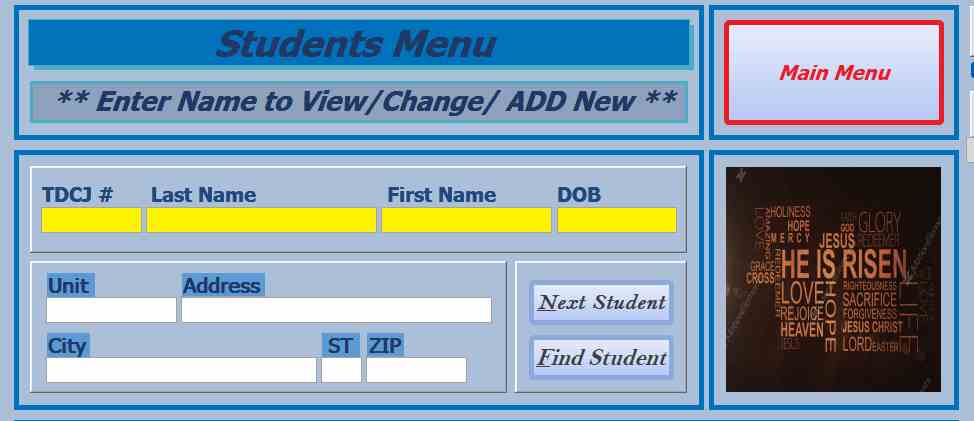
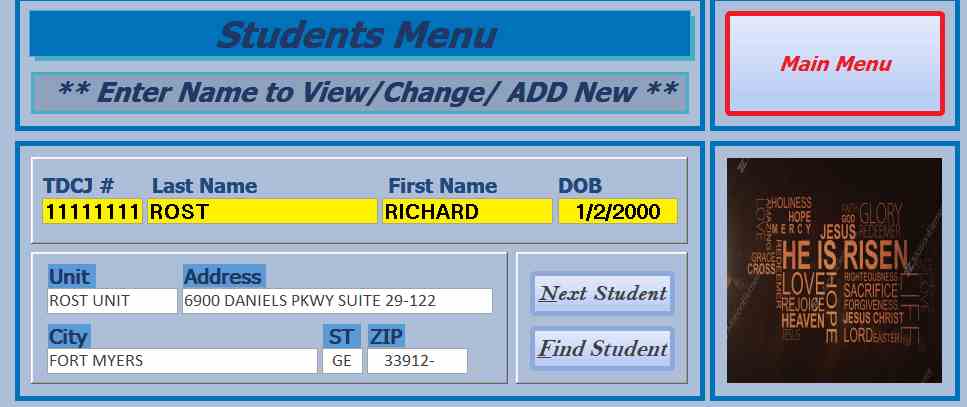
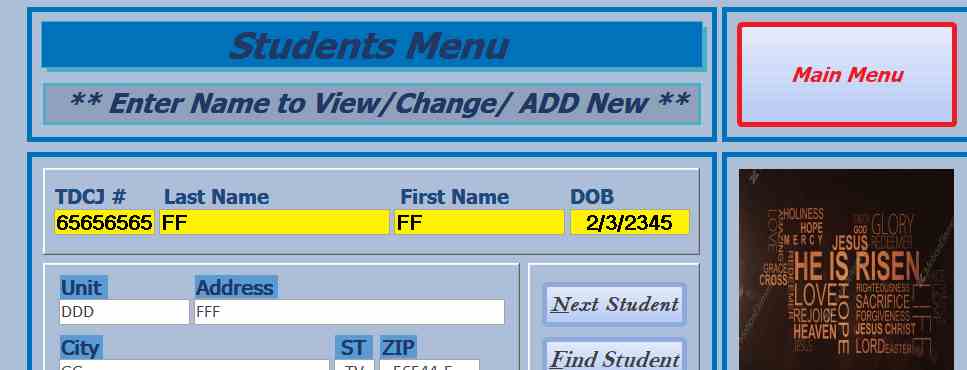
The screenshots are as follows:

Blank Form
Existing Student
New Student
Duplicate Table Entry After Exiting to Main Form.

This thread is now CLOSED. If you wish to comment, start a NEW discussion in Access Forum.
 

Next Unseen

 
New Feature: Comment Live View


The following is a paid advertisement
Computer Learning Zone is not responsible for any content shown or offers made by these ads.
 

Learn
 
Access - index
Excel - index
Word - index
Windows - index
PowerPoint - index
Photoshop - index
Visual Basic - index
ASP - index
Seminars
More...
Customers
 
Login
My Account
My Courses
Lost Password
Memberships
Student Databases
Change Email
Info
 
Latest News
New Releases
User Forums
Topic Glossary
Tips & Tricks
Search The Site
Code Vault
Collapse Menus
Help
 
Customer Support
Web Site Tour
FAQs
TechHelp
Consulting Services
About
 
Background
Testimonials
Jobs
Affiliate Program
Richard Rost
Free Lessons
Mailing List
PCResale.NET
Order
 
Video Tutorials
Handbooks
Memberships
Learning Connection
Idiot's Guide to Excel
Volume Discounts
Payment Info
Shipping
Terms of Sale
Contact
 
Contact Info
Support Policy
Mailing Address
Phone Number
Fax Number
Course Survey
Email Richard
[email protected]
Blog RSS Feed    YouTube Channel

LinkedIn
Copyright 2026 by Computer Learning Zone, Amicron, and Richard Rost. All Rights Reserved. Current Time: 6/22/2026 3:17:17 PM. PLT: 0s