Free Lessons
Courses
Seminars
TechHelp
Fast Tips
Templates
Topic Index
Forum
ABCD
 
Home   Courses   TechHelp   Forums   Help   Contact   Merch   Join   Order   Logon  
 
Back to Access Developer Forum    Comments List
Upload Images   @Reply   Bookmark    Link   Email   Next Unseen 
thinking out loud cant hurt
Gregory Clancey 
    
3 years ago
Access's tiny chequeboxes fit nicely onto data input Forms for the collection of new client data. At times we need to document. . .
(1) Married
(2) Not Married
(3) Marital Status Unknown

However, the operator may not always realize that the 3rd open is represented by the control's triple-state black-filled box with no cheque.
Why not an Option Frame with 3 RadioButtons. The may be clearly labeled to avoid any confusion, just as easy to select and, like the tri-state, require no more than a ShortText table field for source. This does crowd a form with limited real-estate, but if a label is needed to clarify the checkBoxes various data states, the frame option seems little more the space-hog.
Scott Axton  @Reply  
        
3 years ago
I agree that the triple state is confusing for users.  Personally I only use check boxes for a case where it is either Yes/No, On/Off, True/False.
Option groups?  Workable solution where there is a 3rd (or more) choice.  I prefer a combo box for saving space where needed.
Gregory Clancey OP  @Reply  
    
3 years ago
Useful, salient ideas. Thanks.
Scott Axton  @Reply  
        
3 years ago
Gregory
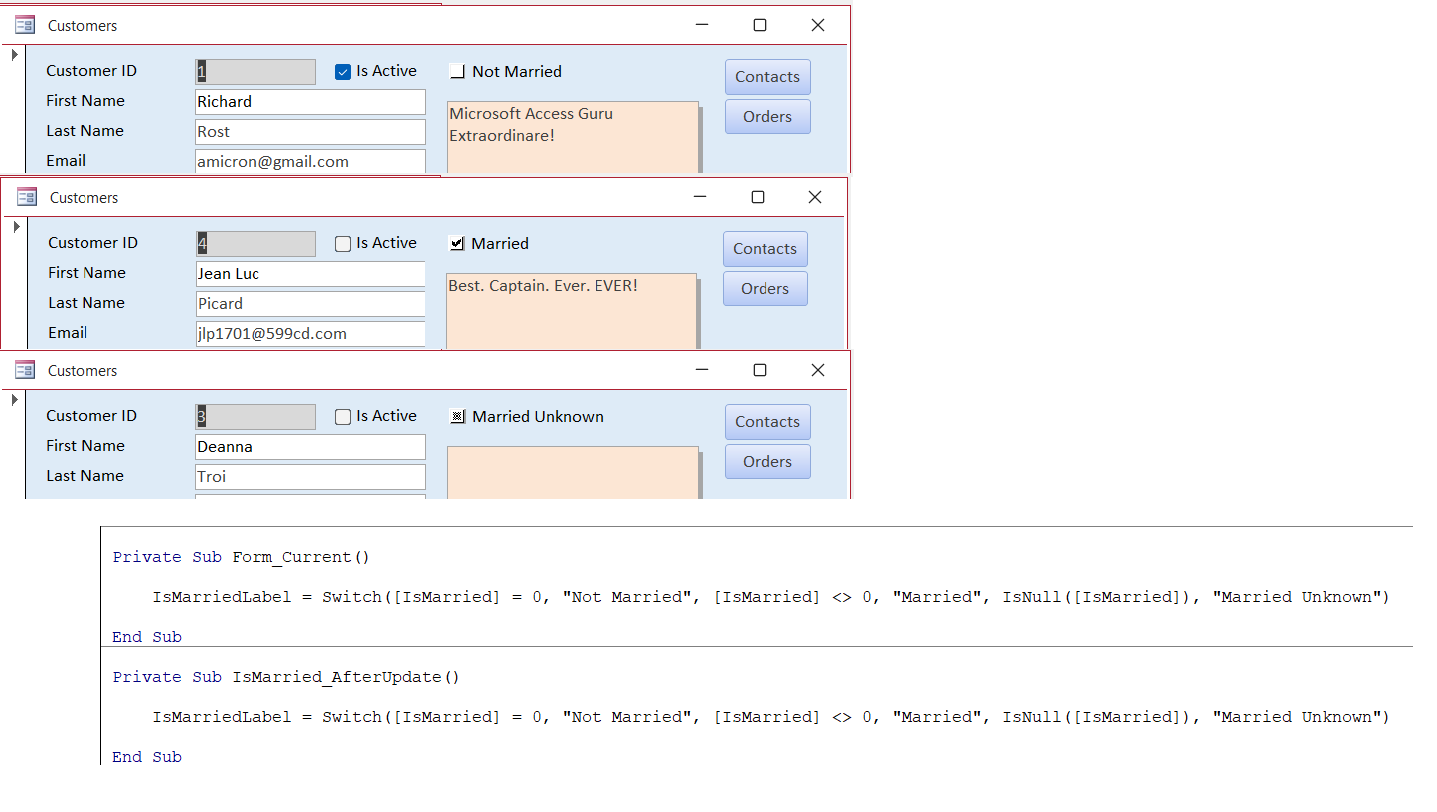
How about something like this?


Scott Axton  @Reply  
        
3 years ago
Forgot to mention.  I cut the label the put it back in "not attached" to the Check Box.  
I gave the label the name IsMarriedLabel.

Pretty straight forward from there.

This is not totally intuitive but that would be more of a training issue with DataEntry.
Gregory Clancey OP  @Reply  
    
3 years ago
Very clever, Scott. This seems the ultimate solution. There's a minimum of code to ever be problematical, and the state of the control seems quite clear. It almost feels that a simple text box that toggles between the three "labels" might work as well. I've noticed in the past that the CheckBox control has a particularly useful property of responding to a mouse clique without having to execute any VBA. There seems no easy way to shield the eyes from having to see Microsoft's ugly little box. Ah, well. It makes great grist for Rich's wit mill!
Gregory Clancey OP  @Reply  
    
3 years ago
Posted here because I couldn't figure out where else to upload an image.
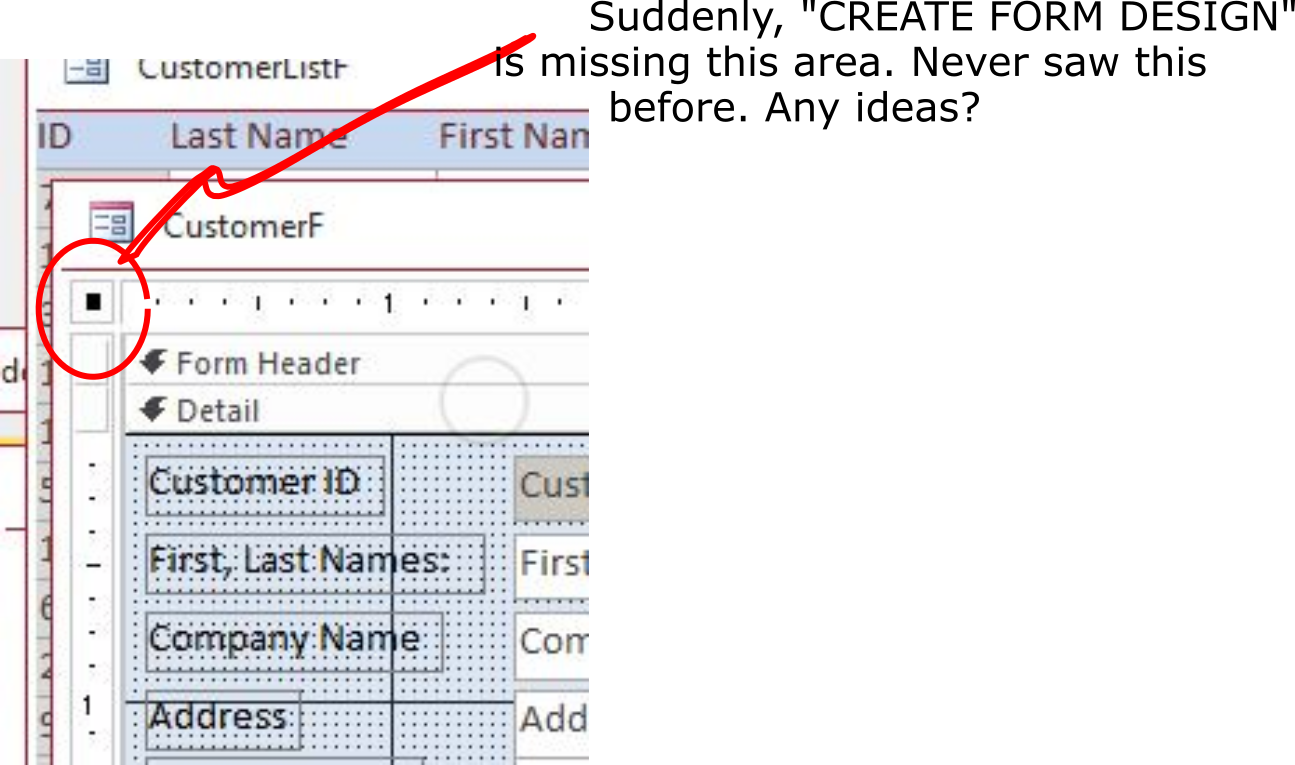
Have I switched off a feature. The upper left area (the "square") is missing when I create "FORM DESIGN" ?
Gregory Clancey OP  @Reply  
    
3 years ago

Kevin Robertson  @Reply  
          
3 years ago
You've posted an image of your form showing that area. Where is the image of it missing?
Kevin Robertson  @Reply  
          
3 years ago
Are the rulers showing? Right click on the form and click on Rulers to turn them back on.
Gregory Clancey OP  @Reply  
    
3 years ago

Gregory Clancey OP  @Reply  
    
3 years ago
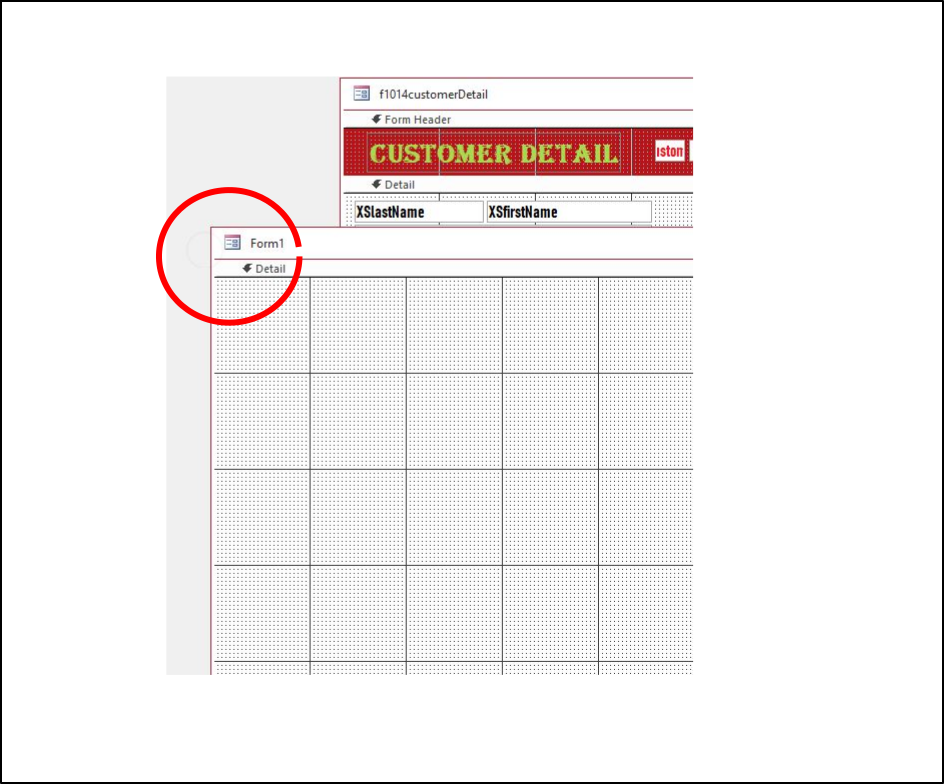
You're right. I snagged one of Rick's. Here's a sample of what's happening. Now.
No. No rulers showing. You might be on to something. How can these be made to show?
Gregory Clancey OP  @Reply  
    
3 years ago
Done!
Why don't I just read the entire message from now on. I looked everywhere for the switch, and managed to find how to turn on "always used event procedures." This saves another, eventual dumb question. Thanks!

This thread is now CLOSED. If you wish to comment, start a NEW discussion in Access Developer Forum.
 

Next Unseen

 
New Feature: Comment Live View


The following is a paid advertisement
Computer Learning Zone is not responsible for any content shown or offers made by these ads.
 

Learn
 
Access - index
Excel - index
Word - index
Windows - index
PowerPoint - index
Photoshop - index
Visual Basic - index
ASP - index
Seminars
More...
Customers
 
Login
My Account
My Courses
Lost Password
Memberships
Student Databases
Change Email
Info
 
Latest News
New Releases
User Forums
Topic Glossary
Tips & Tricks
Search The Site
Code Vault
Collapse Menus
Help
 
Customer Support
Web Site Tour
FAQs
TechHelp
Consulting Services
About
 
Background
Testimonials
Jobs
Affiliate Program
Richard Rost
Free Lessons
Mailing List
PCResale.NET
Order
 
Video Tutorials
Handbooks
Memberships
Learning Connection
Idiot's Guide to Excel
Volume Discounts
Payment Info
Shipping
Terms of Sale
Contact
 
Contact Info
Support Policy
Mailing Address
Phone Number
Fax Number
Course Survey
Email Richard
[email protected]
Blog RSS Feed    YouTube Channel

LinkedIn
Copyright 2026 by Computer Learning Zone, Amicron, and Richard Rost. All Rights Reserved. Current Time: 5/7/2026 1:09:49 AM. PLT: 1s