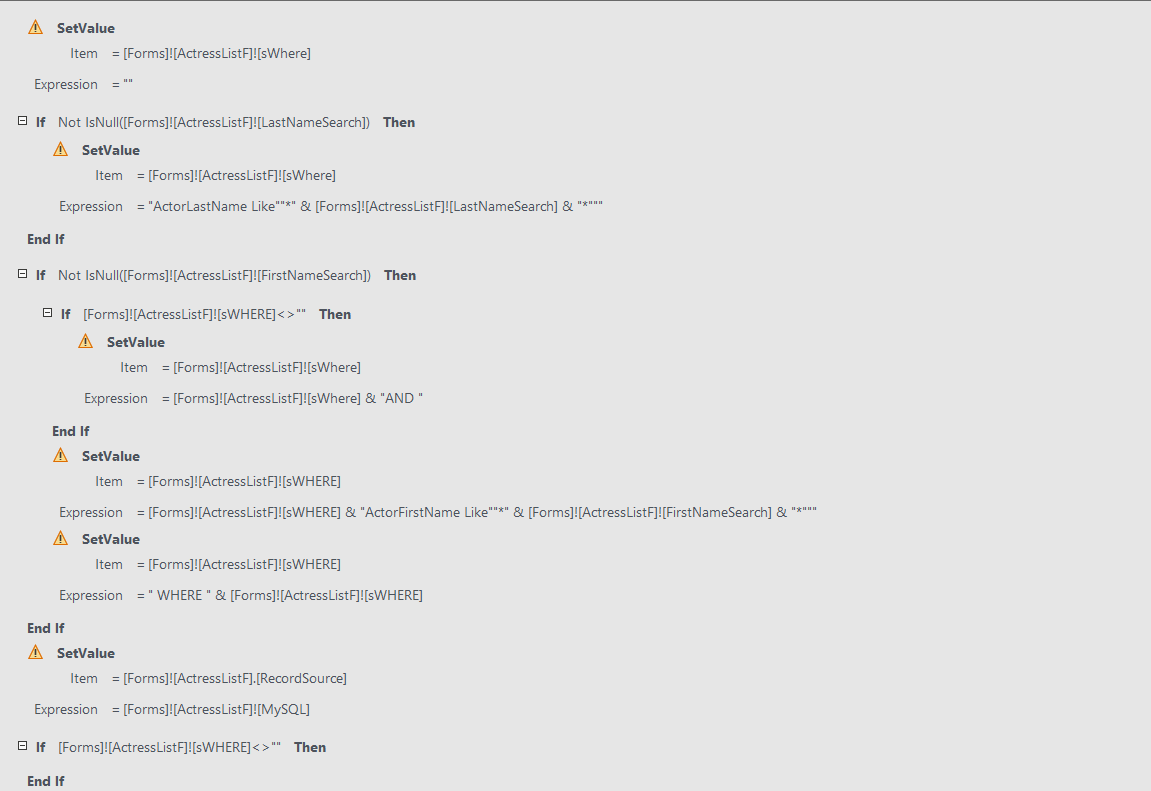
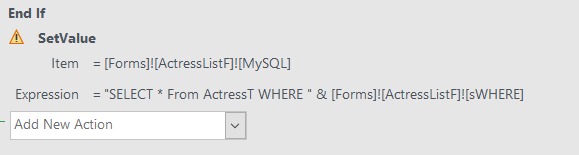
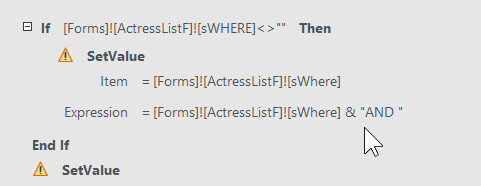
This question concerns Access Advanced Level Six Lesson 1, SQL Search boxes. I have been trying to follow along with this lesson and was doing fine until near the end when Richard started dragging lines around in the Macro. I think I have most of them in the wrong order now. Can you send a full screen screen shot showing all the commands in the right order?
Richard Van WagonerOP
@Reply 3 years ago
I am also sending a couple of screenshots of what I have.
Man, it's been a while since I've worked with macros. These things are so much harder to read than VBA code is. LOL.
Richard Van WagonerOP
@Reply 3 years ago
I understand what you are saying about macros being confusing, but are my commands in the right order? If I could see all the commands in one place, I could fix them, spaces and all, in my Macro.
Richard Van WagonerOP
@Reply 3 years ago
I have sorted this mess out! I remembered last night that I could use your copy and check mine. I had a few out of order and one major typo that I fixed now it runs fine! Thanks for your help, I just wish I had thought of that before troubling you!
It's really hard to tell because I recorded that lesson so many years ago, and I don't even really remember what it does. I'd have to review the whole lesson myself to tell you if your Macros are right. But yeah, comparing it to mine is probably the best way to go about fixing it.
Sorry, only students may add comments.
Click here for more
information on how you can set up an account.
If you are a Visitor, go ahead and post your reply as a
new comment, and we'll move it here for you
once it's approved. Be sure to use the same name and email address.
This thread is now CLOSED. If you wish to comment, start a NEW discussion in
Access Advanced 6.