Free Lessons
Courses
Seminars
TechHelp
Fast Tips
Templates
Topic Index
Forum
ABCD
 
Home   Courses   TechHelp   Help   Contact   Merch   Join   Order   Logon   Forums   
 
Home > Forums > Access Forum > Running Balance by David Campbell
Back to Access Forum    Comments List
Upload Images | @Reply | Bookmark | Link | Email | Next Unseen |
Running Balance
David Campbell 
     
2 years ago
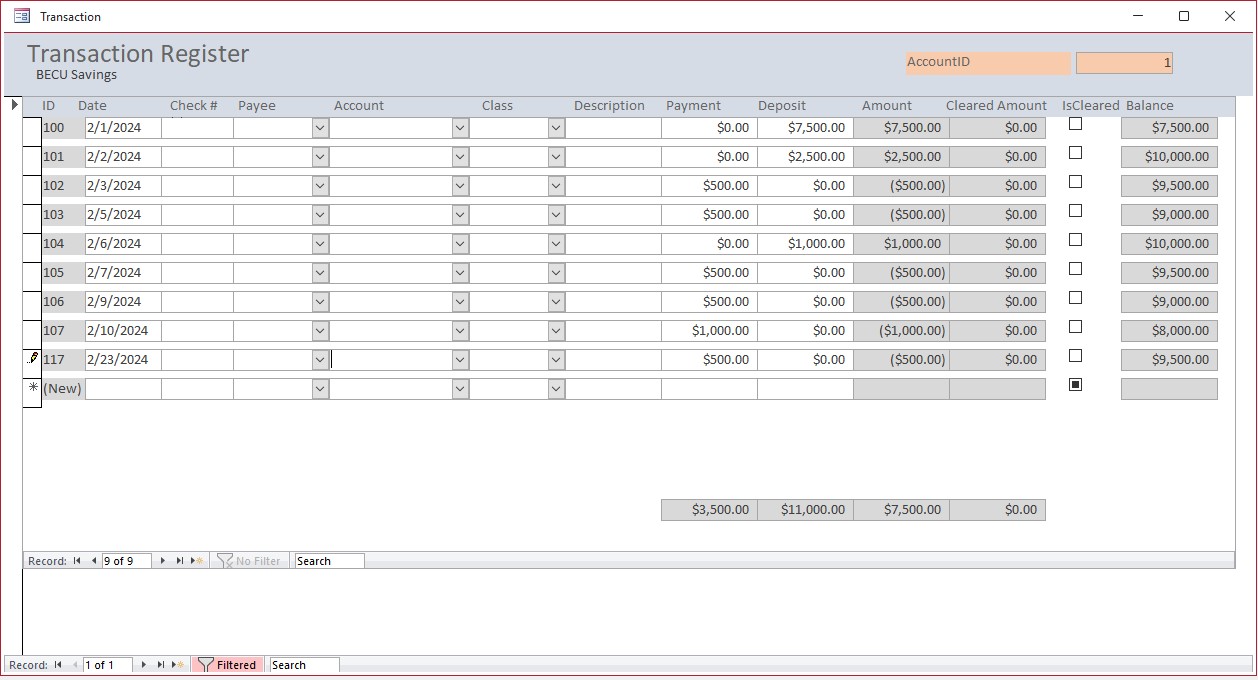
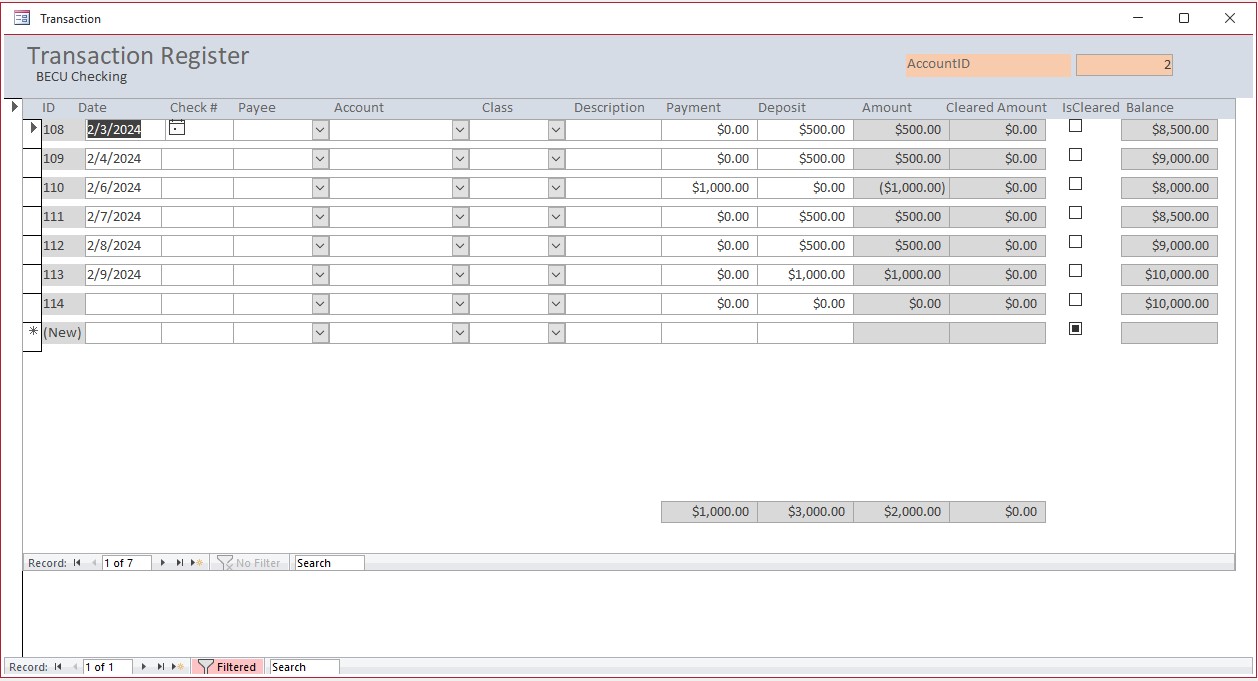
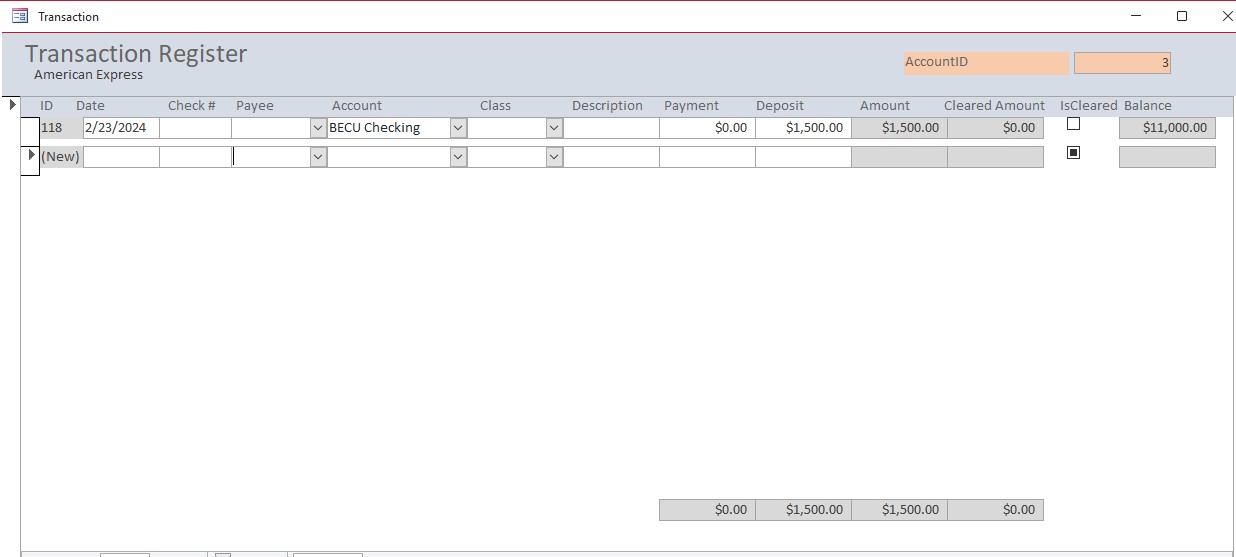
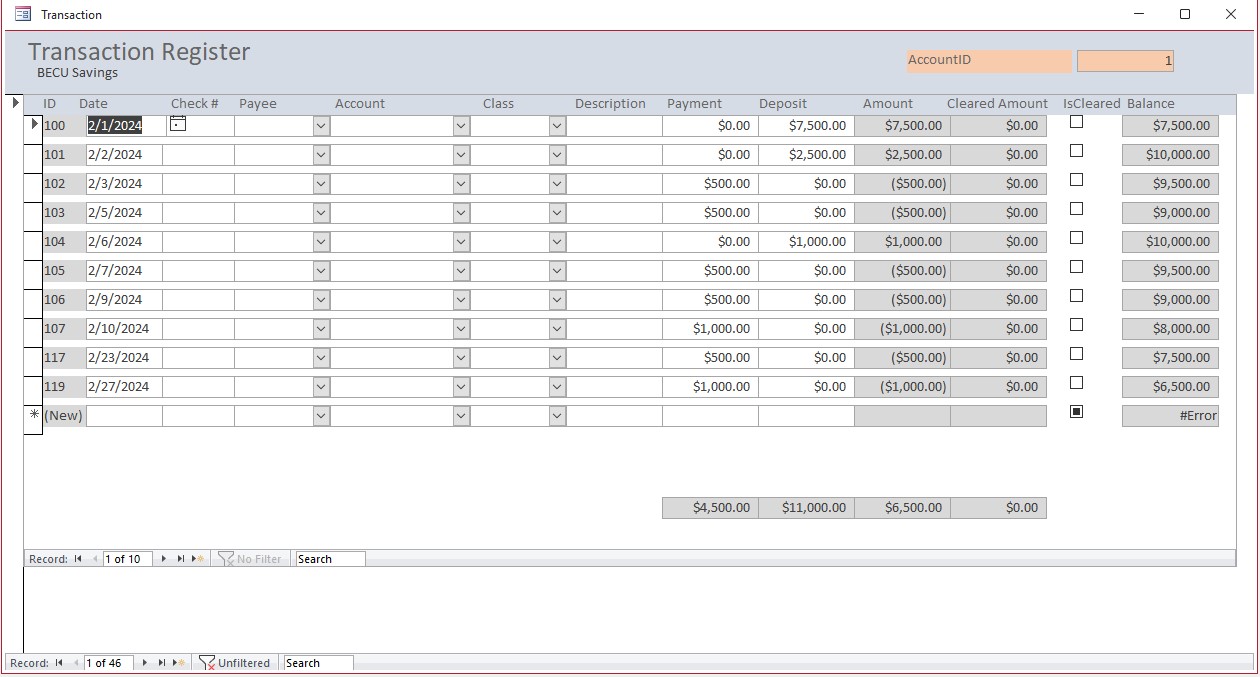
I had created a chart of accounts and account forms while watching the videos. I thought I had this fixed with all the sample data I entered; it looked like it was working perfectly with the Account ID 1. Showed initial deposits and payments properly adding and the balance of 8,000. However, when I added new data using the transfer form or the check register, the debits of 500 were added to give a balance of 9500 instead of 7,500.  Also, when I go to other 2nd account the running balance when it should be 2,000  it says 10,000 and third account should be 1500 says 11,000
David Campbell OP  @Reply  
     
2 years ago

David Campbell OP  @Reply  
     
2 years ago

Richard Rost  @Reply  
           
2 years ago
Okay, let's see your calculations.
David Campbell OP  @Reply  
     
2 years ago
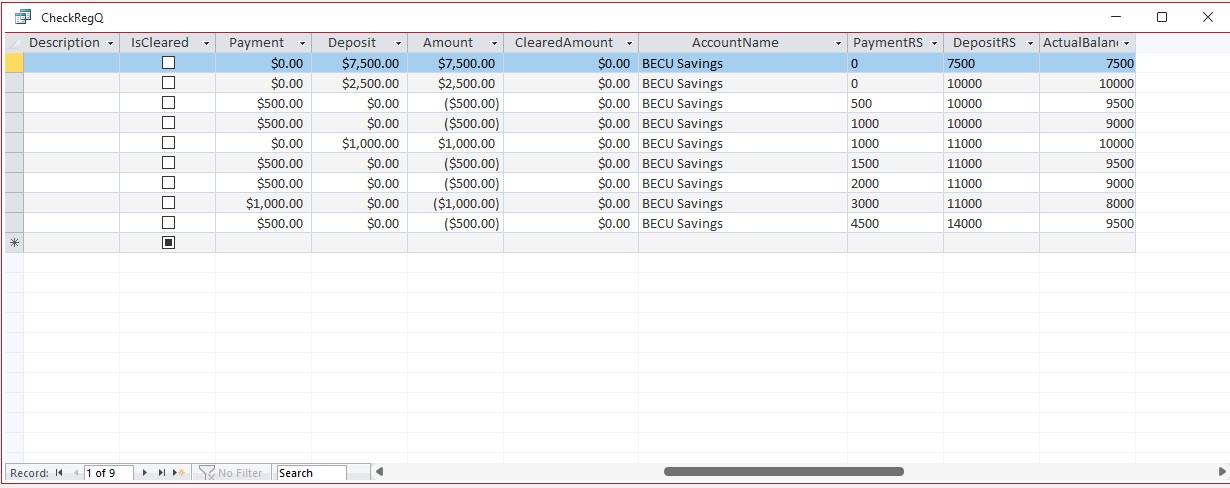
PaymentRS: DSum("Payment","TransactionT","TransactionID <= " & [TransactionID])
DepositRS: DSum("Deposit","TransactionT","TransactionID <=" & [TransactionID])

I used Account ID as well but get same problem
David Campbell OP  @Reply  
     
2 years ago

David Campbell OP  @Reply  
     
2 years ago
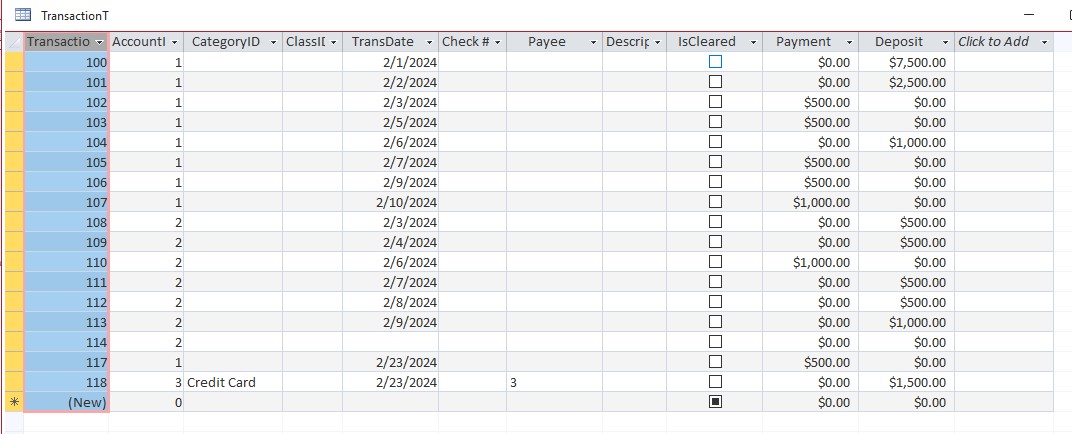
Its adding up all the items in the table.  The query join is set to all records in TransactionT and those in AccountT.  If I use multiple criteria in Dsum I get 0 records when query is run.
David Campbell OP  @Reply  
     
2 years ago

David Campbell OP  @Reply  
     
2 years ago

Richard Rost  @Reply  
           
2 years ago
Okay, in this particular example, you can't apply filters to the form because now you're not seeing all the data, whereas the calculations that you're using are going straight to the table and doing a DSum of all the records regardless of your filter. So, in this particular form, you're going to either have to rewrite the formulas to take the filter into account, which is pretty complicated, or you're going to have to disable the filters.
David Campbell OP  @Reply  
     
2 years ago
could you give me an example of taking the filters into account, id love to keep a running balance on each account.
Adam Schwanz  @Reply  
           
2 years ago
Another way would be to just use SUM instead of DSUM, SUM would adjust to the filter on it's own
David Campbell OP  @Reply  
     
2 years ago
Changed my formula and works correctly in all accounts, however it gives #error in balance field for new transaction. The default value for field is 0.00
David Campbell OP  @Reply  
     
2 years ago
Its run by formula and dumping in #error
David Campbell OP  @Reply  
     
2 years ago

David Campbell OP  @Reply  
     
2 years ago
I believe I should put my formula in an IIF Statement as true argument then "" as false, But dang all that looks crazy
Adam Schwanz  @Reply  
           
2 years ago
Yea you could use IIF Function
Richard Rost  @Reply  
           
2 years ago
You won't be able to easily use form filters. You'll have to write the AccountID into your DSUM statement.

This thread is now CLOSED. If you wish to comment, start a NEW discussion in Access Forum.
 

Next Unseen


What's This?


The following is a paid advertisement
Computer Learning Zone is not responsible for any content shown or offers made by these ads.
 

Learn
 
Access - index
Excel - index
Word - index
Windows - index
PowerPoint - index
Photoshop - index
Visual Basic - index
ASP - index
Seminars
More...
Customers
 
Login
My Account
My Courses
Lost Password
Memberships
Student Databases
Change Email
Info
 
Latest News
New Releases
User Forums
Topic Glossary
Tips & Tricks
Search The Site
Code Vault
Collapse Menus
Help
 
Customer Support
Web Site Tour
FAQs
TechHelp
Consulting Services
About
 
Background
Testimonials
Jobs
Affiliate Program
Richard Rost
Free Lessons
Mailing List
PCResale.NET
Order
 
Video Tutorials
Handbooks
Memberships
Learning Connection
Idiot's Guide to Excel
Volume Discounts
Payment Info
Shipping
Terms of Sale
Contact
 
Contact Info
Support Policy
Mailing Address
Phone Number
Fax Number
Course Survey
Email Richard
[email protected]
Blog RSS Feed    YouTube Channel

LinkedIn
Copyright 2026 by Computer Learning Zone, Amicron, and Richard Rost. All Rights Reserved. Current Time: 11/20/2026 12:19:20 AM. PLT: 1s