Free Lessons
Courses
Seminars
TechHelp
Fast Tips
Templates
Topic Index
Forum
ABCD
 
Home   Courses   TechHelp   Forums   Help   Contact   Merch   Join   Order   Logon  
 
Back to Access Developer Forum    Comments List
Upload Images   @Reply   Bookmark    Link   Email   Next Unseen 
GetSeason
Kevin Robertson 
          
2 years ago
I am building a database to track my favourite TV shows.

Originally I tracked the seasons of the show by storing the ShowID in the Season table but I had to store Season 1, Season 2 and so on multiple times. I was never happy with the overall structure (though I got it to work), so I decided to restructure the entire process. I added a field to the Show table to track the number of seasons the show had. Then, I could programmatically add the season based on the ID if it didn't already exist.

This is my code which I call in the OnCurrent event of the parent form:

Private Sub GetSeasons()

    Dim MaxID As Long, X As Long

    If IsNull(NumSeasons) Or NumSeasons = "" Then Exit Sub
    
    MaxID = Nz(DMax("SeasonID", "SeasonT"), 0)
    If MaxID >= NumSeasons Then Exit Sub
    
    For X = MaxID + 1 To NumSeasons
        If MaxID < NumSeasons Then
            CurrentDb.Execute "INSERT INTO SeasonT(Season) " & _
                "VALUES(""Season " & X & """)"
        End If
    Next
    
    EpisodeSubF.Form!cboSeason.Requery
    
End Sub


Note: NumSeasons is a bound field on my Form.
Thomas Gonder  @Reply  
      
2 years ago
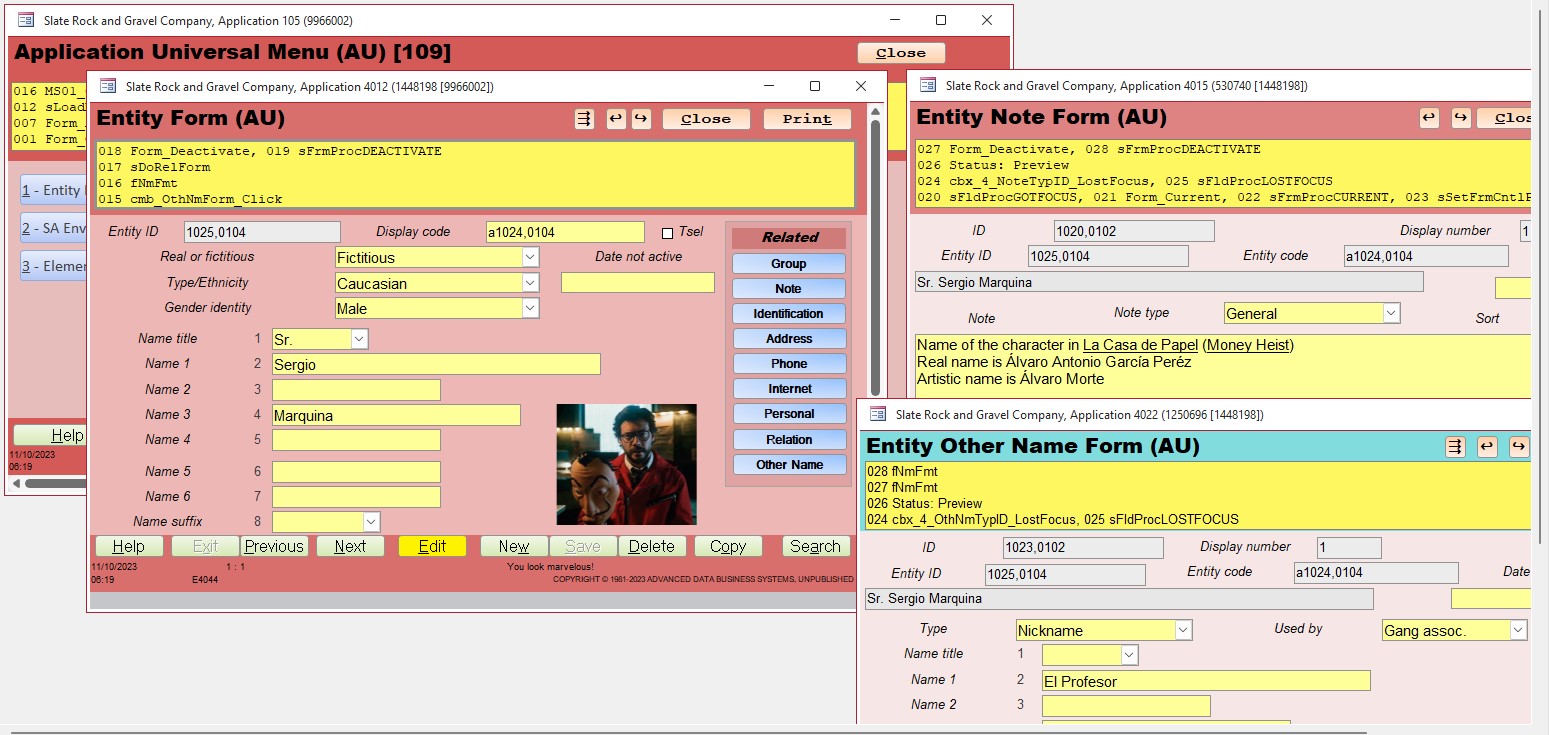
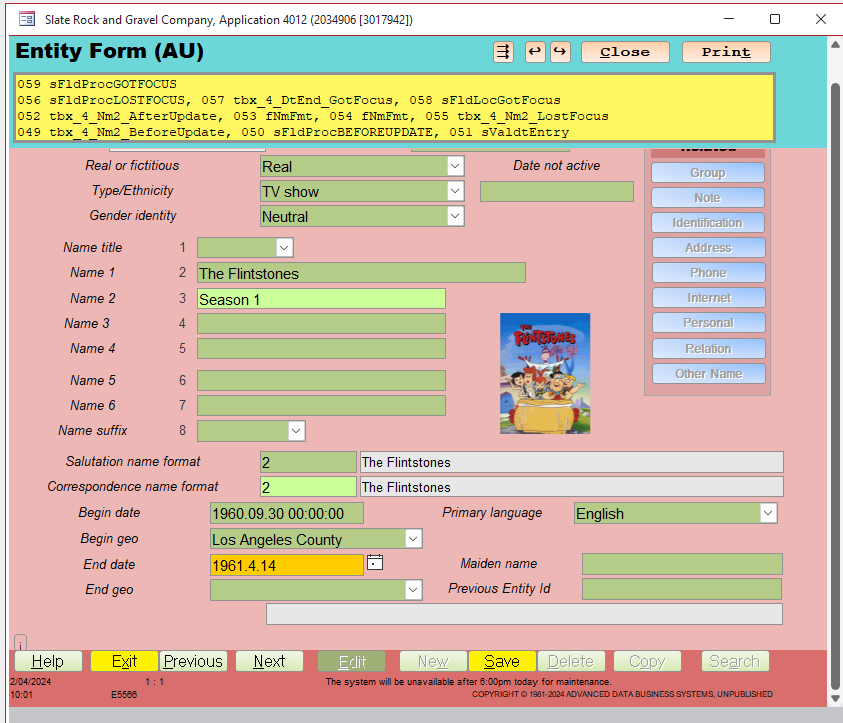
Hi Kevin, I've tried to make my ADS capable of handling lots of situations, including TV shows. You can see some of that in the videos on YouTube with The Flintstones. I started filling out records for Casa de Papel, but never finished as the documents went missing after some big cleaning day. Would you do me a favor and try doing what you want in the evaluation version of the ADS? I'm curious to know if it's flexible enough for what you're trying to do. I see so many options, but I would need to know more about what you want to do with the seasons. I can do Zoom too if it would help.
Thomas Gonder  @Reply  
      
2 years ago

Thomas Gonder  @Reply  
      
2 years ago

Thomas Gonder  @Reply  
      
2 years ago
Create a record for each season.
They can each have their own image and dates for the season.
Link the show to a studio (a different Entity) using the Relation related form.
Likewise, you can associate actors with each season.
Link all the seasons together with the Previous Entity Id. (See Marilyn Monroe in the Evaluation db)
Use the Group related form to create up to five different ways you want to custom categorize your favorite or not so favorite shows or seasons).
Add notes to each season for things that don't (or can't) get categorized in the Group table.
Yeah, the login and menus take some work, but that's well worth it once the whole family joins in to enter their favorite shows.

I'm telling you... you gotta check out the ADS.

This thread is now CLOSED. If you wish to comment, start a NEW discussion in Access Developer Forum.
 

Next Unseen

 
New Feature: Comment Live View


The following is a paid advertisement
Computer Learning Zone is not responsible for any content shown or offers made by these ads.
 

Learn
 
Access - index
Excel - index
Word - index
Windows - index
PowerPoint - index
Photoshop - index
Visual Basic - index
ASP - index
Seminars
More...
Customers
 
Login
My Account
My Courses
Lost Password
Memberships
Student Databases
Change Email
Info
 
Latest News
New Releases
User Forums
Topic Glossary
Tips & Tricks
Search The Site
Code Vault
Collapse Menus
Help
 
Customer Support
Web Site Tour
FAQs
TechHelp
Consulting Services
About
 
Background
Testimonials
Jobs
Affiliate Program
Richard Rost
Free Lessons
Mailing List
PCResale.NET
Order
 
Video Tutorials
Handbooks
Memberships
Learning Connection
Idiot's Guide to Excel
Volume Discounts
Payment Info
Shipping
Terms of Sale
Contact
 
Contact Info
Support Policy
Mailing Address
Phone Number
Fax Number
Course Survey
Email Richard
[email protected]
Blog RSS Feed    YouTube Channel

LinkedIn
Copyright 2026 by Computer Learning Zone, Amicron, and Richard Rost. All Rights Reserved. Current Time: 5/6/2026 12:56:18 PM. PLT: 0s