Good Evening! I'm sorry for bothering everyone yet again today but I'm at a loss. The first thing is about the PaidOrNot Selection. I typed the formula into the ControlSource as instructed per the video. But after I went into the design area and removed the IsPaid button, I replaced it with the PaidorNot field button and then tried to get it to work even after placing the macro in the Print Order Button for refresh record. The first record worked for Paid checked and unchecked and then the second order only worked on Paid and not Unpaid. I will upload a copy of the two formulas used for the first and second issues.
Second was trying to enter the formula into the Query for the Quotation and Invoice. I would not accept the formula and I'm pretty sure I entered it in correctly. If you can look at it and tell me what may be wrong I would appreciate it. Thanks again, Ken
Kenneth WykoffOP
@Reply 2 years ago
Kenneth WykoffOP
@Reply 2 years ago
Kenneth WykoffOP
@Reply 2 years ago
Error is what I get from the Quotation or Invoice and the formulas I have used for both and placed into the control source are next
Sami Shamma
@Reply 2 years ago
you have a spelling error.
It is IIF not IFF
Kevin Robertson
@Reply 2 years ago
In QuotationOrInvoice you have IFF instead of IIF.
I used to make that mistake a lot when I started out. That's why in my videos now I say "iiiiiiiiiiiif not iffffffff."
Sami Shamma
@Reply 2 years ago
Kevin, I learned from the Masters.
David Burns
@Reply 2 years ago
LOL
I have to watch for this as IFF is regularly used in maths to mean "if and only if".
Kenneth WykoffOP
@Reply 2 years ago
Again thanks gentlemen! I finally got it to work after I changed that and deleted on parenthesis that was placed in the formula and then it was accepted. Apparently the need to have a parenthesis after IsQuotation and bracket was not needed. So now I should be able to continue learning.
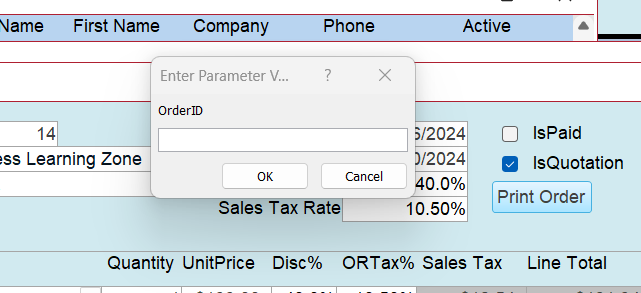
Just one last question on this First problem with the PaidOrNot part. I have everything correct I believe with the formula and have it posted in the control source and the refresh macro in place. It will not refresh always so not sure what is going on there still. It will refresh one order at a time but then I need to shut it all down to start another. And the second order, one will refresh for paid and the next time when I remove the check it still will say Paid.
Kenneth WykoffOP
@Reply 2 years ago
Kenneth WykoffOP
@Reply 2 years ago
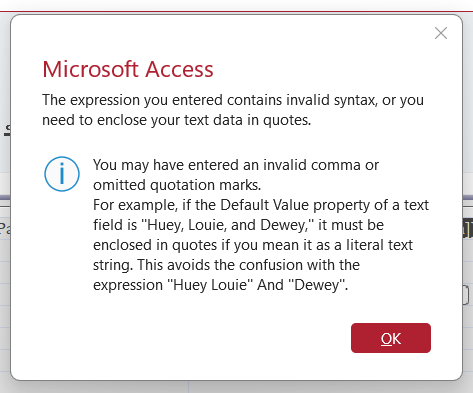
Just when I thought I had it right, nope! Just so you know, I even opened the database download from the lesson and copied and pasted both of those formulas into the areas I was supposed to and it did not work still. Newest error message is attached. What is frustration is that the database download from online works.
Kenneth WykoffOP
@Reply 2 years ago
OK PARTY TIME! I finally have this entire thing working after many trials and errors. I managed to watch the video a couple more times to beat it into my old brain. Did some refresh things and also ran an error check on it all. Whatever it all was, is now working so on to the next lesson, and again thank you all for the help you gave me.
If you are a Visitor, go ahead and post your reply as a
new comment, and we'll move it here for you
once it's approved. Be sure to use the same name and email address.
This thread is now CLOSED. If you wish to comment, start a NEW discussion in
Access Expert 10.