Free Lessons
Courses
Seminars
TechHelp
Fast Tips
Templates
Topic Index
Forum
ABCD
 
Home   Courses   TechHelp   Forums   Help   Contact   Merch   Join   Order   Logon  
 
Back to Access Forum    Comments List
Upload Images   @Reply   Bookmark    Link   Email   Next Unseen 
Trouble With Subform
Richard Van Wagoner 
      
2 years ago
I have a subform that was working properly until I messed with the query. Now after deleting the sub form and building a new query, I cannot get it to work. The problem is with one of the combo boxes. It does not save it to the table with the information in the combo box. Instead, it uses the ID numbers of the fields I am trying to use not the actual string that is in the field. Also, I  have another form with a subform that is related to the first one that works fine. Here is what I have to do to get the information correct 1) Input the name on ActressF 2) Close that form without inputting any info on the subform. Then I open the other form and I can choose the name from it's subform and input the notes and It works then.
Richard Van Wagoner OP  @Reply  
      
2 years ago

Richard Van Wagoner OP  @Reply  
      
2 years ago

Richard Van Wagoner OP  @Reply  
      
2 years ago

Richard Van Wagoner OP  @Reply  
      
2 years ago
I have tried multiple times with different field combinations in the combo boxes. Still no luck.
Sami Shamma  @Reply  
             
2 years ago
What is your main Form bound to?
Your main form should be bound to the cross reference table and it should have two boxes bound to each of the other two tables, the action and the actress.

I don't understand what the sub is doing. If it's designed to input more data on the actress, then you do not need a continuous form a single form will.
Check this video
Many-to-Many
Richard Van Wagoner OP  @Reply  
      
2 years ago
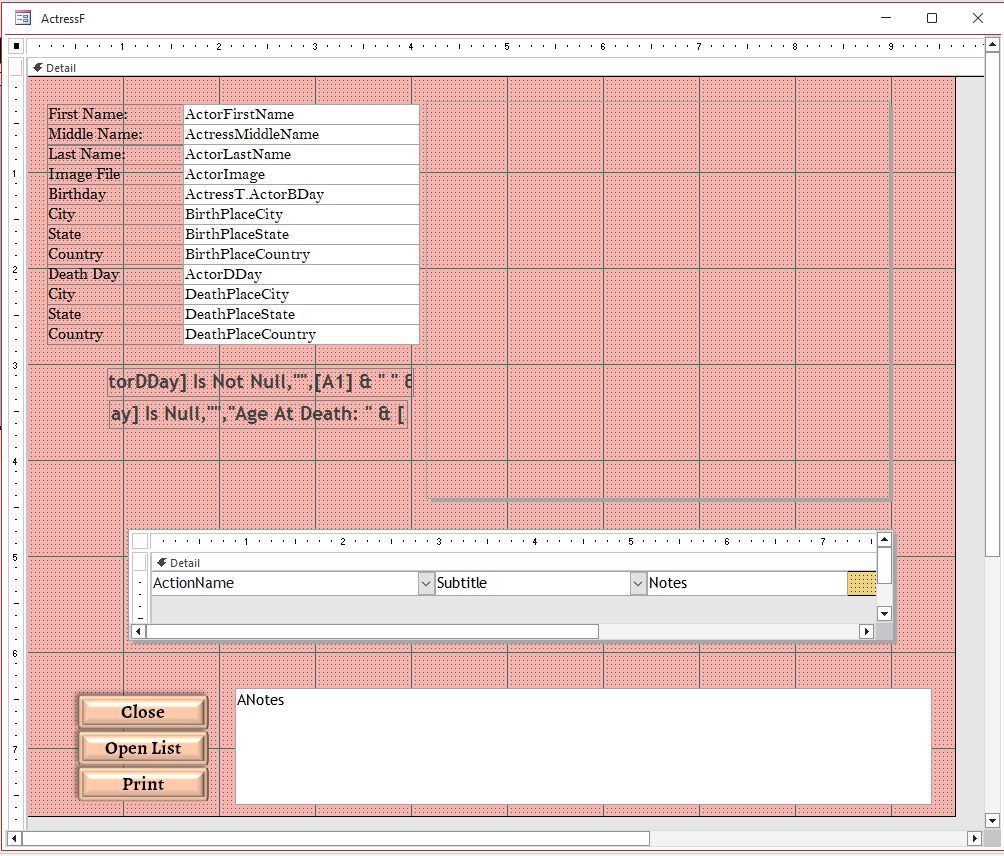
The subform that I am having trouble with is on the actress form where I input details on the actress (Name, Birth, etc). The subform is to add information about the titles, roles, and subtitles that the actress has appeared in. I have a form called MediaF that I input the title subtitle and all that applies to it. It has a subform that I use to add existing actresses and a role. It is basically a reverse of the subform on ActressF that I am having trouble with. When I input information about a new actress I use the actressF and the subform on Actressf but now the Subform on Actress F does not work. So I enter actress name and other information on ActressF and Then go to Mediaf to add information like Title and Roles. It is kind of a pain to jump back and forth between forms. Like I said this used to work just fine but I did something and now it doesn't.
Kevin Robertson  @Reply  
          
2 years ago
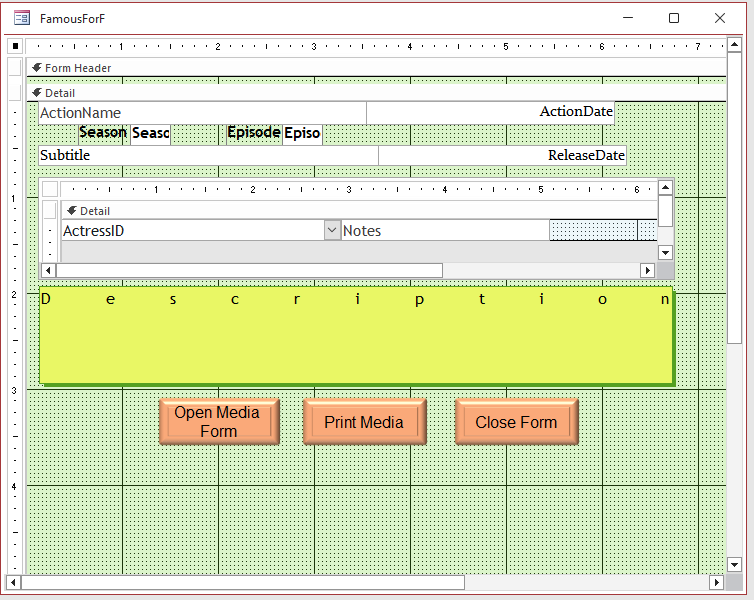
Where is the screenshot of the parent form that has the subform?
Kevin Robertson  @Reply  
          
2 years ago
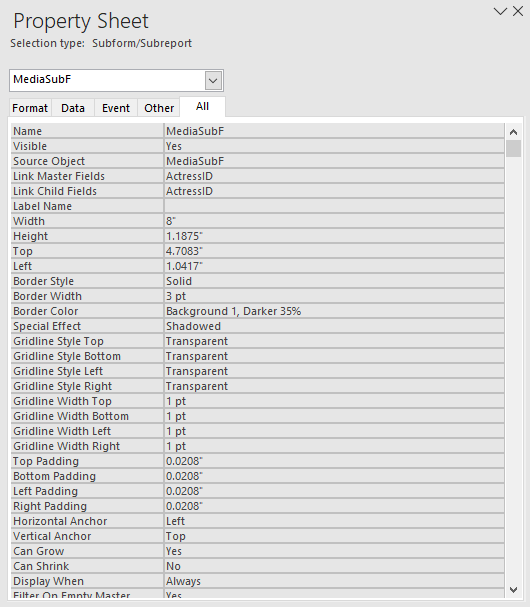
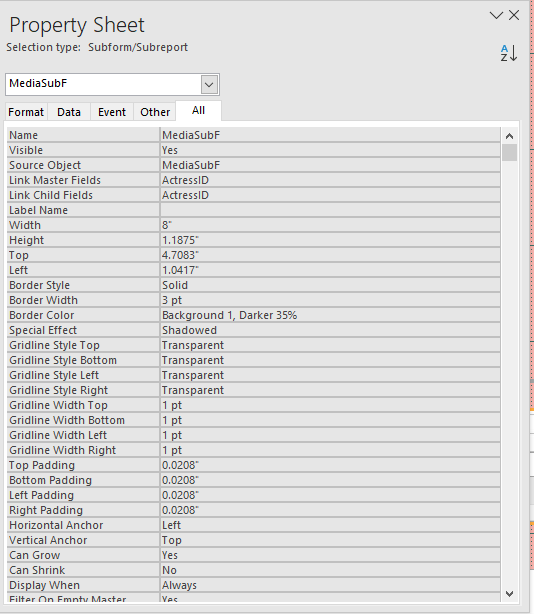
Are the Link Master Fields and Link Child Fields properties of the Subform object set correctly?
Kevin Yip  @Reply  
     
2 years ago
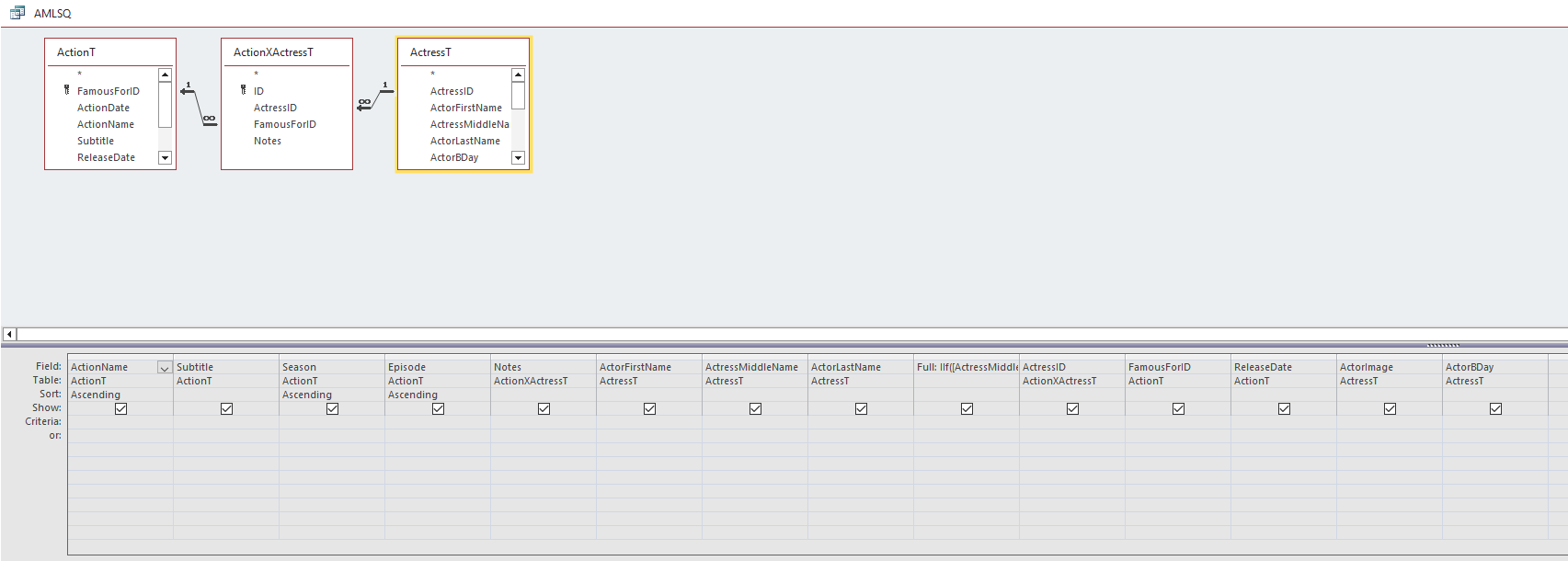
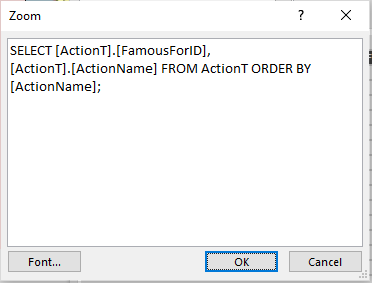
Compare the query (SQL) you had before with the one after.  Check the differences, and see why the former worked and the latter doesn't.
Richard Van Wagoner OP  @Reply  
      
2 years ago

Richard Van Wagoner OP  @Reply  
      
2 years ago

Richard Van Wagoner OP  @Reply  
      
2 years ago

Kevin Robertson  @Reply  
          
2 years ago
Just reread your original post and can't see what the problem is.

"The problem is with one of the combo boxes. It does not save it to the table with the information in the combo box. Instead, it uses the ID numbers of the fields I am trying to use not the actual string that is in the field."

This is how Relational Combo Boxes are supposed to work. The whole purpose of a Foreign Key.
Richard Van Wagoner OP  @Reply  
      
2 years ago

Richard Van Wagoner OP  @Reply  
      
2 years ago
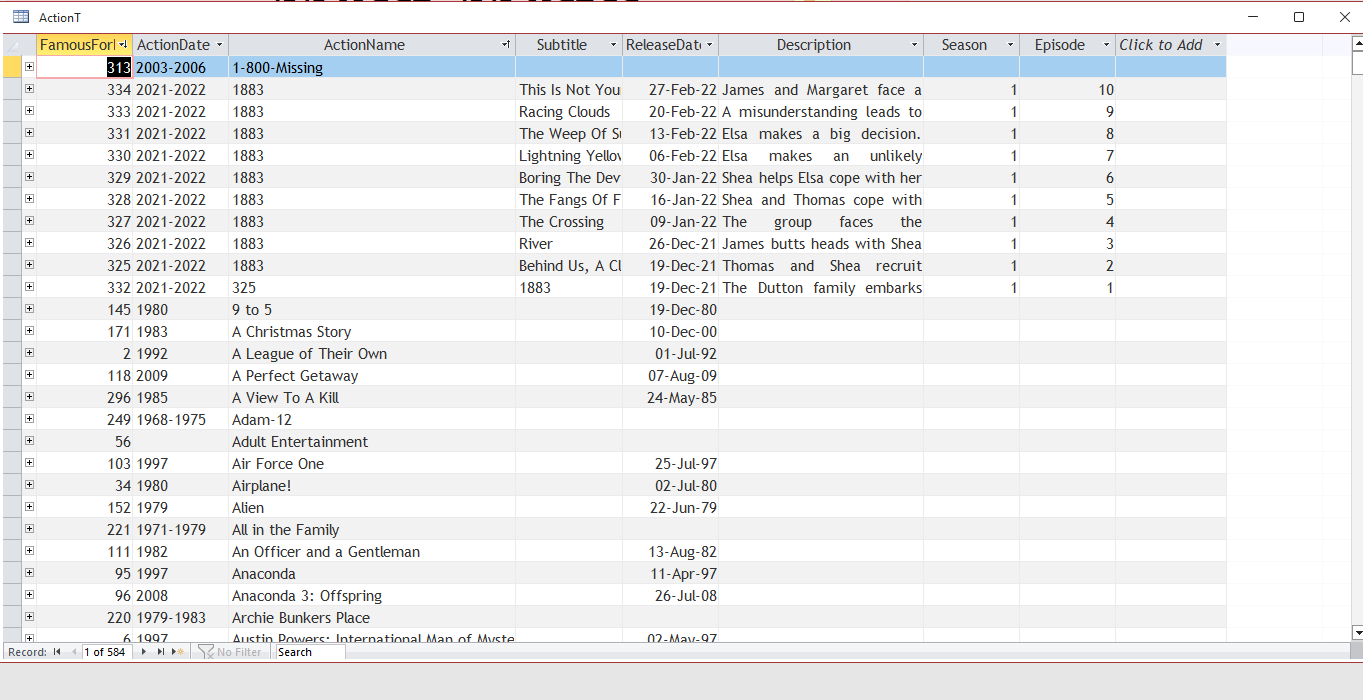
This is how my table looks when it is correct
Richard Van Wagoner OP  @Reply  
      
2 years ago

Richard Van Wagoner OP  @Reply  
      
2 years ago
This is what it looks like now. Note the numbers and not the full test and the date is blank along with the description and season and episode. To get this information I have to enter it using the MediaF.
Richard Van Wagoner OP  @Reply  
      
2 years ago
The blank entries on the first screenshot are because I haven't added that information yet.
Kevin Robertson  @Reply  
          
2 years ago
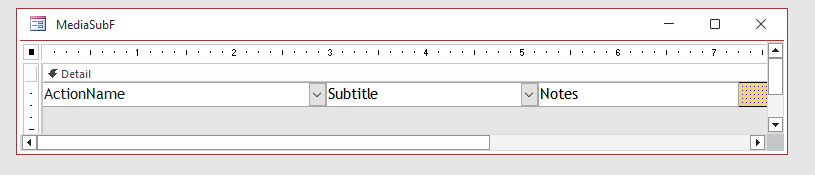
Could it be that the reason the date, description, season and episode fields are blank is because there is nowhere to enter that data (from what I see from your screenshot the subform only has 3 fields (ActionName, Subtitle and Notes)).
Richard Van Wagoner OP  @Reply  
      
2 years ago
I wish I could show you what I mean with a screen recording. I will just try to explain the date, description and all other blank fields are set by MediaF that is to say when I enter the information in the form (all data, date, description,etc) it is stored in two tables ActionT and ActionXActressT. My subform adds the Media to the actress. Likewise the form that works does the same thing only adds the actress to the media.
Richard Van Wagoner OP  @Reply  
      
2 years ago
I have made a mistake about the Parent Forms instead of MediaF it is FamousForF
Richard Van Wagoner OP  @Reply  
      
2 years ago

Richard Van Wagoner OP  @Reply  
      
2 years ago
I have it fixed! I don't know what was the matter, I just redid the subform once more and it works now.

This thread is now CLOSED. If you wish to comment, start a NEW discussion in Access Forum.
 

Next Unseen

 
New Feature: Comment Live View


The following is a paid advertisement
Computer Learning Zone is not responsible for any content shown or offers made by these ads.
 

Learn
 
Access - index
Excel - index
Word - index
Windows - index
PowerPoint - index
Photoshop - index
Visual Basic - index
ASP - index
Seminars
More...
Customers
 
Login
My Account
My Courses
Lost Password
Memberships
Student Databases
Change Email
Info
 
Latest News
New Releases
User Forums
Topic Glossary
Tips & Tricks
Search The Site
Code Vault
Collapse Menus
Help
 
Customer Support
Web Site Tour
FAQs
TechHelp
Consulting Services
About
 
Background
Testimonials
Jobs
Affiliate Program
Richard Rost
Free Lessons
Mailing List
PCResale.NET
Order
 
Video Tutorials
Handbooks
Memberships
Learning Connection
Idiot's Guide to Excel
Volume Discounts
Payment Info
Shipping
Terms of Sale
Contact
 
Contact Info
Support Policy
Mailing Address
Phone Number
Fax Number
Course Survey
Email Richard
[email protected]
Blog RSS Feed    YouTube Channel

LinkedIn
Copyright 2026 by Computer Learning Zone, Amicron, and Richard Rost. All Rights Reserved. Current Time: 6/16/2026 4:40:16 PM. PLT: 2s