Free Lessons
Courses
Seminars
TechHelp
Fast Tips
Templates
Topic Index
Forum
ABCD
 
Home   Courses   TechHelp   Forums   Help   Contact   Merch   Join   Order   Logon  
 
Back to Access Forum    Comments List
Upload Images   @Reply   Bookmark    Link   Email   Next Unseen 
Customer List not wor
Asteropi Papadopoulou 
   
2 years ago
So I followed Richard's videos to the T so far and here is what I can't make work

I have a table for customer specific pricing, which is of course connected to my orders form through a bunch of queries (see youtube's Customer Specific Product Pricing video).

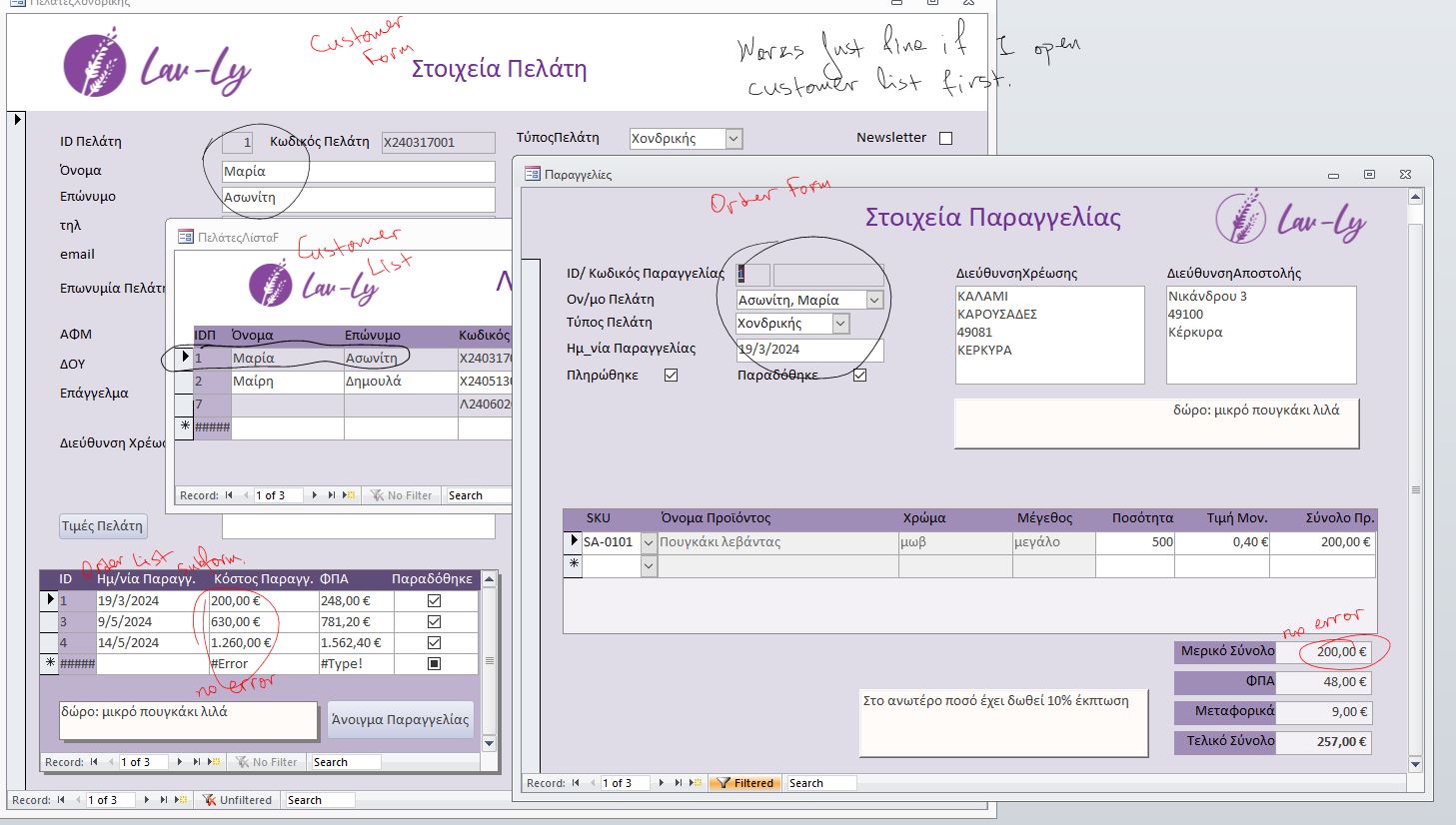
Now if I go CustomerListF > (pick customer) > CustomerF > OrderF it works fine.

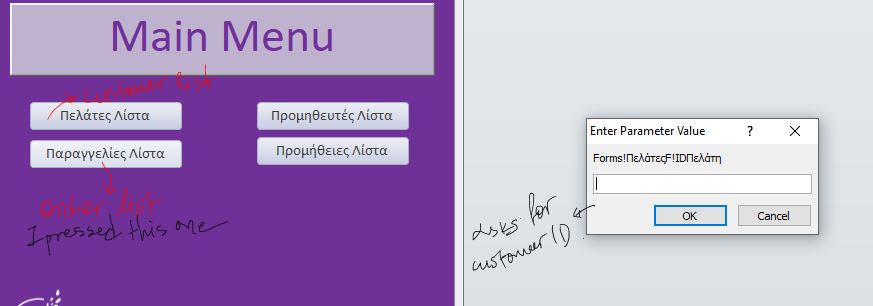
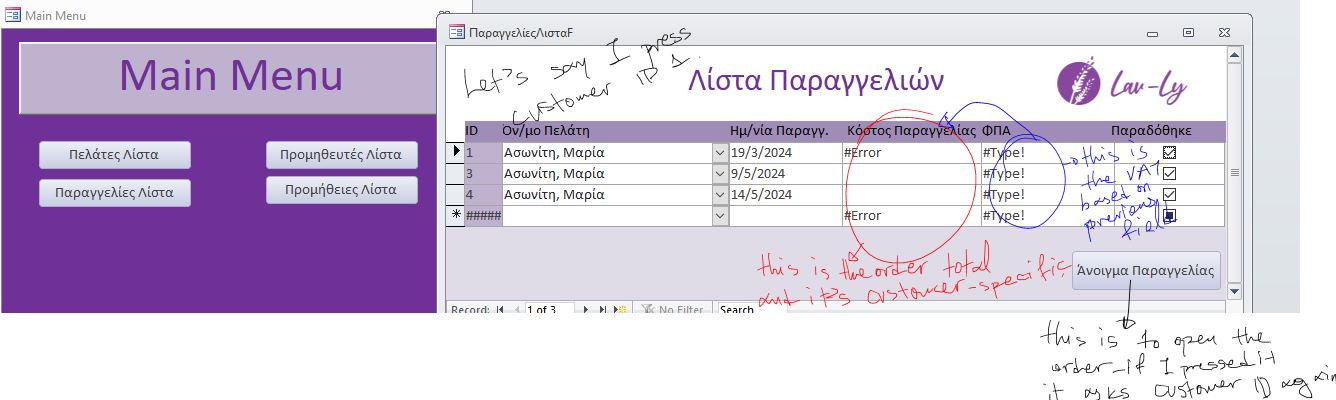
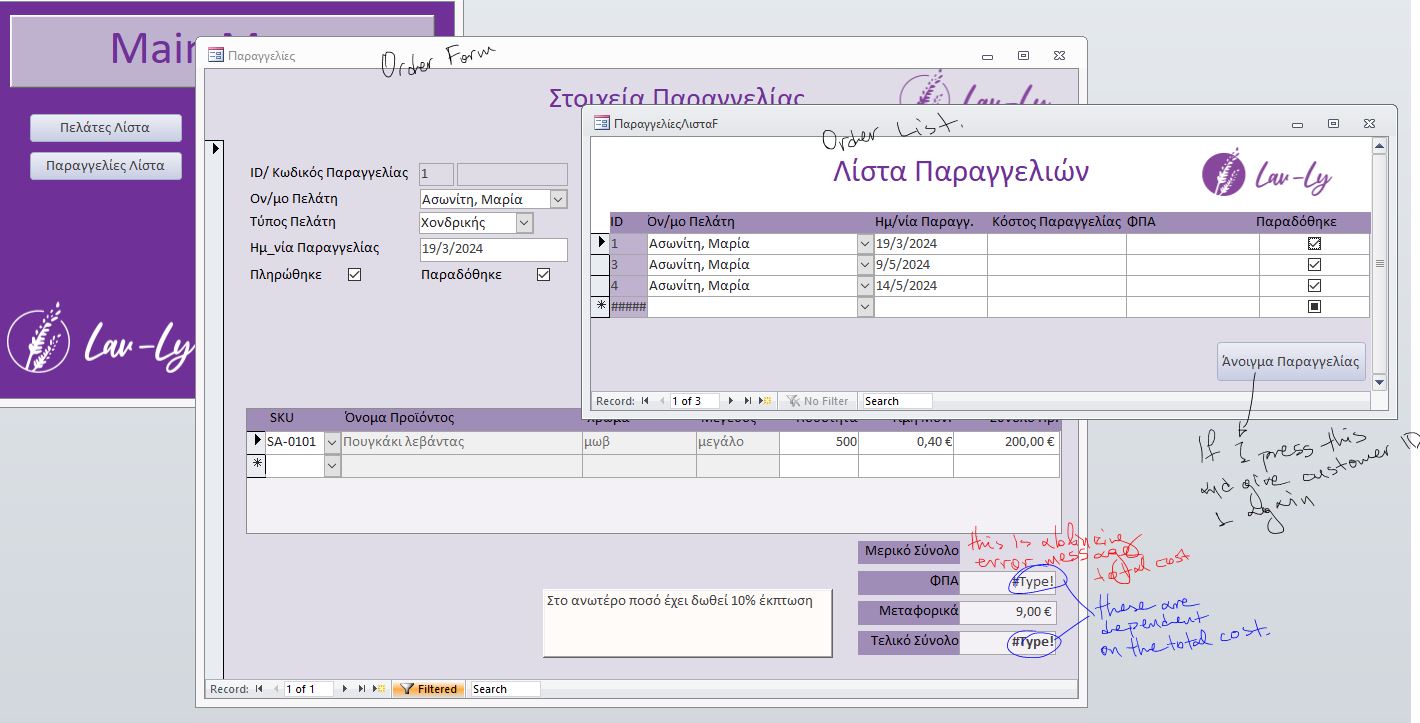
However I also have an independent OrdersListF that shows all my orders. If I press there and I don't have the CustomerF open, it either asks me for customer ID (which I don't remember) or it won't show me the sums.

Is there any way to circumvent this?
Juan C Rivera  @Reply  
            
2 years ago
Ensuring you have the customer ID is crucial. Since the form is designed in a way where the customer ID plays a critical role, you'll need to make adjustments to ensure it's properly integrated.

Remember, tackling this task involves a combination of understanding Access's database structure, SQL queries, and possibly VBA coding. With patience, practice, and continued learning, you'll be able to achieve your objectives.

Anything is doable its all about how you approch this and how much time you put in to learn this.
Asteropi Papadopoulou OP  @Reply  
   
2 years ago
I have the customer ID. Without it I wouldn't be able to draw the CustomerPrice
Which is exacly the problem
Juan C Rivera  @Reply  
            
2 years ago
I dont think I understand can you provide a picture?
Richard Rost  @Reply  
          
2 years ago
I cover creating an Order List form in the extended cut for Invoicing.

If you want to make sure a form is open because another form needs to get a value from it, you can make it Modal or it will require VBA.
Asteropi Papadopoulou OP  @Reply  
   
2 years ago
Hi Richard,
In your invoicing video you haven't attached the customer-specific pricing though.
I have created the Order List easily, but because my order list shows the final total, and the total is based on the customer-specific pricing, if I don't have the customer list open, then the order list will not show any number but only gives an error in that field

I need it to show me the numbers even if the customer list or the customer form is closed.
Asteropi Papadopoulou OP  @Reply  
   
2 years ago
Or it asks for customer if before it even opens up
Asteropi Papadopoulou OP  @Reply  
   
2 years ago

Asteropi Papadopoulou OP  @Reply  
   
2 years ago

Asteropi Papadopoulou OP  @Reply  
   
2 years ago

Asteropi Papadopoulou OP  @Reply  
   
2 years ago

Asteropi Papadopoulou OP  @Reply  
   
2 years ago
So if I have CUSTOMER-SPECIFIC pricing, how can I set it up to start working from the order list?

This thread is now CLOSED. If you wish to comment, start a NEW discussion in Access Forum.
 

Next Unseen

 
New Feature: Comment Live View


The following is a paid advertisement
Computer Learning Zone is not responsible for any content shown or offers made by these ads.
 

Learn
 
Access - index
Excel - index
Word - index
Windows - index
PowerPoint - index
Photoshop - index
Visual Basic - index
ASP - index
Seminars
More...
Customers
 
Login
My Account
My Courses
Lost Password
Memberships
Student Databases
Change Email
Info
 
Latest News
New Releases
User Forums
Topic Glossary
Tips & Tricks
Search The Site
Code Vault
Collapse Menus
Help
 
Customer Support
Web Site Tour
FAQs
TechHelp
Consulting Services
About
 
Background
Testimonials
Jobs
Affiliate Program
Richard Rost
Free Lessons
Mailing List
PCResale.NET
Order
 
Video Tutorials
Handbooks
Memberships
Learning Connection
Idiot's Guide to Excel
Volume Discounts
Payment Info
Shipping
Terms of Sale
Contact
 
Contact Info
Support Policy
Mailing Address
Phone Number
Fax Number
Course Survey
Email Richard
[email protected]
Blog RSS Feed    YouTube Channel

LinkedIn
Copyright 2026 by Computer Learning Zone, Amicron, and Richard Rost. All Rights Reserved. Current Time: 5/7/2026 7:31:02 AM. PLT: 0s