Free Lessons
Courses
Seminars
TechHelp
Fast Tips
Templates
Topic Index
Forum
ABCD
 
Home   Courses   TechHelp   Help   Contact   Merch   Join   Order   Logon   Forums   
 
Back to Access Forum    Comments List
Upload Images   @Reply   Bookmark    Link   Email   Next Unseen 
SQL Server Connection Problem
Jeffrey Eckert 
     
2 years ago
Good morning. I'm setting up a database at work that uses an Access front-end connected to an SQL Server back-end. The server is on premises and I am using Windows Authentication. The connection string I'm using for my table links is working fine:
ODBC;DRIVER=SQL Server;SERVER=myServer;Database=myDb;Trusted_Connection=Yes

The ADO Recordset string is not working so well:
Provider=SQLOLEDB;Server=myServer;Database=myDb;Trusted_Connection=Yes

On my machine, I am able to run all the recordsets just fine. However, when I send an ACCDE front-end to a user to test, they receive an error whenever they get to any event that calls a recordset. The error is the generic "The expression On Load you entered as the event property setting produced the following error..." The "On Load" changes to whatever event the user triggered that had a recordset in it.

My internet searching has been less than helpful...hopefully you guys can help! Thanks!
Kevin Robertson  @Reply  
           
2 years ago
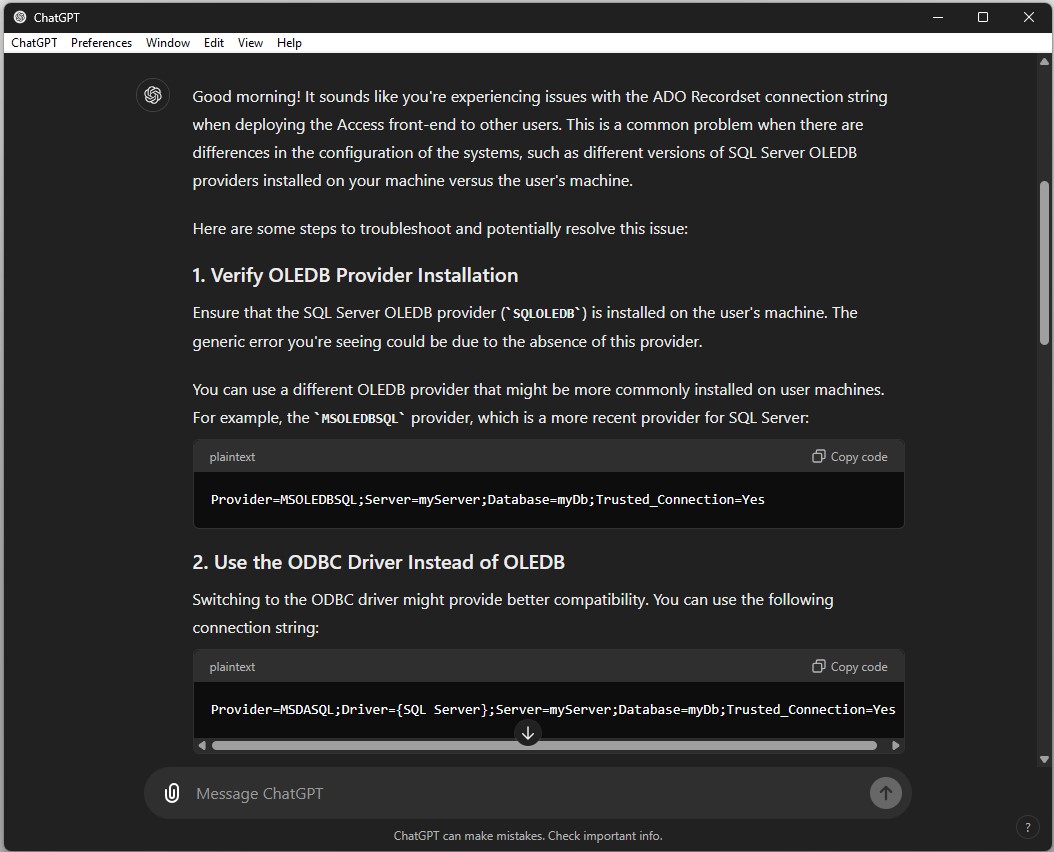
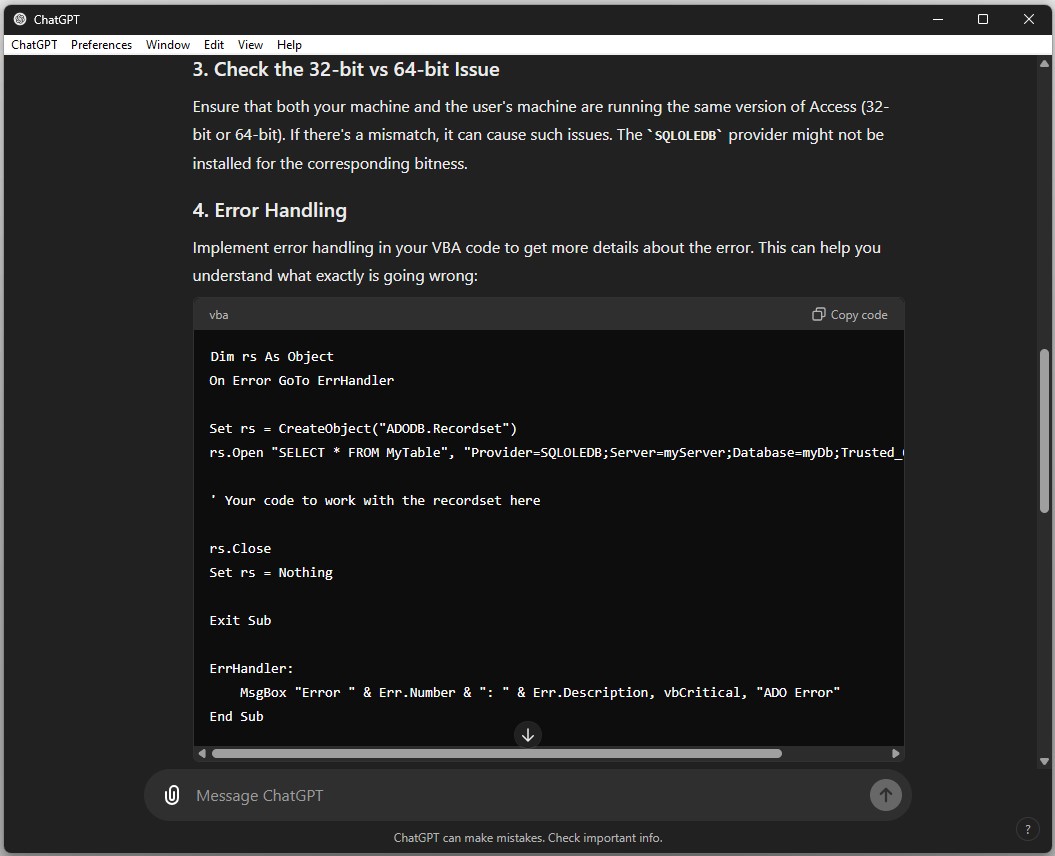
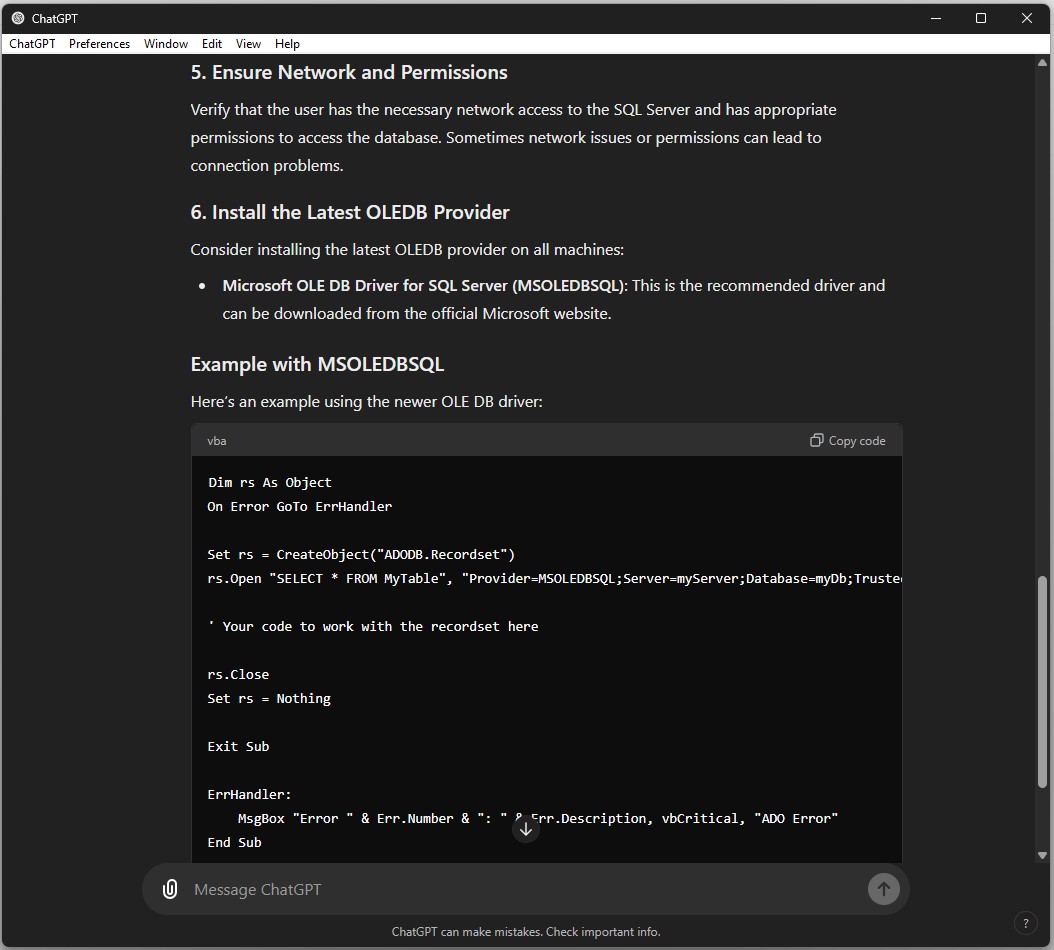
I asked ChatGPT about your issue. See screenshots.
Kevin Robertson  @Reply  
           
2 years ago

Kevin Robertson  @Reply  
           
2 years ago

Kevin Robertson  @Reply  
           
2 years ago

Adam Schwanz  @Reply  
           
2 years ago
Out of curiosity, is your user using a full version of access? Or are they doing it on access runtime? I get those errors all the time when sending to users on runtime, works fine on users with full version, usually from trying to use a reference or library not available on runtime.
Jeffrey Eckert OP  @Reply  
     
2 years ago
Thanks for the feedback! @Kevin I tried most of ChatGPT's suggestions with the same result. Although I DID forget that I had my error handling turned off, so I turned it back on as suggested in your reply, and now I'm seeing that I'm getting Error 3706 - Provider cannot be found. It may not be properly installed. I'm not sure how to tell what provider I need to install. I do have SSMS installed on my machine.

@Adam The users have Office, but they do not have the full version of Access. The old version of my database using linked tables to an Access back-end on a Network drive works fine for them.

I suspect I need to identify the correct driver to have installed...
Alex Hedley  @Reply  
           
2 years ago
I usually create a UDL to test connections to double check that first.

MS Article: Test OLE DB connectivity to SQL Server by using a UDL file
Kevin Yip  @Reply  
     
2 years ago
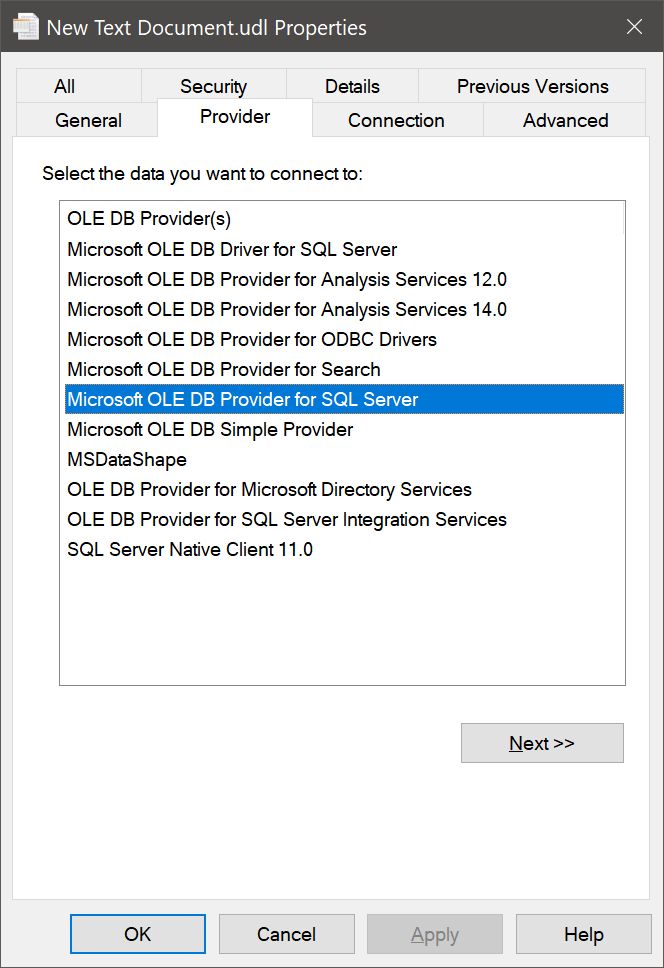
As Alex said, an UDL file shows you if you have the right OLE DB driver installed.  Create a new text file, change its extension to .udl, right-click it, select Properties, then select Providers to see a list of your installed OLE DB providers (see picture below).  If you don't have "Microsoft OLE DB Provider for SQL Server" on the list, install it from here: https://learn.microsoft.com/en-us/sql/connect/oledb/download-oledb-driver-for-sql-server?view=sql-server-ver16
Kevin Yip  @Reply  
     
2 years ago

Jeffrey Eckert OP  @Reply  
     
2 years ago
I appreciate all the help...I ended up fixing the problem by not using ADO Recordset calls. I just used the standard DAO recordsets with dbSeeChanges.

This thread is now CLOSED. If you wish to comment, start a NEW discussion in Access Forum.
 

Next Unseen

 
New Feature: Comment Live View


The following is a paid advertisement
Computer Learning Zone is not responsible for any content shown or offers made by these ads.
 

Learn
 
Access - index
Excel - index
Word - index
Windows - index
PowerPoint - index
Photoshop - index
Visual Basic - index
ASP - index
Seminars
More...
Customers
 
Login
My Account
My Courses
Lost Password
Memberships
Student Databases
Change Email
Info
 
Latest News
New Releases
User Forums
Topic Glossary
Tips & Tricks
Search The Site
Code Vault
Collapse Menus
Help
 
Customer Support
Web Site Tour
FAQs
TechHelp
Consulting Services
About
 
Background
Testimonials
Jobs
Affiliate Program
Richard Rost
Free Lessons
Mailing List
PCResale.NET
Order
 
Video Tutorials
Handbooks
Memberships
Learning Connection
Idiot's Guide to Excel
Volume Discounts
Payment Info
Shipping
Terms of Sale
Contact
 
Contact Info
Support Policy
Mailing Address
Phone Number
Fax Number
Course Survey
Email Richard
[email protected]
Blog RSS Feed    YouTube Channel

LinkedIn
Copyright 2026 by Computer Learning Zone, Amicron, and Richard Rost. All Rights Reserved. Current Time: 8/8/2026 7:12:32 AM. PLT: 4s