Free Lessons
Courses
Seminars
TechHelp
Fast Tips
Templates
Topic Index
Forum
ABCD
 
Home   Courses   TechHelp   Forums   Help   Contact   Merch   Join   Order   Logon  
 
Back to Access Forum    Comments List
Upload Images   @Reply   Bookmark    Link   Email   Next Unseen 
Dmax with two criteria
Sreerangan Bhaskaran 
      
2 years ago
I am trying to write a formula for a DMax with two criteria from the same table, but it isn't working. Can't figure out where I am going wrong.

=DMax("SampleDate","tblDatabase","firstname=" & [firstname] & "AND" & "DOB=" & [DOB])
Adam Schwanz  @Reply  
           
2 years ago
you need spaces, Double Double Quotes, and DOB if it's a date field needs #

=DMax("SampleDate","tblDatabase","firstname=""" & [firstname] & """ AND DOB=#" & [DOB] & "#")
Sreerangan Bhaskaran OP  @Reply  
      
2 years ago
Thank you so much. That works!!
Sreerangan Bhaskaran OP  @Reply  
      
2 years ago
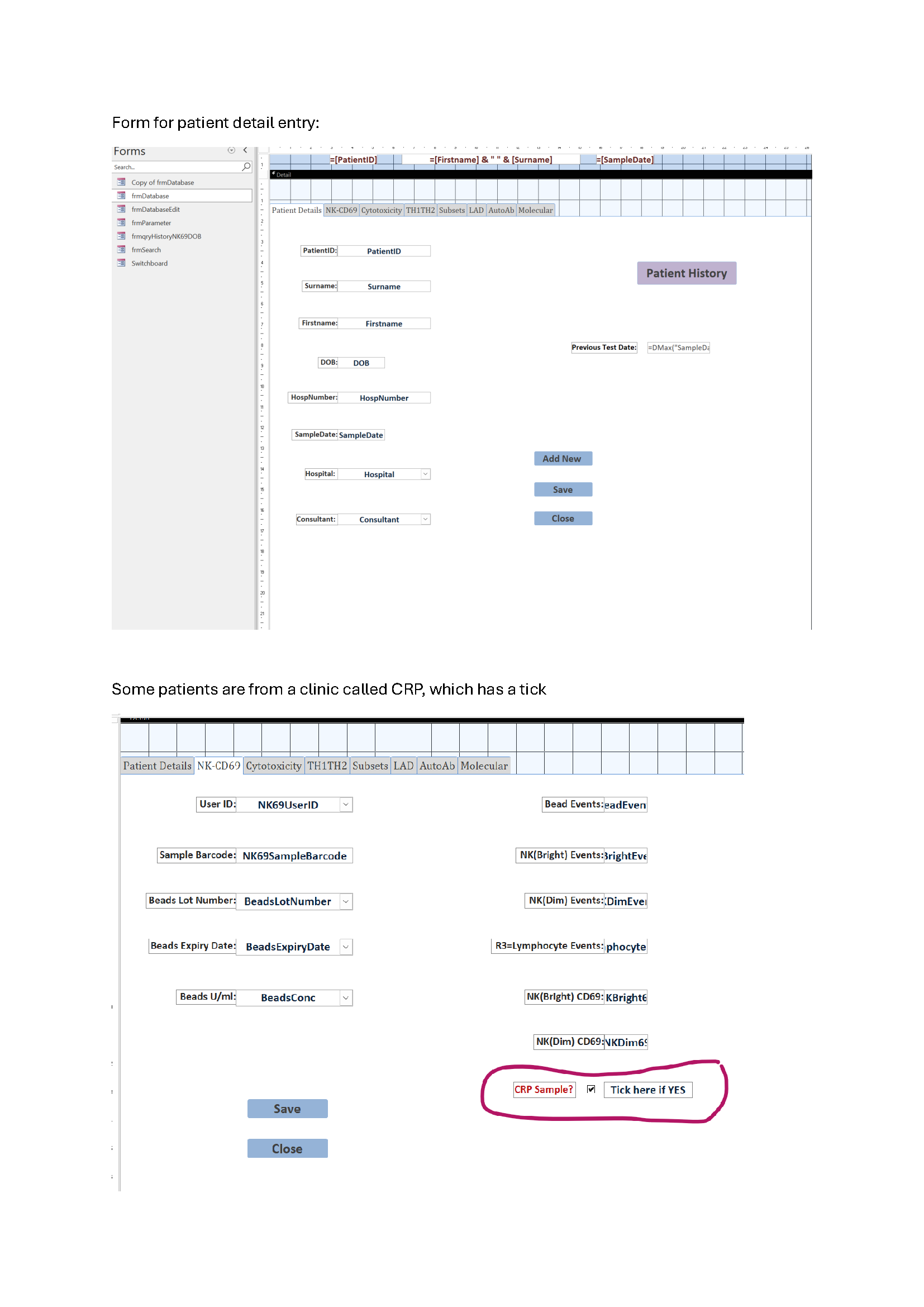
My tblDatabase has a Yes/No, depending on the hospital. Those with ticks have a different report template. This formula works great for all hospitals with the No option chosen (that is, no tick). If the tick is there, then the formula is not returning the date, but stays blank. Would be grateful for any suggestions.
Sami Shamma  @Reply  
             
2 years ago
This is not sufficient information to help you.
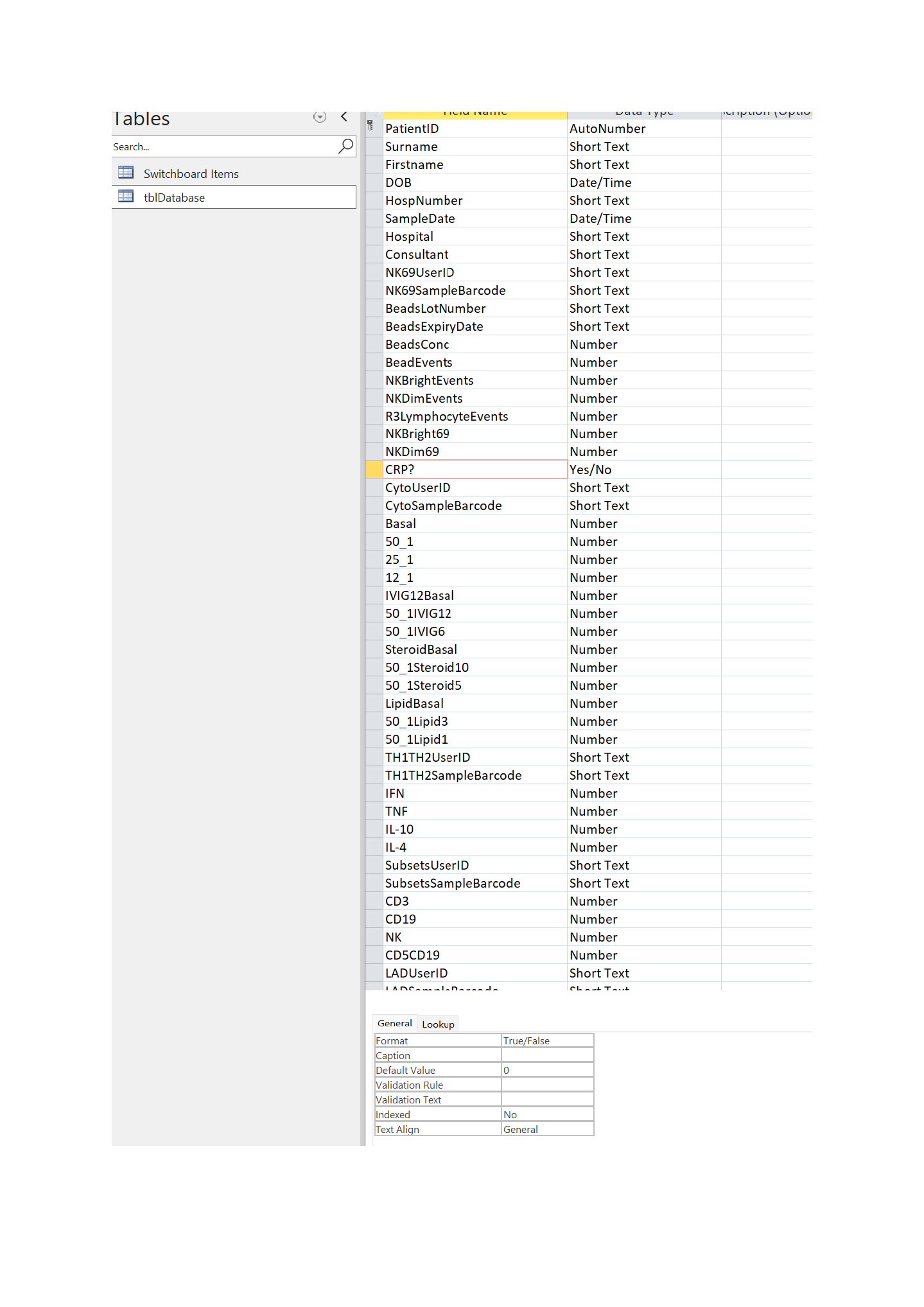
What is your table structure?
How are you calling the reports?
Adam Schwanz  @Reply  
           
2 years ago
Yea like Sami said, we need structure information. The yes/no is not being used as criteria in the formula so it wouldn't affect it. It could be a query not bringing in records on your report under certain criteria or for some reason those fields aren't available on the records with the ticks, could be a lot of things. But probably isn't something we'll be able to answer without some images of the full picture of what's going on. Image Uploads
Sreerangan Bhaskaran OP  @Reply  
      
2 years ago

Sreerangan Bhaskaran OP  @Reply  
      
2 years ago

Sreerangan Bhaskaran OP  @Reply  
      
2 years ago

Sreerangan Bhaskaran OP  @Reply  
      
2 years ago

Sreerangan Bhaskaran OP  @Reply  
      
2 years ago
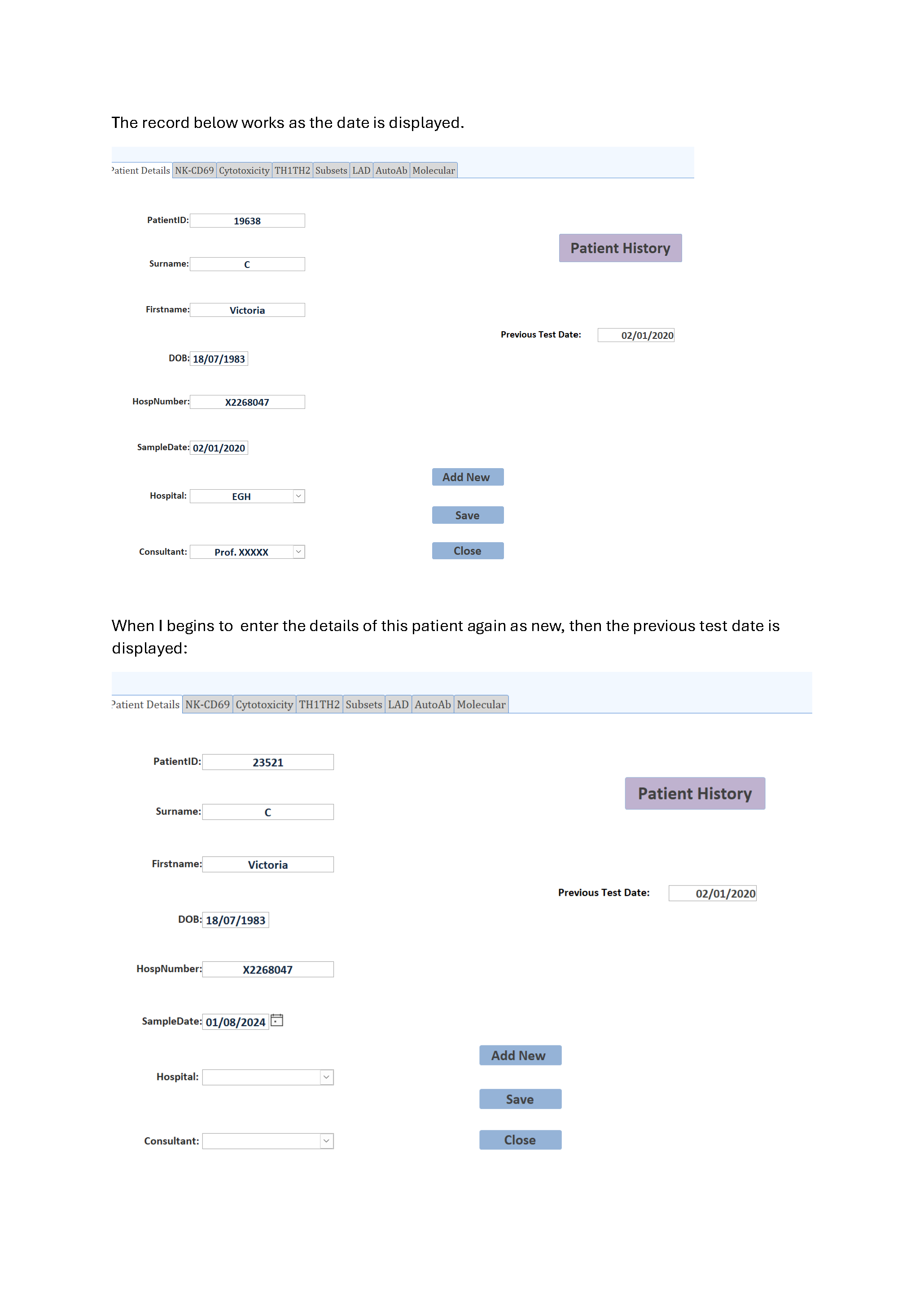
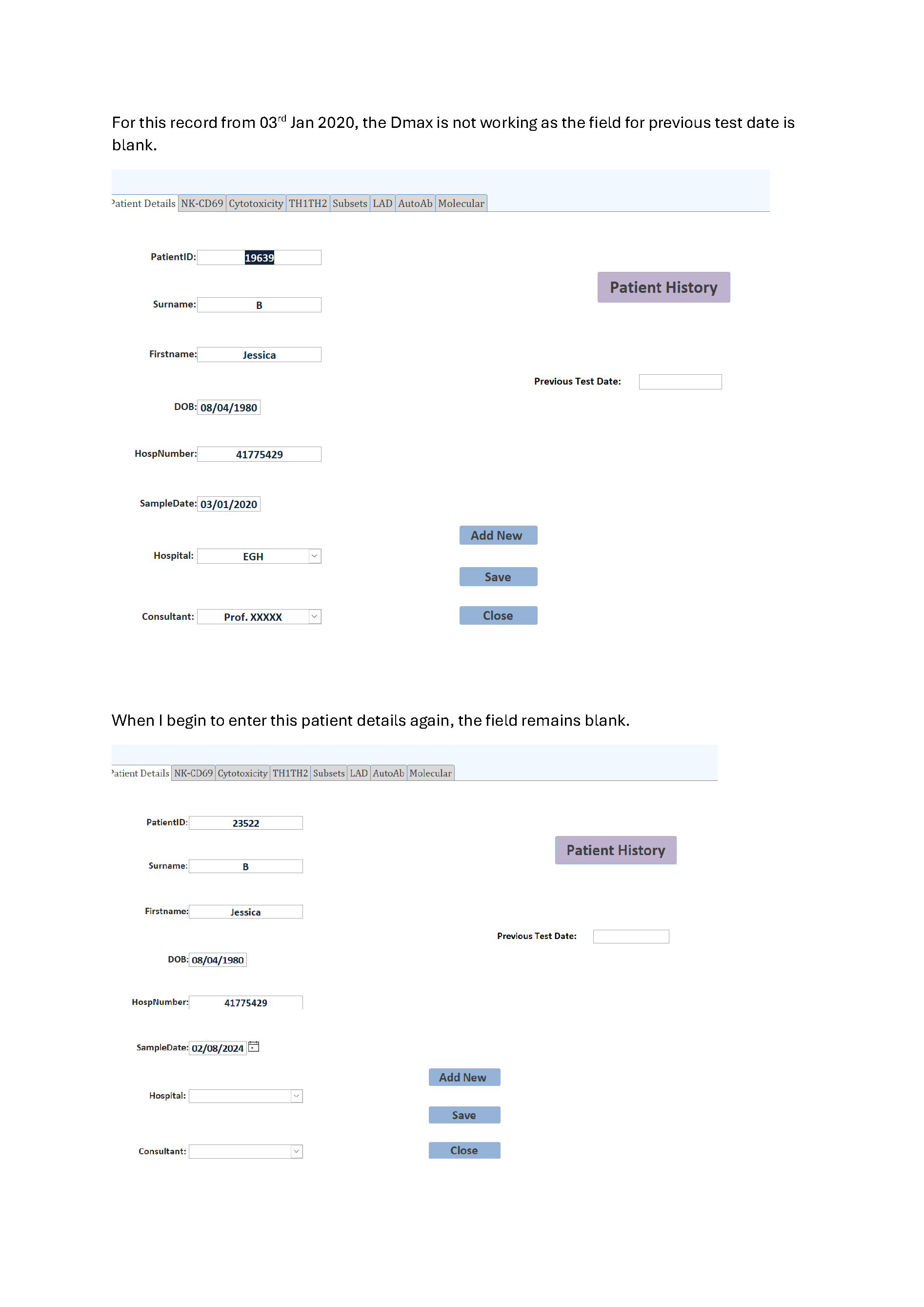
I am attaching some screenshots here. Just very weird. Some patient, the Dmax works, but not on others. Please see my attached screenshots.
Kevin Robertson  @Reply  
          
2 years ago
I see a few things wrong with your setup:
    - All your fields are in one Table.
    - Field names starting with a number
    - Field names are not very descriptive.
    - Question mark in one of your field names.
Sreerangan Bhaskaran OP  @Reply  
      
2 years ago
The database is over 15 years old and had very little understanding of relationships back then. For the Dmax, I am only using the firstname and dob for matches. I am still perplexed as to why the Dmax only work for some of the patients, but not all!!
Sreerangan Bhaskaran OP  @Reply  
      
2 years ago
I have narrowed the problem down to the date of birth. DMax seems to work in my database with some dob but not on others, such as 01/09/1999, 10/05/1984...... (UK date format: dd/mm/yyyy).
Sreerangan Bhaskaran OP  @Reply  
      
2 years ago
Finally solved it. It was due to the fact that the sql only recognise the American date system, and not the UK format. The following code works!!
=DMax("SampleDate","tblDatabase","Firstname=""" & [Firstname] & """ AND DOB=" & Format([DOB],"\#yyyy-mm-dd\#"))

This thread is now CLOSED. If you wish to comment, start a NEW discussion in Access Forum.
 

Next Unseen

 
New Feature: Comment Live View


The following is a paid advertisement
Computer Learning Zone is not responsible for any content shown or offers made by these ads.
 

Learn
 
Access - index
Excel - index
Word - index
Windows - index
PowerPoint - index
Photoshop - index
Visual Basic - index
ASP - index
Seminars
More...
Customers
 
Login
My Account
My Courses
Lost Password
Memberships
Student Databases
Change Email
Info
 
Latest News
New Releases
User Forums
Topic Glossary
Tips & Tricks
Search The Site
Code Vault
Collapse Menus
Help
 
Customer Support
Web Site Tour
FAQs
TechHelp
Consulting Services
About
 
Background
Testimonials
Jobs
Affiliate Program
Richard Rost
Free Lessons
Mailing List
PCResale.NET
Order
 
Video Tutorials
Handbooks
Memberships
Learning Connection
Idiot's Guide to Excel
Volume Discounts
Payment Info
Shipping
Terms of Sale
Contact
 
Contact Info
Support Policy
Mailing Address
Phone Number
Fax Number
Course Survey
Email Richard
[email protected]
Blog RSS Feed    YouTube Channel

LinkedIn
Copyright 2026 by Computer Learning Zone, Amicron, and Richard Rost. All Rights Reserved. Current Time: 5/7/2026 1:13:33 AM. PLT: 0s