Free Lessons
Courses
Seminars
TechHelp
Fast Tips
Templates
Topic Index
Forum
ABCD
 
Home   Courses   TechHelp   Forums   Help   Contact   Merch   Join   Order   Logon  
 
Back to Access Forum    Comments List
Upload Images   @Reply   Bookmark    Link   Email   Next Unseen 
Reports Limited to 2 Pages
Jasen Hicks 
     
2 years ago
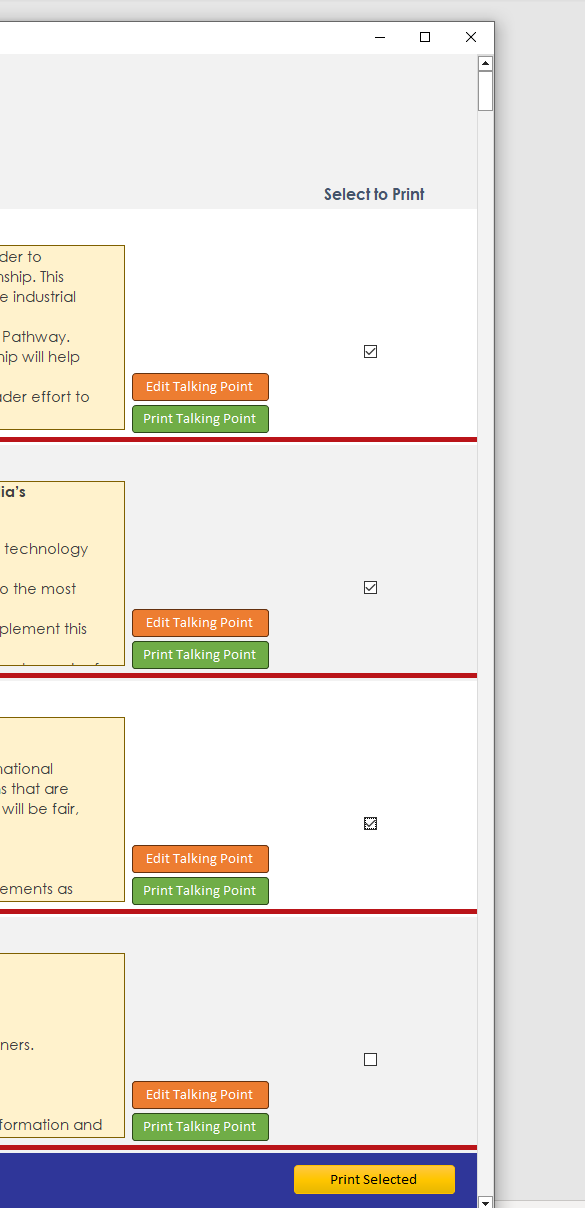
Building a database that tracks "talking points" for a client - everything works well. Data is tagged using Many-Many tables, etc. We started having a discussion about only printing selected talking points. I setup the isSelected field to be able to do this (per the video and some other googling about) and created a print button that opens the report I want with a WHERE isSELECTED = TRUE.

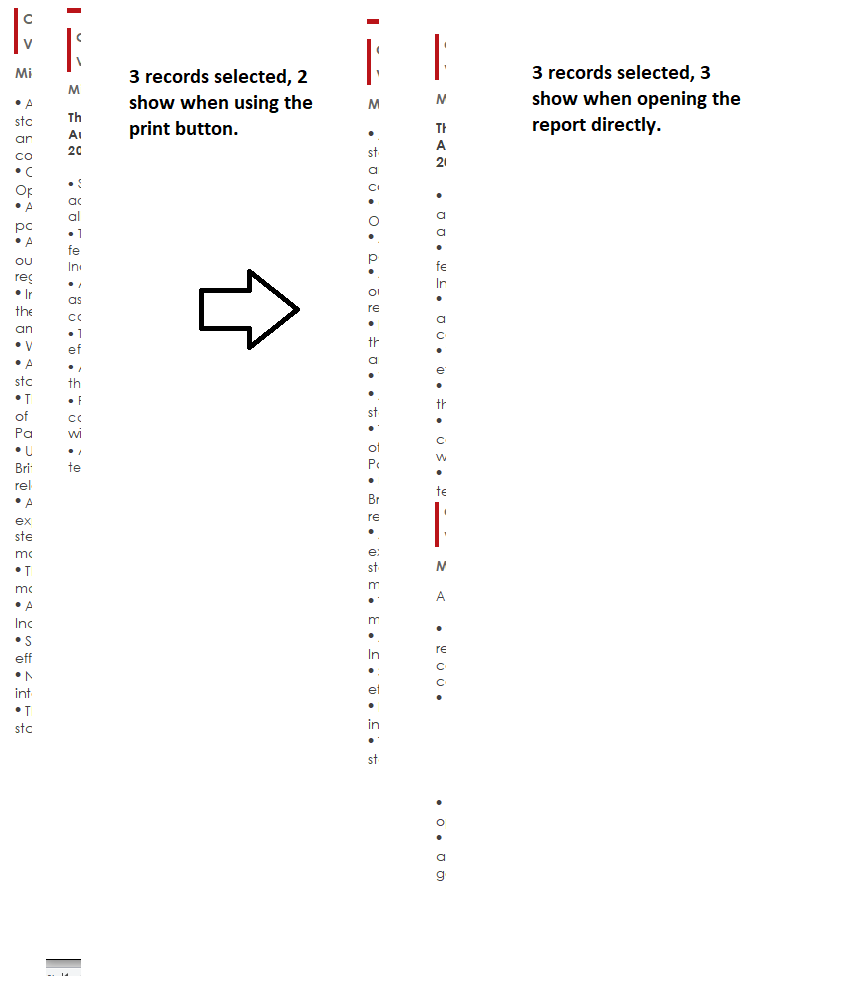
If I open the search form I created to find and select records, select a few, and then click the "print button" its only outputting 2 pages. No matter how many I select.

Jasen Hicks OP  @Reply  
     
2 years ago
Print Button Code:

Private Sub PrintBTN_Click()
    
    DoCmd.OpenReport "TalkingPointsReportSimplified_IsSelectedOnly", acViewPreview
    
    CurrentDb.Execute "UPDATE tTalkingPoints SET isSelected = False WHERE isSelected = True;"
    Me.Requery ' Refresh the form to update the checkboxes

End Sub

After I get the preview I make everyting unchecked so others aren't getting gooned up by another persons selection.
Jasen Hicks OP  @Reply  
     
2 years ago
Let me clarify - its limiting to two records. Not just two pages. If I open the report not using the button - and only having items checked - everything I checked is showing up.
Jasen Hicks OP  @Reply  
     
2 years ago

Jasen Hicks OP  @Reply  
     
2 years ago

Jasen Hicks OP  @Reply  
     
2 years ago
Sorry for the lack of full pictures of the database. Some of the information is not approved for public release and I had to demo the current version using relevant data.
Kevin Robertson  @Reply  
          
2 years ago
Also add a Me.Requery before opening the Report.
Kevin Yip  @Reply  
     
2 years ago
Hi Jasen, you unselect the records while *the report is still opened*.  That is the reason your report doesn't show all the selected records.  Put the CurrentDb.Execute statement somewhere else, such as in the Close event of the report.  The only good time to unselect the records is when the user is closing the report.
Jasen Hicks OP  @Reply  
     
2 years ago
Kevin R - The is only opened when using that button. So it should never be opened when using the selection boxes. For the form itself? I used this to get rid of dirty records in this form:

Private Sub SelectBox_AfterUpdate()
    ' Save the current record immediately after the checkbox is updated
    If Me.Dirty Then
        Me.Dirty = False
    End If
End Sub

Kevin Y - it shows some of the records, not all of them. The unselect happens AFTER the preview is generated.

Update: I think it was the ONE record (the first one) that was causing the issue. If i don't select it, everything works as expected. I deleted the record and created a new one for it and now it seems to be working.
Kevin Yip  @Reply  
     
2 years ago
>> The unselect happens AFTER the preview is generated

The preview is NOT completely generated -- only the *first page* is shown when you open preview.  The user has to click the next page button at the bottom to see the next page.  But your code to unselect the records has already been run before the user goes to the next page, at which point the user will likely see nothing.  As I said, you cannot make any unselection until after the report is closed, or at least the last page of the report is shown.

This thread is now CLOSED. If you wish to comment, start a NEW discussion in Access Forum.
 

Next Unseen

 
New Feature: Comment Live View


The following is a paid advertisement
Computer Learning Zone is not responsible for any content shown or offers made by these ads.
 

Learn
 
Access - index
Excel - index
Word - index
Windows - index
PowerPoint - index
Photoshop - index
Visual Basic - index
ASP - index
Seminars
More...
Customers
 
Login
My Account
My Courses
Lost Password
Memberships
Student Databases
Change Email
Info
 
Latest News
New Releases
User Forums
Topic Glossary
Tips & Tricks
Search The Site
Code Vault
Collapse Menus
Help
 
Customer Support
Web Site Tour
FAQs
TechHelp
Consulting Services
About
 
Background
Testimonials
Jobs
Affiliate Program
Richard Rost
Free Lessons
Mailing List
PCResale.NET
Order
 
Video Tutorials
Handbooks
Memberships
Learning Connection
Idiot's Guide to Excel
Volume Discounts
Payment Info
Shipping
Terms of Sale
Contact
 
Contact Info
Support Policy
Mailing Address
Phone Number
Fax Number
Course Survey
Email Richard
[email protected]
Blog RSS Feed    YouTube Channel

LinkedIn
Copyright 2026 by Computer Learning Zone, Amicron, and Richard Rost. All Rights Reserved. Current Time: 5/7/2026 12:48:29 AM. PLT: 1s