|
||||||
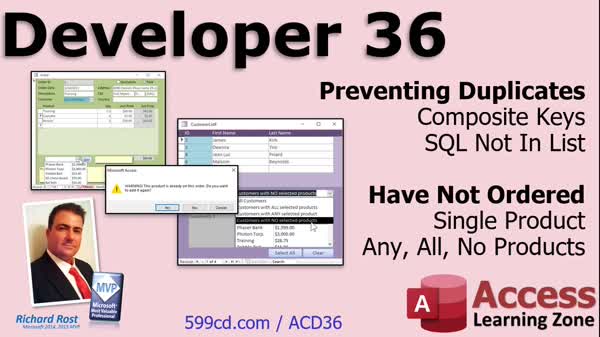
Access Developer 36Prevent Duplicates, Composite Keys, Multi-Select ListWelcome to Access Developer 36. In this course you will learn how to prevent duplicate records in Microsoft Access by using composite keys and the DCount function, as well as how to use the SQL NOT IN clause to filter product lists. We will also discuss finding customers who have or have not ordered specific products, including setting up queries with outer joins and using multi-select list boxes to support scenarios like customers who have ordered all, any, or none of selected products. Additional lessons cover custom duplicate warnings and optimizing selection logic using VBA. Lessons
Database FilesLinks
Resources
Lesson SummaryWelcome! Find Duplicates & No Orders - Welcome to Microsoft Access Developer Level 36. In this course we will cover how to prevent duplicate records, focusing on using composite keys and the SQL NOT IN clause to avoid adding the same product to an order more than once. We will also work with finding customers who have not ordered certain products, first by a single product and then using multi-select list boxes for various scenarios, such as customers who have ordered all, any, or none of selected products. Additional lessons include using VBA and DCount for custom duplicate warnings and optimizing selection logic in your Access databases.
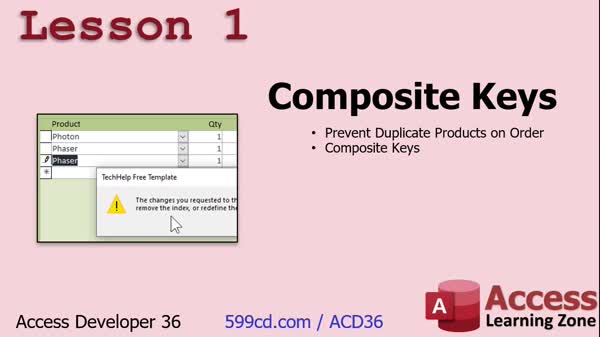
Lesson 1: Prevent Invoice Product Duplicates - In Lesson 1, we will see how to prevent duplicate products from being added to an invoice in Microsoft Access by using a composite key. We will walk through setting up tables for orders and products, modifying the order detail table to store a ProductID instead of a product name, and then creating a composite index to ensure no order includes the same product more than once. We will also discuss what a composite key is, how it works, and look at the limitations of built-in error messages when enforcing uniqueness with composite keys.
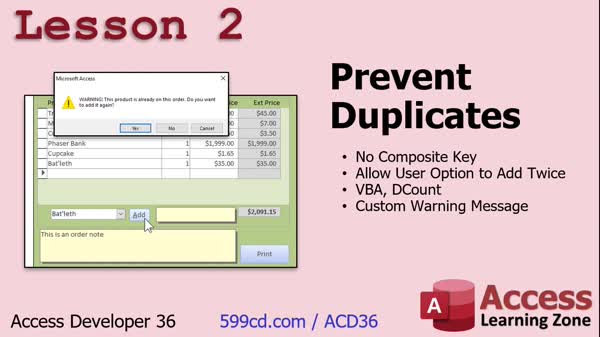
Lesson 2: Stop Duplicates: VBA & DCount - In Lesson 2, we will learn a different method for preventing duplicates in your database without using a composite key. I will show you how to use VBA and the DCount function to check if an item is already on an order, display a custom warning message, and give users the option to add the item a second time if needed. We will walk through updating the button code, discuss scenarios for allowing or blocking duplicates, and mention related advanced topics like incrementing quantity or filtering available products.
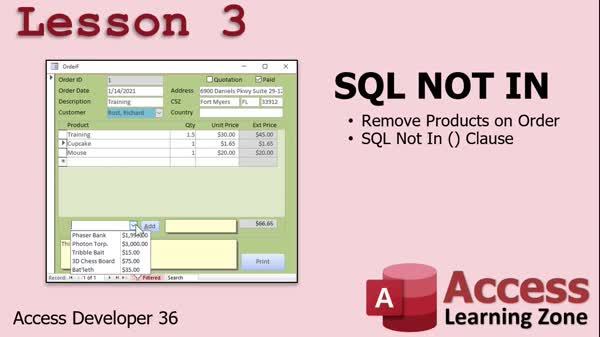
Lesson 3: Filter Combo Box with NOT IN - In Lesson 3, we will walk through how to use the SQL NOT IN clause to filter a product combo box so it only shows products that are not already included in the current order. I will show you how to set up a query that excludes products already on the order and explain how to update the combo box row source using SQL. We will also discuss handling updates and deletions to keep the list accurate, and touch on related combo box event options for refreshing the list.
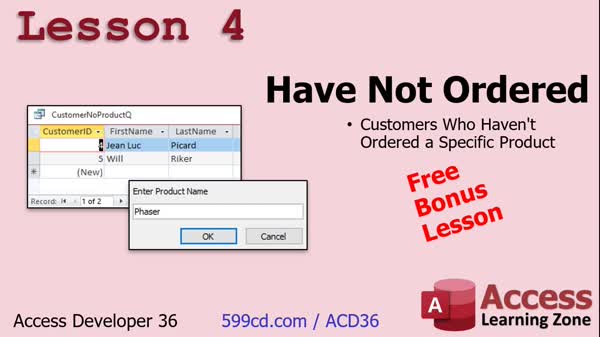
Lesson 4: Find Customers Missing a Product - In Lesson 4, we will walk through how to create a query in Microsoft Access that shows a list of customers who have not ordered a specific product, using the product name as search criteria. I will show you how to use outer joins and parameter queries both with two tables and then extend the technique to three tables - customers, orders, and order details - so you can identify which customers have not purchased a given product. We will also discuss how to handle searches with text criteria and aggregate results to avoid duplicates.
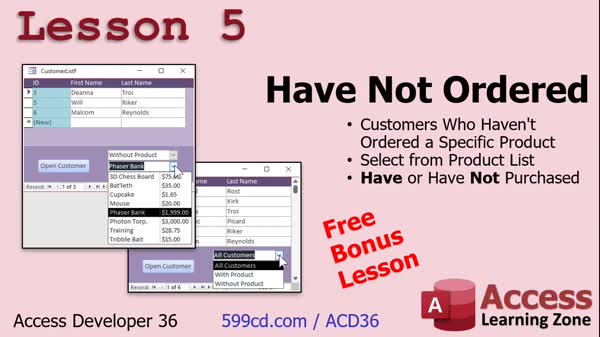
Lesson 5: Find Who Ordered Specific Items - In Lesson 5, we continue working with the Have Not Ordered database by switching to a more advanced version with a dedicated product list, allowing us to identify which customers have ordered or have not ordered specific products. We will walk through building queries to display these groups, add combo boxes for filtering customers by product and order status, and discuss how to set up form controls and events to make the interface user-friendly. These techniques are useful for targeted marketing, such as finding customers who have not ordered a certain product and reaching out to them.
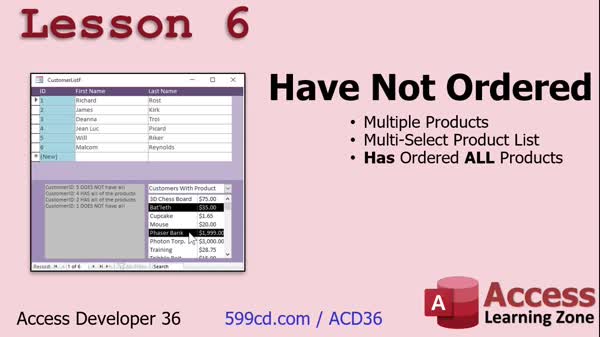
Lesson 6: Find Customers for All Products - In Lesson 6, we will walk through how to use a multiple select list box in Access to display customers who have ordered all of the products you select. We will discuss how to set up a multi-select list box, adjust form controls, and use VBA with recordsets to loop through both customers and selected products to determine which customers meet the criteria. We will also touch on considerations for performance with larger databases and what changes are necessary when moving from single selection to supporting multiple product selections. This lesson focuses on the "have not ordered part 3" scenario for customer and product management.
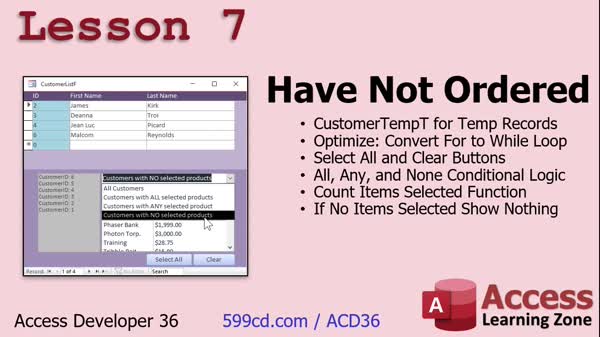
Lesson 7: Multi-Select Product Search - In Lesson 7, we will continue our "Have Not Ordered Part 4" work by setting up a local customer temporary table, optimizing our product selection loop from a for loop to a while loop, and adding select-all and clear buttons for products. I will show you how to implement logic for showing customers with all, any, or none of the selected products, and how to count the selected items to control results display. We will also discuss handling multi-user issues, improving efficiency, and ensuring the form reacts correctly to changes using requery actions.
Lesson 8: Find Topics, Search, Get Help - In this lesson, titled "What's Next," we will discuss what is coming up in Developer 37, how to provide feedback or request future topics, and updates to the class survey. We will talk about how to use the topic index and search for help, including tips for finding terms if you are not sure what something is called. We will also mention the TechHelp and Fast Tips video series and explain membership options for those wanting more frequent content.
NavigationKeywordscomposite key, prevent duplicates, order details table, SQL NOT IN clause, DCount, multi-select list box, filter combo box, unique order items, customers not ordered product, outer join query, aggregate results, temporary table, requery, custom warning
More InformationTranscriptWelcome to Microsoft Access Developer Level 36 brought to you by AccessLearningZone.com. I am your instructor, Richard Rost. In today's class, we are going to spend some time learning how to prevent duplicates. We will learn about composite keys and the SQL NOT IN clause to determine if something is already in a set of records. For example, we are going to make sure that you cannot put the same product on an order twice. Then we are going to do some work with "have not ordered." We are going to generate a list of customers who have not ordered a particular product. We will start off by doing a single product. Then we will move on to "show me customers who have ordered any products from a list," "all products from a list," or "none of the products from a list." I can pick two or three different products, show all the customers who have not purchased those products, and then I can send them some marketing information. This class follows Access Developer Level 35, and I strongly recommend you have taken all the developer classes and everything before them - beginner, expert, and advanced - before taking this class. I especially suggest you review Developers 15, 17, and 19 if you have not watched them already. In those classes, I cover multi-select list boxes, which we will be using a lot today, so watch those three classes if you have not yet. I also recommend you do not skip levels. My classes are designed to be viewed one after the other; the material builds on the lessons before it, so make sure you watch all of them in order. I will be using Access 365 at this point. It is roughly equivalent to Access 2019. I should probably update the slide for Access 2021, because that is the latest retail version. It is strange what they are doing with the versioning now. Access 365 is subscription-based; basically, you are constantly getting the newest features that they release. 2019 was the last major retail update. 2021 just came out a little while ago. There, I updated it. Honestly, there is really not a lot of difference between 2021 and 2019. They have added some little things here and there, but nothing that is going to affect the lessons that I am going to cover today. It is all the same stuff. In fact, everything that I have covered today will probably work going back to 2007, so you are fine. If you have questions, just scroll down to the bottom of the page that you are on and post them where you see that box. I think I changed it now; it says "post a new discussion" or "start a new discussion" - something like that. That is where you put your questions. Do not email them to me; put them there. I have a great group of admins and moderators on my website, and they are more than helpful. They will get to your questions usually before I will anyway, so put them there. If you have general questions about Microsoft Access not related to the topics of today's class, feel free to post them in the Access Forum. Let's take a closer look at exactly what is covered in today's class. In lesson one, we are going to see how to prevent duplicate products from being added to an invoice using something called a composite key. In lesson two, we will learn a different method for preventing duplicate values without a composite key. We will use a little bit of VBA and the DCount function. This will allow us to give the user the option to add the item twice if they want to, and we can use a custom warning message instead of the stock warning message that the composite key gives you. In lesson three, we are going to learn the SQL NOT IN clause. This way, we can take our product combo box, which has a list of items to add to the order, and we can say "only show me the list of products that are not in the current order." In other words, we do not want the same product being added twice, so we will have the items be removed from the product combo box if they are already on the order. That is the SQL NOT IN clause. In lesson four, we are going to see how to generate a query showing a list of customers who have not ordered a specific product. We are going to base this on the text of the product name. We will just have the user type it in, and I will search for customers without that product. In lesson five, we are continuing with the "have not ordered" database. We are going to switch over to a more powerful database that has a list of products, and you can pick from a list of products and say which customers have ordered this product or which customers have not ordered this product. That is great for marketing. You can say, "show me all the people who have not ordered a phaser bank" and send them a solicitation for it. In lesson six, we are moving on to a multiple select list box. We are going to say, "I want to see a list of all the customers who have ordered all of the products I have selected." Then, in the next couple of lessons, we will do "any of the products" and then "none of the products." We are going to start with this one first. In lesson seven, we have a bunch of things we are going to do. We are going to create a customer temp table to store this data in a temporary table. We are going to optimize our loop; we are going to convert it from a for loop to a while loop. They run better, and you will see why. We will make buttons to select all of the products and clear all the product selections. Then we will put in the logic to do all products, any products, or no products. There is a whole bunch of if-then logic we have to throw in there. We will make a function to count the number of items that are selected, and if no items are selected, we will show nothing. That is all covered in lesson seven. IntroIn lesson 36 of the Microsoft Access Developer series, you will learn how to prevent duplicate records using composite keys, apply the SQL NOT IN clause to filter records, and work with queries to find customers who have or have not ordered specific products. We will cover approaches to handling duplicate products on orders, generate dynamic product lists, use multi-select list boxes, and create logic for various customer-product scenarios to support marketing efforts. You will also see how to use temporary tables, optimize code with loops, and implement user interface improvements for product selection. QuizQ1. What is a composite key used for in Microsoft Access as discussed in this lesson? A. To store multiple pieces of information in one field B. To prevent duplicate records based on a combination of fields C. To encrypt sensitive data in the database D. To automatically back up tables Q2. Which SQL clause was introduced to help filter out items that are already part of a set of records? A. JOIN B. ORDER BY C. NOT IN D. SELECT DISTINCT Q3. What is the purpose of using the DCount function and a little bit of VBA in lesson two? A. To generate a random number for each record B. To prevent duplicate entries but give users the option to override with a custom warning C. To lock the table for editing by certain users D. To sum all values in a field Q4. Why is it recommended to view the Microsoft Access Developer lessons in order? A. Because each lesson is independent and unrelated B. Because materials and concepts build on previous lessons C. Only advanced users need to follow the order D. There are no prerequisites for any lesson Q5. What is the advantage of showing customers who have NOT ordered a particular product? A. Allows you to delete them from the database B. Useful for marketing to target those customers with specific promotions C. To export their data for backup D. To show profit margins Q6. In lesson six, what does the multiple select list box help to determine? A. Customers who have paid their invoices B. Customers who have ordered all, any, or none of selected products C. Products that are out of stock D. Employees who processed sales Q7. What is the reason for converting a FOR loop to a WHILE loop as explained in lesson seven? A. WHILE loops are required for VBA B. WHILE loops run faster and are more efficient in some logic C. FOR loops cannot be used in Access D. It is required for composite keys Q8. How can you post questions about the class material? A. By emailing Richard directly B. By posting in the discussion box at the bottom of the page C. By texting an administrator D. By calling the Access customer support number Q9. What is one function of the customer temp table created in lesson seven? A. Permanently store customer phone numbers B. Store temporary data for processing customer-product queries C. Delete all products from inventory after each order D. Automatically generate reports Q10. What is the main functionality being added to the product combo box with the NOT IN clause? A. Show all products regardless of order B. Remove products already on order from the list C. Highlight discounted products D. Add new products to inventory Answers: 1-B; 2-C; 3-B; 4-B; 5-B; 6-B; 7-B; 8-B; 9-B; 10-B DISCLAIMER: Quiz questions are AI generated. If you find any that are wrong, don't make sense, or aren't related to the video topic at hand, then please post a comment and let me know. Thanks. SummaryToday's video from Access Learning Zone covers Microsoft Access Developer Level 36. I am your instructor, Richard Rost. In this class, we focus on strategies to prevent duplicate entries in an Access database, working extensively with composite keys and the SQL NOT IN clause to identify if a record already exists in a set. One practical example we explore is how to ensure you cannot add the same product to an order more than once. We will also look at creating lists of customers who have not placed an order for certain products. We begin by examining single products and then expand to more complex scenarios, such as finding customers who have ordered any, all, or none of the items from a selected group of products. This functionality is especially useful for marketing purposes, like targeting customers with promotions based on their purchase history. Before beginning this course, it is important to have completed Access Developer Level 35 and all prior developer courses, including the beginner, expert, and advanced series. The material in today's lesson builds on what was taught in earlier levels, so I recommend watching them sequentially. In particular, reviewing Developer Levels 15, 17, and 19 will be helpful, because those lessons detail how to work with multi-select list boxes, a key component of today's material. Today, I am using Access 365, which is similar to Access 2019. There have been updates to Access 2021, but the differences are minimal and will not affect the lessons. In general, the concepts and techniques we cover today are compatible with versions back to Access 2007. If you have questions about the class material, please submit them at the bottom of the webpage you are on, using the "post a new discussion" or "start a new discussion" option. Avoid sending questions by email so that our team of moderators and admins can assist you promptly—often even faster than I can respond. For questions on unrelated Access topics, you can use the forums available on my site. Here is an overview of what we will cover in each lesson of this class: Lesson one demonstrates how to prevent duplicate products from being added to an invoice by utilizing a composite key. Lesson two introduces another approach for preventing duplicate values without relying on a composite key. This time, we employ VBA along with the DCount function. With this method, users can choose to add duplicates if necessary, and we can provide a custom warning message instead of the default one. Lesson three focuses on the SQL NOT IN clause. By modifying the product combo box on our form, we restrict its options so that users only see products not already included in the current order, reducing the risk of duplicate entries. Lesson four explains how to build a query that generates a list of customers who have not purchased a specific product. For this part, we allow users to enter the product name, and the search identifies relevant customers. In lesson five, we expand on the "have not ordered" concept with a more advanced database structure. This allows you to select products from a list and see which customers have or have not ordered them, which is useful for targeted marketing campaigns. Lesson six moves into working with a multi-select list box. Here, you'll learn how to identify customers who have ordered all of the products you select. Subsequent lessons cover identifying customers who have ordered any or none of the selected products. In lesson seven, we cover several critical enhancements. We create a temporary table to store customer data, refactor our code for better performance by swapping a for loop with a while loop, and add buttons for quickly selecting or clearing all products in the list. We also implement logic for handling the various query types (all, any, or none of the products), create a function to count the number of selected items, and make sure that no results are shown when nothing is selected. A complete video tutorial with step-by-step instructions for everything discussed here is available on my website at the link below. Live long and prosper, my friends. Topic ListPreventing duplicate products on an order with composite keys Using VBA and DCount to prevent duplicate values Displaying custom warning messages for duplicates Using SQL NOT IN clause to filter product combo box lists Removing selected products from combo box options dynamically Querying customers who have not ordered a specific product Building queries based on entered product names Selecting products from a list to find unpurchased items Identifying customers who have ordered a selected product Using multi-select list boxes to select multiple products Finding customers who have ordered all selected products Finding customers who have ordered any selected products Finding customers who have ordered none of the selected products Creating a temporary table to store customer results Optimizing loops by converting for loops to while loops Adding buttons to select all or clear all product selections Implementing logic for "all," "any," or "none" product selection Counting the number of selected products in a list box Displaying no results when no products are selected Primary Topicspreventing duplicates, composite keys, SQL NOT IN, DCount, custom validation, multi-select list boxes, customer/product queries, temporary tables Secondary TopicsVBA usage, database marketing queries, loop optimization |
||||||||||||||||||||||
|
| |||
| Keywords: composite key, prevent duplicates, order details table, SQL NOT IN clause, DCount, multi-select list box, filter combo box, unique order items, customers not ordered product, outer join query, aggregate results, temporary table, requery, custom warning PermaLink How To Prevent Duplicates With Composite Keys, SQL NOT IN, And Customer Product Queries in Microsoft Access |