Don't Panic
By Richard Rost

 3 months ago
Your PC Isn't Going To Stop Working on June 24, 2026 In this lesson, we will address concerns about the rumored June 24th Windows 11 shutdown and explain why you should not panic. We will discuss the secure boot security certificate changes, what they mean for Microsoft Access, Word, Excel, and your computer in general, and walk through how to check your secure boot status in Windows Security. We will also cover when, if ever, you should update your BIOS or make changes to secure boot settings, and emphasize the importance of keeping Windows Update enabled. The main message is to stay calm, avoid unnecessary changes, and trust Microsofts update process. David from Salt Lake City, Utah (a Gold Member) asks: I've got an older Windows 11 PC and secure boot says unsupported. Will the June 24th, 2026 security changes stop Microsoft Access or Windows 11 from working on my computer? Am I going to lose access to Access?
Keywords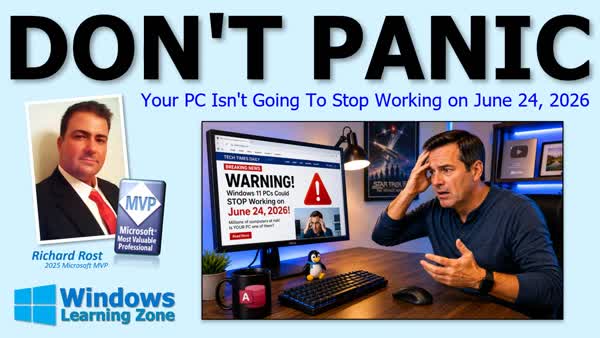 TechHelp Windows, Windows 11 June 24, secure boot, Windows 11 security update, BIOS firmware update, Windows update, secure boot unsupported, Windows 11 panic, Y2K flashback, Windows device security, Windows PC not working, Microsoft security certificates, keep Windows updated, computer deadline
 Subscribe to Don't Panic
Get notifications when this page is updated
More InformationTranscript So you read somewhere online that your Windows 11 computer is going to stop working on June 24th. Relax, don't panic, that's not what's happening.
Welcome to another TechHelp video brought to you by WindowsLearningZone.com. I'm your instructor Richard Rost. Today we're going to talk about all the scary headlines surrounding June 24th, Windows 11, secure boot, and whether your Microsoft Access database, Word documents, and Excel spreadsheet are all going to stop working.
The good news is for most people, you've got absolutely nothing to worry about.
Now, I've gotten a bunch of emails over the past couple of weeks, plus my Gold member David posted this in the forums. He said, "I've got an older Windows 11 PC and secure boot says unsupported. Will the June 24th, 2026 security changes stop Microsoft Access or Windows 11 from working on my computer? Am I going to lose access to Access?" I love that line.
Alright, let's talk about it.
First off, why is everyone panicking? Those of you around my age might be getting flashbacks to Y2K, remember that? Everyone thought civilization was going to collapse when the calendar rolled over to January 1st, 2000. It didn't. This isn't quite the same thing, but it's got a similar feel to it, especially if you read all the clickbait that's out there.
What it is is Microsoft created some secure boot security certificates back in 2011. Those certificates are expiring in 2026, and Microsoft is replacing them with newer versions.
Unfortunately, a bunch of websites and YouTube channels have turned this into one giant panic attack for the clicks and the views. People are hearing June 24th deadline and they're assuming their computers are about to self-destruct. That's simply not true.
Anytime the internet starts saying on this date, millions of computers will stop working, my skeptic meter immediately shoots up.
So what is secure boot? Secure boot is simply a security feature built into modern computers. Think of it like a security guard that checks things before Windows even starts loading. Its job is to stop nasty malware from sneaking in before your operating system starts up. It has nothing to do with Microsoft Access, Word, or the rest of Office. If Windows starts, those programs will continue to run.
So the big question everyone wants answered: will my PC stop working? No. Your computer is not going to just stop working on June 24th. Your Windows 11 machine is not suddenly going to become a brick. Microsoft Access isn't going to stop working. Word, Excel, Outlook, all those programs will continue to function normally.
For the majority of people, Microsoft is already handling this through normal Windows updates.
So what should you do?
If you want to check things, open Windows Security. Just click on Start and start typing in Windows Security. Then click on Device Security and look for Secure Boot. If you're green, see the little green check mark right there? If you're green, then you're good to go. Do nothing further. If you're yellow, Windows is usually still working on the update, so just give it some more time.
Now, if it's red, that doesn't mean your computer is necessarily broken, it just means there's a firmware issue that may require additional attention.
If you've got a Dell, HP, Lenovo, Acer, Asus, or another major brand, I would visit the manufacturer's support website and look for BIOS or firmware updates for your specific model. Don't just download random firmware updates from the internet, make sure it's your vendor's official website. If you built your own PC, check your motherboard manufacturer's website instead.
But honestly, for the vast majority of people, the answer is simply keep Windows Update enabled and let Microsoft do its thing.
Now, I'm usually one of those people that turns Windows Update off. I've done videos on this in the past. I turn off Windows Update and I turn off Office Update. Why? Because there's nothing worse than coming in on Monday and your system installed an update Sunday night and now you've got to spend two hours figuring out why everything is running so slow. This just happened to me recently.
So I do update Windows and Office regularly but I do it on a day when I know that I've got a few hours free just in case, because it happens more times than I like to admit. But the big thing is, if your computer is working perfectly fine today, don't turn this into a weekend project. Don't create a problem that doesn't exist.
So what not to do? This is the most important slide. Don't panic. Don't go poking around in your BIOS. Don't try enabling secure boot if you've never done it before. If it's off now, leave it off. Don't start updating your BIOS just because somebody on YouTube scared you. Leave it alone. Especially if you have an older custom built PC that's already running Windows 11 perfectly fine. Remember my rule: if it ain't broke, don't fix it.
The internet is really good at convincing people to create problems that didn't exist five minutes before you watched their video.
So relax. Keep Windows updated and just make sure you know where your towel is.
Now, David's computer did have one interesting wrinkle. He said his system reports that secure boot is unsupported. My advice to him was simple: don't do anything. If your computer is already running Windows 11 successfully and everything is working fine, don't start changing BIOS settings just because some article told you to. Secure boot being listed as unsupported is not, by itself, a sign that your computer is about to stop working on June 24th.
In fact, if your PC is working properly, changing BIOS settings now could create more problems than it solves. Again, keep Windows updated, let Microsoft do its thing, and pay attention only if Microsoft specifically tells you there's a problem. Otherwise, leave it alone. Unsupported doesn't mean June 24th will kill your computer.
So the biggest takeaway today is that June 24th is not some giant deadline where millions of Windows 11 computers suddenly stop working. Keep Windows updated, let Microsoft do its thing, and don't panic. Make sure you know where your towel is.
Now, post a comment down below and let me know if these headlines had you worried too, and be honest.
So that is going to be your TechHelp video for today, brought to you by WindowsLearningZone.com. I hope you learned something.
Live long and prosper my friends. I'll see you next time. Thanks for watching.
If you want me to post more videos about Microsoft Windows, then be sure to like this video, subscribe to my channel, and post a comment down below. Let me know that you want more Windows videos.
About 90 percent of what I teach is Microsoft Access Database Design, but I love teaching Windows, Word, Excel, PowerPoint, and all those other topics too. But of course, the squeaky wheel gets the grease, so if you want more Windows training, make some noise.
You can watch my entire Microsoft Windows beginner level 1 course absolutely free on my website and on my YouTube channel. It's over an hour long and covers all the basics. If you like level 1 and want to learn more about Windows, visit my website at the link shown and you can get level 2, which is another complete hour-long course, for just 1 dollar. Level 2 goes into a lot more depth and teaches you how to get the most out of Windows.
Visit my website today for more information. Intro In this lesson, we will address concerns about the rumored June 24th Windows 11 shutdown and explain why you should not panic. We will discuss the secure boot security certificate changes, what they mean for Microsoft Access, Word, Excel, and your computer in general, and walk through how to check your secure boot status in Windows Security. We will also cover when, if ever, you should update your BIOS or make changes to secure boot settings, and emphasize the importance of keeping Windows Update enabled. The main message is to stay calm, avoid unnecessary changes, and trust Microsofts update process. Quiz Q1. What is the main reason people are worried about June 24th and Windows 11?
A. Clickbait headlines and misinformation regarding security certificates expiring
B. Microsoft releasing a major new version of Windows on that date
C. Microsoft Access databases receiving an update that makes them incompatible
D. All Windows 11 licenses expiring automatically
Q2. What are the secure boot security certificates mentioned in the video?
A. Security features to restart your computer safely
B. Certificates ensuring only trusted software loads before Windows starts
C. Microsoft Office activation keys
D. Antivirus software licenses
Q3. What is the proper response if your Windows Secure Boot status shows a green check mark?
A. Do nothing, you are good to go
B. Immediately update your BIOS
C. Turn off Secure Boot in BIOS
D. Reinstall Windows 11
Q4. If your Secure Boot is unsupported but your Windows 11 computer is working fine, what should you do?
A. Leave it alone; do not change BIOS settings
B. Replace your computer immediately
C. Turn off all Windows Updates
D. Reformat your hard drive
Q5. Which of the following will NOT happen on June 24th, according to the video?
A. Windows 11 computers will stop working suddenly
B. Microsoft Access databases will stop functioning
C. Word, Excel, and Outlook will become unusable
D. Most computers will continue working normally
Q6. Where should you go to check for BIOS or firmware updates if needed?
A. Your computer or motherboard manufacturer's official website
B. Any random website offering updates
C. Microsoft Word's website
D. The Windows Store
Q7. Why does the instructor recommend not enabling Secure Boot if it is currently off and your system works fine?
A. It could create more problems or lead to boot issues
B. It will make your computer slower
C. It will instantly delete all files
D. It is illegal to change BIOS settings
Q8. What is the instructor's rule regarding system changes if everything is working well?
A. If it is not broke, do not fix it
B. Always try to update everything
C. Frequently reinstall software
D. Disable all security features
Q9. What is Microsoft's typical way to address the security certificate issue for most users?
A. Through standard Windows Updates
B. By physically visiting users at home
C. Through mandatory Office reinstallation
D. By requiring all users to enter BIOS and make changes
Q10. What is the main message of the video regarding the June 24th Windows 11 headlines?
A. There is nothing to panic about; keep Windows updated and relax
B. You must buy a new computer before the deadline
C. Your Office programs will expire on that date
D. Manual BIOS updates are necessary for everyone
Answers: 1-A; 2-B; 3-A; 4-A; 5-D; 6-A; 7-A; 8-A; 9-A; 10-A
DISCLAIMER: Quiz questions are AI generated. If you find any that are wrong, don't make sense, or aren't related to the video topic at hand, then please post a comment and let me know. Thanks. Summary Today's video from Windows Learning Zone addresses the recent concerns and confusion about Windows 11, secure boot, and the upcoming changes on June 24th. There have been a lot of alarming headlines lately suggesting that millions of computers might stop working on that date, and I wanted to take some time to clarify what is actually happening and reassure everyone.
Over the last few weeks, I've received numerous emails from people who are worried, especially after reading online articles or watching YouTube videos filled with clickbait about Windows 11's supposed June 24th deadline. Some viewers, including my Goldmember David, have asked whether the security changes will suddenly stop Microsoft Access, Word, Excel, or even Windows itself from running if they have an older PC with secure boot listed as unsupported. It's important to address these fears directly.
Let me start by explaining why this topic is causing panic in the first place. For those of you who remember Y2K, there's that same feeling of impending disaster being circulated. Back in 2011, Microsoft created security certificates for secure boot, and those original certificates are set to expire in 2026. Microsoft is now updating and replacing them with newer versions. However, many websites and channels are exaggerating the situation, making it seem as though entire systems will simply stop functioning, which is not true.
Anytime you see dramatic predictions about millions of computers failing on a single date, it's wise to remain skeptical. So what is secure boot? In short, it's a security feature in modern computers that acts like a guard, checking the health of your system before Windows starts. Its primary purpose is to protect against malware at the earliest possible stage, before the operating system even loads. It does not affect whether programs like Microsoft Access, Word, or Excel will run. If Windows itself boots up, those applications will work as usual.
You're probably wondering if your PC is going to stop working. The answer is no, your computer will not suddenly become inoperable on June 24th. Your Windows 11 machine is not about to become a paperweight, and programs like Access, Word, Excel, and Outlook will continue running as normal. For the vast majority of users, Microsoft is already addressing the security certificate updates through regular Windows updates.
Now, what should you do? If you're curious about your situation, you can check your secure boot status through Windows Security. If the indicator is green, you're all set. If it's yellow, Windows is likely in the process of updating things, and you just need to wait. If it's red, there may be a firmware issue, but your computer is not necessarily broken. If you have a name-brand PC like Dell, HP, Lenovo, or similar, it is best to visit the manufacturer's official website to see if there are BIOS or firmware updates available for your specific model. For custom-built PCs, check with your motherboard manufacturer.
That said, for the overwhelming majority of users, you really just need to make sure that Windows Update is turned on and let Microsoft handle everything. I realize some of you, like me, prefer to manage updates manually to avoid surprise performance issues. My approach is to update Windows and Office regularly, but I set aside time for this when I can address any potential issues that might arise.
The key point is not to create problems where none exist. If your computer is running smoothly today, there is no need to complicate things needlessly. Do not panic, do not start changing BIOS settings or enabling secure boot if you have never dealt with it before, and do not attempt firmware updates just because of online scare tactics. Particularly if you are running Windows 11 successfully on older hardware, leave your settings alone. The rule here is straightforward: if it ain't broke, don't fix it.
Many people on the internet are skilled at convincing you to worry about an issue you didn't even know existed minutes before. Stay calm. Make sure Windows Update is enabled, and remember that you will be notified by Microsoft if action is ever genuinely required.
To address David's situation specifically, his computer reports secure boot as unsupported. My advice to him, and to anyone else in this situation, is to leave things alone if your system is already running Windows 11 and everything is functioning correctly. Secure boot being unsupported does not mean your PC will stop working after June 24th. You risk creating complications by adjusting BIOS settings when everything is running as it should.
The most important message I want you to take away from this is not to fall for the panic. The June 24th date is not an impending disaster. Simply keep your system updated, let Microsoft do their work, and avoid unnecessary changes. And, of course, always know where your towel is.
Feel free to leave a comment and let me know if any of these headlines had you worried. I always appreciate your feedback.
If you found this helpful and want to see more tutorials about Windows, or other Microsoft Office applications, be sure to let me know. Most of my teaching is focused on Microsoft Access database design, but I also cover a wide range of topics across Windows, Word, Excel, and PowerPoint. Your requests help determine what future content I create.
You can watch my complete Microsoft Windows Beginner Level 1 course for free on my website and my YouTube channel. If you enjoy Level 1 and want to go further, you can find Level 2 on my website for just one dollar.
For a complete video tutorial with step-by-step instructions on everything we've discussed here, visit my website at the link below.
Live long and prosper, my friends. Topic List Explaining the Secure Boot certificate expiration issue
Clarifying misinformation about June 24th Windows 11 rumors
Overview of Secure Boot and its purpose
Checking Secure Boot status in Windows Security
Understanding colored Secure Boot status indicators
What to do if Secure Boot shows green, yellow, or red
Advice for updating BIOS or firmware from manufacturer sites
Why you shouldn't panic or make unnecessary BIOS changes
Importance of keeping Windows Update enabled
When to ignore unsupported Secure Boot warnings
How upcoming security changes actually affect Windows 11
Best practices for routine Windows maintenance Article Recently, there has been a lot of buzz online about an upcoming change affecting Windows 11 computers on June 24. Many are concerned that their PCs will stop working on that date, or that popular software like Microsoft Access, Word, or Excel will suddenly become unusable. The good news is that, for most people, there is absolutely nothing to worry about.
This concern started because Microsoft created secure boot security certificates back in 2011. These certificates are set to expire in 2026, and Microsoft is already in the process of replacing them with newer, updated versions. Unfortunately, some websites and YouTube channels have taken this information and spun it into sensational headlines, suggesting that computers will suddenly fail after a certain date. This simply is not true.
Whenever you see headlines predicting that millions of computers will stop working on a given day, treat them with healthy skepticism. The reality is much less dramatic. Secure boot is a security feature found in most modern computers. You can think of it like a security guard who inspects what is loaded into your computer before Windows even starts. Its main purpose is to stop malware from sneaking in before your operating system boots up. Secure boot has nothing to do with whether Microsoft Access, Word, or Excel will run on your system. As long as Windows itself starts successfully, these programs will continue to work.
So, will your PC stop working after June 24? The answer is no. Your computer is not going to suddenly become useless on that date, and your programs will not suddenly stop running. Windows 11 will not turn into a brick overnight, and neither will Microsoft Access or any other Office apps. For almost everyone, Microsoft is already taking care of these secure boot updates through the regular Windows Update process.
If you want to check on your secure boot status, open Windows Security on your PC by clicking Start and typing Windows Security. Next, click on Device Security, then look at the Secure Boot section. If you see a green checkmark, your system is fine and nothing more needs to be done. If the status is yellow, it usually just means Windows is still processing an update in the background and you should give it more time. If you see a red status, that does not automatically mean your computer is broken. It may simply mean there is a firmware issue that needs some attention.
For most name brand computers such as Dell, HP, Lenovo, Acer, or Asus, you can check the manufacturer's support website for updates to your BIOS or firmware if you do run into issues. Always make sure you are downloading updates directly from your device manufacturer, never from random third-party sites. If you built your own PC, check your motherboard manufacturer's website for updates.
In general, the best thing you can do is keep Windows Update enabled and allow Microsoft to handle these updates automatically. If you are someone who prefers to update Windows manually to avoid possible slowdowns or interruptions, just schedule time to update when it will not interfere with your work.
Most importantly, do not panic or make unnecessary changes to your system. Many people are tempted to explore BIOS settings, try enabling secure boot, or update firmware based solely on something they read or heard in a video. If your computer is running Windows 11 perfectly fine right now, there is no reason to make changes. Secure boot showing as unsupported does not mean your PC is on the verge of disaster, so do not enable unfamiliar settings or install updates you are not sure about. Creating problems that did not previously exist is all too easy when following scary internet advice.
To sum up, June 24 is not a major deadline when millions of Windows 11 computers will suddenly stop working. Microsoft will handle most updates automatically, and your computer and Office programs will continue functioning normally if everything is working today. Only take further action if Microsoft directly notifies you that something needs to be done. Otherwise, keep Windows updated and enjoy using your PC as you always have. Primary Topics Windows 11, secure boot, certificate expiration, Windows security, firmware updates, BIOS, Microsoft Access, Office apps Secondary Topics Windows updates, PC manufacturers' support, custom-built PCs |




