|
||||||
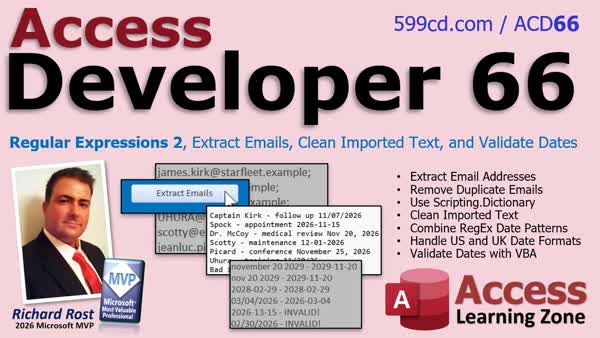
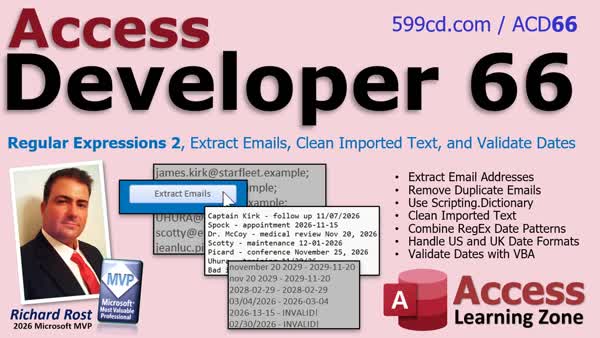
Access Developer 66Regex Emails Clean Text Validate DatesIn Access Developer 66 we will use regular expressions to extract email addresses from text, remove duplicates with Scripting.Dictionary, and clean imported text containing extra spaces, tabs, and formatting problems. We will also build a reusable VBA system for finding dates in mixed formats, interpreting US and UK numeric dates, handling written month names and abbreviations, and validating that recognized dates are real calendar dates before importing them into Microsoft Access. Lessons
ResourcesNavigationLesson SummaryWelcome! Extract Emails Validate Dates With Regex - Welcome to Access Developer 66. We will continue our work with Regular Expressions by extracting email addresses, removing duplicates with Scripting.Dictionary, cleaning imported text by handling extra spaces and tabs, and preserving original data while updating cleaned records. We will also build patterns to recognize multiple date formats, address American and British date conventions, and validate extracted dates with reusable VBA functions.
Lesson 1: Extract Email Addresses No Duplicates - In Lesson 1, we will review key regular expression concepts from the previous Developer course using an evolving cheat sheet, then use RegEx to extract email addresses from messy text. We will walk through building a reusable VBA function, use Scripting.Dictionary to remove duplicate email addresses, compare early and late binding, and refine the email pattern when it matches an invalid address.
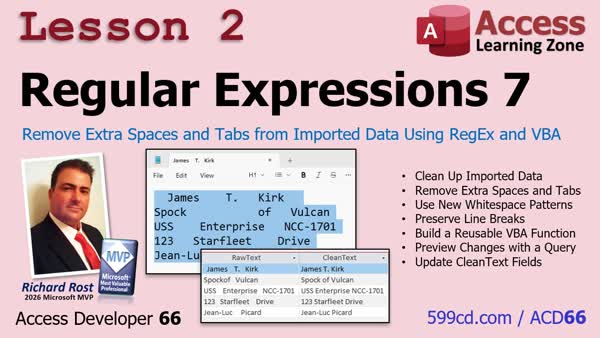
Lesson 2: Remove Extra Spaces and Tabs Using RegEx - In Lesson 2, we will use regular expressions in Microsoft Access to clean messy imported data by collapsing extra spaces and tab characters while preserving line breaks when needed. We will walk through creating a reusable RegEx cleanup function, previewing cleaned values in a query, and converting that preview into an update query without changing the original raw data.
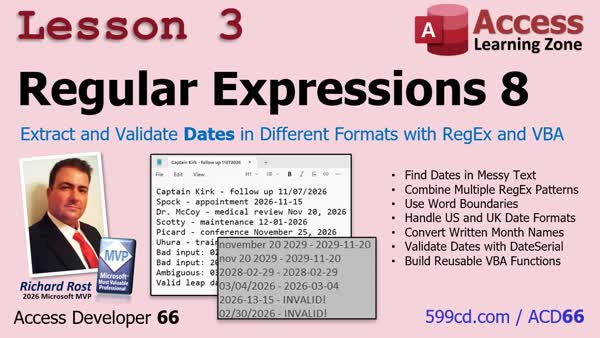
Lesson 3: Extract Validate Dates Multiple Formats - In Lesson 3, we will use RegEx Part 8 techniques to identify ISO, numeric, and written-month date formats within imported text. We will combine patterns with OR operators, use word boundaries to avoid partial matches, and build VBA functions to extract date candidates, interpret US or UK numeric formats, convert month names, and validate real calendar dates.
Up Next: Review & What's Coming Up... - In this course we learned how to use regular expressions to extract email addresses, remove duplicates with Scripting.Dictionary, clean up messy imported text, and recognize and validate dates in multiple formats. In this What's Next lesson, we discuss possible future topics, including dollar amounts, import processing tools, website URLs, product SKUs, ChatGPT and Regex techniques, and additional Scripting.Dictionary features.
KeywordsAccess Developer, Access VBA date parsing, regex date extraction, ambiguous date formats, US vs UK date format, date validation, invalid date detection, ISO date parsing, month name dates, VBA regular expressions, email extraction, Scripting.Dictionary, t
More InformationTranscriptHave you ever imported a bunch of dates into Microsoft Access only to discover they're all in different formats? Some are American dates, some are British dates, some have the months spelled out, and some aren't even valid dates. How do you make sense of all that mess without spending hours cleaning it up by hand? Hi, I'm Richard Rost with Access Learning Zone. I just released Access Developer 66, where we're continuing our work with regular expressions. We're using them to solve some real-world database problems. First, we look at extracting email addresses from large blocks of text. Maybe you've imported some customer notes, email messages, or other information that contains email addresses mixed in with everything else. We'll build a reusable function that can find those addresses, pull them out, and eliminate duplicates automatically. We'll also get our first look at Scripting.Dictionary, which is a really handy tool for all kinds of VBA programming. Next, we'll tackle messy imported text. You know how it goes: somebody sends you a spreadsheet, and the names and addresses have all of the extra spaces, tabs, and other formatting problems. We'll build a simple cleanup function that can straighten out that mess, and we'll use an Access query to preview the results before updating our records. That way, we're not blindly changing important data. And now, here's the big one: dates. If you've ever worked with data from different countries, you know what a nightmare this can be. An American sees 3, 4, 26 and thinks March 4th. And somebody in the UK sees the exact same date and thinks April 3rd. And they're both perfectly valid interpretations for their locales. Then you throw in some ISO dates, which everyone should be using, by the way. And you throw in some stuff where they spelled out the date, like November 25th. And now you've got a mess, especially if they're all mixed together in the same import. And what happens if someone puts something in like February 30th or November 31st? Those aren't even real dates. So, in this lesson, we're going to build a reusable system that can recognize different date formats, extract them from blocks of text, interpret American and British number dates according to the convention you specify, and then determine whether they're actually valid calendar dates or not. We'll even handle dates with written month names, including abbreviations. And here's the important part: just because a piece of text looks like a date doesn't mean it's a real date. We'll learn how to make that distinction so we're not putting bad date information into our databases. This kind of problem comes up all the time when you're importing customer records, working with data from other countries, or just trying to clean up information from older systems. So, by the end of Developer 66, you'll have a reusable VBA tool for extracting information, bringing up text, and dealing with dates in different formats. And you'll get my nice handy-dandy cheat sheet, so you don't have to remember all these formulas and patterns yourself. If you work with imported data in Microsoft Access, especially dates that don't always arrive in the format that you want, this is a class you're going to want to check out. For more information, visit my website. You'll find a link down below, or drop a comment down below if you have any questions. Live long and prosper, my friends. I'll see you in class. IntroIn <B>Access Developer 66</B> we will use regular expressions to extract email addresses from text, remove duplicates with Scripting.Dictionary, and clean imported text containing extra spaces, tabs, and formatting problems. We will also build a reusable VBA system for finding dates in mixed formats, interpreting US and UK numeric dates, handling written month names and abbreviations, and validating that recognized dates are real calendar dates before importing them into Microsoft Access. QuizQ1. What is a common problem with dates imported from different countries? A. The same numeric date can have different month and day interpretations B. Imported dates always use ISO format C. Dates cannot contain a year D. Access automatically knows the country for every date Q2. Why can a date such as 3/4/26 be ambiguous? A. It can only represent March 4 B. It can only represent April 3 C. It may be interpreted as March 4 or April 3 depending on the convention used D. It is always an invalid date Q3. What is one advantage of ISO date formats? A. They are interpreted differently in every country B. They help avoid ambiguity between month and day positions C. They do not require a year D. They can only be stored as text Q4. What should a date cleanup system do before storing an imported date in a database? A. Assume any date-like text is valid B. Remove the year from the date C. Verify that the date is a real calendar date D. Convert every date to American format without checking Q5. Which of the following is an invalid calendar date? A. February 28 B. November 25 C. February 30 D. March 4 Q6. Besides numeric dates, what type of date text can the reusable system handle? A. Dates with written month names and abbreviations B. Dates containing only time values C. Dates with no month information D. Dates stored only as images Q7. What can regular expressions help do with imported date text? A. Detect and extract date patterns from blocks of text B. Automatically create new database tables C. Encrypt all date fields D. Replace every date with today's date Q8. What is the purpose of a cleanup function for imported names and addresses? A. To add random formatting to records B. To remove extra spaces, tabs, and formatting problems C. To translate every address into another language D. To delete records with long names Q9. Why should cleanup results be previewed in an Access query before updating records? A. To avoid blindly changing important data B. To make dates more ambiguous C. To prevent duplicate tables from being created D. To remove all records from the database Q10. What is Scripting.Dictionary useful for in the email extraction example? A. Eliminating duplicate email addresses B. Converting email addresses into dates C. Sending email messages automatically D. Formatting addresses as postal labels Answers: 1-A; 2-C; 3-B; 4-C; 5-C; 6-A; 7-A; 8-B; 9-A; 10-A DISCLAIMER: Quiz questions are AI generated. If you find any that are wrong, don't make sense, or aren't related to the video topic at hand, then please post a comment and let me know. Thanks. SummaryI have just released Access Developer 66, where I continue our work with regular expressions and apply them to practical Microsoft Access database problems. One of the first topics I cover is extracting email addresses from large blocks of text. This is useful when you import customer notes, email messages, comments, or other text that may contain one or more email addresses mixed in with unrelated information. I show you how to create a reusable VBA function that can locate email addresses, extract them, and automatically remove duplicates. This lesson also introduces Scripting.Dictionary, a useful VBA object that can help you manage unique values and perform many other programming tasks in Access. Next, I cover cleaning up messy imported text. Imported spreadsheets and text files often contain extra spaces, tabs, line breaks, and inconsistent formatting in names, addresses, and other fields. I show you how to build a cleanup function that can standardize that text. We will also use an Access query to preview the cleaned results before updating any records, so you can verify the changes instead of modifying important data blindly. The major topic in this class is handling dates imported in different formats. Dates can be especially difficult when data comes from multiple countries or older systems. For example, a date such as 3/4/26 could mean March 4, 2026 in the United States, or April 3, 2026 in the United Kingdom. Both interpretations are valid, depending on the convention used by the source data. I show you how to build a reusable date-processing system that can recognize and extract several types of date formats from larger blocks of text. This includes American numeric dates, British numeric dates, ISO-style dates, and dates written with month names or abbreviations, such as November 25 or Nov 25. You will be able to specify whether numeric dates should be interpreted using American month/day/year conventions or British day/month/year conventions. This is important when working with imported records from different countries, because Access cannot always determine the intended date format correctly on its own. I also explain why recognizing something that looks like a date is not enough. A value such as February 30 or November 31 may match a date pattern, but it is not a valid calendar date. The techniques in this lesson allow you to distinguish between text that appears to be a date and text that represents an actual valid date. These are common problems when importing customer records, processing international data, converting information from legacy systems, or cleaning up poorly formatted spreadsheets. By the end of Access Developer 66, you will have reusable VBA tools for extracting email addresses, cleaning imported text, and interpreting dates in multiple formats while rejecting invalid date values. I also provide a handy cheat sheet so you do not have to memorize all of the regular expression patterns and formulas yourself. You can find a complete video tutorial with step-by-step instructions on everything discussed here on my website at the link below. Live long and prosper, my friends. Topic ListPromotional overview of an Access Developer course on using regular expressions to clean imported text, extract emails, and validate mixed-format dates. Primary Topicsregular expressions in Access VBA, extracting email addresses from text, duplicate removal, Scripting.Dictionary, imported text cleanup, mixed US and UK date interpretation, ISO date recognition, written month date parsing, calendar date validation Secondary Topicspreviewing cleanup results with Access queries, safe record updates, imported customer and legacy-system data |
||||||||||||||
|
| |||
| Keywords: Access Developer, Access VBA date parsing, regex date extraction, ambiguous date formats, US vs UK date format, date validation, invalid date detection, ISO date parsing, month name dates, VBA regular expressions, email extraction, Scripting.Dictionary, t Page Tag: whatsnew PermaLink Regular Expressions 2, Extract Emails, Clean Text, Validate Dates in Microsoft Access Developer 66 |