New Outlook
By Richard Rost

 2 years ago
New Outlook Not Ready - Important for Access Users
Welcome to another Access Update brought to you by AccessLearningZone.com. I'm Richard Rost. Today, OfficeWatch released a new article stating that the new Microsoft Outlook is not ready, despite Microsoft's claims. They assert it's missing critical features like offline support, which is essential for situations like airplane Wi-Fi. There are also security concerns. This is crucial for Microsoft Access users because many have reported that the new Outlook breaks their integration with Access, especially the DoCmd.SendObject command. The new Outlook lacks integration with the rest of Office, functioning more like a lightweight mail client. You can read the full article linked below. I'll also have upcoming videos showing alternative methods to send email from Microsoft Access using CDO. That's your Access Update for today. Live long and prosper, my friends. See you next time.
Links
Keywords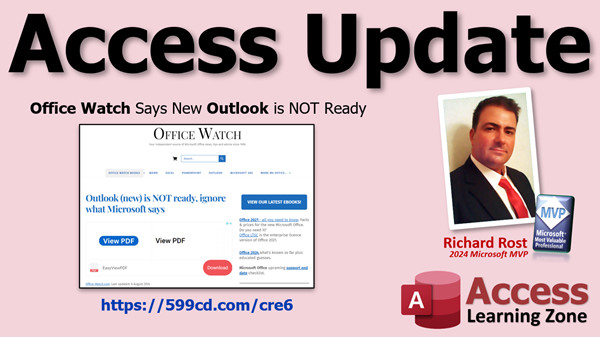
Access Update, new Microsoft Outlook issues, Outlook offline support, Office integration problems, Outlook security concerns, Access and Outlook integration, DoCmd.SendObject command, lightweight mail client, Microsoft Office news, Access email seminar, CDO email method, SMTP server email, tech help video Microsoft Access, Access email troubleshooting
 Subscribe to New Outlook
Get notifications when this page is updated
More InformationTranscript Welcome to another Access update brought to you by AccessLearningZone.com. I'm Richard Rost.
Today, Office Watch released a new article saying that the new Microsoft Outlook is not ready, regardless of what Microsoft says. They claim that it is lacking critical features. There is no offline support - in other words, if you are on an airplane with your laptop, forget it unless you hop on the airplane Wi-Fi, of course. There are also some security concerns. Overall, it is just not ready yet.
Why is this important for Microsoft Access users? Recently in the forums, I have been getting a lot of posts from people saying that they have upgraded to the new Outlook, and it breaks their integration with Access. Users used to be able to use Access to do commands like SendObject, as I cover in this video, and it just does not work. The new Outlook lacks a lot of integration with the rest of Office. It is literally just a lightweight mail client.
You can read the full article here - I will put a link down below for you to click on. I will also have some videos coming out showing you a different method to send email from Microsoft Access. I do cover it in my Access Email Seminar, but there is a really easy way you can send mail directly to your SMTP server using CDO, which I will talk about in an upcoming TechHelp video.
That is your Access update for today. I hope you learned something. Live long and prosper, my friends. I will see you next time. Intro In this video, we'll talk about the issues with the new Microsoft Outlook and why it may not be ready for mainstream use, especially for Microsoft Access users. I'll discuss missing features like lack of offline support and security concerns, and explain how upgrading to the new Outlook can cause problems with integrating Microsoft Access commands such as SendObject. Quiz Q1. What is a major issue with the new Microsoft Outlook according to the Office Watch article?
A. It lacks offline support
B. It is not compatible with Windows 10
C. It has increased storage requirements
D. It is only available on Android
Q2. Why is the new Outlook problematic for Microsoft Access users?
A. It breaks integration features like SendObject
B. It requires additional Access licenses
C. It only accepts text emails
D. It only runs as a web app
Q3. What key feature does the new Outlook lack that affects Access integration?
A. Integration with the rest of Office applications
B. Compatibility with PDF attachments
C. Importing calendar events
D. Cloud-only storage
Q4. What alternative method is mentioned for sending email from Microsoft Access?
A. Using CDO to send mail directly to an SMTP server
B. Using Google Gmail Add-on
C. Using Yahoo Mail integration
D. Using Bluetooth
Q5. Where does Richard suggest you can find the full Office Watch article?
A. Via a link below the video
B. In the Access application help section
C. On the Windows Store
D. On the Outlook mobile app
Answers: 1-A; 2-A; 3-A; 4-A; 5-A
DISCLAIMER: Quiz questions are AI generated. If you find any that are wrong, don't make sense, or aren't related to the video topic at hand, then please post a comment and let me know. Thanks. Summary Today's video from Access Learning Zone covers an important update for Microsoft Access users regarding the new Microsoft Outlook. My name is Richard Rost.
Office Watch has recently published an article where they point out that the new Microsoft Outlook is not yet ready for general use, no matter what Microsoft claims. According to their review, the latest version is missing several essential features. Offline support is not available, which means that if you are traveling and do not have internet access, you will not be able to use Outlook unless you can connect to in-flight Wi-Fi. The article also highlights some security concerns. Overall, the new Outlook is just not fully developed or ready for prime time.
This is especially relevant for those of us who use Microsoft Access, because I have seen many people in the forums complaining about integration issues after upgrading to the new Outlook. Users who used to rely on features like SendObject to send emails directly from Access are now finding that these functions do not work. The new Outlook seems stripped down and no longer supports much of the integration that users expect with other Office applications. It functions more like a basic email client rather than a full-fledged member of the Office suite.
If you are interested in reading the full article from Office Watch, I will include a link below. Also, I plan to release some new videos soon to show you alternative methods for sending email from Microsoft Access. While I already cover email integration in my Access Email Seminar, there is a very straightforward way to send mail directly to your SMTP server using CDO, and I will go over this in an upcoming TechHelp session.
That wraps up today's Access update. For a complete video tutorial with step-by-step instructions on everything discussed here, visit my website at the link below. Live long and prosper, my friends. Topic List This is an informational update about issues with the new Microsoft Outlook affecting Access users' ability to send emails via integration such as SendObject. Primary Topics Microsoft Outlook changes, Access email integration, SendObject command, Office app interoperability, Outlook feature limitations
Secondary Topics security concerns, offline support, forum feedback, upcoming solutions
|




