Debunking Myths
By Richard Rost

 2 years ago
"5 limitations of Microsoft Access" by HyperOffice
Hey folks, this is Richard Rost with AccessLearningZone.com. I don't do this often, but every now and then, I come across a webpage, article, or post that is just so blatantly wrong about Microsoft Access that I feel compelled to debunk these myths for the Access community and those considering it. I found a page titled "5 limitations of Microsoft Access" [sic]. It's a couple of years old, but I often encounter such pages, typically promoted by companies selling alternative products, hence motivated to deter people from Microsoft Access.
Original Article
- I initally had a link to the original article here, but I've decided when I critique articles like this in the future, that I'm not going to link to them because I don't want to give them "SEO Juice" because Google likes to see back-links. If you're interested in finding the article, a quick Google search for "5 limitations of Microsoft Access Pankaj Taneja HyperOffice" should do the trick.
Links
Further Reading
Keywords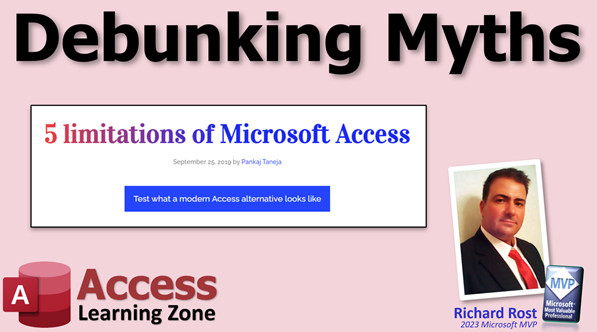
microsoft access, ms access, ms access tutorial, #msaccess, #microsoftaccess, What are the five disadvantages of using MS Access, hyperoffice.com, Microsoft Access myths, Access Database debunked, MS Access limitations, Access for small businesses, Access network solutions, relational database misconceptions, Access database scalability, no-code database solutions, debunking Access myths
Transcript
The first item claims Access is not available over the internet, stating its biggest limitation is not being groupware. While it's true that Access can't be used over the internet by itself, there are numerous options for using your Access database and data online. You can upgrade your backend to SQL Server, use SharePoint, or Access Database Cloud, among others. I'll post links to some alternatives below the video.
Calling Access a glorified spreadsheet shows a lack of understanding that Access is a full relational database. The claim that Access is not suitable for team use is simply wrong. Access is designed for more than single use; it's arguably the best local area network database front-end. It's ideal for small businesses or teams up to 20-30 people. While there's a limit of 255 users, and larger user bases should consider SQL Server for the backend, Access remains a viable front-end. Many misunderstand that Access is more of a database design program than a database server. It can be used with a backend database server like SQL Server. If your database is slow with 5-10 users, it's likely due to improper database construction. I've set up systems for companies with 20-30 users, and even 200 users with SQL Server, running smoothly.
The claim that Access is only suitable for small databases due to a 2-gigabyte limit per file is misleading. You can have separate 2-gigabyte tables for customers, employees, products, etc. If you have larger tables, a database server is recommended, but this doesn't limit Access as a front-end. The assertion that Access slows down considerably with data excess is false; it's a matter of database design.
Access does tie you to Microsoft Windows, which is a valid limitation. However, alternatives exist for Mac or Linux users, such as remote PC access, virtual machines, or using parallels. As a Windows-based application, Mac users might not find my classes suitable, but they can still remotely access company databases.
The notion that Access is not user-friendly is incorrect. It's an exceptionally user-friendly database, and such a claim indicates a lack of understanding of Access. Access is not clumsy and clunky compared to new no-code applications; it was the original no-code application. You can build robust databases without any code, yet it also supports coding for advanced functionality, making it suitable for all skill levels – beginner to expert developers.
While Access isn't perfect, and I have my critiques, the criticisms in the article are mostly invalid. Access is not being discontinued, despite rumors. Web apps were experimented with but didn't pan out. For internet usage, options like SQL Server exist. Access is effective for small offices, and if it's slow on a network, it's often the network's issue, not Access. I've resolved many such cases by addressing network infrastructure.
That's my rant for today. I felt the need to counter these unfounded limitations. The only valid criticism is its incompatibility with Mac, but it's not a Mac application. I'll link the article below for you to read, and I welcome your comments. Post them below, and live long and prosper, my friends. I'll see you next time.
More InformationTranscript Hey folks, this is Richard Rost with AccessLearningZone.com.
I do not do this often, but every now and then I come across a web page, an article, or a post somewhere that is just so blatantly wrong about Microsoft Access that I owe it to the Access community and to people who might not know much about Microsoft Access but are considering it to debunk these myths.
This is a page that I found called "Five Limitations of Microsoft Access." It is a couple years old, but I come across pages like this all the time. Pages like this are usually promoted by companies that are trying to sell an alternative product, so they obviously have a motivation to get people to move away from Microsoft Access.
Now, the first item it says is Access is not available over the Internet. Alright, the biggest limitation is it's not groupware. While this is technically correct, Access by itself cannot be used over the Internet. There are lots of different options to use your Access database and your Access data over the Internet. You can upgrade your backend to SQL Server, you can use SharePoint, you can use something like Access Database Cloud. There are lots of different alternatives, and I will be posting some links to some alternatives down below after the video.
Calling Access a glorified spreadsheet is just someone who does not understand that Access is a full relational database.
Now, this one is just plain wrong. Access is not suitable for team use. I do not understand how you could possibly write this. Access is not designed for single use. Access is the best local area network database front end you can possibly get.
If you are a small business, if you have a small team, you have got 20 or 30 people in an office that need to share data, Access is a great program for that. That is probably the best solution for a small team like that.
Now yes, there is a limit to 155 users. Sure, and if you have that many users, you should upgrade your backend to SQL Server. Your front end can still be Access. That is what a lot of people do not understand.
Access is more of a database design program than it is a database server. It is not a database server. But you can use an Access front end with a backend database server like SQL Server. If your database is terribly slow with 5 to 10 users, then you just do not know how to build a proper Access database.
I have set up companies that have 20 or 30 users concurrently running an Access database with no problems whatsoever. With SQL Server as the backend I have had companies with 200 users simultaneously working. That is not the problem.
Only suitable for small databases. Yes, there is a 2GB limit per file. Per file. You can have a separate table in each file. You can have a 2GB customer table, a 2GB employee table, 2GB product table. I have got hundreds of thousands of records in my personal databases. And yes, they are split across multiple back ends. But that is not a limitation.
Again, if you have got that big of a table, you should be using a database server. But this does not affect the use of the front end. Access is still a perfectly suitable front end no matter how big your backend tables are.
It has been observed that Access slows down considerably when data exceeds. No, you just do not know how to build a database then.
Access ties you to Microsoft Windows. Now this one is true. This is a valid limitation. Access only runs on Windows. But if you have got a Mac or Linux or whatever, you can still remote PC into something that is running Access. You can use a virtual machine. There are all kinds of different alternatives. You can run Parallels.
I am not a Mac fan myself. So if you are a Mac user, you are not going to enjoy my classes. But if you do want to use Access, if your company uses Access and you are a Mac user, you can still remote in to the company Access database. There are alternatives.
Access is not user friendly. That is not a valid limitation. You are completely incorrect, sir. It is an extremely user friendly database. Again, I posit that you do not understand Access. You do not know how to use Access and you are just being a hater.
Access does not look clumsy and clunky compared to new no code applications. In fact, Access was the original no code application. You can build a great Access database with zero code. But then you can also add code to it. That is why it is great for all users of all levels - beginner, intermediate, expert developers. Access can be used by everybody.
Now, there are some valid criticisms of Microsoft Access. I have got a few myself. Access is not perfect. I am not here evangelizing a perfect product. But the criticisms this guy raised are mostly not valid.
I do have a page where you can go and check it out. I list all of my criticisms of Access and ways around most of them.
Watch my video. I have got another "Benefits of Microsoft Access" video here you can watch. But there are some issues. Some upgrade issues.
The big one everyone always says is: I have read somewhere that Access is being discontinued. No, it is not being discontinued. Web Apps was a thing. They tried Web Apps for a while. That did not work where you can actually make Access web pages out of your database.
If you want to upgrade your database and use it over the Internet, there are options. You can use SQL Server. There are all kinds of different options.
I talk about the 2GB max limit, multi-user limitations. Access is great for a small office. If you have 10, 20, or 30 employees, there is no problem running an Access database, split database solution in that type of environment. I have set up hundreds of them over the past 30 years.
If Access is slow on your network, it is probably your network. Every time I went into a company where they were complaining the database was slow, I did a test on the network and just general file transfers were slow. They had problems with their cabling or they needed to update their routers or their network cards, all kinds of different stuff.
So that is all. That is my rant for today. Whenever I come across a hater like this, I just have to debunk it. These limitations are not valid limitations. The only complaint he has is that it is not usable on a Mac, but yes, it is not a Mac application. Sorry.
I will put a link to his article down below if you want to go read it for yourself. If you have any comments, I would like to hear what you have to say. Post them in the comments section down below.
Live long and prosper, my friends. I will see you next time. Intro In this video, we'll talk about some common myths and misconceptions surrounding Microsoft Access, including claims about internet access limitations, multi-user capabilities, database size restrictions, compatibility with different operating systems, and user friendliness. I'll go over where these criticisms come from, which ones are accurate, and why many of them are not valid concerns for most users. If you've ever wondered whether Access is the right choice for your business or heard negative things about it online, this video will help set the record straight. Quiz Q1. What is the primary motivation behind many articles that criticize Microsoft Access according to the video?
A. They want to promote alternative products
B. They are usually written by Access experts
C. They are unbiased reviews
D. They focus only on technical details
Q2. Which of the following is a valid limitation of Microsoft Access mentioned in the video?
A. Access is not user friendly
B. Access ties you to Microsoft Windows
C. Access can't handle large databases at all
D. Access is only for single-user environments
Q3. How can you use an Access database over the Internet?
A. It is not possible under any circumstance
B. Only through direct browser access
C. By using solutions like SQL Server, SharePoint, or Access Database Cloud
D. By using HTML forms only
Q4. What is a recommended solution for supporting more than 155 users in an Access-based environment?
A. Switch to Excel
B. Use Google Sheets
C. Upgrade the backend to SQL Server
D. Reduce the number of users to below 10
Q5. What must one do if they want to use Access on a Mac according to the video?
A. Access has a Mac version
B. There are no possible options
C. Use a virtual machine or remote access to Windows
D. Access is fully web-based and runs everywhere
Q6. Which of the following is NOT true about Microsoft Access according to the presenter?
A. Access is suitable only for small single-user use
B. Access is a full relational database
C. Access can be used as a front end with different back ends
D. Access is great for small business teams
Q7. What is the file size limit for a single Access database file?
A. 10GB
B. 155MB
C. 2GB
D. Unlimited
Q8. What is commonly the real cause of slow Access database performance in an office environment, according to the presenter?
A. Microsoft Access itself is always slow
B. Poorly designed databases and/or network issues
C. Too few users accessing the database
D. Too much data in forms
Q9. What does the presenter say about Access being discontinued?
A. Access will be discontinued soon
B. Microsoft stopped supporting Access years ago
C. Access is not being discontinued; only certain features like Web Apps were stopped
D. Access is not a real Microsoft product
Q10. What does the presenter state about the learning curve and user-friendliness of Access?
A. Access is only for expert programmers
B. Access is difficult and clunky to use
C. Access can be used without any code and is suitable for all levels
D. Access requires extensive knowledge of SQL to use
Answers: 1-A; 2-B; 3-C; 4-C; 5-C; 6-A; 7-C; 8-B; 9-C; 10-C
DISCLAIMER: Quiz questions are AI generated. If you find any that are wrong, don't make sense, or aren't related to the video topic at hand, then please post a comment and let me know. Thanks. Summary Today's video from Access Learning Zone focuses on clearing up some common misconceptions about Microsoft Access that I've seen circulating online, especially on web pages promoting competing products. Every so often, I come across an article that is so inaccurate about Access that I feel compelled to address the myths, particularly for the benefit of those who are considering Access but might not know all the facts.
One example I recently found is a page listing what it claims are five main limitations of Microsoft Access. Although this particular article is a few years old, these kinds of claims are everywhere, often created by companies marketing alternative database solutions. Their goal is to steer people away from Access, and as a result, the information they provide can be misleading or downright incorrect.
The first claim on this page states that Access is not available over the Internet and is not groupware. Technically, it's true that Access itself does not run natively over the Internet. However, there are several ways to use your Access data online. You can move your backend data to SQL Server, utilize SharePoint, or use hosted solutions like Access Database Cloud. There are plenty of alternatives, so saying Access is entirely cut off from the Internet is far from the truth.
Another criticism is that Access is just a glorified spreadsheet. This reveals a misunderstanding of what Access actually is. Access is a fully-featured relational database system, not just a fancier version of Excel.
A further claim is that Access is not suitable for team use. I cannot comprehend how anyone familiar with Access could say this. Access is actually designed for multi-user environments and is an excellent choice for sharing data within a local office network. It's ideal for small businesses or teams of up to about 20 or 30 users who need to work with shared data. While there is a technical limit of 155 simultaneous users, most small offices do not reach that threshold. If your usage grows, you can upgrade your backend to SQL Server and keep Access as your front end – a setup that works for many organizations.
There is also a suggestion that Access is only suitable for small databases. Access does have a 2GB limit per file, but that is per backend file, not for your entire application. It's very easy to split large tables across multiple files, so even large datasets can be managed effectively. For extremely large datasets, using a dedicated database server is best, but Access remains a perfectly capable front end regardless of backend size.
Some say that Access slows down significantly once databases become large. My experience has been that if you see performance issues with just 5 to 10 users, the problem is likely in how the database is designed, not with Access itself. I have set up systems supporting 20 or 30 concurrent users, and with a SQL Server backend, even hundreds of users can work effectively.
Another criticism is that Access is tied to Windows and therefore cannot be used on a Mac or Linux system. This is a valid point; Access is a Windows application. However, Mac users have several options, such as connecting to a Windows machine remotely or using virtualization tools like Parallels. It's not as convenient as a native Mac application, but it's certainly possible to use Access regardless of your operating system.
The article also claims that Access is not user friendly. Again, this simply is not accurate. Access is designed for a wide range of users, from complete beginners to advanced developers. Access was one of the original drag-and-drop no-code applications, and you can build powerful databases without writing any code. But if you want, you can also incorporate code for more advanced logic, making it a great choice for users at any skill level.
All this being said, I admit that Access is not perfect and it does have valid limitations, but the ones highlighted in this article are almost entirely invalid or seriously overstated. I have my own page where I list some genuine criticisms of Access and provide workarounds for most of them. If you want to learn more about both the strengths and the real limitations of Access, look for my "Benefits of Microsoft Access" video, as well as other resources on my site.
There is also a persistent myth that Microsoft is discontinuing Access. That is not true. While Microsoft did phase out Access "Web Apps," the core desktop product is still supported and actively developed. If your goal is to make your database web-accessible, there are ways to do that, such as migrating your data to SQL Server or using specialized cloud services.
Remember, if your Access database is running slow in your office, the underlying issue is very often the network infrastructure itself, not Access. In almost every situation where a company has complained to me about sluggish performance, basic network tests have shown bottlenecks in the cabling, routers, or switches, not the database software.
That wraps up my thoughts for today. Whenever I come across these so-called "Access hater" articles, I feel it's important to push back and set the record straight. The only real complaint worth noting is that Access does not run natively on a Mac, but there are still ways to use it if you need to.
For further details, and to see a complete video tutorial with step-by-step instructions on everything discussed here, visit my website at the link below.
Live long and prosper, my friends. Topic List This video is a commentary debunking misconceptions about the limitations of Microsoft Access and clarifying its capabilities for multi-user environments and large databases. Primary Topics Microsoft Access myths, team use, data size limits, Internet accessibility, platform dependency, user-friendliness, SQL Server integration
Secondary Topics network troubleshooting, database design, Access criticisms
|





