Free Lessons
Courses
Seminars
TechHelp
Fast Tips
Templates
Topic Index
Forum
ABCD
 
Home   Courses   TechHelp   Forums   Help   Contact   Merch   Join   Order   Logon  
 
Back to Combine Reports    Comments List
Upload Images   @Reply   Bookmark    Link   Email   Next Unseen 
Open Combine Report with Button
James Hopkins 
     
14 months ago
Hey Richard and the Crew, I am wonder how to open the Contract Report using a Button. I created an Contract using the same method as the "Combine Report Tech Help". But I cannot get the Report to open the right Customer.
Alex Hedley  @Reply  
           
14 months ago
What have you tried?
James Hopkins OP  @Reply  
     
14 months ago
Private Sub BtnPrintContract_Click()
    If IsNull(ContractID) Then Exit Sub
    DoCmd.OpenReport "ContractR", acViewPreview, , , ContractID = ContractID
    Reports!ContractF!ContractID = ContractID
End Sub
Kevin Robertson  @Reply  
          
14 months ago
Incorrect syntax:

DoCmd.OpenReport "ContractR", acViewPreview, , , "ContractID=" & ContractID

You shouldn't need the line beneath it.
James Hopkins OP  @Reply  
     
14 months ago
Hey Kevin, I change it and it opens up displaying all Contracts. It's not Filtering by ContractID.
Alex Hedley  @Reply  
           
14 months ago
Filter Report
expression.OpenReport (ReportName, View, FilterName, WhereCondition, WindowMode, OpenArgs)
Kevin Robertson  @Reply  
          
14 months ago
One too many commas.
That's my fault. I copied your code and made changes. Should have verified it first. LOL

DoCmd.OpenReport "ContractR", acViewPreview, , "ContractID=" & ContractID
James Hopkins OP  @Reply  
     
14 months ago
Hey Guys, I did all that. I can't seem to figure out what is wrong. Some reason the Report is not Filtering. All the Sub Reports has the same Query for their Record Source.
Richard Rost  @Reply  
          
14 months ago
Is ContractID on the form you're opening the report from? MsgBox it.
James Hopkins OP  @Reply  
     
14 months ago
Hey Richard, I double check that, the ID is on the Form as a Hidden Field and is in all the Queries for the Sub Reports, also.
James Hopkins OP  @Reply  
     
14 months ago
The Sub Report both have the same Query for their Recordsource with as Multiple Tables within it.
James Hopkins OP  @Reply  
     
14 months ago
Thank Guys, I figured it out. I was doing to much at one time. Thanks again for the help.
James Hopkins OP  @Reply  
     
14 months ago
Hey Richard, I have a quick question on, how many Subreports could be in the Master Report?
Sami Shamma  @Reply  
             
14 months ago
I do not know the max but I have one with 50
James Hopkins OP  @Reply  
     
14 months ago
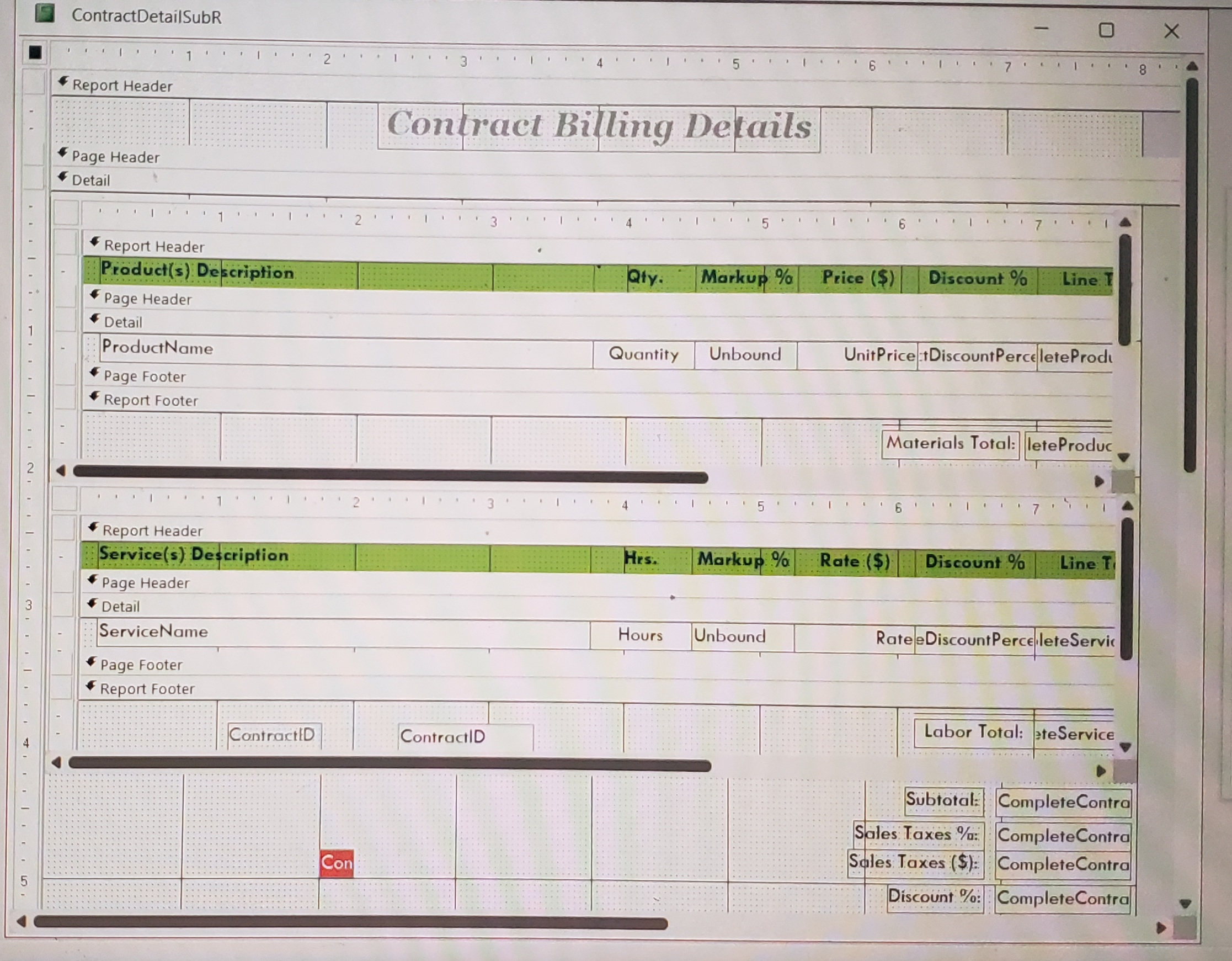
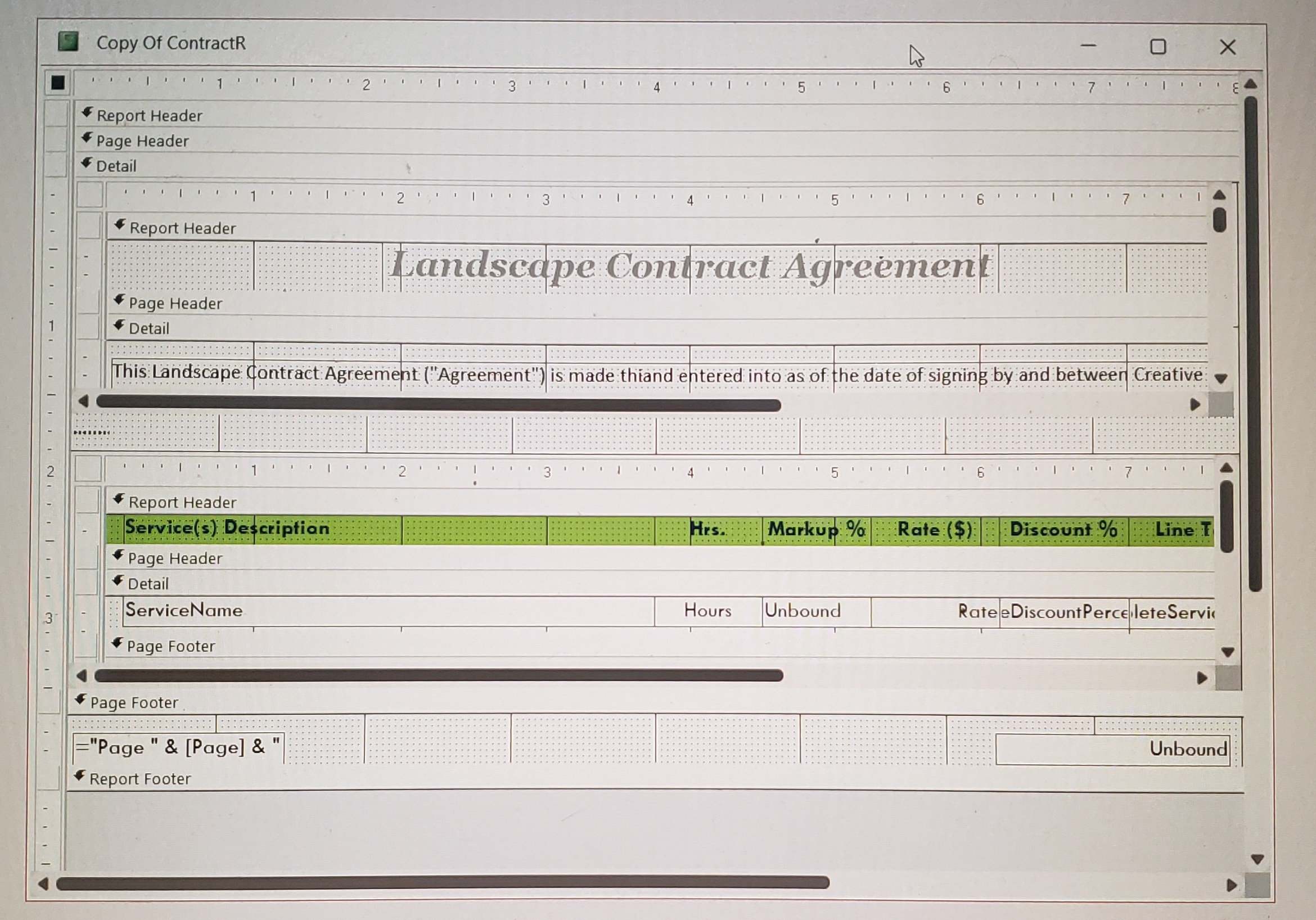
I was wondering Sami, ca.se I have one that same to have a Subreport that does not open up to the right ClientID or ContractID.
Sami Shamma  @Reply  
             
14 months ago
Please share more details
James Hopkins OP  @Reply  
     
14 months ago
Sami, here's the Report Layout for the Complete Contract Report and the Sub Report, enclosed.
James Hopkins OP  @Reply  
     
14 months ago

James Hopkins OP  @Reply  
     
14 months ago

Richard Rost  @Reply  
          
14 months ago
50? Damn.
Sami Shamma  @Reply  
             
14 months ago
Yeh, it is the Calander Template. I replaced the listboxs with Subreports to get control over conditional formating.

This thread is now CLOSED. If you wish to comment, start a NEW discussion in Combine Reports.
 

Next Unseen

 
New Feature: Comment Live View


The following is a paid advertisement
Computer Learning Zone is not responsible for any content shown or offers made by these ads.
 

Learn
 
Access - index
Excel - index
Word - index
Windows - index
PowerPoint - index
Photoshop - index
Visual Basic - index
ASP - index
Seminars
More...
Customers
 
Login
My Account
My Courses
Lost Password
Memberships
Student Databases
Change Email
Info
 
Latest News
New Releases
User Forums
Topic Glossary
Tips & Tricks
Search The Site
Code Vault
Collapse Menus
Help
 
Customer Support
Web Site Tour
FAQs
TechHelp
Consulting Services
About
 
Background
Testimonials
Jobs
Affiliate Program
Richard Rost
Free Lessons
Mailing List
PCResale.NET
Order
 
Video Tutorials
Handbooks
Memberships
Learning Connection
Idiot's Guide to Excel
Volume Discounts
Payment Info
Shipping
Terms of Sale
Contact
 
Contact Info
Support Policy
Mailing Address
Phone Number
Fax Number
Course Survey
Email Richard
[email protected]
Blog RSS Feed    YouTube Channel

LinkedIn
Copyright 2026 by Computer Learning Zone, Amicron, and Richard Rost. All Rights Reserved. Current Time: 4/30/2026 1:07:35 PM. PLT: 1s