Free Lessons
Courses
Seminars
TechHelp
Fast Tips
Templates
Topic Index
Forum
ABCD
 
Home   Courses   TechHelp   Forums   Help   Contact   Merch   Join   Order   Logon  
 
Back to Access Developer Forum    Comments List
Upload Images   @Reply   Bookmark    Link   Email   Next Unseen 
Global Module with Two Events
Chris Tyson 
      
15 months ago
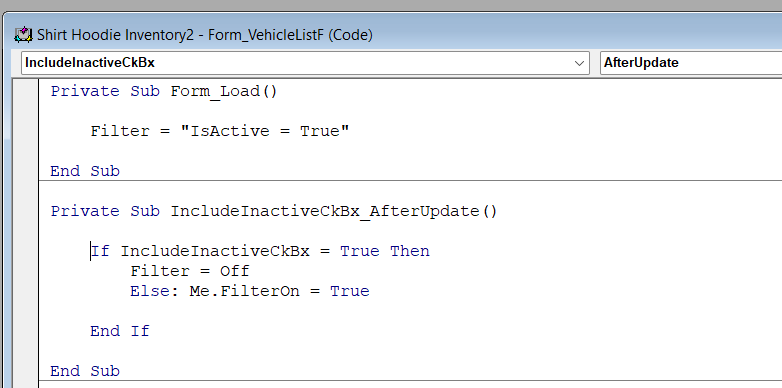
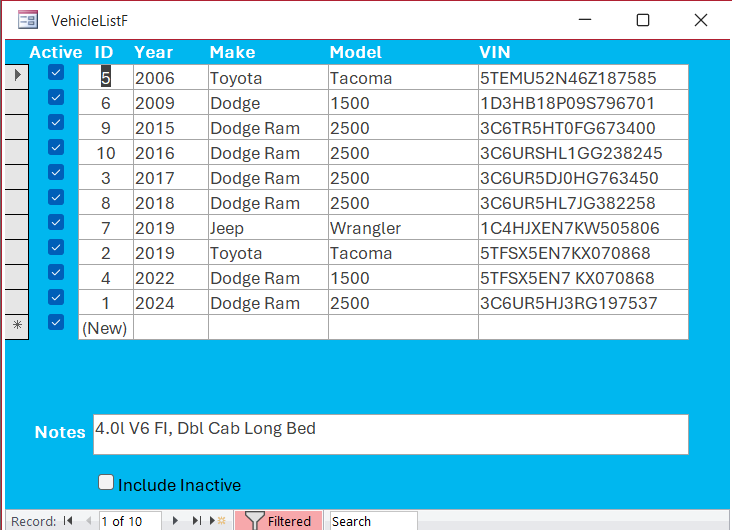
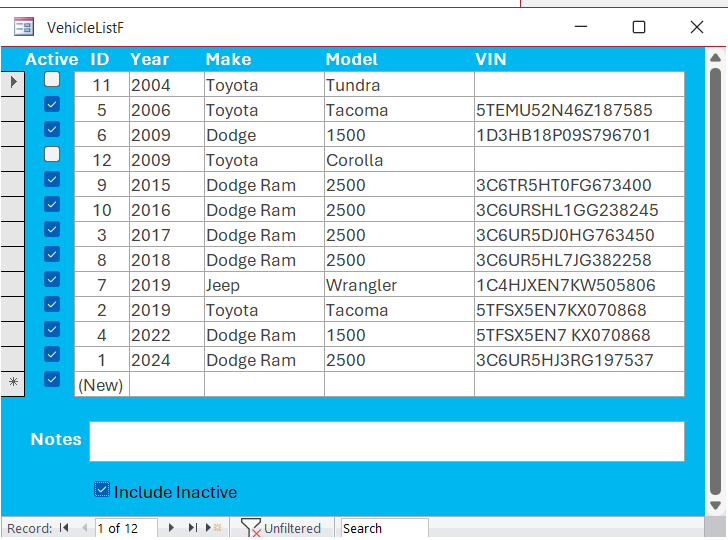
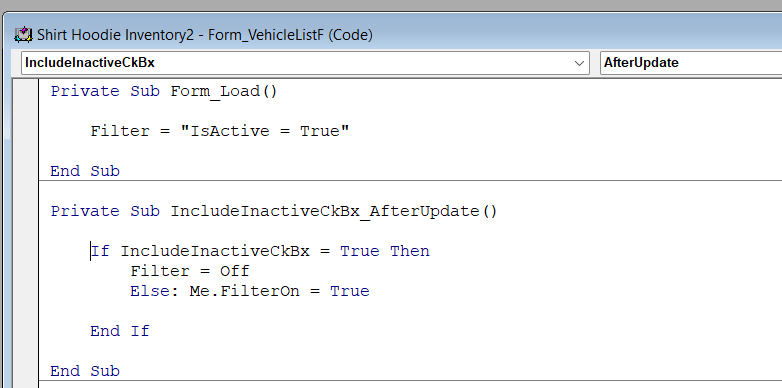
I "finally" created some VBA code that will allow my continuous form to show Active or Include the Inactive vehicles on my vehicle list.  I created an unbound Check Box to use in the code.  It uses an Onload event and an After Update event to make it work.  The Onload event filters to Active only.  The After Update event turns the filter off to show all vehicles.  Note:  the Forms Properties also has the Onload filter set too.

Is there a way to put both events into one global module?
Chris Tyson OP  @Reply  
      
15 months ago

Chris Tyson OP  @Reply  
      
15 months ago

Chris Tyson OP  @Reply  
      
15 months ago

Chris Tyson OP  @Reply  
      
15 months ago

Thomas Gonder  @Reply  
      
15 months ago
@Chris First, in my opinion, that is the kind of form that's used best for searching, not entry. Rarely do I find that all the fields I need to enter for a record fit in one line of a continuous form.  Add just acquire date, sold date, engine size and engine serial number and see what that does to your form.

You may want to see Richard's Search Seminar (he tackles your question many times there):
https://599cd.com/blog/display-article.asp?ID=2145

My aesthetic is to create a robust form that users first view, like a vehicle form, that shows all the information for a particular vehicle. That way the user can see where they are (sometimes menu descriptions aren't clear enough). Then I add a Search command button to let them focus in on a record if needed.

If you would like to see all of this in action, check out video: 2003 - User, User Group, assigning Users to User Groups
https://www.youtube.com/@adbs_ads

It will give you good ideas for when your db grows to include maintenance logs, accident logs, driver use, etc.

For code cleanness, take the ":" off the Else and move the code down one line, or put it all on one line.

As to your question, you don't want to put it in a global. If you use a piece of code three or more times, then you can add it to a Private subroutine in the same form module. That way you can call it in all the procedures that may use it, including Undo.

As Richard has pointed out in many videos, much better information can be gained from the db if you don't use Active checkboxes for a record, rather an inactive date. Null means active, any date means inactive.

Good luck!
Thomas Gonder  @Reply  
      
15 months ago
Since the first message was getting a bit long, you may also want to consider using your vehicle table more like a real database and less like a spreadsheet. I would take the make and model fields and make them their own proper tables, and place an ID to those in the Vehicle table. Sorry if I'm assuming you're going to use your db for more than just a notepad.
Chris Tyson OP  @Reply  
      
15 months ago
@Thomas, This is a continuous form where I can double click on a line and open the vehicle form, which contains a sub-form, to enter more detail information.  

I will take a look at the video links you suggested.

Right now I only need a small amount of information on the vehicles.  I have thought about the other items you mentioned and can possibly add them in the future.  

As for as the colon ":", I did not put that in the code, Access must have added it.  

Maybe I've missed something in Richard's videos, but he uses a lot of "IsActive" fields in his tables.  I can see where the date maybe helpful, but right now in my situation I don't really need the date.  

I want to have this feature in one or two other lists.  I don't mind copying or re-writing the code, but I'm trying to learn how to use the global module feature.  

Thanks for your thoughts.


Kevin Robertson  @Reply  
          
15 months ago
Add this to a Global Module:

Public Sub ShowActive(frm As Form)

    If frm.Controls("IsActiveFilter") Then
        frm.Filter = "IsActive=True"
        frm.FilterOn = True
    Else
        frm.Filter = ""
        frm.Filter = False
    End If

End Sub


Then in the Load event of the Form and the After Update event of your filter Check Box simply say:
    ShowActive Me

Note: change the field names to match the names in your database.
Make sure they are named the same in each Table and on each Form they are needed.
Kevin Robertson  @Reply  
          
15 months ago
I should also mention if you want to set the Filter Check Box to True when the Form opens you can set its Default Value in the Property Sheet.
Thomas Gonder  @Reply  
      
15 months ago
@Chris It wasn't clear about your form, if it was just entry or a "search" form. Using a global module is the same animal as a private in a form. It comes in handy to use global either in the form module or some kind of helper module. I tend to use a module to store procedures that can be used by more than one form or in queries as functions.

Kevin shows the code. My approaches (form and shared module) are shown in my "Simple Timer form with module procedures you can call from your own VBA code" in more detail on YouTube, look out at 3:40.
Chris Tyson OP  @Reply  
      
15 months ago
@Kevin, thanks!  I will try that when I get a chance.
Chris Tyson OP  @Reply  
      
15 months ago
@kevin. The code works beautifully. Thanks so much!  I had some trouble at first, but once I typed it correctly it works like magic.

This thread is now CLOSED. If you wish to comment, start a NEW discussion in Access Developer Forum.
 

Next Unseen

 
New Feature: Comment Live View


The following is a paid advertisement
Computer Learning Zone is not responsible for any content shown or offers made by these ads.
 

Learn
 
Access - index
Excel - index
Word - index
Windows - index
PowerPoint - index
Photoshop - index
Visual Basic - index
ASP - index
Seminars
More...
Customers
 
Login
My Account
My Courses
Lost Password
Memberships
Student Databases
Change Email
Info
 
Latest News
New Releases
User Forums
Topic Glossary
Tips & Tricks
Search The Site
Code Vault
Collapse Menus
Help
 
Customer Support
Web Site Tour
FAQs
TechHelp
Consulting Services
About
 
Background
Testimonials
Jobs
Affiliate Program
Richard Rost
Free Lessons
Mailing List
PCResale.NET
Order
 
Video Tutorials
Handbooks
Memberships
Learning Connection
Idiot's Guide to Excel
Volume Discounts
Payment Info
Shipping
Terms of Sale
Contact
 
Contact Info
Support Policy
Mailing Address
Phone Number
Fax Number
Course Survey
Email Richard
[email protected]
Blog RSS Feed    YouTube Channel

LinkedIn
Copyright 2026 by Computer Learning Zone, Amicron, and Richard Rost. All Rights Reserved. Current Time: 5/17/2026 8:14:42 AM. PLT: 1s