Free Lessons
Courses
Seminars
TechHelp
Fast Tips
Templates
Topic Index
Forum
ABCD
 
Home   Courses   TechHelp   Forums   Help   Contact   Merch   Join   Order   Logon  
 
Back to Access Developer Forum    Comments List
Upload Images   @Reply   Bookmark    Link   Email   Next Unseen 
NavF New Not Working
Ronald de Boer 
      
14 months ago
Hi,

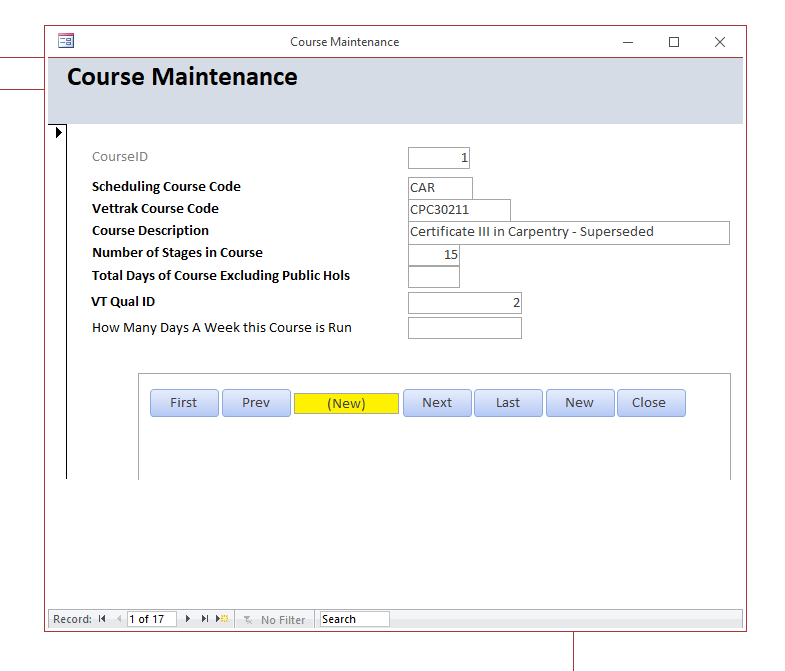
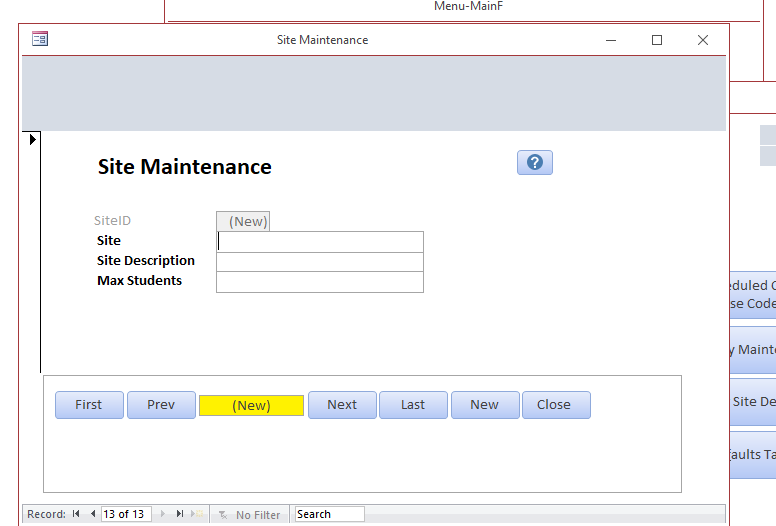
I have something really strange!  I love Richard's NAVF Subform and it works for one (only one) of my forms.  The First, Prev, Next, Last, Close all work in all Forms.

New however works only in one Form.  All all the other the code definitely runs because the RecCount field updates to (New) but the form itself does not create a blank new record and keeps displaying whatever record I happen to be o

Any ideas?
Ronald de Boer OP  @Reply  
      
14 months ago

Ronald de Boer OP  @Reply  
      
14 months ago

Ronald de Boer OP  @Reply  
      
14 months ago

Ronald de Boer OP  @Reply  
      
14 months ago

Thomas Gonder  @Reply  
      
14 months ago
I'm not familiar with Richard's NAVF subform. Could it be trying to create a new record in the subform?
What might be different in the one form that works in this regard?

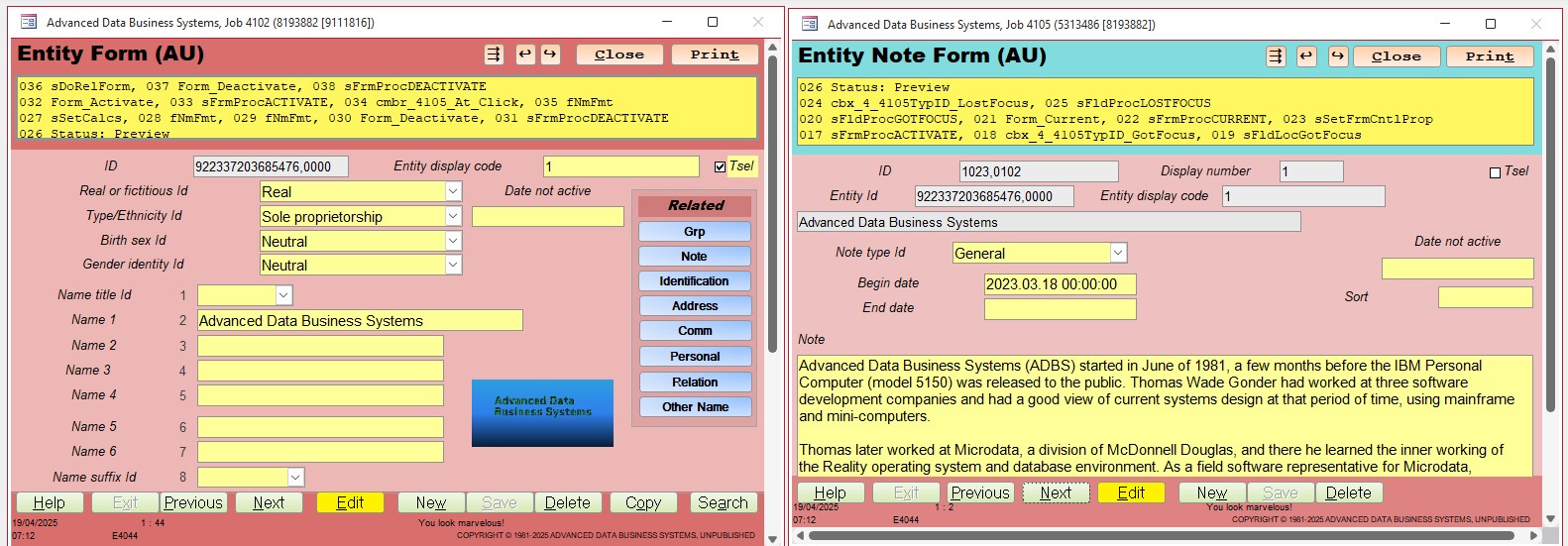
Just a suggestion to eliminate these kind of subform problems. Put the buttons in the footer of the form? It's a bit more work to modify if they are in each form, but some of my forms have extra command button features in footer.
Thomas Gonder  @Reply  
      
14 months ago

Thomas Gonder  @Reply  
      
14 months ago
You might ask, well what if I don't want to have all the code for these command buttons in all my different forms?
A small snippet of code is in each form for the click event, something like this:

Private Sub cmbf_3_ffcNext_Click()
  'Goes to the next record
  Const nProc = "cmbf_3_ffcNext_Click"
  Call sAddStatus(Me, fCntl, nProc, 1) 'this let's you know what procedure ran in the status area
  Call sFrmFtrCmbNEXT(Me, fCntl, fObj, fLocks)
End Sub

And then I have a "helper module" that has all the code to standardize what each command button does, like this:

Public Sub sFrmFtrCmbNEXT(frm As Form, fCntl, fObj, fLocks, Optional aPause As Boolean = True)
  '** Command button click for next form record
  Dim pErr As Byte
  Const nProc = "sFrmFtrCmbNext"

  sAddStatus frm, fCntl, nProc, 2

  On Error GoTo ErrCd

  If Not fCntl(3, 2) Then 'don't run for search forms
    fCntl(7, 1) = nProc & "\1": fCntl(7, 2) = False
    sFrmExitRecord frm, fCntl, fObj, fLocks
  End If

  If (frm.Recordset.RecordCount <= 1 And IsNull(fCntl(3, 1)) And Not fCntl(3, 2)) Then
    'Was searched record, now need default recordset
    frm.RecordSource = fCntl(3, 15)
  Else
    If frm.Recordset.RecordCount = frm.Recordset.AbsolutePosition + 1 Then
      frm.Recordset.MoveFirst
    Else
      frm.Recordset.MoveNext
    End If
  End If
  If aPause Then Call sPause(CLng(fCntl(2, 12)), False)

ExitCd:
  If fDogErr(pErr, nProc) Then Stop

  Exit Sub

ErrCd:
  rError = Error: rErr = Err
  Select Case Err
  Case 20 'no records yet
    Resume Next
  Case 2105, 3021 ' No next record
    Resume Next
  Case Else
    If TempVars!UserLvlID = 406 Then
      Stop 'Fer
      pErr = 255
    Else
      pErr = fErrUnhandled(Err, Error, nProc)
    End If
  End Select
  Resume ExitCd
  Resume

End Sub

A lot of this deals with how my forms handle all the different design features, but you get the idea,
Ronald de Boer OP  @Reply  
      
14 months ago
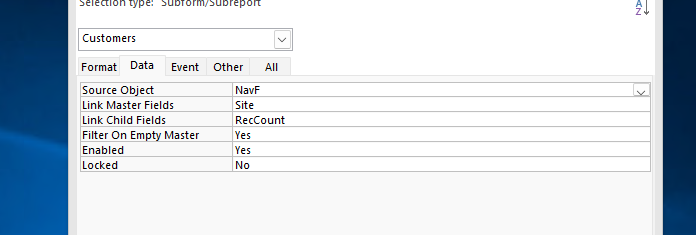
Thanks for your reply however I really want to use the code from Developer49 Lesson 4.  Richard's and John Davy's NavF subform is real easy.  Drop in the sub form and change 2 properties in the form itself, done!  What I don't get in my app it works fine with one form but not the rest. Weird!
Thomas Gonder  @Reply  
      
14 months ago
Okay, since I'm not privy to that Developer lesson, there's not much I can offer. I would check to make sure the parent form is getting focus. Lots of things could be stopping that. Normally, I would expect some kind of RTE if that happens, but you've disabled an error, so maybe comment out that On Error Resume Next line and see what happens?
Ronald de Boer OP  @Reply  
      
14 months ago
Thx Thomas, I did as you suggested and yes I am receiving an error and am going to investigate.  Really unusual as I use the exact same code on another form and it works. Mind you on only 1 form out of five I have tried. Please elaborate  what do you mean 'RTE'.

Ron
Thomas Gonder  @Reply  
      
14 months ago
RTE = Run Time Error. Something won't let that parent form get focus, hence it's not doing your DoCmd there.
Ronald de Boer OP  @Reply  
      
14 months ago
Thx!
Ronald de Boer OP  @Reply  
      
14 months ago
Hi,
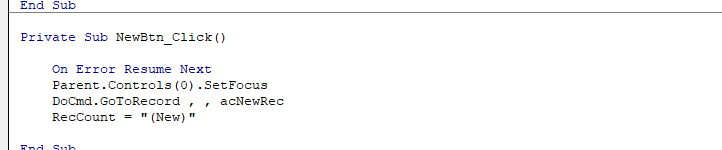
Have fixed this problem!  Problem was with the Parent.Controls(0).SetFocus
in the NewButton Event.  The problem was that my form has a Label as Control(0).  You can't set focus to a Label.  As I want to drop in the NavF and only change the Link Master Link Child in NavF and not have to check whether the 1st control is not a label I asked ChatGPT for some code to check for the 1st TextBox which is most likely what you want to set focus on.  Below the code replacinbg Richard's Parent.Controls(0).SetFocus line.

For Each ctrl In Parent.Controls
    
    If TypeName(ctrl) = "TextBox" Then
        If ctrl.Enabled And ctrl.Visible And Not ctrl.Locked Then
            ctrl.SetFocus
            Exit For
        End If
    End If
    Next ctrl
Thomas Gonder  @Reply  
      
14 months ago
@Ronald That might work unless you created the form objects out of the order that you want them for a tab order.
In the ADS, every form has a Fcntl array, and one of the elements contains the first control that I want to have focus. It's for situations like this, undo and others. However, I don't think one can get to a variable in another form. Another reason I put the command buttons in the footer.

This thread is now CLOSED. If you wish to comment, start a NEW discussion in Access Developer Forum.
 

Next Unseen

 
New Feature: Comment Live View


The following is a paid advertisement
Computer Learning Zone is not responsible for any content shown or offers made by these ads.
 

Learn
 
Access - index
Excel - index
Word - index
Windows - index
PowerPoint - index
Photoshop - index
Visual Basic - index
ASP - index
Seminars
More...
Customers
 
Login
My Account
My Courses
Lost Password
Memberships
Student Databases
Change Email
Info
 
Latest News
New Releases
User Forums
Topic Glossary
Tips & Tricks
Search The Site
Code Vault
Collapse Menus
Help
 
Customer Support
Web Site Tour
FAQs
TechHelp
Consulting Services
About
 
Background
Testimonials
Jobs
Affiliate Program
Richard Rost
Free Lessons
Mailing List
PCResale.NET
Order
 
Video Tutorials
Handbooks
Memberships
Learning Connection
Idiot's Guide to Excel
Volume Discounts
Payment Info
Shipping
Terms of Sale
Contact
 
Contact Info
Support Policy
Mailing Address
Phone Number
Fax Number
Course Survey
Email Richard
[email protected]
Blog RSS Feed    YouTube Channel

LinkedIn
Copyright 2026 by Computer Learning Zone, Amicron, and Richard Rost. All Rights Reserved. Current Time: 6/14/2026 11:26:53 PM. PLT: 1s