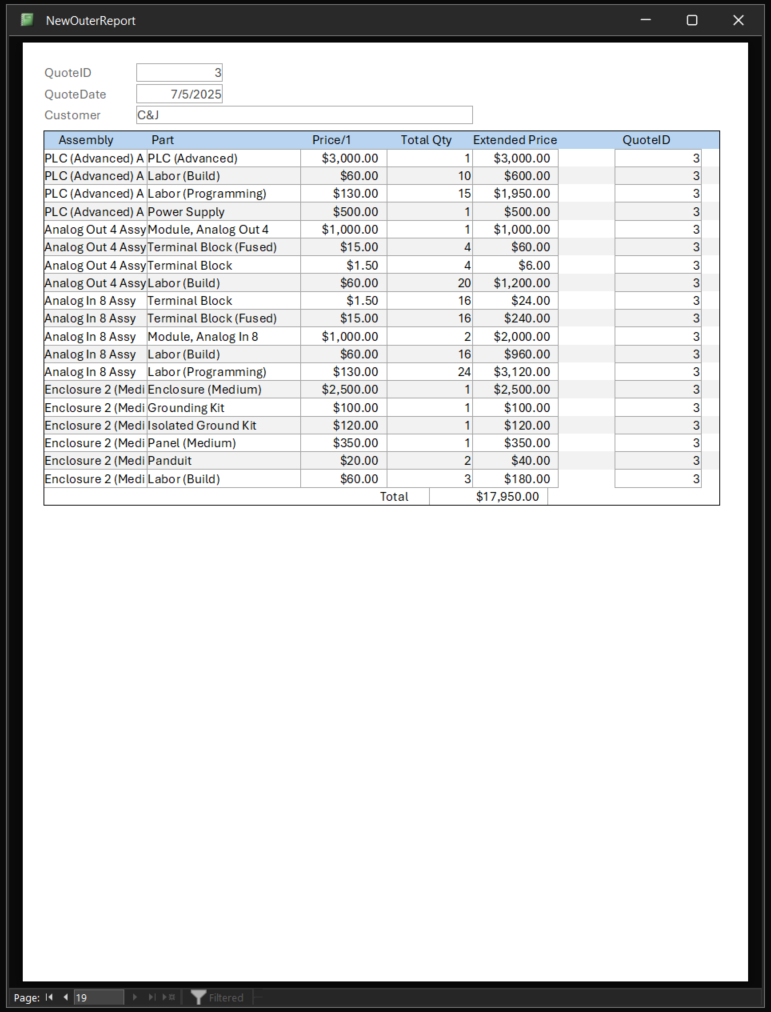
I don't know if I missed a step or what, I have gone back over this a few times, and when I build the outer report with the customer info in the details section, I am getting one page per item in the order, and every page is identical, with the header as well as the inner report.
Sami Shamma
@Reply 14 months ago
In the form property, make sure the format is continuous, not single form.
Roger PalmerOP
@Reply 14 months ago
Sami I dont see an option for "single form" or "continuous form" on the report's properties
Sami Shamma
@Reply 14 months ago
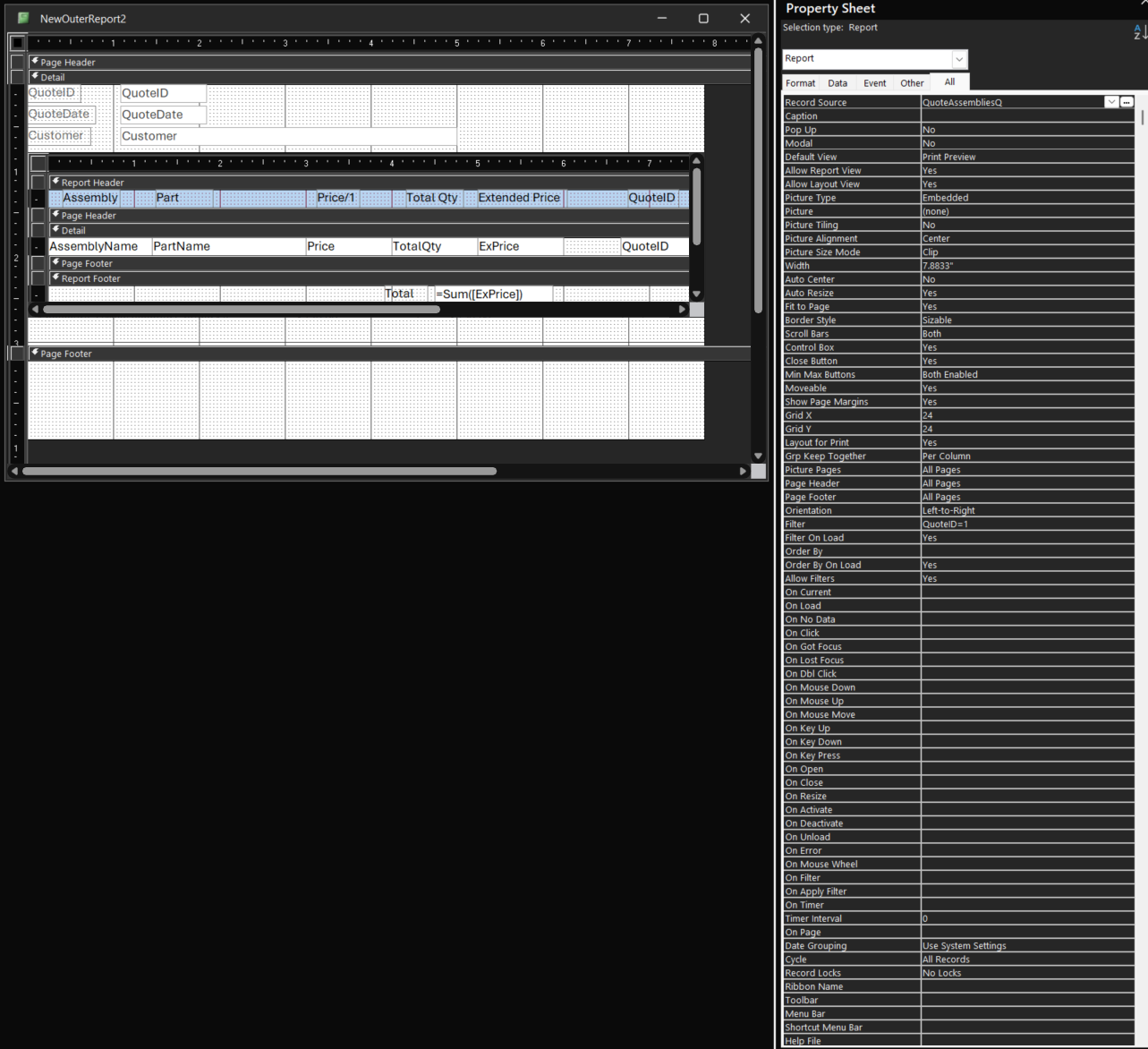
My bad. I assumed that this was a form not a report. Can you please show the report in design view?
Roger PalmerOP
@Reply 14 months ago
Roger PalmerOP
@Reply 14 months ago
I had to rebuild the report as I messed up the first version trying to fix things, and it is doing the same thing. Note that there are 19 parts in the order, and there are 19 identical pages in the report.
Sami Shamma
@Reply 14 months ago
Please show it in design view.
Roger PalmerOP
@Reply 14 months ago
Sami Shamma
@Reply 14 months ago
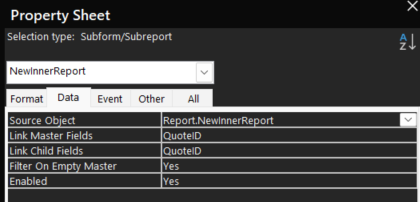
In the same design form, click one time on the subform, and please show me the data tab.
Roger PalmerOP
@Reply 14 months ago
Kevin Robertson
@Reply 14 months ago
I would add a Grouping Leve (QuoteID) and put all the data relating to the quote as a whole in that section. Then your line items can go in the Detail section of the Report. There should be no need for a Subreport in this instance.
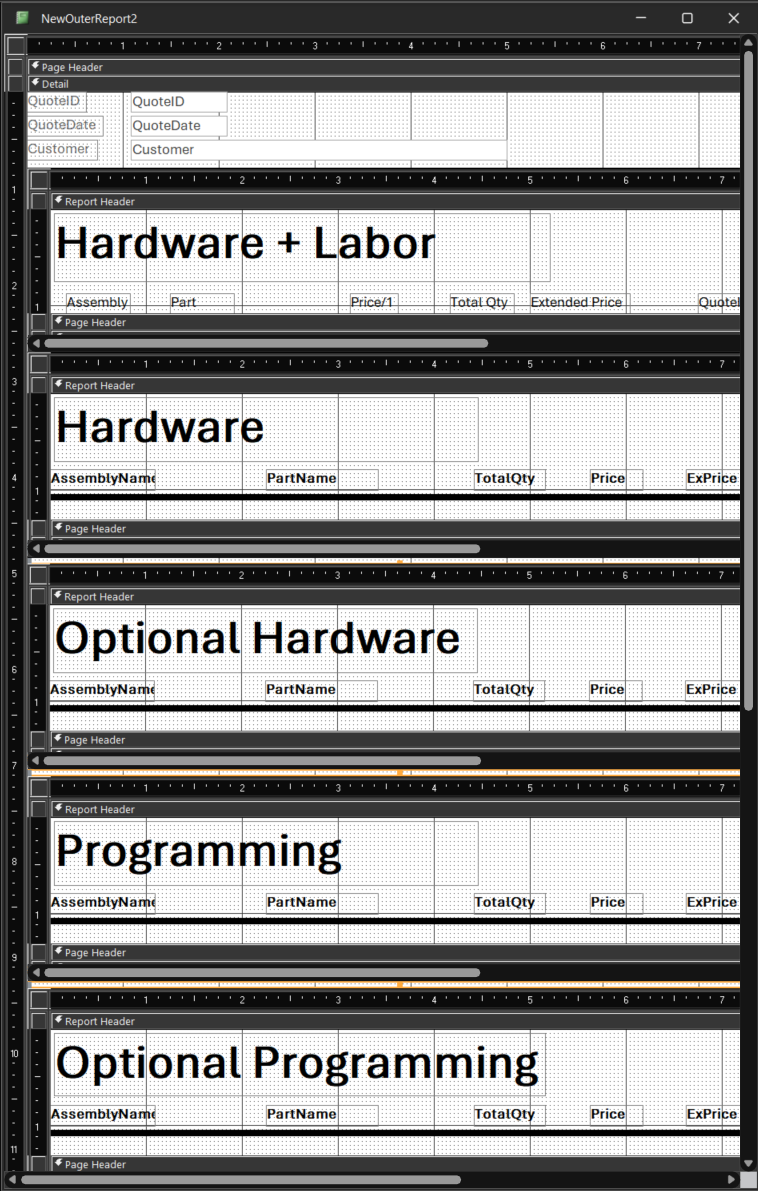
Kevin just fyi, this is just the first step, the final goal is to have 8 subreports total (ill post an image). Ill check out the grouping link you sent and see if i can make that work instead. thank you
Roger PalmerOP
@Reply 14 months ago
Kevin Robertson
@Reply 14 months ago
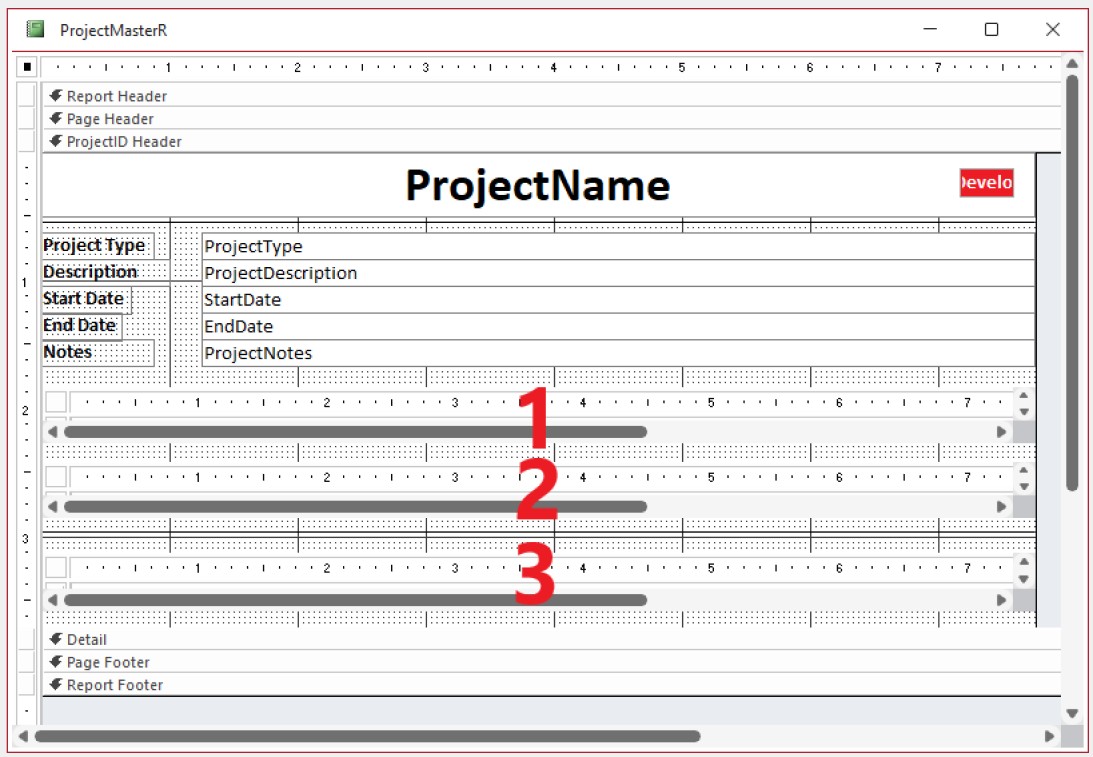
OK. Now I understand. The screenshot below if a Report from one of my databases which contains 3 subreports (numbered). Notice how I set this up. I have a grouping level (ProjectID) for details about the project. All 3 subreports are also in this section.
Kevin Robertson
@Reply 14 months ago
Sorry, only students may add comments.
Click here for more
information on how you can set up an account.
If you are a Visitor, go ahead and post your reply as a
new comment, and we'll move it here for you
once it's approved. Be sure to use the same name and email address.
This thread is now CLOSED. If you wish to comment, start a NEW discussion in
Access Expert 9.