Free Lessons
Courses
Seminars
TechHelp
Fast Tips
Templates
Topic Index
Forum
ABCD
 
Home   Courses   TechHelp   Forums   Help   Contact   Merch   Join   Order   Logon  
 
Back to Access Updater    Comments List
Upload Images   @Reply   Bookmark    Link   Email   Next Unseen 
Access Updater Issue with SQL
Halkawt Qadir 
   
10 months ago
Mr. Richard i have shared my database via Sharepoint list and recently decided to move my tables to SQL server, my access upater worked fine when my tables are in sharepoint but it does throw this error and not working when my tables linked to SQL server

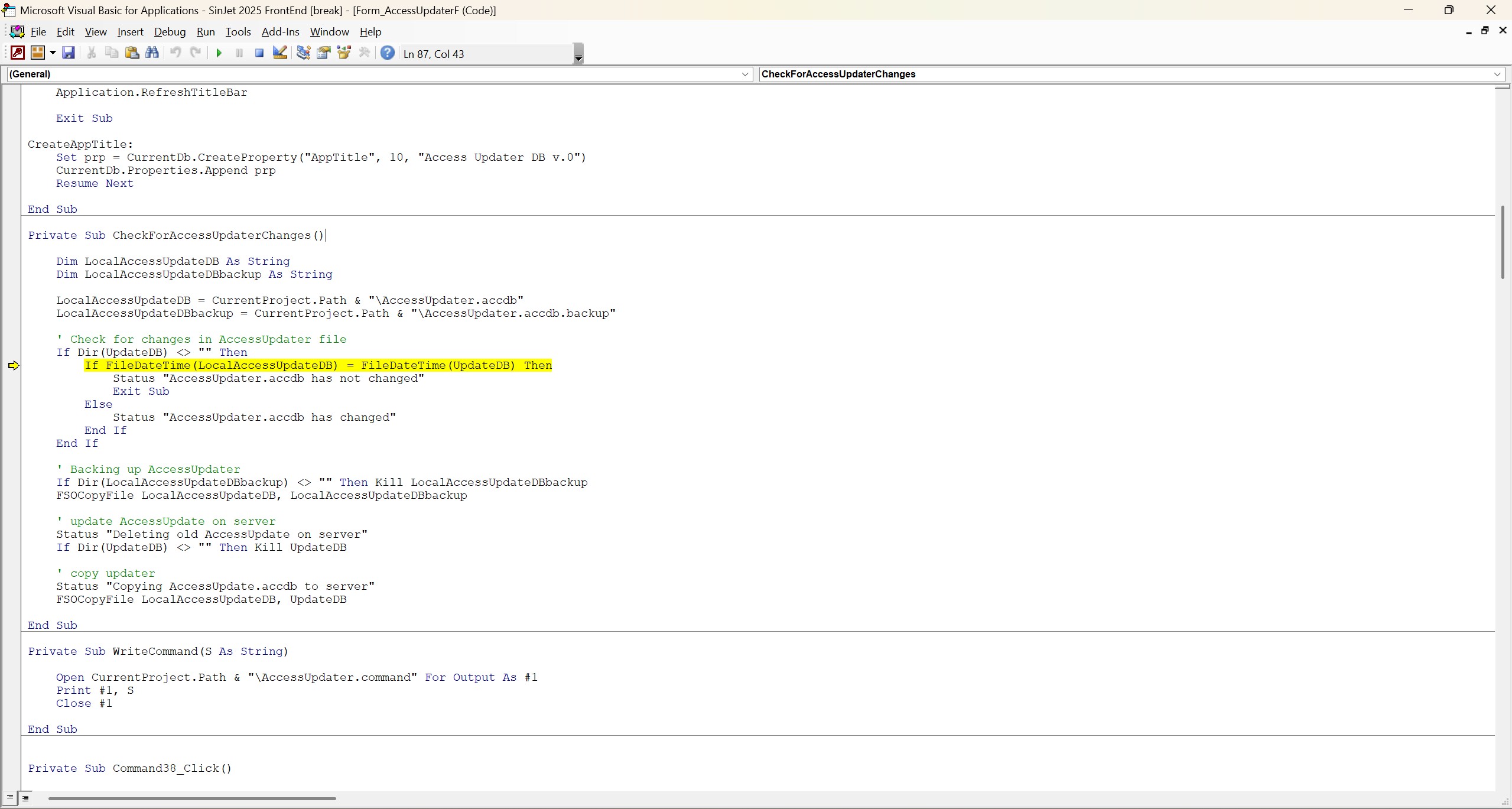
If FileDateTime(LocalAccessUpdateDB) = FileDateTime (UpdateDB) Then

what seems to be the problem and how to fix it
Halkawt Qadir OP  @Reply  
   
10 months ago

Alex Hedley  @Reply  
           
10 months ago
What does FileDateTime return?
Halkawt Qadir OP  @Reply  
   
10 months ago
it return this

Username: admin
RemoteDB: C:\Users\Halka\OneDrive\SinJet and WhiteJet Company\Sinjet Access Database Server - Copy\Server\SinJet 2025 FrontEnd.accdb
LocalDB: C:\Users\Halka\OneDrive\Desktop\SinJet 2025 FrontEnd.accdb
LastUpdate: 8/27/2025 4:38:54 PM
StartupForm: LogonF
RebootXMin: 0
WarningSec: 10
LastReboot: 8/27/2025 4:38:54 PM
Richard Rost  @Reply  
          
10 months ago
What's the ERROR MESSAGE that you're getting?

What happens when you MsgBox that data?

Debug > Compile?
Halkawt Qadir OP  @Reply  
   
10 months ago

Halkawt Qadir OP  @Reply  
   
10 months ago

Richard Rost  @Reply  
          
10 months ago
OK, that's the line it's stopping execution on, but what's the ERROR MESSAGE that it gives you?

I don't see anything out of the ordinary in that screen shot.
Richard Rost  @Reply  
          
10 months ago
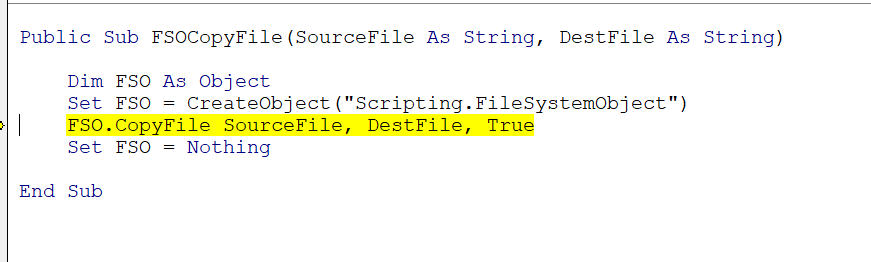
The FileDateTime function should work just fine regardless of where your data is because you're not copying the back-end, you're copying your front-end. In both cases, the front-end has to be on a local drive.
Halkawt Qadir OP  @Reply  
   
10 months ago

Halkawt Qadir OP  @Reply  
   
10 months ago
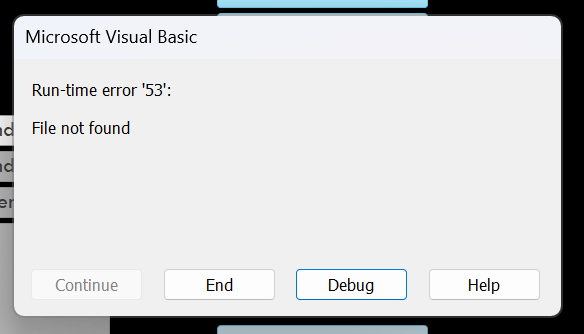
this is the error message Mr richard
Richard Rost  @Reply  
          
10 months ago
Well, that's the problem then. It can't find the file. Make sure that file exists and is spelled correctly. And make sure there aren't any weird characters in the file name.

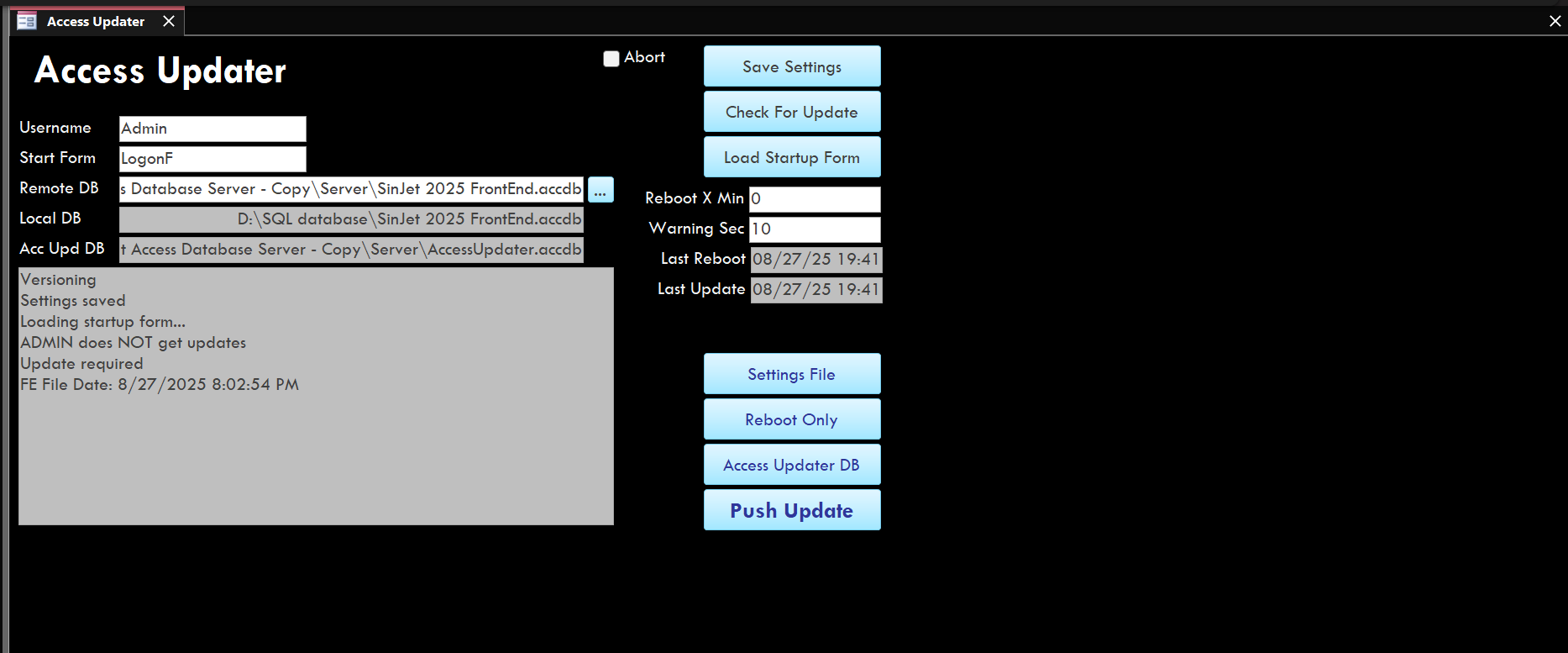
It looks okay to me, I don't see any problems with it. The spaces shouldn't cause a problem. I see you are using the D drive but as long as that's where your files are. Well, hold on your admin data that you sent me has the C drive in it but that screenshot shows a D drive. So double check all your files, make sure those files actually exist.
Halkawt Qadir OP  @Reply  
   
10 months ago
Dear Richard and Alex thank you so much for your support, I went back and reviewed access updater seminar, i found the issue, My problem is fixed

This thread is now CLOSED. If you wish to comment, start a NEW discussion in Access Updater.
 

Next Unseen

 
New Feature: Comment Live View


The following is a paid advertisement
Computer Learning Zone is not responsible for any content shown or offers made by these ads.
 

Learn
 
Access - index
Excel - index
Word - index
Windows - index
PowerPoint - index
Photoshop - index
Visual Basic - index
ASP - index
Seminars
More...
Customers
 
Login
My Account
My Courses
Lost Password
Memberships
Student Databases
Change Email
Info
 
Latest News
New Releases
User Forums
Topic Glossary
Tips & Tricks
Search The Site
Code Vault
Collapse Menus
Help
 
Customer Support
Web Site Tour
FAQs
TechHelp
Consulting Services
About
 
Background
Testimonials
Jobs
Affiliate Program
Richard Rost
Free Lessons
Mailing List
PCResale.NET
Order
 
Video Tutorials
Handbooks
Memberships
Learning Connection
Idiot's Guide to Excel
Volume Discounts
Payment Info
Shipping
Terms of Sale
Contact
 
Contact Info
Support Policy
Mailing Address
Phone Number
Fax Number
Course Survey
Email Richard
[email protected]
Blog RSS Feed    YouTube Channel

LinkedIn
Copyright 2026 by Computer Learning Zone, Amicron, and Richard Rost. All Rights Reserved. Current Time: 6/14/2026 7:14:11 AM. PLT: 0s