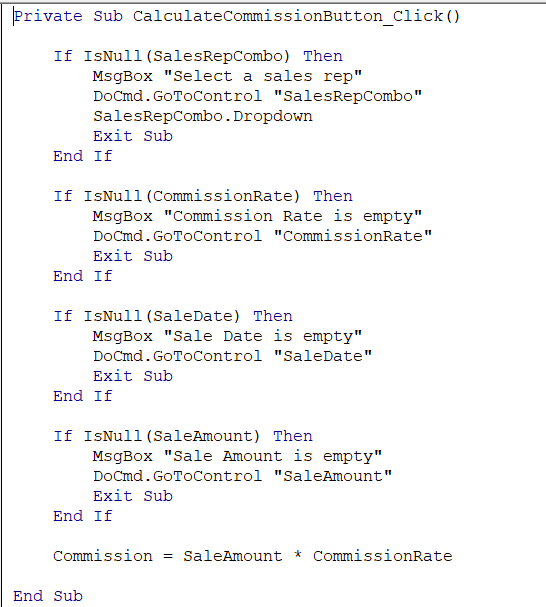
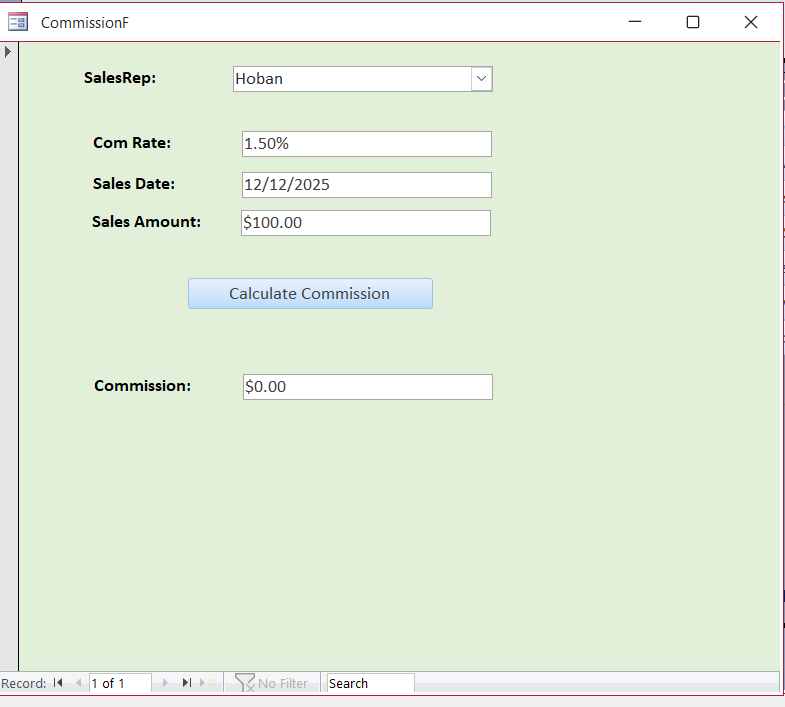
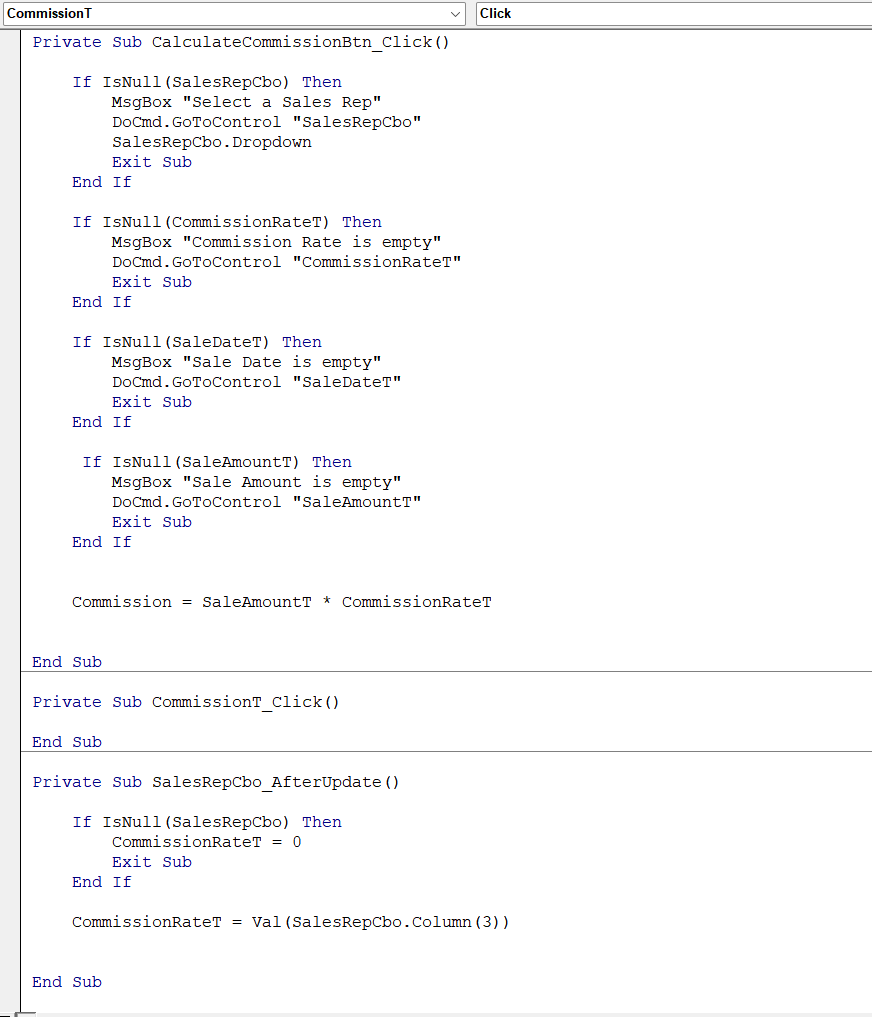
After yesterday's loss for answers to solve the issue with Developer 5, I decided to delete it all and start all over. Unfortunately, I also deleted the Commission Form and had to remake it first. Now, at this point, Lesson 3 of Developer 2, I have hit another crossroad. After reviewing the coding over and over, the Property Sheets, and anything else I could remember, I still cannot resolve this one small item. The worst part is that I had no trouble with it the first time around. Now I cannot get the Commission Amount to show in the form. I am attaching a view of the code and the view of the form. Hopefully, someone can get me past this part.
Ken WykoffOP
@Reply 9 months ago
Ken WykoffOP
@Reply 9 months ago
Kevin Robertson
@Reply 9 months ago
Is anything working when you click the button?
Blank a field and click the button to test.
Ken WykoffOP
@Reply 9 months ago
Kevin Kevin, yes they are working with the msgbox setups and the only thing it will not do is calculate the commission.
Kevin Robertson
@Reply 9 months ago
If you don't have Option Explicit turned on for this Form Module then I would check the spelling of your fields (is commission spelled the same in the Name property of the Text Box as it is in your code?).
Ken WykoffOP
@Reply 9 months ago
Kevin Thank you Kevin, I will check into spelling once again to be sure and I will look into the Option Explicit to see how to turn that on and where it is. Will let you know what happens.
Ken WykoffOP
@Reply 9 months ago
Still not working. Everything is spelled correctly and still no idea why it is not working.
If you open the Properties Sheet and select the button in Design View, what is showing agains the On Click event?
Ken WykoffOP
@Reply 9 months ago
Hello Alex, I am going to attach the view of the entire Coding so far for the Commission Form that I have retried several times. In that are you ask about there is nothing in there and even on the learning video it shows nothing,
Ken WykoffOP
@Reply 9 months ago
Ken WykoffOP
@Reply 9 months ago
Alex and Kevin, I just solved the trouble after all this time. I couldn't figure out what the Option Explicit was that Kevin mentioned, and then finally remembered that a video was connected to it. Once I placed Option Explicit at the top of the code, it showed me where the error was, and I was able to fix it. I can't tell you how many times I read over the coding and never saw it. Thank you, and thanks to Kevin for the valuable information that I will place in my coding areas from now on. Again, many thanks to you both for the help. Ken
If you are a Visitor, go ahead and post your reply as a
new comment, and we'll move it here for you
once it's approved. Be sure to use the same name and email address.
This thread is now CLOSED. If you wish to comment, start a NEW discussion in
Access Developer 2.