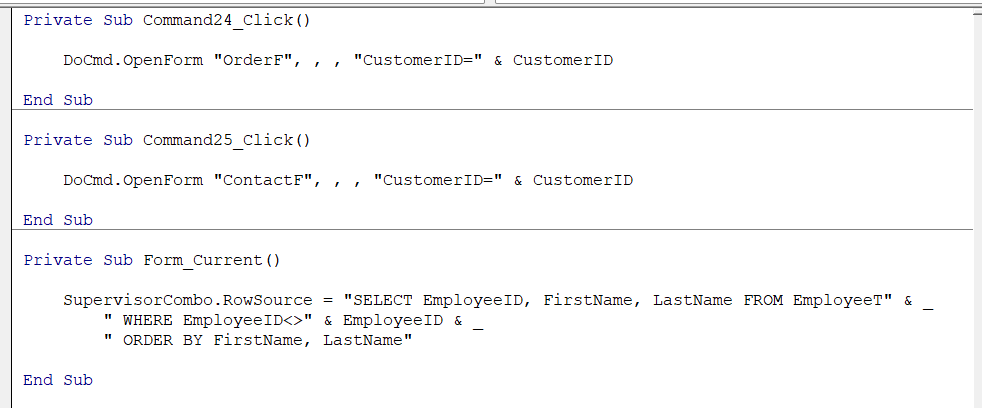
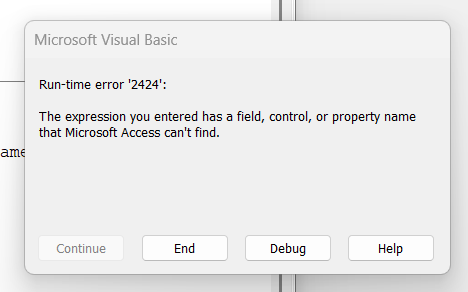
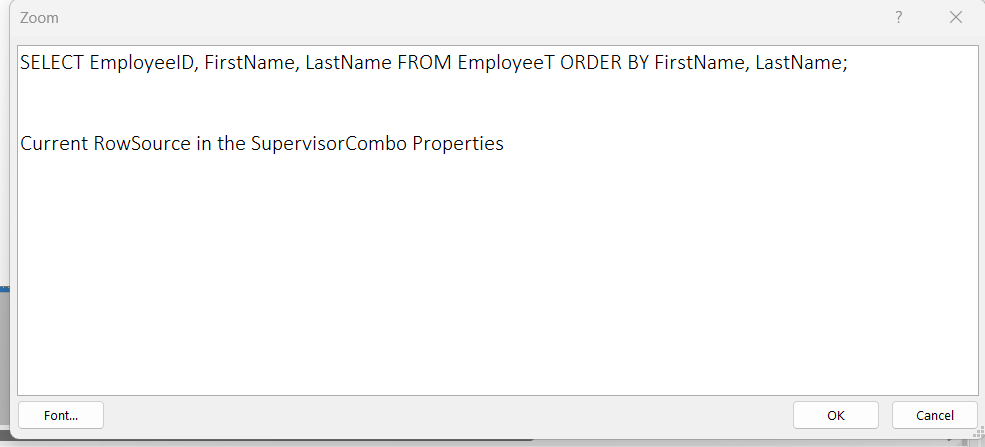
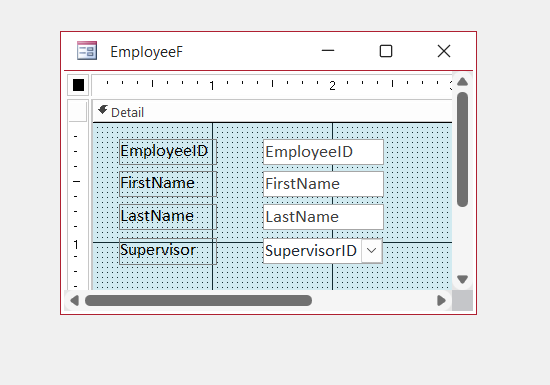
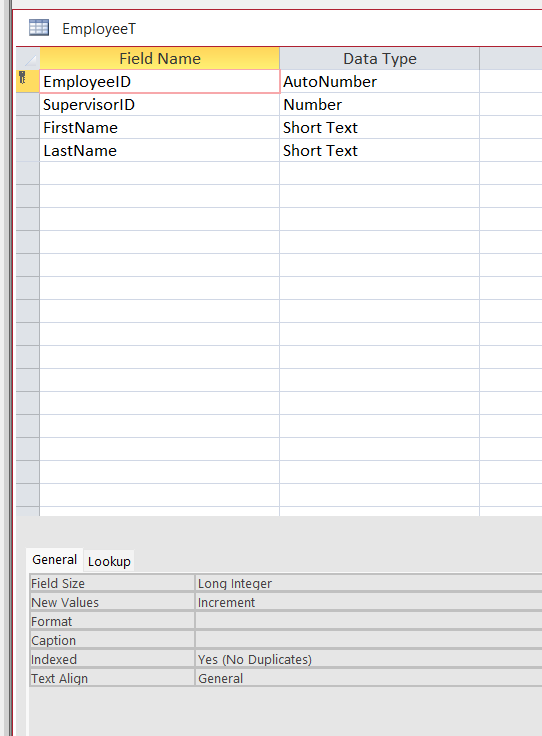
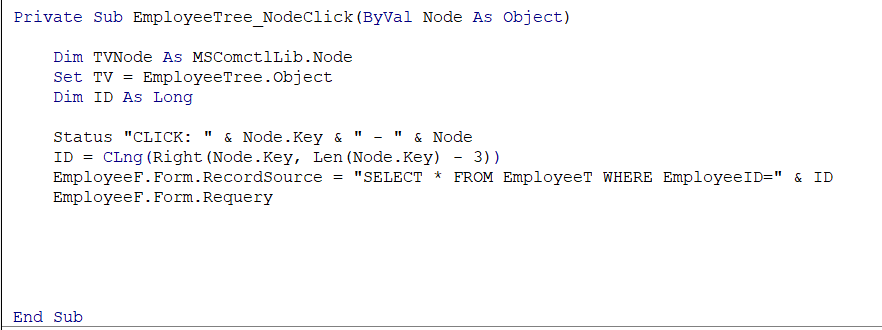
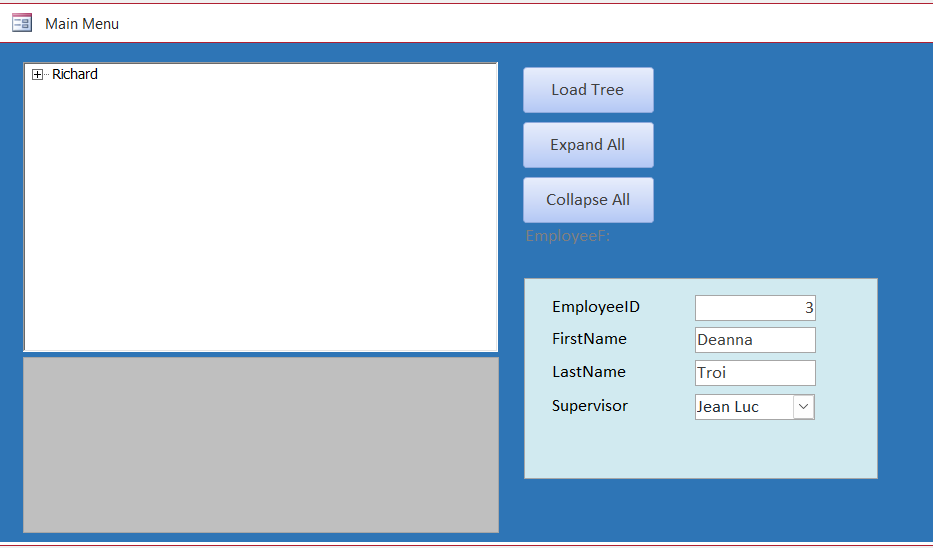
I know you all will be glad when I'm finished with this lesson. Getting close to the end of it, and now I get a runtime 2424 error. I checked several times to find mispelled words, things not matching the wording in the video, table, and form, and I cannot find the missing piece. I am including a view of the video, my coding, and a pic of my coding, all in yellow. I am so hoping it is not another misspelling again.
Ken WykoffOP
@Reply 8 months ago
Ken WykoffOP
@Reply 8 months ago
Ken WykoffOP
@Reply 8 months ago
Ken WykoffOP
@Reply 8 months ago
Ken WykoffOP
@Reply 8 months ago
The first time the yellow was only on the second line and the last EmployeeID
Ken WykoffOP
@Reply 8 months ago
Sorry I meant Lesson 6
Ken WykoffOP
@Reply 8 months ago
Still asking for help on this one. I've tried everything I can think of, and nothing is working. Even rebuilt the EmployeeF.
Donald Blackwell
@Reply 8 months ago
Hi Ken, without seeing your form properties for the supervisor combo, it is hard to be sure, but since Access is telling you that it can't find something, that likely means there is a field or property name that's not quite right.
Since the control name part cased right, it would seem that's not it, so I would look at EmployeeID (the 2nd one).
In the video, even Richard had a problem with this because he copied the CustomerT table to EmployeeT and copied elements of the customer form and, even though there was a field in the table (EmployeeID) it wasn't exposed in the form because the ID field still retained the name from the CustomerT version. Noted at approximately 19:00 in the video. Did you double check and make sure you don't have the same problem where you need to change the name of the ID field?
Ken WykoffOP
@Reply 8 months ago
Donald, I watched that too, but I will rewatch it again. I thought it was something with the customer form, but again, there is so much to follow through. I will get back to you and let you know. again thanks.
Ken WykoffOP
@Reply 8 months ago
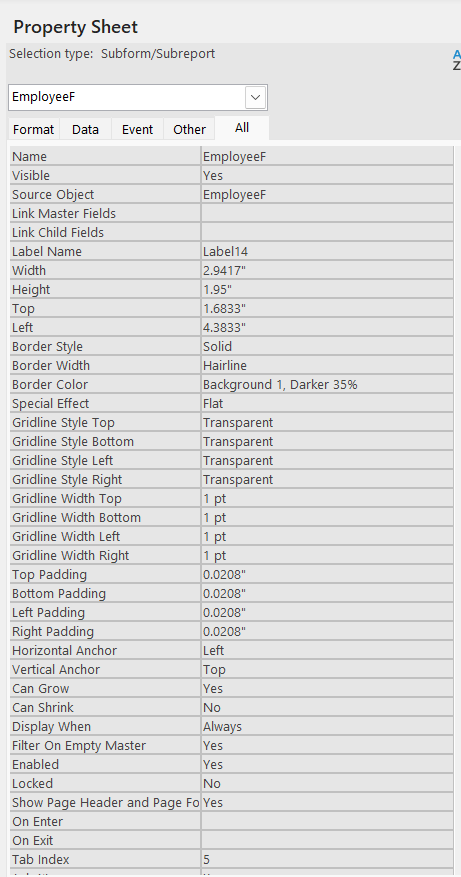
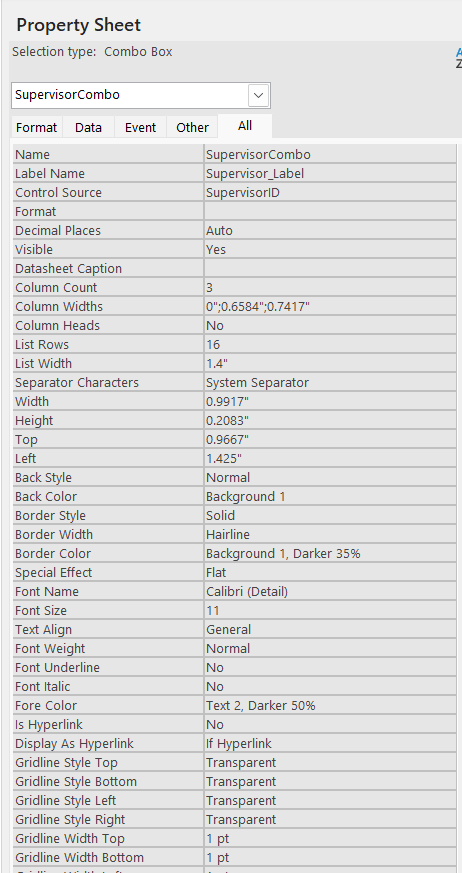
Donald, I checked everything, and it was marked properly in the Properties of all boxes in the EmployeeF. I decided to delete the entire Form and recreate it just in case there was something hidden. So after doing that, my error messages disappeared. Once I deleted the rowsource in the Supervisor box and then added it to the On Current area, the troubles started again. Again, it was not recognizing the 2nd EmployeeID in that code. I will send you an image of the Supervisor combo and the Employee Form. If there are any others you need to exam please let me know, and I will be happy to send them too.
Ken WykoffOP
@Reply 8 months ago
Ken WykoffOP
@Reply 8 months ago
Ken WykoffOP
@Reply 8 months ago
Ken WykoffOP
@Reply 8 months ago
Haven't put anything back into the Current Area yet because of errors for the second EmployeeID saying it does not exist
Kevin Robertson
@Reply 8 months ago
Please show us your Table and Form in Design View.
Ken WykoffOP
@Reply 8 months ago
Hope this is what you are asking for.
Ken WykoffOP
@Reply 8 months ago
Ken WykoffOP
@Reply 8 months ago
Kevin Robertson
@Reply 8 months ago
I can't see any errors. What happens when the form opens?
Donald Blackwell
@Reply 8 months ago
Hi Ken, Your first screen shot showed "EmployeeF" as the source of a subform. Is it possible you've put your code that's causing the error in the parent form when it should be in the subform?
Ken WykoffOP
@Reply 8 months ago
Kevin it just comes up giving all the error messages and debug messages I have shared. I tried several things and even remade the EmployeeF too.
Ken WykoffOP
@Reply 8 months ago
Donald Donald I did place that code in the current on the main form, because I thought that was what the video had shown. Let me try and see if I can get that on the subform.
Ken WykoffOP
@Reply 8 months ago
Donald, that was the problem all along! I guess I just didn't grasp the video well enough, and I can't thank you enough.
After putting all the proper codes in at the end of the lesson to clear out the EmployeeF once the database is closed and reopened. Mine is still showing stuff in that Form. Now it's in the code and the rowsource of the EmployeeF but it does not clear. That is the only thing now that does not work correctly.
Ken WykoffOP
@Reply 8 months ago
Ken WykoffOP
@Reply 8 months ago
Kevin Robertson
@Reply 8 months ago
Ken What exactly isn't working? It look like it is working the way it should.
Ken WykoffOP
@Reply 8 months ago
Kevin the boxes on the Employee form are supposed too be cleared when you reopen the entire form, if I understood it correctly.
Kevin Robertson
@Reply 8 months ago
I downloaded the stock database and it doesn't work that way. It is bound to the Employee Table and going by what is in the Record Source will always display 1 record.
Ken WykoffOP
@Reply 8 months ago
Ok glad it was ok. I saw where in the video it came back clear and said (New) with no one in it. But I am glad to be over this lesson and I am sure you guys are glad to so I don't bug you as much. Thanks again for everything.
Kevin Robertson
@Reply 8 months ago
If you want that functionality where the form opens with the Employee form on a new record:
Add a line of code to the Load event (of the Employee Form).
Private Sub Form_Load()


    Me.RecordSource = "SELECT * FROM EmployeeT WHERE EmployeeID=0;"


End Sub
Setting the ID to 0 is a quick and easy way to have the form open to a new record.
Ken WykoffOP
@Reply 8 months ago
Thanks Kevin!
Sorry, only students may add comments.
Click here for more
information on how you can set up an account.
If you are a Visitor, go ahead and post your reply as a
new comment, and we'll move it here for you
once it's approved. Be sure to use the same name and email address.
This thread is now CLOSED. If you wish to comment, start a NEW discussion in
Access Developer 20.