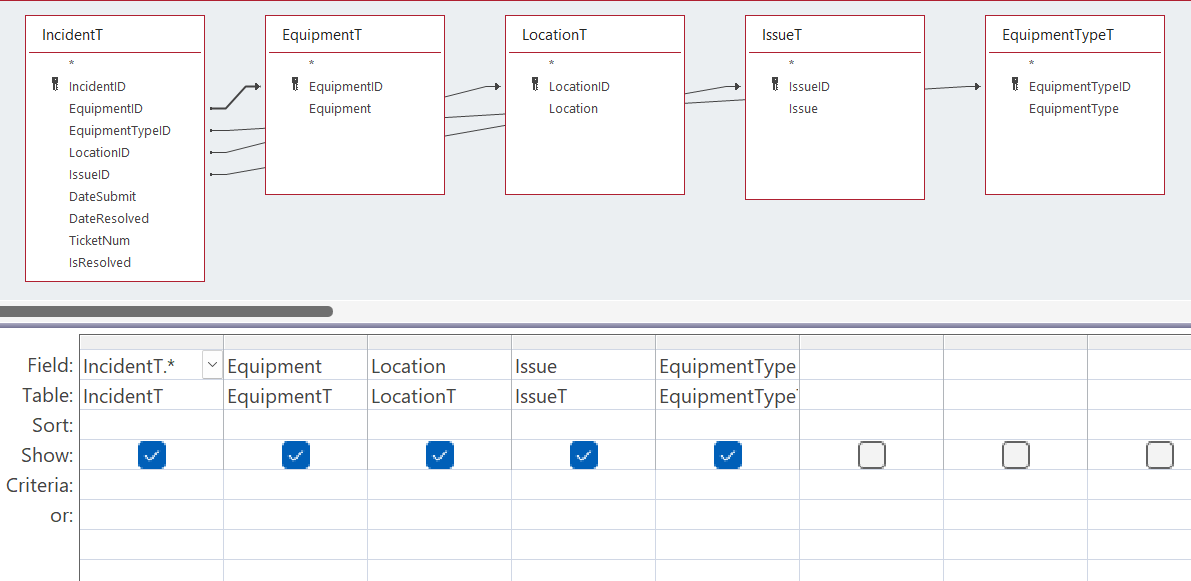
Hello, I set up a form based on query I called IncidentQ, which I planned on populating using combo boxes from 4 other tables: Equipment, EquipmentType, Location, and Issue, each having its own primary key. In the IncidentT from which the query was derived, I placed foreign keys using the same naming convention taught in this course and set them all to Number. I also set a join and chose the second option.
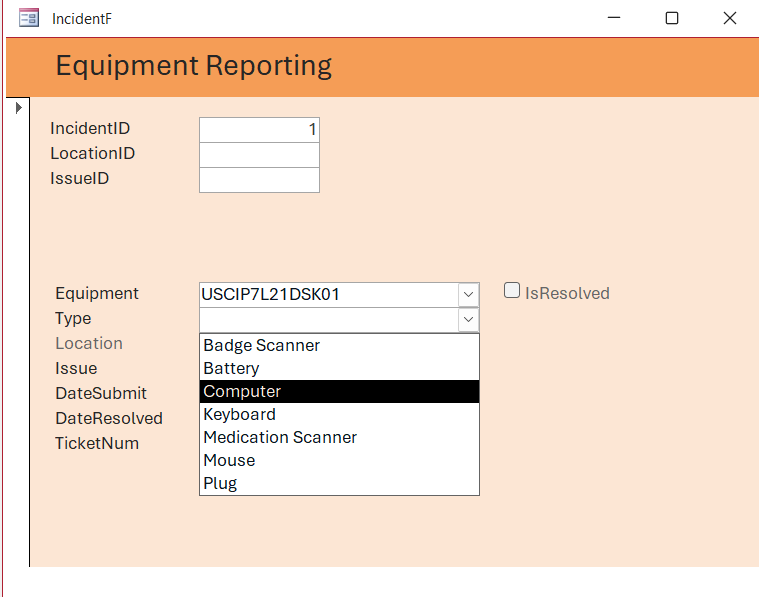
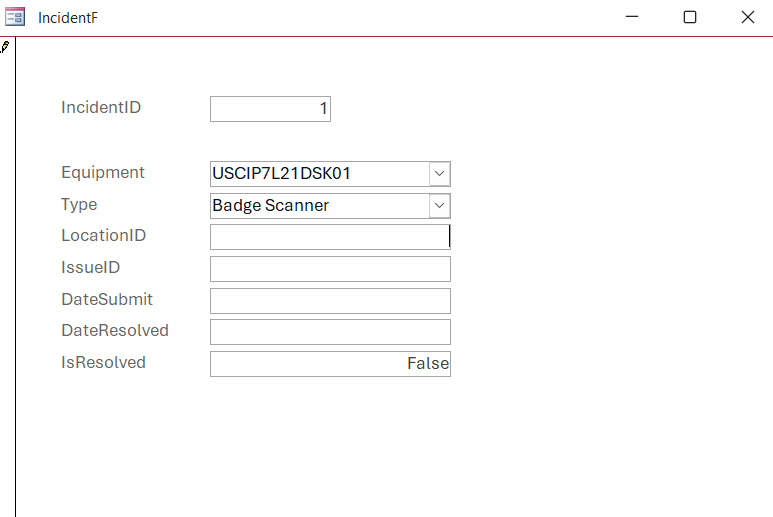
A problem arose when I created the Form (IncidentF). The combo box for the Equipment worked flawlessly. However, although I can see the drop-down selections for the Equipment type combo box, I cannot select any of them. The same is true for Location combo box.
I intended to include screen shots, but this text field doesn't let me. Please help. Thank you.
James GesulgaOP
@Reply 5 months ago
James GesulgaOP
@Reply 5 months ago
Donald Blackwell
@Reply 5 months ago
If you run the query directly from the QBE (Query Editor), are you able to change field values there, and are you able to add new records?
This looks like a case of the query being too complex. Once you select one value (the equipment), the record is set with that value and the rest blank and becomes uneditable.
If you have all of your combo boxes linked to the same query which is assigning values to multiple fields, you won't be able to edit it. In the lessons, Richard use the combo box wizard to create the row source for each combo box.
James GesulgaOP
@Reply 5 months ago
Thanks for the reply. Apart from the Equipment column, I cannot input data into other fields. I can add a new value into Equipment, but it doesn't generate an ID for it. The combo boxes are linked to their respective tables via the combo box wizard. I modeled this form after the part of the lesson where Richard had two combo boxes in the Customer Form: Leadsource and Shipping. I must've missed something.
Thanks again.
James GesulgaOP
@Reply 5 months ago
James GesulgaOP
@Reply 5 months ago
Hello,
Does it make a difference if I have my record source for the form set to a query instead of a table? I suspect this is where the issue is coming from. In the lesson, both ContactF and CustomerF forms have table sources, not queries.
Thank you.
James GesulgaOP
@Reply 5 months ago
James GesulgaOP
@Reply 5 months ago
So, I recreated the Incident table and set the appropriate joins in its respective query (IncidentQ), created another form and set its source to IncidentT, not the query, just to test and it seems like it's working now. Let me know if I'm on the right path.
Thank you much.
Donald Blackwell
@Reply 5 months ago
Yeah, you're on the right path. The query you originally used was just pulling too many sources that you didn't actually need since your combo boxes had their own sources for the data.
James GesulgaOP
@Reply 5 months ago
Thank you for the time and help!
Sorry, only students may add comments.
Click here for more
information on how you can set up an account.
If you are a Visitor, go ahead and post your reply as a
new comment, and we'll move it here for you
once it's approved. Be sure to use the same name and email address.
This thread is now CLOSED. If you wish to comment, start a NEW discussion in
Access Expert 1.