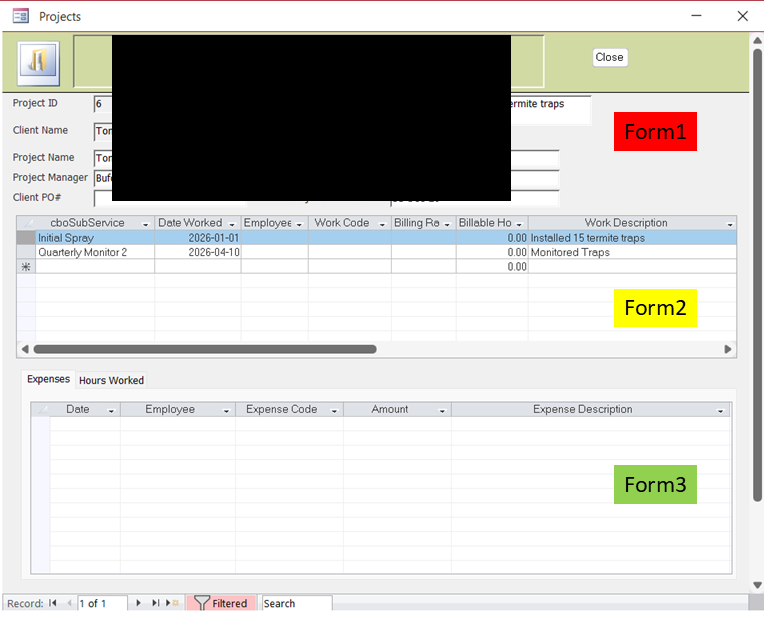
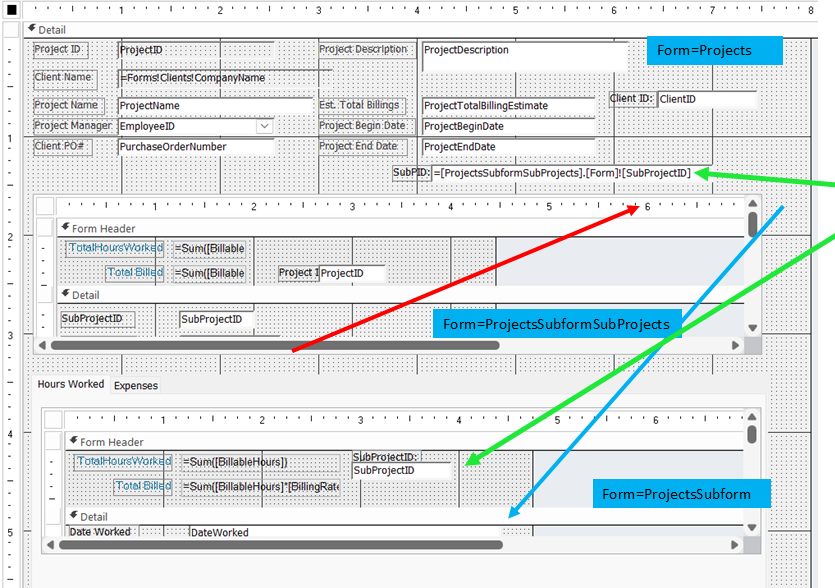
I have a form (Projects) with 2xSubforms (ProjectSubformSubProjects, and ProjectsSubform). I watched Richard's Synchronize Subforms video but cannot get one subform to "Link".------I created a textbox (SubProjectID) and recordsource =SubProjectID on form ProjectSubformSubProjects. This works; as i change record the textbox changes.
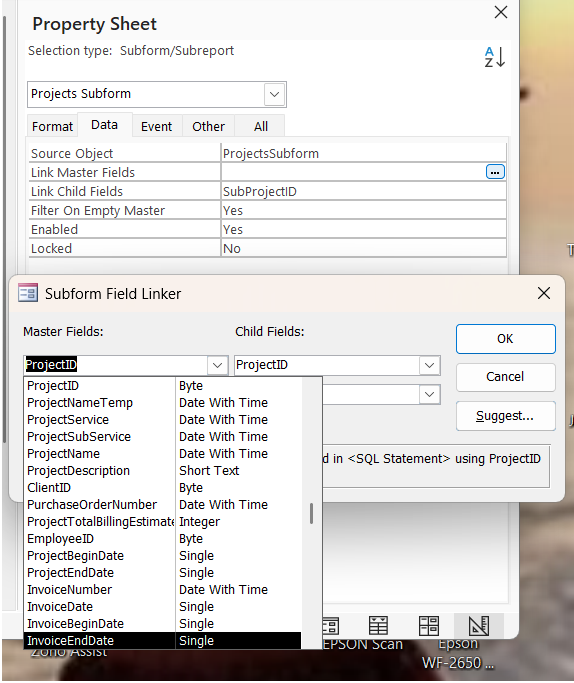
When I tried to link ProjectsSubform it doesn't work when I just type in the link items. I tried to use the Master/Child wizard (the three dots) but the textbox field does not even show up (photo 2)
Can anyone tell me what I am doing wrong?
Tom JuricOP
@Reply 5 months ago
Tom JuricOP
@Reply 5 months ago
Donald Blackwell
@Reply 5 months ago
Did you verify the spelling of the name of the hidden field on the main form that gets its value from ProjectSubFormSubprojects. The Link Masterfield on the other subform has to be the exact name of that control.
Tom JuricOP
@Reply 5 months ago
Yes, Spelling is correct. The 2nd "form" is actually a form on a Tab Control (Expenses is also on the Tab Control). Does this matter?
Tom JuricOP
@Reply 5 months ago
Sorry for my confusion!! This was not working because the items in the SubProject table did not match those in the Time Wored table. They were left over from previous testing.
IT WORKS!!!! Thanks Donald and Richard.
Sorry, only students may add comments.
Click here for more
information on how you can set up an account.
If you are a Visitor, go ahead and post your reply as a
new comment, and we'll move it here for you
once it's approved. Be sure to use the same name and email address.
This thread is now CLOSED. If you wish to comment, start a NEW discussion in
Access TechHelp.